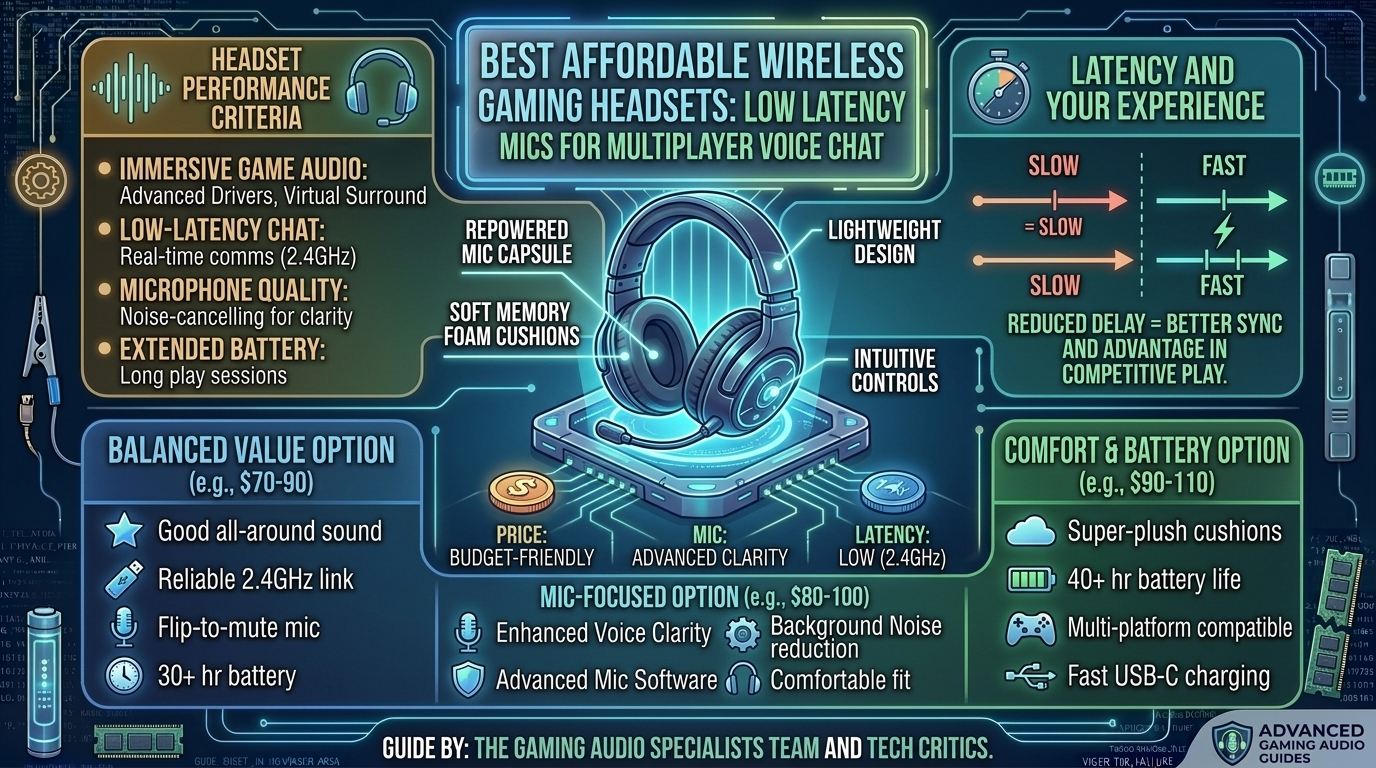
What Are the Best Affordable Wireless Gaming Headsets with Low Latency Microphones for Multiplayer Voice Chat?
In competitive multiplayer gaming, crystal-clear voice communication and instant audio feedback are just as important as high frame rates. Whether calling out enemy positions in Valorant, coordinating a raid in World of Warcraft, or playing tactical tactical shooters with your squad, audio latency and muddy microphone pickup can compromise team coordination.
Historically, budget wireless headsets suffered from heavy audio delay (often exceeding 150 milliseconds over standard Bluetooth), muffled microphone quality, and frequent disconnections. However, modern budget wireless gaming headsets leverage 2.4 GHz USB wireless dongles to deliver sub-20ms latency and high-bandwidth voice transmission under $100.
This guide breaks down top affordable wireless headsets, evaluates low-latency microphone performance, and explains the key features to prioritize when choosing a budget gaming headset.
Top Affordable Wireless Headsets Comparison
Budget Wireless Headset with Low-Latency Mic. Source: Herzindagi
| Headset Model | Price Range | Wireless Connection | Microphone Type | Battery Life | Platform Compatibility |
|---|---|---|---|---|---|
| HyperX Cloud Stinger 2 Wireless | $50 – $70 | 2.4 GHz USB Dongle | Swivel-to-Mute Noise-Canceling | 20+ Hours | PC, PS4, PS5 |
| Razer Barracuda X | $70 – $100 | 2.4 GHz Type-C + Bluetooth | Detachable HyperClear Cardioid | 50 Hours | PC, PS5, Switch, Mobile |
| SteelSeries Arctis Nova 1X/1P Wireless | $60 – $80 | 2.4 GHz USB-C Dongle | ClearCast Gen 2 Retractable | 30 Hours | PC, Xbox, PlayStation, Switch |
| Corsair HS55 Wireless | $70 – $90 | 2.4 GHz USB + Bluetooth | Flip-to-Mute Omnidirectional | 24 Hours | PC, PS4, PS5, Mac |
| Logitech G435 Lightspeed | $50 – $80 | Lightspeed 2.4 GHz + Bluetooth | Dual Beamforming Built-in Mics | 18 Hours | PC, PS4, PS5, Mobile |
1. Understanding Wireless Latency: 2.4 GHz USB vs. Bluetooth
The core factor separating gaming headsets from standard audio headphones is transmission protocol latency:
[ Bluetooth 5.0 - 5.3 ]    --->  100ms - 200ms Latency (Noticeable delay in voice & audio)
[ 2.4 GHz RF USB Dongle ]  --->  12ms - 25ms Latency  (Imperceptible, Real-Time Sync)
- Standard Bluetooth: Introduces 100ms to 200ms of audio delay. In fast-paced competitive games, a 150ms delay means hearing enemy footsteps or teammate callouts almost a quarter-second after they happen. Furthermore, when Bluetooth activates its microphone channel (HFP profile), audio quality drops to mono sound.
- 2.4 GHz Proprietary Wireless: Utilizes a dedicated USB-A or USB-C receiver operating on uncompressed RF frequencies. This limits latency to 12ms–25ms, providing instantaneous audio feedback while maintaining uncompressed bi-directional voice chat.
2. Microphone Evaluation for Multiplayer Voice Chat
Clear squad communication requires a microphone that isolates your voice while filtering out background noise like mechanical keyboard switches, PC case fans, and room echo.
Microphones Features to Look For:
- Cardioid Pickup Pattern: Captures sound directly in front of the capsule while rejecting noise coming from the sides and rear.
- Sidetone (Mic Monitoring): Feeds a zero-latency loop of your own voice into your earcups so you do not naturally shout while wearing noise-isolating earcups.
- Physical Mute Controls: Flip-to-mute boom arms or dedicated earcup hardware buttons provide instant privacy feedback compared to software toggles.
Key Tips for Buying Budget Wireless Headsets
- Prioritize USB-C Receivers: Modern headsets equipped with compact USB-C 2.4GHz dongles plug natively into PCs, PlayStation consoles, Nintendo Switch docks, and mobile devices without requiring clumsy adapters.
- Evaluate Earcup Fabric vs. Leatherette: Fabric/mesh ear cushions (like SteelSeries AirWeave or Razer FlowKnit) provide better breathability for long summer gaming sessions, whereas leatherette offers higher passive noise isolation and punchier bass response.
- Check Software Customization: Ensure the headset brand offers lightweight software (like HyperX NGENUITY or Razer Synapse) to adjust EQ settings, monitor battery percentage, and tweak microphone gain.
Frequently Asked Questions (FAQ)
Q1: Can I use a 2.4 GHz wireless gaming headset with an Xbox console?
A: Xbox uses a proprietary wireless security protocol. You must specifically purchase Xbox-certified models (usually designated with an “X” suffix, like the SteelSeries Arctis Nova 1X Wireless) to ensure USB compatibility with Xbox Series X|S.
Q2: Does wireless headset audio quality match wired headsets at the same price point?
A: Wired headsets under $50 generally offer slightly broader frequency response because 100% of their manufacturing cost goes into physical drivers rather than wireless transmitters, DACs, and batteries. However, modern 2.4 GHz budget wireless headsets have closed this gap significantly.
Q3: How do I stop background keyboard noise from leaking into my gaming mic?
A: Position your boom mic 1 to 2 inches away from the corner of your mouth (not directly in front of your lips to prevent popping). Additionally, enable noise suppression software like Discord Crisp, NVIDIA Broadcast, or your headset’s companion app.
Q4: Is built-in beamforming better than a detachable boom microphone?
A: Boom microphones generally provide superior voice clarity and noise isolation because the microphone capsule sits closer to your mouth. Dual beamforming mics (found on ultra-light headsets like the Logitech G435) offer a cleaner look for outdoor use but pick up more room ambiance.
Q5: What is Sidetone, and why is it important for voice chat?
A: Sidetone passes a small amount of your microphone input back into your ear speakers in real-time. This allows you to hear the volume of your own voice naturally, preventing vocal strain and accidental shouting during intense matches.
Q6: Can I charge a wireless headset while playing?
A: Yes. Most modern wireless headsets allow you to plug in a USB-C charging cable and continue using the 2.4 GHz wireless connection while charging simultaneously.
Q7: How long do battery lifespans last on affordable wireless headsets?
A: Battery life on budget headsets ranges from 18 hours (Logitech G435) to over 50 hours (Razer Barracuda X) on a single charge at 50% volume.
Q8: Will an inexpensive wireless headset interfere with my home Wi-Fi?
A: Because both 2.4 GHz USB dongles and home Wi-Fi routers share the 2.4 GHz frequency band, crowding can occasionally occur. Plugging your wireless dongle into a front-panel USB 3.0 port (or using an extension cable) away from your Wi-Fi router resolves potential signal drops.
Q9: What is the difference between Surround Sound 7.1 and Spatial Audio?
A: 7.1 Surround Sound uses software algorithms to simulate directional speaker channels. Spatial Audio protocols (like Windows Sonic, Dolby Atmos for Headphones, or PlayStation Tempest 3D) render objects in a full 3D sphere around your head for precise height and depth tracking in games.
Q10: Are low-latency wireless earbuds good for PC multiplayer gaming?
A: Earbuds with dedicated 2.4 GHz USB-C dongles (like Soundcore VR P10 or ROG Cetra True Wireless) offer low latency. However, full-sized over-ear headsets still provide superior battery life, larger acoustic drivers, and better microphone clarity.
Conclusion
Upgrading to an affordable wireless gaming headset with a low-latency 2.4 GHz connection transforms your multiplayer gaming experience by eliminating cable drag and delivering instant voice communication. Models like the HyperX Cloud Stinger 2 Wireless, Razer Barracuda X, and SteelSeries Arctis Nova Wireless prove that high-fidelity audio, low-latency mics, and all-day battery life are fully accessible under $100.
Explore related hardware and gaming troubleshooting guides:
How to test RAM stability using MemTest86 for game crashes
Diagnose PC randomly restarting during heavy gaming sessions
Difference between G-Sync and FreeSync monitors explained
Leave a Reply