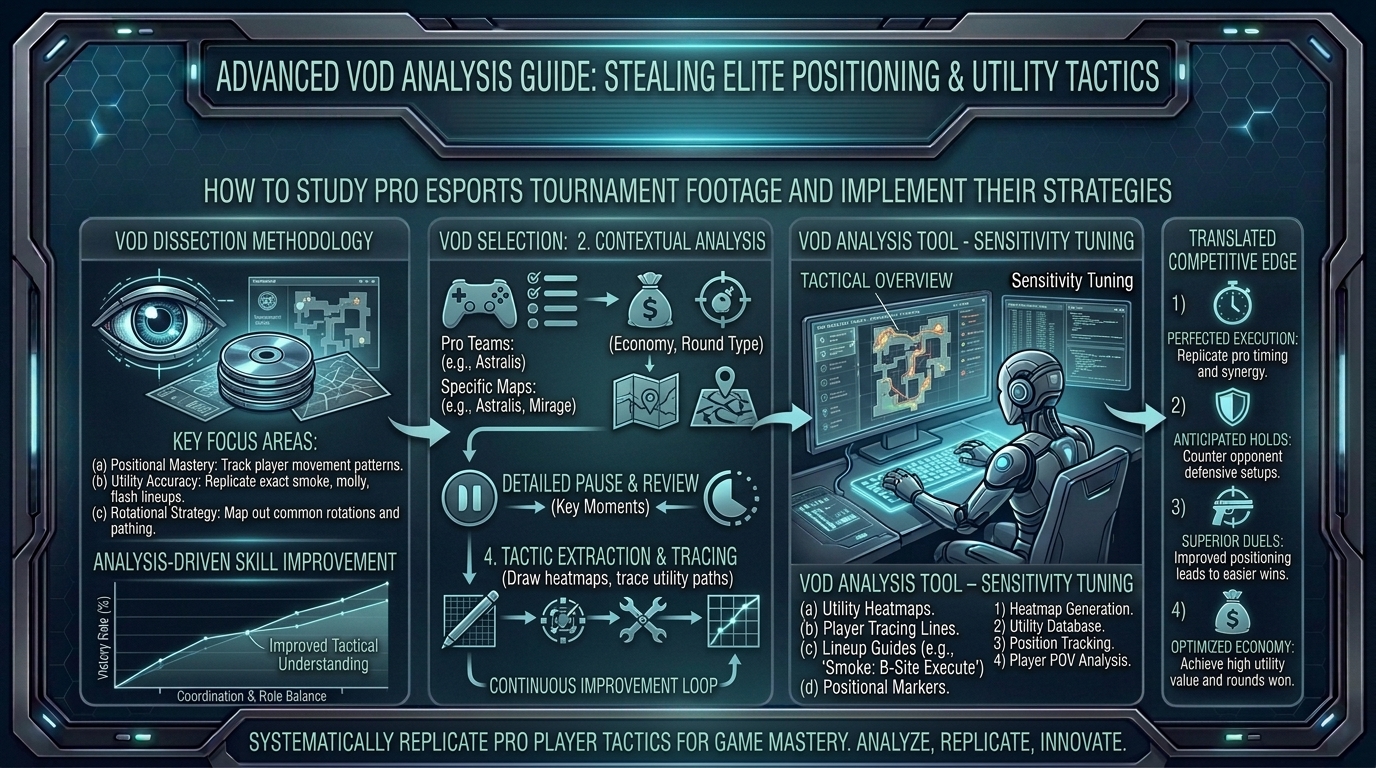
How to Study Professional Esports Player Tournament VODs to Steal Advanced Positioning and Utility Tactics
In high-tier competitive esports—whether holding tight sightlines in VALORANT, coordinating smoke executes in Counter-Strike 2, timing cooldown rotations in Overwatch 2, or anchoring end-game zones in Apex Legends—mechanical micro-aim is only half the battle. At the highest ranks, the real differentiator between an average player and an elite competitor is spatial awareness, micro-positioning, and utility efficiency.
Most players watch tournament VODs (Video on Demand) like passive fans—cheering for flashy multi-kills and highlight-reel flicks. Professional players and analysts, however, watch VODs like forensic investigators. They decompose every frame to reverse-engineer why a pro stood in a specific pixel corner, held utility for an extra four seconds, or took a dynamic off-angle right before an engagement.
At The Gamer Buzz, we break down competitive gaming mechanics, tactical analytics, and esports performance strategies. This comprehensive operational guide details how to study professional tournament VODs, extract high-level positioning and utility tactics, and implement them directly into your own ranked gameplay.
Whether you are competing in local LAN tournaments across Texas, streaming ranked sessions in California and San Francisco, leading a collegiate esports squad in Washington, or grinding ranked leaderboards from New York, adopting a structured VOD review process will accelerate your competitive progression.
1. Passive Viewing vs. Active VOD Analysis
To extract actionable tactics from professional play, you must fundamentally change how you consume tournament footage.
The Analysis Mindset Shift
- Passive Entertainment Viewing: Watching the main broadcast feed, focusing on the killfeed, tracking the overall score, following the observer camera, and reacting to hype plays.
- Active VOD Breakdown: Watching individual player perspective (POV) replays, analyzing minimap positioning relative to teammates, recording utility timings, calculating resource usage, and asking “Why did they do that?” at every turn.
| Analytical Metric | Main Broadcast Feed | Pro POV / Observer VOD | Operational Focus |
| Primary Visual Target | The crosshair & kill notification | Minimap & crosshair placement | Map Awareness: Player position relative to team structure |
| Tactical Context | Highlighting multi-kills | Setup pre-utility & movement paths | Preparation: The 15 seconds before the first shot is fired |
| Outcome Focus | Who won the engagement? | Why was the engagement favorable? | Execution: Angle management, trades, and cover utilization |
| Key Takeaway | Visual entertainment | Repeatable tactical system | Notebook Extraction: Actionable lineups and angle setups |
2. Setting Up Your VOD Study Workspace
Before analyzing gameplay, build a setup that enables precise frame-by-frame scrubbing and structured note-taking.
Hardware & Software Setup
- Dual-Monitor Workspace: Run the VOD playback on your primary display and maintain a structured note-taking system (such as Notion, Obsidian, or Google Docs) on your secondary screen.
- In-Engine Demo Viewers: Whenever available (e.g., CS2 demo files, Overwatch 2 replay viewer, or Rocket League replays), download the 3D demo files directly into your game client. In-engine viewers allow you to pause, fly around the map, inspect enemy sightlines, and rewatch plays from any perspective.
- Frame-Scrubbing Video Players: For pre-recorded VODs (YouTube, Twitch, VOD archives), use keyboard shortcuts (
J,K,Lon YouTube, or,and.for frame-by-frame stepping) to dissect micro-peeks and utility releases down to the exact millisecond.
3. Step-by-Step Guide to Stealing Pro Positioning and Utility
Extracting tactics from a pro VOD requires a systematic four-phase review process.
1.Phase 1: Freeze-Frame Micro-Positioning & Angle Analysis:Analyze spatial placement before utility or shooting starts.
Pause the VOD the exact instant a professional player takes up a defensive position or approaches a choke point.
- Inspect Line-of-Sight: Observe how much of their character model is exposed to enemy vision.
- Analyze Cover Hygiene: Check if they are standing flush against solid cover, using elevation changes, or holding a “one-way” vision angle.
- Identify Off-Angles: Note positions that deviate from standard crosshair placement, forcing enemies to adjust their aim vertically or horizontally.
2.Phase 2: Minimap Tracking & Team Spacing:Track how map information dictates player movement.
Rewind the clip and shift your eyes from the center screen directly to the minimap.
- Evaluate Crossfire Spacing: Measure the physical distance between the player and their nearest teammate. Are they within trade-kill range (1.5 to 3 seconds away)?
- Identify Rotation Triggers: Pinpoint what piece of information (sound cue, enemy scan, utility ping) triggered the player to rotate or abandon a site.
3.Phase 3: Utility Efficiency & Lineup Extraction:Deconstruct utility lineups, timing, and combo sequences.
Analyze every utility cast (flashes, smokes, molotovs, recon darts, abilities) to understand its precise purpose.
- Record Lineup Geometry: Pause at the moment of activation. Note the crosshair anchor point (e.g., “aligned with the top corner of the building antenna”).
- Identify Purpose: Was the utility meant to inflict damage, flush an anchor out of position, block line-of-sight, or delay a fast retake?
4.Phase 4: Custom Lobby Recreation & Ranked Drill Application:Test and adapt stolen tactics in custom lobbies.
Load into a custom match on the same map immediately after your VOD session. Recreate the pro’s crosshair placement, practice the utility throw five times in a row, and drill the exact movement pathing until it becomes second nature.
4. How to Spot and Copy Advanced In-Game Habits
Beyond static lineups, look for subtle micro-habits that elevate a pro player’s tactical execution:
- Crosshair Placement Height Adjustments: Watch how top players adjust crosshair placement based on terrain elevation (stairs, ramps, boxes) rather than keeping it statically level.
- Bait-and-Switch Timing: Pay attention to how aggressive entry fraggers draw enemy attention while a supporting teammate holds a hidden angle to capitalize on the distraction.
- Utility Conservation: Take note of how often pros hold their abilities during early-round skirmishes, preserving high-impact utility for high-stakes late-round executes or retakes.
- Movement-Reset Mechanics: Watch how pros use counter-strafing, crouching, or shoulder-peeking to gather visual information without exposing their hitbox to return fire.
10 Frequently Asked Questions (FAQ)
1. Where can I find raw pro player VODs without spectator overlays?
Look for official pro POV streams on Twitch, dedicated VOD archives on YouTube (such as Pro Tracker channels), or download in-game demo files directly from game clients (CS2, Overwatch 2, Rocket League) to view any player’s perspective.
2. How many VODs should I watch per week?
Focus on quality over quantity. Analyzing two to three round breakdowns or matches deeply per week—taking structured notes and practicing in custom lobbies—is far more effective than passively skimming twenty matches.
3. Should I study VODs of my main character/agent or full team strategies?
If playing solo queue, focus primarily on individual POV VODs for your specific main agent, hero, or role. If playing on a structured competitive team, study full broadcast VODs and minimap recordings to copy team executes and site setups.
4. What is an “off-angle,” and why is it featured in pro VODs?
An off-angle is a defensive standing or crouching position that isn’t typically pre-aimed by enemies rounding a corner. Pros use off-angles to catch opponents off-guard, securing easy opening kills before resetting to safety.
5. Why do pros throw utility into empty areas where no enemies are visible?
Pros often throw “pre-utility” to deny map control, clear dangerous corners proactively, or prevent aggressive early pushes based on timing windows and spawn advantages.
6. How do I adapt a pro team’s complex utility setup for ranked solo queue?
Extract individual utility pieces rather than complex 5-man sequences. Master a single powerful one-way smoke, pop-flash, or recon lineup that gives you an immediate individual advantage without needing team coordination.
7. What should I look for when analyzing a losing round in a pro VOD?
Losing rounds reveal counter-tactics. Analyze how the opposing team Baited out the pro’s utility, exploited a gap in map coverage, or won the round through superior trade-spacing.
8. How does low latency affect pro positioning compared to my home setup?
At LAN tournaments, ultra-low ping allows pros to hold tighter angles. Online in ranked lobbies, account for “peekers advantage” (network latency) by holding wider angles or actively shoulder-peeking rather than standing completely static.
9. What is the best way to organize notes taken during a VOD review?
Categorize notes by Map > Role/Agent > Phase (Early-Round Setup, Mid-Round Execute, Post-Plant). Include timestamp links or screenshots of crosshair lineups for quick reference before matches.
10. Can lower-ranked players benefit from studying pro VODs, or is it too advanced?
Players of all skill levels benefit immediately from copying pro crosshair placement, utility lineups, and basic cover management. However, lower-ranked players should avoid copying ultra-specific, high-risk bait plays that require sub-50ms reaction times or perfect team coordination.
Conclusion
Studying professional esports VODs is one of the fastest ways to elevate your tactical game sense, positioning, and utility execution. By shifting from passive entertainment viewing to active, frame-by-frame analysis, tracking team spacing on the minimap, recording utility lineups, and recreating pro setups in custom lobbies, you turn high-level tournament footage into a personal competitive advantage.
Leave a Reply