What Are the Best Offline Mobile Games for Long Flights and Road Trips Without Needing Internet Connection?
Boarding a 14-hour cross-country flight or embarking on a long highway road trip often means dealing with spotty cellular data, expensive airplane Wi-Fi, and complete dead zones. When you are stuck in seat 22B or riding in the passenger seat through rural stretches of highway, relying on cloud streaming or online multiplayer games simply isn’t an option.
To keep boredom at bay, you need true offline mobile games—titles that download all assets locally, function perfectly in Airplane Mode, require zero server pings, and deliver deep, engaging gameplay loops without draining your battery in 90 minutes.
At The Gamer Buzz, we cover mobile hardware optimizations, indie gaming, portable setups, and on-the-go performance. This comprehensive guide covers the best offline iOS and Android games for long-distance travel, battery-saving optimizations, space management, and physical comfort tips for gaming on the move.
Whether flying out of major hubs like JFK in New York, SFO in San Francisco, or LAX in California, embarking on long road trips across Texas, or traveling through Washington, these offline titles will keep you entertained for hours.
1. What Makes a Mobile Game Ideal for Airplane Mode and Long Travel?
Not all mobile games labeled “free to play” work well without an internet connection. Many titles claim to be playable offline, only to lock progression behind mandatory server check-ins, microtransaction authorization screens, or unskippable video ads that fail to load without Wi-Fi.
The Travel-Ready Checklist
- Zero In-Game Server Requirements: The game must launch, save, and progress completely locally without requiring an initial login ping.
- Low Thermal & Battery Load: Complex 3D rendering engines burn through battery power quickly. Ideal travel games use optimized 2D shaders or low-poly graphics to extend device battery life.
- High Replayability & Depth: Short, level-based hyper-casual games get boring after 20 minutes. Great travel games feature deep progression systems, procedural generation, or rich narratives.
- One-Handed & Portrait Controls: When crammed into a middle seat or holding a drink on a bumpy car ride, games with simple one-thumb portrait controls are much easier to play than complex two-thumb layouts.
| Travel Game Genre | Battery Consumption | Input Requirements | Best Played On | Standout Travel Feature |
| Rogue-lite Deckbuilders | Minimal (3–5 Watts) | Simple Taps / One-Handed | iPhone, Android, iPad | Endless replayability, zero time pressure |
| Turn-Based RPGs | Low to Moderate | Screen Taps | Phone or Tablet | Deep narrative, automatic local saving |
| Tactile Puzzle Games | Ultra-Low | Drag & Drop | Smartphone | Calming visual design, zero stress |
| Management Sims | Low | Tap & Swipe | Phone or Tablet | Passive progression, long play sessions |
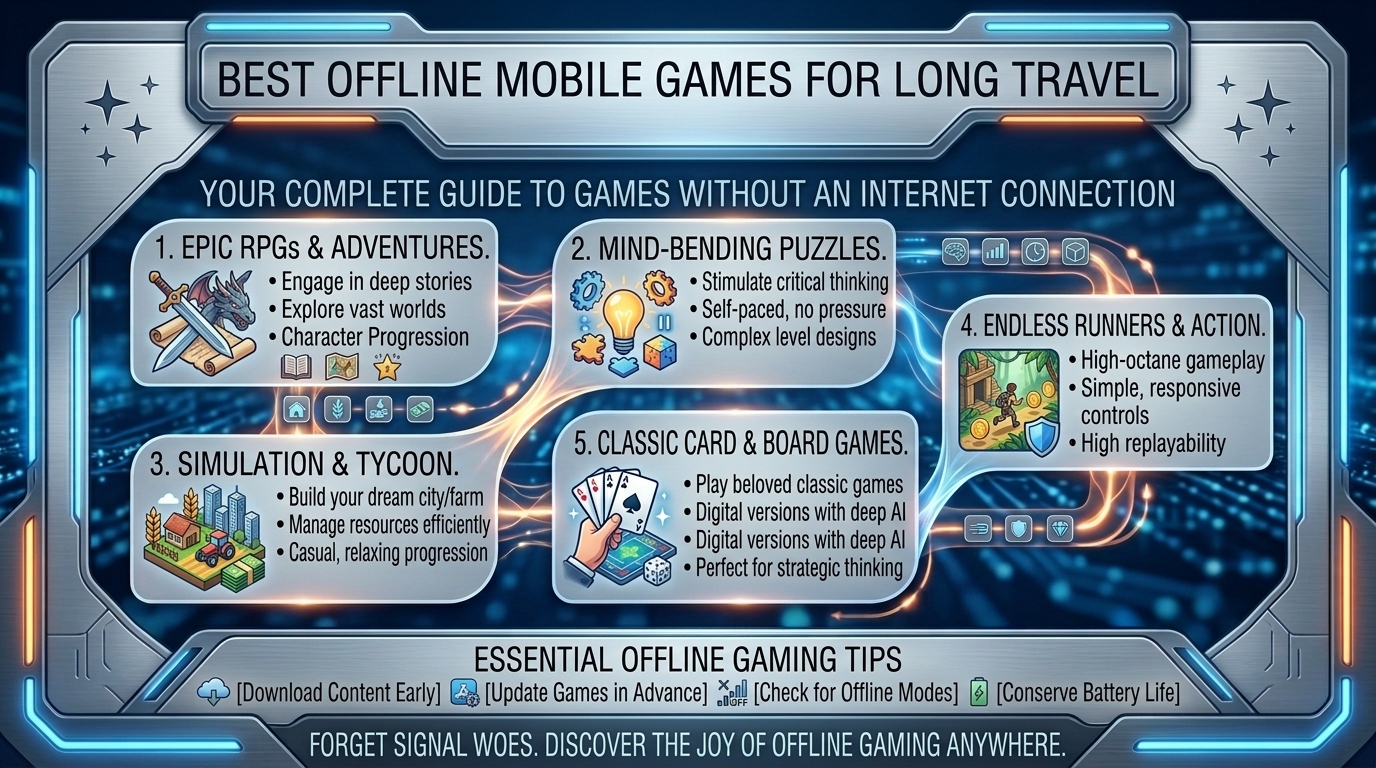
2. Top Verified Offline Games for Travel (iOS & Android)
Here are the best offline mobile games to install before turning on Airplane Mode, categorized by genre and gameplay style:
1.Category 1: Turn-Based Roguelikes & Strategy Deckbuilders:Zero reaction-speed demands and infinite procedural replayability.
- Slay the Spire (iOS/Android): The gold standard of card-battling deckbuilders. Fully offline, deep tactical strategy, zero battery strain, and seamless auto-saving after every single card played.
- Balatro (iOS/Android): A poker-inspired deckbuilder that is dangerously addictive. Completely offline with one-handed touchscreen play, making it ideal for tight airplane tray tables.
- Into the Breach (iOS/Android via Netflix Games): A turn-based tactical mechs-vs-aliens strategy game on a 8×8 grid. Requires a single online check-in during initial install, after which it runs offline smoothly.
2.Category 2: Deep RPGs & Simulation Masterpieces:Long-term progression, deep world-building, and rich narratives.
- Stardew Valley (iOS/Android): The ultimate farming and life simulation game. Features hundreds of hours of offline gameplay, custom touch controls, full controller support, and minimal battery drain.
- Dead Cells (iOS/Android): A fast-paced, action-packed rogue-lite platformer. Runs at high frame rates with excellent touch-controls or external Bluetooth controller support.
- Star Wars: Knights of the Old Republic I & II (iOS/Android): Complete 40+ hour console classic RPGs ported directly to mobile. Fully offline with deep storylines and customizable controls.
3.Category 3: Zen Puzzles & Mind Games:Chill, atmospheric puzzle-solving without time limits or pressure.
- Monument Valley 1 & 2 (iOS/Android): Visually stunning architectural puzzle games featuring impossible geometry and soothing soundscapes. Perfect for relaxing during takeoff or landing.
- Mini Metro & Mini Motorways (iOS/Android/Apple Arcade): Minimalist subway and city road-planning strategy games. Simple to learn, deeply strategic, and low on battery consumption.
- Unpacking (iOS/Android): A peaceful tactile puzzle game about unpacking belongings and placing them into new rooms over time.
3. Power, Storage, and Device Optimization for Long Travel
Preparing your smartphone or tablet before heading to the airport or starting a long road trip ensures your device lasts throughout the journey.
1. Pre-Trip Storage and Installation Verification
- Test Games in Full Airplane Mode at Home: Before leaving for the airport, turn off Wi-Fi and Cellular Data on your device and launch every installed game. Verify that the title loads past the title screen without demanding an internet connection.
- Download Extra Asset Packs Ahead of Time: Many mobile RPGs download a small initial app from the App Store, requiring a secondary 2GB–5GB in-game asset download on first launch. Complete all secondary downloads over your home Wi-Fi.
2. Battery Conservation Settings
- Cap Frame Rates at 30 FPS or 60 FPS: Disable high-refresh-rate modes (120Hz ProMotion/Smooth Display) in your game settings to save significant battery power.
- Enable Low Power Mode: Turn on iOS Low Power Mode or Android Battery Saver mode. This limits background CPU sync tasks while keeping offline games running smoothly.
- Adjust Screen Brightness: Lowering your screen brightness from 100% to 50% can double your total battery life while gaming during a flight.
4. Travel Ergonomics: Comfortable Gaming on the Go
Extended mobile gaming in cramped seats can lead to neck stiffness and wrist fatigue. Use these physical adjustments for a more comfortable travel experience:
- Elevate Your Device to Eye Level: Avoid staring straight down into your lap for hours. Rest your elbows on a folded jacket or travel pillow placed on your tray table to bring your screen closer to eye level.
- Use a Lightweight Phone Stand or Case: Prop your device up on your tray table using a foldable kickstand case. Pairing your phone with a lightweight wireless controller (such as an 8BitDo Micro or Xbox Wireless Controller) takes all device weight off your wrists.
- Pack a 10,000mAh to 20,000mAh Power Bank: Airplane seat power outlets can be unreliable or output low wattage. A dedicated 20,000mAh power bank supporting USB-C Power Delivery (PD) can recharge your smartphone 3 to 4 times over.
10 Frequently Asked Questions (FAQ)
1. Do Netflix mobile games work completely offline during flights?
Yes! Games downloaded via a Netflix subscription (like Into the Breach or GTA Trilogy) work offline during flights. However, you must log into the app online at least once every 30 days to maintain offline access verification.
2. How can I prevent my phone from overheating while playing offline games on a plane?
Remove thick protective phone cases while gaming, lower your screen brightness, close all background apps, and avoid charging your phone with a fast-charger while actively playing demanding 3D games.
3. Which offline mobile games draw the least battery power?
2D turn-based titles like Slay the Spire, Mini Metro, Stardew Valley, and Monument Valley use minimal processing power, allowing flagship phones to last 6 to 9 hours on a single charge.
4. Can I play Apple Arcade games without an active internet connection?
Yes. Apple Arcade titles can be played completely offline once downloaded to your iPhone or iPad, provided your subscription status was verified online prior to your flight.
5. What are the best one-handed offline games for cramped middle seats?
Top one-handed offline titles include Balatro, Cards of Darkness, Slay the Spire, Monument Valley, and Florence. Their vertical portrait orientation allows easy play with just one thumb.
6. Can I pair a PlayStation or Xbox controller to my phone while in Airplane Mode?
Yes! Bluetooth functionality remains fully operational while Airplane Mode is enabled. You can pair an Xbox, PlayStation DualSense, or Nintendo Switch Pro Controller to your phone or tablet without cellular data or Wi-Fi.
7. Why do some “free-to-play” games refuse to load without Wi-Fi?
Many free-to-play games rely on live servers to load video advertisements, process microtransactions, and prevent cheating. Without an active internet connection, these games lock you out at the loading screen.
8. Are tablet screens better than smartphones for long-distance travel gaming?
Tablets (like an iPad Mini or Samsung Galaxy Tab) offer larger displays that reduce eye strain during long gaming sessions. However, they consume slightly more battery power and are heavier to hold without a kickstand.
9. How much storage space should I clear before a long flight?
Clear at least 15GB to 20GB of local storage. This ensures enough room to install 3 to 5 deep offline titles alongside secondary asset packs, audio files, and offline media downloads.
10. Does playing offline mobile games cause motion sickness on road trips?
It can if you keep your eyes locked on a screen while a car turns or brakes. To prevent motion sickness, play games with low motion blur, take regular visual breaks every 20 minutes, keep air flowing toward your face, and avoid fast-paced 3D camera panning.
Conclusion
Preparing a solid lineup of offline mobile games is the best way to ensure entertainment on long flights and road trips. By downloading deep offline titles like Slay the Spire, Stardew Valley, Balatro, and Dead Cells, verifying Airplane Mode compatibility ahead of time, capping frame rates for battery efficiency, and bringing a reliable USB-C power bank, you can transform long travel days into relaxing gaming sessions.
Leave a Reply