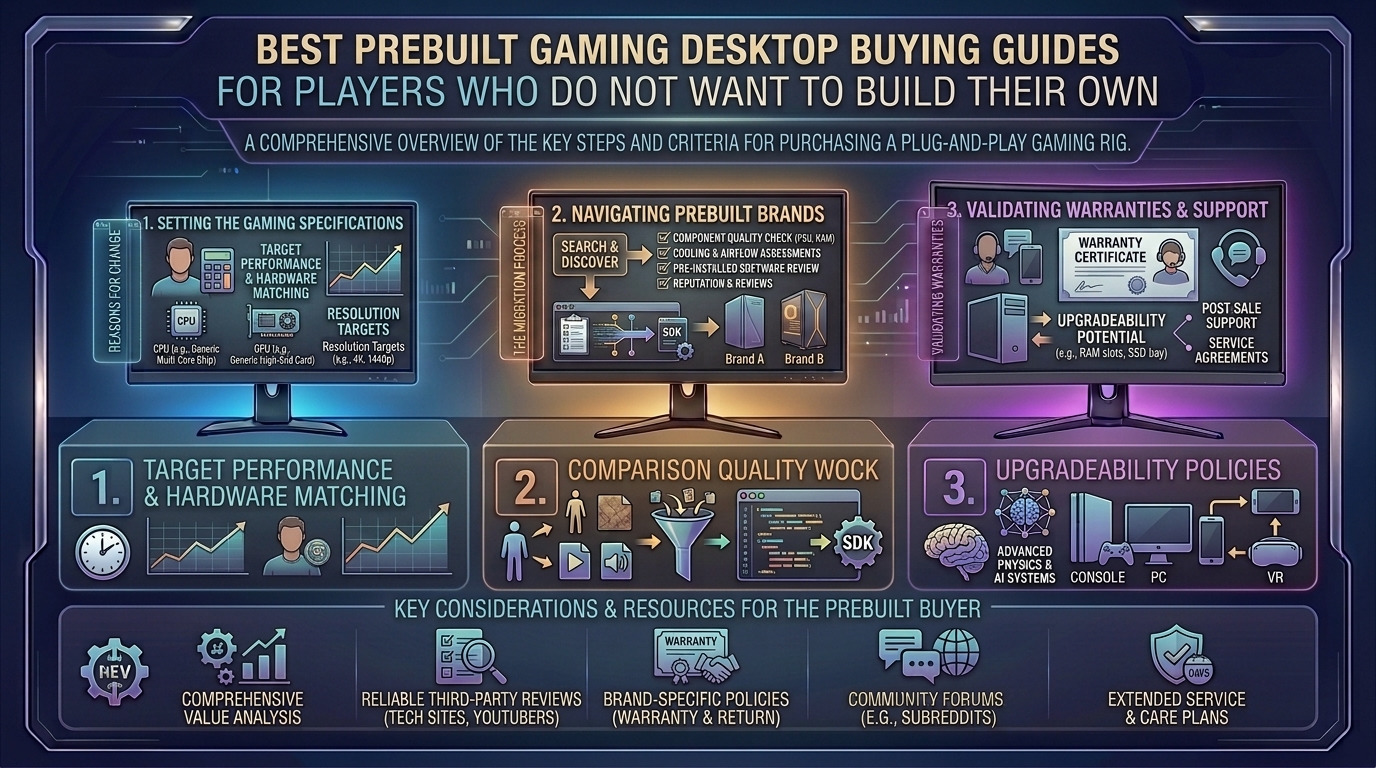
Welcome to thegamerbuzz, your definitive authority on high-performance gaming hardware, buyer transparency, and rig optimization. Whether you are setting up your battle station late at night in a New York high-rise, benchmarking frame rates in San Francisco, configuring multi-monitor displays in Texas and Washington, or building out your dream desk ecosystem from sunny California, we know one undeniable reality: not everyone wants to spend their weekend troubleshooting BIOS updates, managing tiny cables, or risking static electricity damage.
Building your own PC is a rite of passage for some, but for millions of gamers, buying a prebuilt desktop is the ultimate choice. You want to unbox the machine, plug it into the wall, download your library, and immediately start playing at max settings.
However, shopping for a prebuilt desktop can feel like navigating a minefield of proprietary parts, hidden bottlenecks, and flashy marketing terms designed to trap unsuspecting buyers. This comprehensive buying guide breaks down everything you need to know to secure the best prebuilt gaming desktop without ever touching a screwdriver.
1. The Prebuilt Advantage: Why Skip Custom Building?
Before diving into specifications, it helps to understand why millions of players choose prebuilt systems. Buying pre-assembled hardware offers distinct advantages:
- Professional Assembly and Stress Testing: Reputable builders assemble your rig, route cables cleanly for optimal airflow, update the BIOS, and run stress tests to ensure hardware stability before it leaves the warehouse.
- Comprehensive Warranties: Instead of dealing with individual component manufacturers (like motherboard, GPU, and RAM vendors) when something breaks, a good prebuilt system comes with a single unified warranty covering the entire desktop.
- Plug-and-Play Simplicity: Windows installation, driver configuration, and initial hardware handshakes are completely handled for you out of the box.
2. Decoding the Hardware: What Specs Matter Most?
When scanning prebuilt listings, manufacturers often use impressive-sounding jargon to mask older or unbalanced parts. To get your money’s worth, focus on the core trio:
1. The Graphics Card (GPU) — The Engine of Your Visuals
The GPU dictates your gaming resolution and framerates.
- For 1080p Full HD Gaming: Look for systems equipped with an Nvidia GeForce RTX 5060 or equivalent. These handle competitive esports titles and modern games at high settings smoothly.
- For 1440p QHD Gaming (The Sweet Spot): Aim for an RTX 5070 or RTX 5070 Ti. This tier delivers high refresh rates and stunning fidelity for heavy AAA titles without breaking into extreme luxury pricing.
- For 4K Ultra Enthusiasts: Step up to an RTX 5080 or RTX 5090 paired with high-end cooling solutions.
2. The Processor (CPU) — The Brain of the Machine
Your CPU keeps your game logic running and prevents performance bottlenecks. Look for modern multi-core processors such as AMD Ryzen 7 (especially X3D variants with massive game caches like the Ryzen 7 9800X3D) or Intel Core Ultra 7 / Ultra 9 chips, which excel in both high-framerate gaming and heavy multitasking.
3. System Memory (RAM) and Storage
- RAM: 32GB of DDR5 RAM is the gold standard for modern gaming rigs. Avoid budget systems skimping on 16GB unless you are strictly shopping on a tight entry-level budget.
- Storage: Insist on an NVMe M.2 SSD (at least 1TB, preferably 2TB). Avoid old-school mechanical spinning hard drives for your operating system and game library; fast solid-state drives eliminate texture pop-in and long loading screens.
3. Top Prebuilt Gaming PC Recommendations for 2026
The prebuilt market features standout systems engineered for reliability, clean aesthetics, and component upgradeability:
- Best Overall High-End Rig: Corsair Vengeance Series (such as the A7500 featuring Ryzen X3D chips and RTX 50-series graphics). Praised for top-tier build quality, standard non-proprietary parts, excellent cable management, and quiet operation.
- Best Mid-Range & Content Creation Workhorse: Asus ROG Desktop Series (like the ROG G700). Offering balanced Intel Core Ultra processing, liquid-cooled CPUs, and generous RAM configurations, it’s a stellar plug-and-play machine for gaming and streaming.
- Best Configurable Boutique Build: Maingear MG-1. Provides custom-builder-level aesthetic presentation, pristine cable routing, and customizable chassis panels while retaining full prebuilt convenience.
- Best Budget Value System: CyberPowerPC Gamer Xtreme or ABS Cyclone series. Perfect entry points for players wanting solid 1080p/1440p gaming performance without paying luxury enthusiast prices.
4. Red Flags: The Traps to Avoid When Buying Prebuilts
Shady manufacturers sometimes cut corners on prebuilt PCs to maximize profit margins. Keep an eye out for these common traps:
- Proprietary Motherboards and Power Supplies: Some major legacy brands use custom-shaped motherboards and power supplies that cannot be replaced or upgraded standardly. If a part fails out of warranty, you are forced to buy proprietary replacements directly from the manufacturer. Always look for systems built using standard ATX components.
- Single-Channel RAM: Ensure the system description lists two sticks of RAM (e.g., 2 x 16GB) rather than a single stick (1 x 32GB). Single-channel RAM cuts your memory bandwidth in half and heavily chokes CPU performance in games.
- Inadequate Cooling: Glass-heavy fishtank cases look gorgeous, but if they lack proper intake and exhaust fan placement, high-end components will thermal throttle, reducing your frame rates during long sessions.
5. Frequently Asked Questions (FAQ)
1. Is it significantly more expensive to buy a prebuilt PC compared to building one?
Prebuilt systems generally carry a “convenience fee” (usually ranging from $100 to $300) covering assembly, testing, OS licensing, and warranties. However, during periods of component price fluctuations or memory shortages, prebuilts can sometimes offer surprising cost parity.
2. Can I upgrade a prebuilt gaming PC later down the road?
Yes, provided you buy from brands that use off-the-shelf standard parts (like Corsair, CyberPowerPC, iBuyPower, or Maingear). Avoid restrictive proprietary units that lock you out of swapping cases, motherboards, or power supplies.
3. Do prebuilt gaming PCs come with bloatware installed?
Many budget and mass-market prebuilts come pre-loaded with trial antivirus software and unnecessary utility apps. Boutique builders and reputable brands typically ship systems with a clean Windows installation free of third-party bloatware.
4. What power supply (PSU) rating should I look for?
Never compromise on the power supply. Look for a trusted brand unit rated at 80 Plus Gold with adequate wattage (typically 750W to 850W+ for mid-to-high-end modern GPUs) to ensure clean, stable power delivery.
5. Are prebuilt PCs shipped safely without components breaking loose?
Reputable builders use expanding internal packing foam (like Instapak) inside the chassis to immobilize heavy graphics cards and CPU coolers during transit. Always open the side panel carefully to remove this internal foam before powering on your new PC!
6. Do prebuilt PCs come with a keyboard and mouse included?
Most mid-to-high-end gaming desktops include basic office-grade keyboards and mice purely for initial setup. You will want to invest in a dedicated mechanical gaming keyboard and ergonomic gaming mouse for actual play.
7. How long do prebuilt gaming PCs typically last?
A well-selected mid-to-high-end prebuilt system will easily deliver 4 to 6 years of top-tier gaming performance before you might need to swap out the graphics card for a newer model.
8. What warranty coverage should I expect?
Look for at least a 1-year to 2-year comprehensive parts and labor warranty. Some premium builders also offer lifetime technical support or easy upgrade trade-in programs.
9. Should I buy a prebuilt PC from a local big-box retailer or a specialized builder?
Specialized system integrators and reputable online PC builders generally offer better component transparency, standardized parts, and superior cooling compared to generic mass-market office desktop lines found in standard retail chains.
10. What should I do the moment my prebuilt PC arrives?
Unbox it carefully, remove all internal packing foam, plug in your peripherals and monitor (ensuring your display cable plugs directly into the graphics card, not the motherboard), boot it up, run Windows updates, and install your hardware manufacturer’s driver software (like Nvidia GeForce Experience or AMD Adrenalin).
6. Conclusion
Buying a prebuilt gaming desktop is the smartest route for players who want high-end performance without the technical stress of assembling components from scratch. By prioritizing balanced hardware specifications, insisting on standard off-the-shelf parts for future upgradeability, and choosing reputable builders, you secure a powerhouse machine that handles any game you throw at it.
Skip the building hassle, pick the right rig for your playstyle, and jump straight into the action right here with thegamerbuzz!
What is the primary feature you look for when shopping for a new gaming desktop?
Leave a Reply