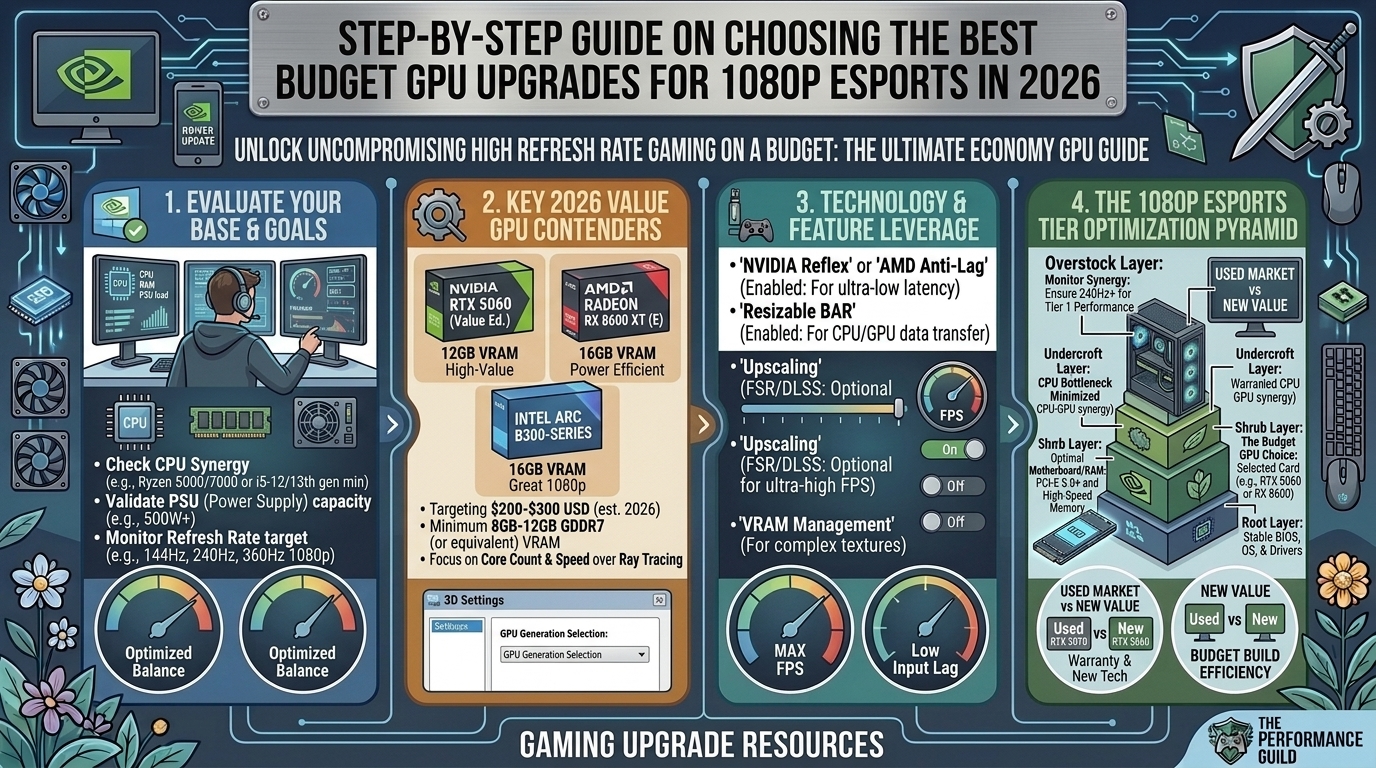
Competitive 1080p esports gaming relies on raw speed, immediate input latency response, and absolute frame time consistency. Whether you are holding an angle in Valorant or Counter-Strike 2, tracking targets in Apex Legends, or executing rapid rotations in Overwatch 2, dropping below your monitor’s high refresh rate (144Hz, 240Hz, or 360Hz) causes motion blur and frame delivery delays.
If you are upgrading an aging system without spending premium flagship prices, the budget GPU market currently offers remarkable performance per dollar. This definitive guide breaks down the absolute best budget graphics card upgrades available for competitive 1080p gaming, covering performance benchmarks, system bottlenecks, and buying strategies.
1. Executive Summary & Top 2026 Picks
For quick decision-making, the current budget market falls into four distinct value tiers:
| GPU Model | Architecture Generation | VRAM | Targeted Price Point | Primary Esports Strengths |
| Intel Arc B580 | Intel Battlemage | 12GB GDDR6 | ~$250 – $310 | Best Overall Value / VRAM Headroom: Stellar 1080p performance with generous VRAM capacity. |
| NVIDIA GeForce RTX 5050 | NVIDIA Blackwell | 8GB GDDR6 | ~$299 | Best Ultra-Budget Entry: Ultra-low latency drivers, low power draw, robust esports features. |
| NVIDIA GeForce RTX 5060 | NVIDIA Blackwell | 8GB GDDR7 | ~$359 | Best Overall Esports Pick: Industry-leading NVIDIA Reflex latency suite and rock-solid drivers. |
| AMD Radeon RX 9060 XT | AMD RDNA 4 | 16GB GDDR6 | ~$400 – $470 | Best High-Refresh Headroom: Massive raw rasterization speed for 240Hz+ panels. |
2. In-Depth Breakdown of the Best Budget GPUs
1. NVIDIA GeForce RTX 5060 (The Esports Standard)
- VRAM: 8GB GDDR7
- Target Resolution: 1080p High-Refresh (240Hz+)
- Esports Edge: Low Latency Ecosystem & Reflex Integration
The RTX 5060 sits at the top of the competitive budget hierarchy. While 8GB of VRAM requires management in massive AAA single-player titles, competitive esports games run extremely light on memory buffers. The ultra-fast GDDR7 memory sub-system ensures quick frame time delivery.
- Why it wins for esports: Driver stability, seamless hardware integration with G-Sync panels, and complete support for NVIDIA Reflex technology—which reduces system end-to-end latency to absolute physical minimums.
2. Intel Arc B580 (The Budget Value King)
- VRAM: 12GB GDDR6
- Target Resolution: 1080p High-Refresh (144Hz – 240Hz)
- Esports Edge: Unbeatable Price-to-Performance Ratio
Built on Intel’s Battlemage architecture, the Arc B580 delivers impressive frame rates at an accessible price point. Armed with 12GB of VRAM and a 192-bit bus, it outpaces rival budget cards in memory bandwidth.
- Why it wins for esports: If you play a mix of competitive shooters and modern AAA games, the 12GB buffer provides future-proofing that prevents stuttering caused by VRAM allocation limits. Intel’s drivers have matured significantly, delivering stable 200+ FPS in titles like Valorant and Overwatch 2.
3. NVIDIA GeForce RTX 5050 (The Sub-$300 Gateway)
- VRAM: 8GB GDDR6
- Target Resolution: 1080p Standard Refresh (144Hz)
- Esports Edge: Minimal Power Consumption & Compact Form Factor
For budget-conscious builds or upgrading pre-built systems with modest power supplies, the RTX 5050 provides a reliable entry point into competitive high-FPS gaming.
- Why it wins for esports: It delivers consistent 1080p frame rates in esports titles while maintaining low power draw and low heat output, making it easy to drop into older system enclosures.
4. AMD Radeon RX 9060 XT (The Raw Frame Monster)
- VRAM: 16GB GDDR6
- Target Resolution: 1080p Ultra High-Refresh (240Hz – 360Hz)
- Esports Edge: Unmatched Raw Rasterization & Huge Memory Allocation
If your main target is pure raw frame output to feed a 240Hz or 360Hz esports monitor, the RX 9060 XT punches well above its weight class. Its 16GB VRAM buffer offers extensive headroom for high-resolution texture packs.
- Why it wins for esports: AMD’s RDNA 4 engine excels at high-framerate 1080p rendering. When paired with AMD Anti-Lag, it delivers snappy mouse input response for fast-twitch titles.
3. What Matters Most for 1080p Esports GPUs?
Low Latency over Visual Ray-Tracing
In competitive titles, settings like Ray Tracing and ultra-high volumetric fog add processing delay and obscure visual clarity. Look for GPUs with hardware and driver-level latency reduction tools:
- NVIDIA Reflex: Synergizes game engine execution queues directly with GPU scheduling.
- AMD Anti-Lag: Optimizes CPU pacing to ensure the GPU doesn’t fall behind input commands.
Memory Bandwidth & Bus Width
While AAA games demand massive VRAM sizes, esports games prioritize fast memory bandwidth. High-speed GDDR6 and GDDR7 memory configurations allow rapid frame construction, preventing 1% low frame dips during intensive firefights.
CPU Bottlenecking Awareness
Esports games render at high frame rates, which puts heavy stress on single-core CPU execution. Pairing a capable budget GPU with an outdated CPU will cause stutters in crowded areas regardless of graphic settings. Ensure your system CPU (such as a modern Ryzen 5 / Core i5 processor) can keep up with your target frame rate.
Frequently Asked Questions (FAQ)
1. Is 8GB of VRAM still enough for esports gaming in 2026?
Yes. Competitive esports titles like Valorant, CS2, Rocket League, and Rainbow Six Siege utilize light asset footprints, typically consuming between 3GB to 6GB of VRAM at 1080p low/medium competitive settings.
2. Should I prioritize higher average FPS or better 1% low frame rates?
Prioritize 1% low frame rates. High average FPS means little if your game stutters down to 60 FPS during heavy combat sequences. Stable 1% lows ensure consistent input tracking during clutch moments.
3. Do I need an upgrade if I already have an RTX 3060 or RX 6600?
If you are satisfied with a steady 144 FPS in competitive titles, your existing card remains viable. However, upgrading to an RTX 5060 or RX 9060 XT delivers 40–60% higher frame throughput, unlocking stable 240Hz+ gameplay.
4. Why are NVIDIA cards so popular for competitive esports?
NVIDIA graphics cards benefit from wide adoption of the NVIDIA Reflex SDK across competitive engines. Reflex minimizes driver rendering queues, delivering lower system input latency compared to standard display rendering.
5. Does PCIe 4.0 vs. PCIe 5.0 speed impact budget GPU performance?
For 1080p esports gaming, running a modern PCIe x8 or x16 card on a PCIe 4.0 slot yields minimal performance loss (typically under 2-3%). Older PCIe 3.0 motherboards may experience minor frame time variance in asset-heavy scenes.
6. Can budget GPUs run 1080p at 240Hz refresh rates?
Yes. When running optimized competitive graphic settings (low/medium details, maximum render distance), modern budget cards like the Intel Arc B580, RTX 5060, and RX 9060 XT easily push past 240 FPS in standard esports shooters.
7. Should I turn on DLSS or FSR in competitive FPS games?
In fast-paced shooters, spatial upscaling can introduce minor motion artifacts or visual softness around distant crosshairs. It is generally recommended to play at native 1080p resolution for sharp pixel clarity unless using Reflex frame generation modules.
8. What wattage power supply (PSU) is needed for these budget GPUs?
Most entry to mid-range budget graphics cards draw between 115W and 180W. A reliable 500W to 650W 80-Plus rated power supply provides ample power headroom for these modern GPUs.
9. How important is Resizable BAR (ReBAR) for budget GPUs?
Resizable BAR (or AMD SmartAccess Memory) is essential. It allows the CPU full access to the GPU’s entire VRAM buffer, boosting frame rate delivery by up to 10-15% in modern titles. Make sure ReBAR is enabled in your system BIOS.
10. Which budget card offers the absolute best overall value under $300?
The Intel Arc B580 leads the sub-$300 bracket in total raw hardware value, packing 12GB of VRAM and high memory bandwidth that outclasses older budget options.
Final Upgrade Verdict
Selecting the right graphics card upgrade depends on your specific target monitor refresh rate and display ecosystem:
- For maximum low latency & G-Sync integration: Grab the NVIDIA GeForce RTX 5060.
- For maximum VRAM & raw value per dollar: Choose the Intel Arc B580.
- For maximum raw frame output on 240Hz/360Hz screens: Opt for the AMD Radeon RX 9060 XT.
Upgrading your GPU removes rendering bottlenecks, lowers input latency, and delivers the silky-smooth frame consistency required to climb the ranks in competitive 1080p gaming.
Published by The Gamer Buzz Hardware & Performance Team.
Leave a Reply