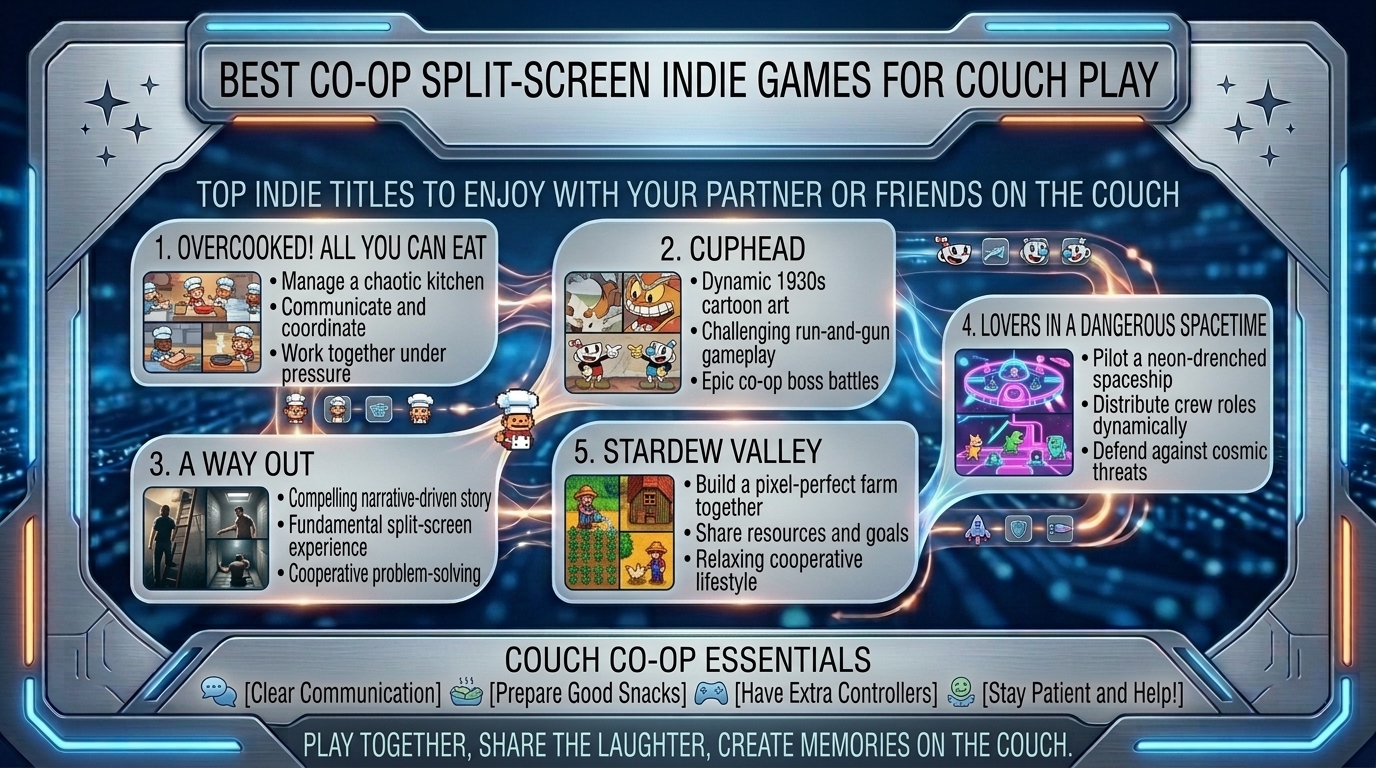
There is something irreplaceable about local couch co-op. Online multiplayer can bridge distances, but sharing a sofa, trading high-fives after a brutal boss fight, or laughing uncontrollably over a split-second mistake offers an experience that digital lobbies simply cannot match.
While mainstream AAA studios have largely phased out shared-screen and split-screen features in favor of separate-console online models, indie developers have stepped in to keep local multiplayer thriving. Indie games excel at local co-op because they emphasize tight mechanics, innovative mechanics, tactile visual design, and low-friction pickup-and-play setups.
At The Gamer Buzz, we test handheld optimizations, local multiplayer setups, and indie gaming releases across all major platforms. This comprehensive guide breaks down the absolute best local co-op and split-screen indie games for couples, casual gamers, and hardcore gaming friends.
Whether you’re setting up a cozy gaming station in San Francisco, California, hosting game night in Texas or Washington, or looking for low-latency indie gems to play in New York, these titles deliver high-tier local multiplayer action.
1. What Makes a Couch Co-Op Game Truly Great for Couples & Groups?
Not all co-op games are created equal. A great couch co-op title must balance skill curves, prevent one player from carrying the entire experience, and minimize interface frustration on a shared screen.
Key Factors for Couch Co-Op Success
- Asymmetric Skill Accessibility: The best partner games allow a veteran gamer and a non-gamer to play together harmoniously without causing friction or frustration.
- Dynamic vs. Fixed Split-Screen: Games using dynamic split-screen (where screens merge into one when players are near, and split seamlessly when they separate) offer better immersion than permanent black-bar divides.
- Low Friction & Quick Restarts: Fast loading times and immediate respawns keep energy high during challenging levels.
- Controller Versatility: Excellent indie titles natively support mixed inputs—such as pairing an Xbox controller, DualSense, Switch Pro Controller, or keyboard seamlessly on PC and handheld devices.
| Game Title | Gameplay Genre | Player Count | Split-Screen / Shared Screen Type | Skill Floor | Ideal Play Environment |
| It Takes Two | Narrative Action-Adventure | 2 Players | Dynamic Split-Screen & Shared Screen | Medium | Couples, Long Story Sessions |
| Overcooked! All You Can Eat | Management & Chaos Sim | 2–4 Players | Single Shared Screen | Low to High | Group Parties, High-Energy Friends |
| PlateUp! | Restaurant Roguelite Sim | 1–4 Players | Single Shared Screen | Medium | Couples, Tactical Planners |
| Cult of the Lamb (Unholy Alliance) | Action Roguelite & Base Sim | 2 Players | Shared Dynamic Screen | Medium | Action RPG Fans, Dungeon Crawlers |
| Unravel Two | Physics Puzzle Platformer | 2 Players | Shared Screen (Tethered) | Low to Medium | Partners, Relaxed Evening Play |
| Ship of Fools | Nautical Action Roguelite | 2 Players | Single Shared Screen | Medium-High | Fast-Paced Combat Buddies |
2. Top Verified Co-Op Indie Games for Couch Play
Here are the top-rated split-screen and shared-screen indie games, organized by playstyle and group dynamic:
1.Category 1: Narrative & Puzzle-Focused Partner Experiences:Masterpieces crafted exclusively for dual-player coordination.
- It Takes Two: Winner of Game of the Year, this mandatory 2-player game seamlessly shifts between split-screen camera angles and shared-screen puzzles. It requires constant communication and introduces new mechanics in every level.
- Unravel Two: A serene, visually rich physics platformer where two Yarnys are physically bound by a string of yarn. Players can fuse together when one player faces a tough jump, making it very forgiving for less experienced partners.
- Blankos / Haven: A romantic sci-fi RPG built specifically for two players controlling lovers exploring an alien world together, offering turn-based tactical combat and fluid traversal.
2.Category 2: Rogue-Lites & Tactical Action Co-Op:High-stakes, fast-paced action games that demand active strategy.
- Cult of the Lamb (Co-Op Update): Thanks to local multiplayer updates, a second player can join as the Goat. Together, you manage your cult base, perform rituals, and venture into dangerous combat dungeons side-by-side.
- PlateUp!: Combines rogue-lite progression with kitchen management. Unlike linear arcade cooking games, PlateUp! allows you to layout your kitchen, automate workflows with conveyor belts, and choose how your restaurant expands.
- Ship of Fools: A naval rogue-lite where two players crew a ship, load cannons, repair hull leaks, and battle deep-sea monsters.
3.Category 3: Couch Party Chaos & Pick-Up-and-Play Gems:Fast, fun, and accessible games for group gatherings and party nights.
- Overcooked! All You Can Eat: The ultimate test of relationship communication. Players chop, cook, assemble, and serve dishes across surreal, shifting kitchens while dealing with fire hazards and moving platforms.
- Lovers in a Dangerous Spacetime: Up to 4 players run around inside a circular neon battleship, manually operating turrets, shields, engines, and map controls.
- TowerFall Ascension / Duck Game: Hilarious, fast-paced retro arena brawlers where single hits result in quick knockouts, making them perfect for rotating controllers during group game nights.
3. Optimizing Your Local Co-Op Display and Hardware Setup
Setting up a seamless split-screen gaming environment requires configuring your TV, monitors, and wireless controllers for low latency.
1. Eliminating Input Lag on Big Screen Displays
- Enable Game Mode: Ensure your TV display mode is set to Game Mode. Standard image processing modes add up to 100ms of display latency, making timing-based games like Overcooked! or Cuphead feel sluggish.
- Use High-Bandwidth HDMI Cables: Ensure your PC or console is connected using an HDMI 2.1 cable to enable 4K resolution at 120Hz with Variable Refresh Rate (VRR) support.
2. Wireless Controller Bluetooth Bandwidth Management
- Connecting four Bluetooth controllers to a single PC or console can saturate the 2.4GHz wireless spectrum, resulting in dropped inputs.
- Use First-Party Wireless Adapters: On PC, use official Xbox Wireless Adapters or 2.4GHz USB dongles instead of standard Bluetooth receivers to handle multiple controllers cleanly.
- Mixed Input Remapping: Use Steam Input to map multiple non-standard controllers, Nintendo Joy-Cons, or third-party Bluetooth gamepads easily.
4. Game Night Comfort: Ergonomics & Display Layout
Playing couch co-op for hours requires minor adjustments to maintain comfort and screen clarity:
- Split-Screen Orientation (Horizontal vs. Vertical): In games that allow custom split-screen layouts, choose Horizontal Split for wide rooms so each player maintains a full field of view. Choose Vertical Split if sitting close to a large widescreen television.
- Distance and Screen Size Scaling: For split-screen titles, sit at a distance where the split frame fills your primary field of view. Increase in-game UI scale and font sizes in the accessibility menu so small text is easy to read across the room.
- Use Docked Handhelds for Portable Game Nights: Gaming handhelds like the Valve Steam Deck or ASUS ROG Ally can double as local co-op consoles. Dock your handheld to a TV via USB-C, attach two wireless controllers, and run full PC indie co-op games anywhere.
10 Frequently Asked Questions (FAQ)
1. Can we play split-screen indie games on PC with two different controllers?
Yes! Modern PC platforms like Steam support mixing different controller brands. You can pair a PlayStation DualSense, an Xbox Wireless Controller, a Nintendo Switch Pro Controller, or a USB gamepad simultaneously.
2. What are the best offline co-op games for a partner who doesn’t play games?
Unravel Two, It Takes Two, Monument Valley, and Untitled Goose Game are top choices. They offer simple mechanics, low pressure, intuitive controls, and forgiving fail states.
3. How does Steam Remote Play Together work for local co-op games?
Steam Remote Play Together allows you to stream your local co-op indie games to a friend over the internet. Only one player needs to own and install the game, while the second player joins remotely as if plugged into the same room.
4. Do we need high-end PC specs to run local split-screen games?
No. Most indie local co-op games feature optimized 2D graphics or stylized 3D art styles, allowing them to run at smooth 60 FPS speeds even on mid-range PCs, laptops, and handheld devices like the Steam Deck.
5. What is the difference between shared-screen and split-screen co-op?
Shared-screen co-op places both players inside the exact same camera view without dividing the display (PlateUp!, Overcooked!). Split-screen physically divides the display into separate viewports (It Takes Two, A Way Out).
6. Can you play Cult of the Lamb local co-op on Nintendo Switch?
Yes! The Unholy Alliance update enables full 2-player local co-op across PC, PlayStation, Xbox, and Nintendo Switch consoles.
7. Are there couch co-op games that support up to 4 players on one TV?
Yes! Games like Overcooked! All You Can Eat, Lovers in a Dangerous Spacetime, TowerFall, PlateUp!, and Teenage Mutant Ninja Turtles: Shredder’s Revenge support 4 players on a single screen.
8. How do we resolve screen tearing when playing split-screen PC games on a TV?
Enable V-Sync in the game’s graphics menu or activate G-Sync/FreeSync on your PC and compatible monitor/TV to synchronize the frame rate and eliminate screen tearing.
9. Which indie co-op games offer the longest campaign playtimes?
Titles like Stardew Valley (co-op mode), Cult of the Lamb, Children of Morta, and It Takes Two offer 15 to 40+ hours of co-op content per playthrough.
10. Can two players play It Takes Two using only one purchased copy?
Yes! It Takes Two includes a “Friend’s Pass,” allowing a second player to join your game session locally or online for free using a complimentary download client.
Conclusion
Local couch co-op remains one of the most rewarding ways to play video games. From narrative puzzle-adventures like It Takes Two and Unravel Two to high-energy cooking and management games like Overcooked! and PlateUp!, indie developers continue to prove that local multiplayer gaming is alive and thriving. By optimizing your TV lag settings, choosing the right controller layout, and selecting titles tailored to your partner or group’s skill levels, you can host memorable gaming sessions right from your living room sofa.
For more gaming hardware tests, controller optimizations, and local multiplayer guides across Texas, California, San Francisco, Washington, and New York, stay tuned to The Gamer Buzz.
Leave a Reply