Author: rblvai

  • How to clear up internal storage space on your mobile phone by moving large game files to sd cards

    How to clear up internal storage space on your mobile phone by moving large game files to sd cards

    How to Clear Up Internal Storage Space on Your Mobile Phone by Moving Large Game Files to SD Cards

    Modern mobile gaming has entered a console-quality era. Blockbuster mobile titles like Genshin Impact, Call of Duty: Warzone Mobile, Honkai: Star Rail, and PUBG Mobile regularly demand anywhere from 15 GB to over 35 GB of storage space for high-resolution textures, audio packs, and expansion updates. For mobile gamers using smartphones with 64 GB or 128 GB of internal memory, installing just two or three triple-A titles can trigger the dreaded “Storage Almost Full” system warning.

    When internal storage fills up, your phone suffers from degraded read/write performance, app crashes, thermal throttling, and an inability to install essential system updates.

    While microSD cards offer a cost-effective way to add up to 1 TB or 2 TB of external space, modern operating systems (especially Android 10 through Android 16) place strict security restrictions on how apps and games interact with external storage.

    This comprehensive guide breaks down step-by-step methods to transfer large mobile game files to an SD card, reclaim your internal storage space, and optimize your smartphone for lag-free gaming.

    SD Card Requirements for High-Performance Mobile Gaming

    Before moving a single gigabyte of game data, it is crucial to understand that not all microSD cards can handle modern mobile games. Games constantly fetch graphics, audio assets, and code in real time. Running a high-end game off a cheap or slow SD card will lead to severe micro-stuttering, long loading screens, and game crashes.

    Key MicroSD Card Speed Ratings to Look For

    To ensure smooth gameplay, choose a card that meets the following minimum standards:

    • Application Performance Class (A2 Rating): Cards rated A2 are specifically engineered for mobile apps. They handle high Random Read/Write IOPS (Input/Output Operations Per Second)—minimum 4000 Read IOPS and 2000 Write IOPS. Avoid older A1 cards for modern 3D games.
    • UHS Speed Class (U3): Guarantees a minimum continuous write speed of 30 MB/s.
    • Video Speed Class (V30): Ensures the card handles sustained data bursts without dropping speed.
    • Bus Interface (UHS-I / UHS-II): Ensure your smartphone hardware supports high-speed UHS bus interfaces to get maximum throughput.

    Recommended MicroSD Cards for Mobile Gaming

    Card ModelRead/Write SpeedPerformance ClassBest Used For
    SanDisk Extreme microSDXCUp to 190 MB/s ReadA2, U3, V30Heavy 3D Gaming (Genshin Impact, COD)
    Samsung PRO PlusUp to 180 MB/s ReadA2, U3, V30High-speed data loading & 4K video recording
    Kingston Canvas Go! PlusUp to 170 MB/s ReadA2, U3, V30Budget-friendly high-performance gaming
    Lexar Professional 1066xUp to 160 MB/s ReadA2, U3, V30Reliable long-term expansion storage

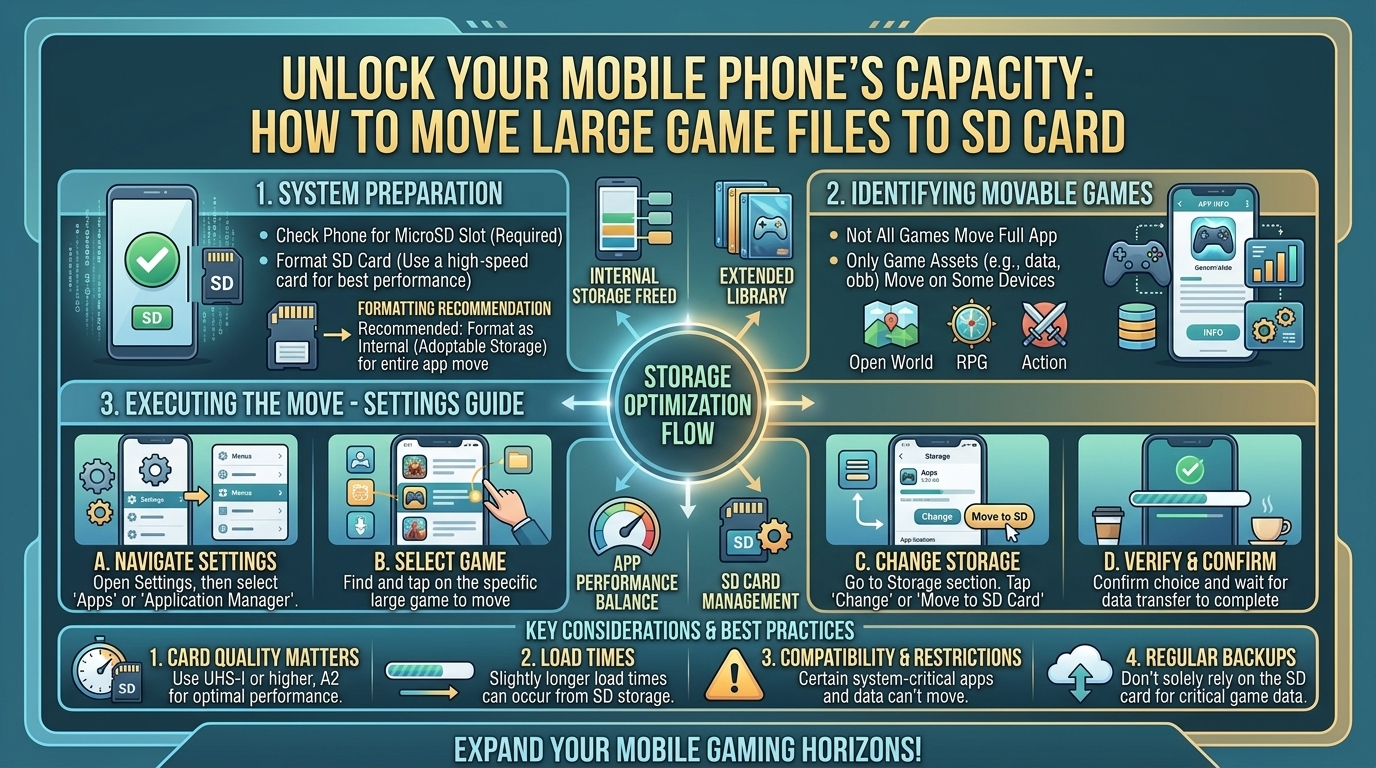
    Method 1: Using Android’s Native “Move to SD Card” Feature

    On select Android devices running stock OS skins (such as budget Samsung Galaxy devices, Motorola, or TCL phones), the operating system provides a straightforward option to migrate app data directly within the settings menu.

    Step-by-Step Native Transfer Guide

    1. Insert your formatted microSD card into your smartphone’s SIM/microSD tray.
    2. Open Settings on your Android device.
    3. Scroll down and select Apps (or Apps & Notifications).
    4. Tap on See all apps and locate the large game you want to move (e.g., PUBG Mobile).
    5. Tap on Storage & cache (or simply Storage).
    6. Look for the Storage used section. If the game supports native transfer, you will see a Change button.
    7. Tap Change, select your MicroSD Card, and confirm by tapping Move.
    8. Keep your phone awake while the OS transfers the installation files.

    Note: Many modern game developers disable the android:allowClearUserData or android:installLocation flags in their app code. If you do not see the “Change” button, the developer requires the core application to execute from internal storage. Use Method 2 or 3 below to bypass this limitation.

    Method 2: Formatting the SD Card as Adoptable (Internal) Storage

    Adoptable Storage is an Android system feature that formats your external microSD card so the operating system treats it as an extension of your internal storage drive. Instead of keeping internal and external space separate, Android merges them into a single storage pool.

    How Adoptable Storage Works

    When configured, Android encrypts the microSD card with a unique system key. The card becomes bound to that specific smartphone and cannot be read by a PC or another phone without reformatting. Apps and games can then install directly to the SD card automatically.

    Step-by-Step Setup Guide

    1. Back up all data on your SD card, as this process completely erases the card.
    2. Go to Settings > Storage.
    3. Tap on your SD Card name under Portable Storage.
    4. Tap the three vertical dots (Menu) in the top-right corner and select Storage settings.
    5. Select Format as internal.
    6. Tap Format SD Card to confirm.
    7. Once formatted, the system will ask if you want to Move content now. Choose Move content to transfer your existing photos, media, and compatible game files automatically.

    Method 3: Using Developer Options to Force App Execution from External Storage

    If your smartphone blocks moving games to an SD card natively, Android includes a built-in Developer override that forces apps to allow external storage allocation.

    Step-by-Step Override Setup

    1. Open Settings > About Phone.
    2. Scroll down to Build Number and tap it 7 times continuously until a toast notification pops up saying: “You are now a developer!”
    3. Go back to the main Settings menu, select System, and open Developer Options.
    4. Scroll down to the Apps section of the Developer Options menu.
    5. Locate the toggle named Force allow apps on external (or Force allow apps on external storage).
    6. Enable the toggle.
    7. Restart your smartphone.
    8. Go to Settings > Apps > [Select Game] > Storage > tap Change and move the game files to your SD card.

    Method 4: Advanced Directory Linkage (ADB & Symbolic Links for Advanced Users)

    For heavy games like Genshin Impact or Honkai: Star Rail, the base APK installs on internal memory, but the core bulk of the file sits in the Android/obb or Android/data directories.

    Starting with Android 11 through Android 16, Google locked down access to these folders for security reasons. However, advanced users can use ADB (Android Debug Bridge) shell commands or specialized file managers (such as FV File Manager or Shizuku) to create folder redirections.

    Concept Overview (Folder Binding)

    By mounting or creating a folder bind between an external directory (/storage/sdcard1/Android/obb/com.game) and the internal directory (/storage/emulated/0/Android/obb/com.game), the game believes it is reading data from internal storage while the actual multi-gigabyte files reside on your microSD card.

    High-Level Execution via ADB

    1. Enable USB Debugging inside Developer Options.
    2. Connect your phone to a computer with ADB tools installed.
    3. Move the game’s OBB/data folder from internal memory to the SD card manually.
    4. Execute directory link commands or use root-based app linkers like AppMgr III or FolderMount to bind the target paths.

    How to Clear Game Cache and Unnecessary Assets Without Moving Files

    If your device lacks an SD card slot—or if an update breaks an external file link—you can still free up massive amounts of internal storage space directly within your game settings.

    1. In-Game Asset Deletion

    Modern games download dynamic asset packages. You can safely strip down game size by deleting components you don’t use:

    • Audio Language Packs: Delete non-used voice packs in RPGs (saving 2 GB–8 GB).
    • High-Definition Textures: Revert from Ultra/HD graphics assets to Standard assets (saving 5 GB–12 GB).
    • Completed Story Quests: Games like Genshin Impact allow you to delete past quest resources directly from the game’s settings menu (saving up to 10 GB).

    2. Clearing System Game Cache

    1. Go to Settings > Apps.
    2. Select your main game.
    3. Tap Storage & Cache.
    4. Select Clear Cache (Do NOT select Clear Storage unless you have linked your game account to the cloud, as clearing storage wipes local save data).

    Essential Best Practices for Gaming on MicroSD Cards

    To ensure long-term stability and prevent game save corruption, keep these practices in mind:

    • Never Eject the SD Card While Playing: Unmounting or removing the card during gameplay will instantly crash the app and can corrupt game save files.
    • Avoid Ultra-Cheap SD Cards: Counterfeit cards claiming “1TB for $10” have fake sector tables that will permanently destroy your game files once storage exceeds a few gigabytes. Purchase only from verified brands.
    • Keep 15% Free Space on Internal Storage: Even if your game data is on an SD card, Android needs internal swap space for RAM management, cache building, and OS tasks. Keep your internal storage below 85% capacity for optimal frame rates.

    Frequently Asked Questions (FAQ)

    1. Why won’t my Android phone let me move games to the SD card?

    Many developers disable external installation to prevent slow loading times, graphic stutter, or app instability caused by low-quality SD cards. Additionally, modern Android OS security frameworks limit direct write permissions to the /Android/obb and /Android/data system folders.

    2. Will playing games installed on an SD card cause lag?

    If you use a high-speed Class 10, U3, A2 microSD card, loading times will be slightly longer than internal UFS storage, but actual gameplay frame rates (FPS) remain smooth. Using an older A1 or Class 4 card will cause noticeable stutter and frame drops.

    3. Can I move iOS games to an SD card on an iPhone?

    No. Apple iPhones do not support expandable microSD card storage. iOS manages storage automatically through iCloud or by offloading unused apps.

    4. What is the difference between an A1 and an A2 microSD card for gaming?

    A2 cards feature higher Random Read/Write performance (4000/2000 IOPS) compared to A1 cards (1500/500 IOPS). Games frequently access thousands of tiny files simultaneously; an A2 card handles these requests significantly faster.

    5. Will formatting my SD card as Adoptable Storage erase my data?

    Yes. Formatting an SD card as internal/adoptable storage completely wipes all existing files on the card. Back up all photos, videos, and documents to a cloud service or PC before formatting.

    6. Can I take out my SD card after formatting it as Adoptable Storage?

    No. Once formatted as adoptable storage, the card is encrypted to that specific phone. Removing it will break installed apps and cause system errors until the card is reinserted.

    7. Why did my game size increase after moving it to an SD card?

    SD cards use different file allocation cluster sizes (such as exFAT or FAT32) than internal flash storage (ext4/f2fs). Small files may occupy full storage clusters, causing reported disk space usage to appear slightly larger.

    8. Does clearing the cache delete my game progress?

    No. Clearing the cache only removes temporary files (like downloaded graphics assets or news feed data). However, tapping “Clear Data” or “Clear Storage” will reset the app, requiring you to log back into your account.

    9. Which modern budget phones still feature an SD card slot?

    Devices like the Samsung Galaxy A series (e.g., A35), Motorola Moto G series (e.g., Moto G Power), and select devices from TCL and Xiaomi continue to offer expandable microSD card slots.

    10. Can I install games on an external USB-C flash drive?

    While you can store game backup files on a USB-C drive, standard Android operating systems do not support running active live games directly off an external USB OTG flash drive.

    Conclusion

    Managing mobile storage space doesn’t mean you have to uninstall your favorite titles. By pairing a high-performance A2-rated microSD card with Android’s native transfer settings, Adoptable Storage configuration, or Developer Options overrides, you can offload dozens of gigabytes off your internal storage.

    Keeping your internal flash memory clear ensures your device runs smoothly, boots faster, and delivers maximum performance across all your gaming sessions.
  • What are the best narrative driven walking simulator games with branching storylines and emotional choices

    What are the best narrative driven walking simulator games with branching storylines and emotional choices

    What Are the Best Narrative Driven Walking Simulator Games With Branching Storylines and Emotional Choices?

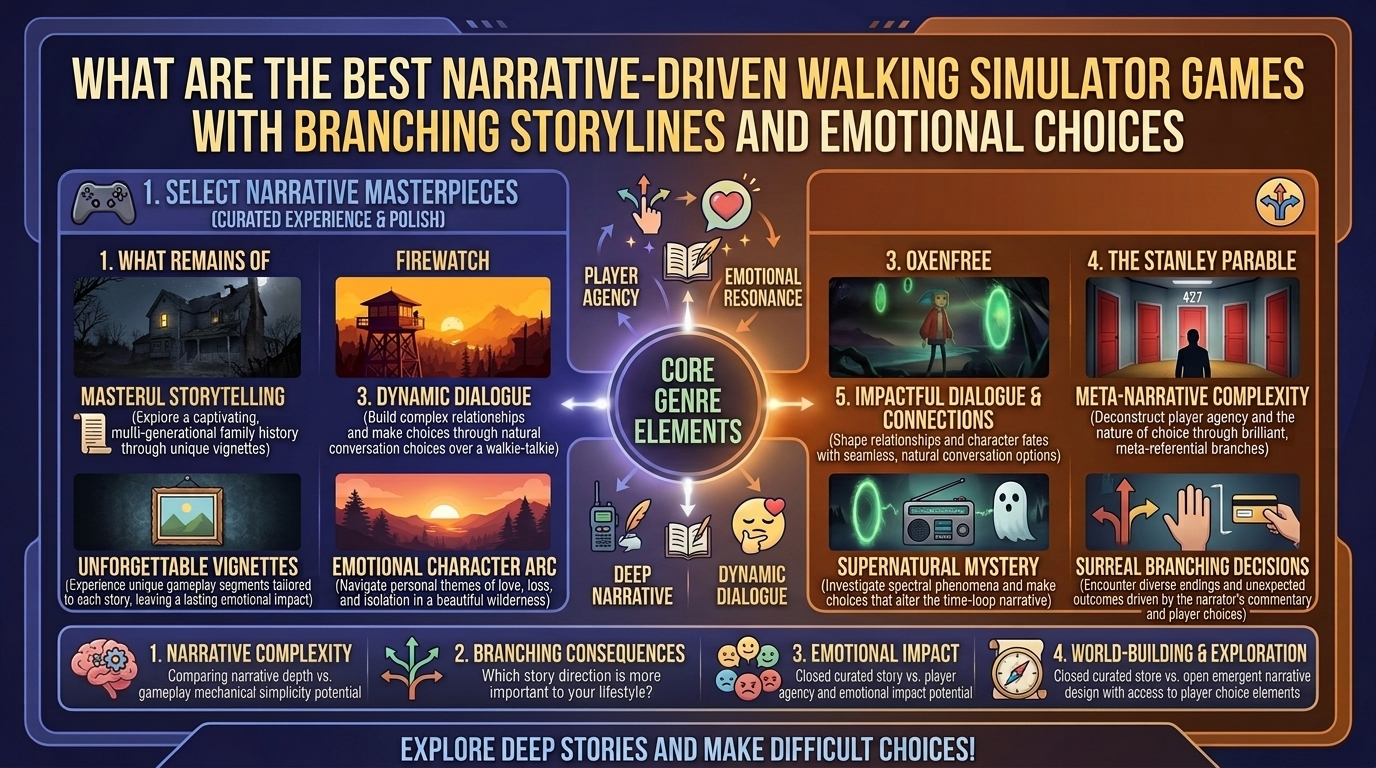
    The “walking simulator” genre has evolved far beyond simple first-person exploration. Once criticized for a lack of traditional mechanics, these titles have proven that removing fail states, complex inventory systems, and twitch reflex combat allows narrative design to shine. By prioritizing environmental storytelling, atmospheric sound design, and character dialogue, walking simulators place players inside deeply personal, emotionally charged stories.

    The most compelling modern entries integrate branching storylines and consequential emotional choices. In these titles, player agency does not come from solving intricate puzzles or winning boss fights; it stems from shaping character relationships, deciding how to navigate grief and moral dilemmas, and directing the ultimate outcome of a narrative journey.

    At The Gamer Buzz, we analyze game design, emotional pacing, narrative structures, and indie storytelling frameworks. This guide explores the premier narrative-driven walking simulators and story-focused adventure games featuring branching paths, emotional player choices, and masterclass world-building.

    Whether gaming from studios in Texas and California, exploring digital storytelling in San Francisco and Washington, or analyzing indie releases in New York, these titles represent the absolute peak of interactive narrative design.

    1. What Defines a Great Narrative Walking Simulator?

    Understanding what makes a walking simulator succeed requires examining how narrative design interacts with player agency.

    +--------------------------------------------------------------------------+
    |                  NARRATIVE WALKING SIMULATOR ARCHITECTURE                |
    +------------------------------------+-------------------------------------+
    | 1. ENVIRONMENTAL STORYTELLING      | World design conveys plot details   |
    |    Notes, artifacts & audio logs   | Passive discovery builds context    |
    +------------------------------------+-------------------------------------+
    | 2. CONTEXTUAL DIALOGUE CHOICES     | Dialogue options shift dynamics     |
    |    Dynamic radio & dialogue wheels | Shapes relationship endings         |
    +------------------------------------+-------------------------------------+
    | 3. MULTI-BRANCHING NARRATIVES      | Player decisions alter outcomes     |
    |    Permutations & moral dilemmas   | High replay value via alternate paths|
    +------------------------------------+-------------------------------------+
    
    • Environmental Storytelling: Instead of relying purely on cutscenes, environments act as silent narrators. A quiet house, abandoned lookout tower, or empty town tells a complete story through discarded objects, written notes, and atmospheric detail.
    • Dialogue-Driven Agency: Player choices frequently manifest through real-time dialogue options that dictate tone, empathy, trust, and honesty between characters.
    • Consequential Branching: Small conversational shifts or exploration paths compound over time, altering character fates, unlocking alternative endings, and recontextualizing the overarching narrative.
    Game TitleBranching DepthCore Emotional ThemeAverage PlaytimeKey Narrative Feature
    FirewatchDialogue-based branchingIsolation, grief, and human connection4–5 HoursReal-time radio dialogue tree with Delilah
    The Stanley Parable: Ultra DeluxeExtreme structural branchingSatire, choice, and agency in game design6–8 Hours30+ unique endings based on player obedience
    Life is Strange: RemasteredMulti-episode branchingFriendship, consequence, and time manipulation10–12 HoursMajor moral choices with lingering impact
    What Remains of Edith FinchLinear with emotional choicesLegacy, family tragedy, and acceptance2–3 HoursVignette-based interactive narrative chapters
    Detroit: Become HumanMassive web branchingConsciousness, prejudice, and humanity12–15 HoursComprehensive flowchart tracking hundreds of choices
    The Vanishing of Ethan CarterExploratory non-linear sequenceGuilt, imagination, and mystery3–4 HoursEnvironmental puzzle-solving and story reconstruction
    Road 96Procedurally generated branchingFreedom, politics, and survival7–9 HoursProcedural road-trip narrative shaped by choices

    2. Top Recommended Games by Narrative Structure

    1.Category 1: Dialogue-Driven & Emotional Isolation Simulators:Games where dialogue choices alter personal relationships.

    • Firewatch: Set in the 1989 Wyoming wilderness, you play as Henry, a fire lookout escaping a painful personal life. Your sole connection to the outside world is a handheld radio linked to your supervisor, Delilah. The choices you make in your radio responses dictate the emotional bond, trust, and tension between the two characters as a strange mystery unfolds.
    • Gone Home: Exploring an empty family home during a stormy night in 1995, players piece together the story of a younger sister navigating identity and family conflict through discarded letters, cassette tapes, and hidden rooms.

    2.Category 2: Deep Branching & Consequential Choice Games:Titles featuring massive decision flowcharts and divergent paths.

    • The Stanley Parable: Ultra Deluxe: The ultimate meta-narrative simulator. A British narrator instructs you on where to walk, but choosing whether to follow or defy his commands branches the narrative into dozens of surreal, hilarious, and existential endings.
    • Road 96: A procedurally generated narrative adventure where you play as different teenage hitchhikers trying to cross the border of an authoritarian nation. Every decision, ride accepted, and dialogue choice affects the political landscape and future runs.
    • Detroit: Become Human: While featuring broader adventure mechanics, its core gameplay relies on walking exploration, environmental investigation, and timed dialogue choices that branch into a vast flowchart of character survival or death.

    3.Category 3: Environmental Vignettes & Melancholic Stories:Short, impactful narrative experiences focused on grief and memory.

    • What Remains of Edith Finch: As the last living member of the Finch family, you explore the sprawling Finch house to discover how each family member died through unique, whimsical, and tragic playable vignettes.
    • Everybody’s Gone to the Rapture: Set in a quiet English village where the population has mysteriously vanished, players explore light-form memories to reconstruct the emotional conflicts, relationships, and events leading to the anomaly.

    3. How Player Choice Functions in Walking Simulators

    Unlike traditional RPGs where choices grant numerical stat boosts or quest rewards, choices in walking simulators function on a psychological level:

    1. Relational Tone: In games like Firewatch, choosing silence over speaking changes how characters perceive your emotional availability.
    2. Moral Burden: Decisions in games like Life is Strange or Road 96 force players to weigh short-term empathy against long-term survival consequences.
    3. Perceptual Framing: In games like The Stanley Parable, your choices alter the fundamental logic and architecture of the game world itself.

    10 Frequently Asked Questions (FAQ)

    1. What is the main difference between a walking simulator and a traditional narrative adventure game?

    Walking simulators eliminate fail states, combat mechanics, and complex inventory management to focus almost exclusively on environmental exploration, dialogue choices, and narrative pacing.

    2. Does Firewatch have multiple distinct endings?

    While Firewatch follows a core overarching plot resolution, your dialogue choices significantly alter the emotional relationship and final conversation between Henry and Delilah.

    3. Which walking simulator has the most branching storylines?

    The Stanley Parable: Ultra Deluxe features over 30 unique endings driven entirely by player movement choices and disobedience. Detroit: Become Human features the most complex branching flowchart.

    4. Are narrative walking simulators good for non-gamers?

    Yes! Because these games use simple controls (walking and selecting dialogue options) without requiring fast reflexes, they serve as excellent entry points for non-gamers.

    5. How long do most narrative walking simulators take to complete?

    Most walking simulators are concise experiences ranging from 2 to 6 hours, making them ideal to finish in one or two evening sessions.

    6. Can I play these games on low-spec laptops or handheld devices?

    Yes! Titles like Firewatch, Gone Home, What Remains of Edith Finch, and The Stanley Parable run smoothly on integrated graphics and handheld devices like the Steam Deck and Nintendo Switch.

    7. Do choices in What Remains of Edith Finch change the story outcome?

    No. What Remains of Edith Finch is a linear narrative experience focused on emotional immersion and vignette exploration rather than branching endings.

    8. What makes environmental storytelling effective in walking simulators?

    Environmental storytelling relies on placing contextual details—such as unread letters, photo albums, or messy rooms—in the world, encouraging players to deduce the backstory independently.

    9. Are there horror walking simulators with branching choices?

    Yes! Games like SOMA, Amnesia: Rebirth, and The Vanishing of Ethan Carter combine psychological horror with environmental storytelling and moral choices.

    10. Where is the best place to purchase indie narrative games on PC?

    Indie walking simulators are available on Steam, itch.io, and GOG, often featuring seasonal discounts during Steam Narrative Game Festivals.

    Conclusion

    Narrative-driven walking simulators demonstrate that games do not need combat systems or high-difficulty mechanics to create deep, memorable experiences. Through interactive dialogue, atmospheric environments, and emotional choices, games like Firewatch, The Stanley Parable, What Remains of Edith Finch, and Road 96 provide storytelling that stays with players long after the credits roll.

    For more narrative game analysis, indie dev breakdowns, and gaming optimization guides across Texas, California, San Francisco, Washington, and New York, stay tuned to The Gamer Buzz.

    Top Narrative Exploration Games

    This video provides an overview of the best non-combat, story-rich exploration and walking simulator games, highlighting top titles that prioritize atmospheric storytelling.

  • How to choose between buying a nintendo switch oled and a steam deck for portable indie gaming

    How to choose between buying a nintendo switch oled and a steam deck for portable indie gaming

    How to Choose Between Buying a Nintendo Switch OLED and a Steam Deck for Portable Indie Gaming

    Indie games have revolutionized modern gaming. Stripped of AAA bloat and hyper-realistic graphics demands, indie titles prioritize innovative gameplay loops, distinctive art styles, and deep mechanical replayability. Because indie titles generally carry lighter hardware requirements than massive 3D open-world releases, they represent the absolute sweet spot for portable gaming devices.

    However, selecting the ultimate handheld for independent games usually comes down to two titan platforms: the Nintendo Switch OLED Model and Valve’s Steam Deck (including the Steam Deck OLED).

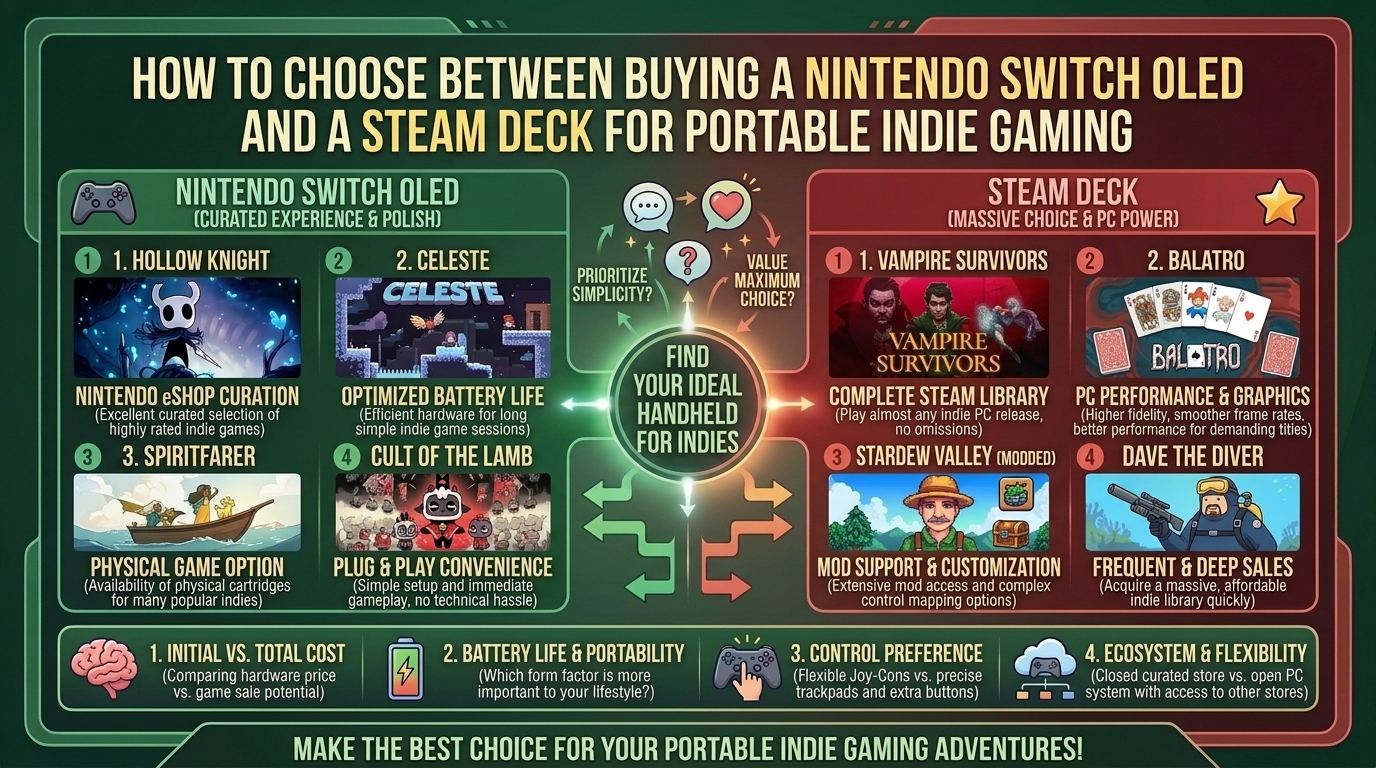
    While both handhelds can run fan favorites like Hades, Hollow Knight, Balatro, Celeste, and Dead Cells, they cater to radically different player needs. Nintendo offers an ultra-portable, plug-and-play console ecosystem with unmatched battery efficiency, physical cartridge collecting, and native couch co-op. Steam Deck acts as an open portable Linux PC, giving you access to Steam’s massive library, deep store sales, early-access titles, custom mods, and higher performance output.

    At The Gamer Buzz, we test handheld hardware, battery discharge rates, display color accuracy, and game store pricing structures. This comprehensive buying guide breaks down hardware specs, display quality, software ecosystems, game pricing, and portability factors so you can make the perfect purchase decision for your indie gaming setup.

    Whether you’re commuting through New York, gaming during travel across Texas and California, or relaxing at home in San Francisco and Washington, this breakdown provides everything you need to choose your ideal portable indie machine.

    1. Comparing the Handheld Titans: Specs & Ecosystems

    Choosing between the Nintendo Switch OLED and Steam Deck requires comparing their physical dimensions, OS flexibility, display panels, and underlying hardware.

    +--------------------------------------------------------------------------+
    |                       HANDHELD HARDWARE ARCHITECTURE                     |
    +------------------------------------+-------------------------------------+
    | NINTENDO SWITCH OLED               | Dedicated Console Ecosystem         |
    | Custom Nvidia Tegra + Horizon OS   | Plug & play simplicity, low weight  |
    +------------------------------------+-------------------------------------+
    | VALVE STEAM DECK (LCD / OLED)      | Open Portable PC Platform           |
    | Custom AMD APU + SteamOS (Linux)   | Modding, massive library, high FPS  |
    +------------------------------------+-------------------------------------+
    

    Core Hardware & Architectural Comparison

    FeatureNintendo Switch OLEDSteam Deck (LCD)Steam Deck OLED
    Target Retail Price~$349.99~$399.99 (Base/Refurb)~$549.99–$649.99+
    Display Panel7.0-inch OLED (720p, 60 Hz)7.0-inch IPS LCD (800p, 60 Hz)7.4-inch HDR OLED (800p, 90 Hz)
    Processor (APU)Custom NVIDIA Tegra X1Custom AMD Zen 2 / RDNA 2Custom AMD Zen 2 / RDNA 2 (6nm die shrink)
    System Memory (RAM)4 GB LPDDR416 GB LPDDR516 GB LPDDR5 (Faster 6400 MT/s)
    Internal Storage64 GB eMMC (MicroSD expandable)64GB eMMC to 512GB NVMe SSD512 GB or 1 TB NVMe SSD
    Weight~420g / 0.93 lbs (with Joy-Cons)~669g / 1.47 lbs~640g / 1.41 lbs
    Operating SystemHorizon OS (Closed Nintendo Console)SteamOS 3 (Arch Linux)SteamOS 3 (Arch Linux)
    Battery Life (Indie)4.5 to 9 Hours2 to 7 Hours3 to 12 Hours (Highly scalable)

    2. Platform Strengths: Where Each Device Excels

    Why Choose the Nintendo Switch OLED for Indie Gaming?

    1.1. True Portability & Lightweight Form Factor:Superior ergonomics for travel and effortless everyday carry.

    Weighing under 1 pound (420 grams), the Switch OLED is considerably thinner and lighter than the Steam Deck. It fits easily into small sling bags, backpack sleeves, and travel cases without adding bulk during long flights or daily transit.

    2.2. Plug-and-Play Console Simplicity:Zero system configuration or technical tinkering required.

    The Switch is a dedicated gaming console. There are no graphics drivers to update, Proton compatibility layers to troubleshoot, or frame-rate TDP caps to tweak. Games are optimized specifically for the hardware out of the box.

    3.3. Physical Cartridges & Detachable Joy-Cons:Physical media ownership, resale value, and native local co-op.

    Switch owners can buy physical cartridges, allowing you to trade, lend, or resell indie games like Hollow Knight or Celeste. Detachable Joy-Cons also mean instant 2-player local co-op on tabletop mode without carrying extra controllers.

    Why Choose the Steam Deck for Indie Gaming?

    1.1. Massive Library & Frequent Deep Discounts:Access to tens of thousands of PC indie titles and Steam Sales.

    Steam hosts the largest digital gaming library in history. Seasonal Steam Sales (Summer, Winter, Autumn) offer aggressive discounts on indie games—often 50% to 80% cheaper than their eShop counterparts.

    2.2. Early Access Titles & Fan-Made Mods:Play games in early access years before they hit consoles.

    Viral indie hits (such as Hades II, Lethal Company, or early Palworld) launch in Steam Early Access months or years before reaching consoles. Furthermore, Steam Deck allows custom mods, unofficial translated patches, and custom control schemes via Steam Input.

    3.3. Superior Performance & Frame Rates:Raw hardware power capable of uncapped 60 to 90 FPS performance.

    Equipped with 16GB of LPDDR5 RAM and an AMD APU, the Steam Deck easily runs complex 2D or semi-3D indie games (Risk of Rain 2, No Man’s Sky, Cult of the Lamb) at locked 60 FPS or 90 FPS (on OLED models) where the Switch might dip below 30 FPS.

    3. Decision Matrix: Which Handheld Should You Buy?

    To streamline your choice, evaluate which of these gamer profiles best matches your lifestyle:

    • Buy the Nintendo Switch OLED if:
      • You prioritize low device weight, maximum battery life, and compact travel sizing.
      • You want a hassle-free, console-style experience with zero menu or graphics setting adjustments.
      • You love collecting physical boxed game cartridges.
      • You play a lot of local tabletop multi-player games with friends or family.
      • You also want access to iconic Nintendo exclusive franchises (Zelda, Mario, Metroid).
    • Buy the Steam Deck if:
      • You already possess a backlog of games on Steam.
      • You want access to Steam Early Access titles, PC mods, and emulation.
      • You want games to run at high frame rates (60–90 FPS) with crisp anti-aliasing.
      • You prefer buying games at steep Steam Sale discount prices.
      • You don’t mind a larger, heavier handheld body in exchange for raw computing power.

    10 Frequently Asked Questions (FAQ)

    1. Does the Nintendo Switch OLED run indie games as smoothly as the Steam Deck?

    For basic 2D pixel-art games (Balatro, Celeste, Sea of Stars), both run at a smooth 60 FPS. However, for visually intensive or physics-heavy indie games (Cult of the Lamb, Risk of Rain 2, Dead Cells under heavy load), the Steam Deck provides much higher, more stable frame rates.

    2. Are indie games cheaper on Steam or the Nintendo eShop?

    Indie games are generally significantly cheaper on Steam. While Nintendo eShop runs sales, Steam features frequent, massive discount events, bundle deals (like Humble Bundles), and lower base regional prices.

    3. Can I play Steam Deck games offline during travel?

    Yes. SteamOS features an offline mode that lets you play installed single-player indie games anywhere without an active Wi-Fi connection.

    4. Is the Steam Deck too heavy for long handheld gaming sessions?

    At roughly 1.4 pounds (640g–669g), the Steam Deck is noticeably heavier than the Switch OLED (0.93 lbs / 420g). While its ergonomic grips distribute weight well, some users experience wrist fatigue during long un-supported sessions compared to the lighter Switch.

    5. Can the Nintendo Switch OLED be docked to a TV like the Steam Deck?

    Yes! The Switch OLED comes bundled with a TV Dock out of the box. The Steam Deck can also connect to TVs or monitors, but requires buying a separate USB-C dock or hub.

    6. What is the battery life difference when playing lightweight 2D indie games?

    lightweight 2D games draw low power. The Nintendo Switch OLED achieves roughly 6 to 9 hours of battery life. The Steam Deck OLED can hit 6 to 12 hours when lowering its processor wattage (TDP), while the standard LCD Steam Deck gets around 4 to 7 hours.

    7. Does the Steam Deck require PC knowledge to use?

    Not necessarily for basic gaming. SteamOS boots directly into a user-friendly console-like interface designed for controller navigation. However, installing custom mods, non-Steam launchers, or emulators requires entering Desktop Mode (Linux).

    8. Can I use external controllers on both devices?

    Yes! Both handhelds support Bluetooth controllers, including PlayStation DualSense, Xbox Wireless Controllers, and third-party gamepad alternatives.

    9. Which screen is better for colors: Switch OLED or Steam Deck OLED?

    Both OLED panels offer infinite contrast ratios and deep black levels. However, the Steam Deck OLED panel adds HDR (High Dynamic Range) support and a faster 90Hz refresh rate, whereas the Switch OLED features a standard 60Hz SDR panel.

    10. Can I expand the storage space on both handhelds?

    Yes. Both devices feature a MicroSD card slot for fast storage expansion. Additionally, tech-savvy users can upgrade the internal M.2 NVMe SSD inside the Steam Deck, whereas the Switch OLED’s internal memory cannot be swapped.

    Conclusion

    Both the Nintendo Switch OLED and Steam Deck are magnificent choices for portable indie gaming, but they serve different philosophies. If you prioritize sleek portability, plug-and-play simplicity, physical game collecting, and out-of-the-box local co-op, the Nintendo Switch OLED is your ideal companion. If you want raw power, high frame rates, deep digital sales, early access builds, and open PC customization, the Steam Deck reigns supreme.

    For more handheld hardware tests, game optimization guides, and indie reviews across Texas, California, San Francisco, Washington, and New York, stay tuned to The Gamer Buzz.

  • What are the best couch co op party games to play with family and friends during holiday gatherings

    What are the best couch co op party games to play with family and friends during holiday gatherings

    What Are the Best Couch Co-Op Party Games to Play With Family and Friends During Holiday Gatherings?

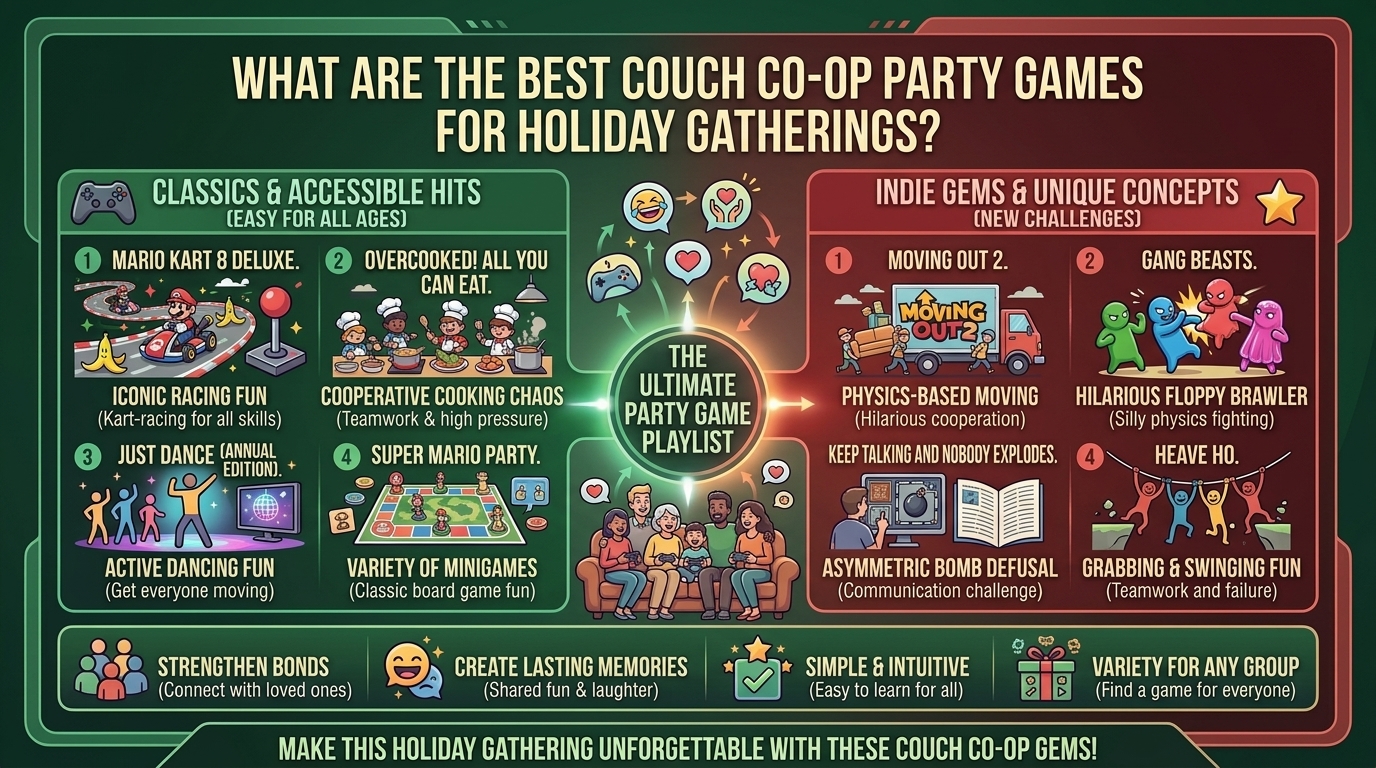
    Holiday gatherings bring together friends and family of all ages, gaming backgrounds, and skill levels. While single-player adventures and online multiplayer titles dominate individual screen time, nothing matches the shared laughter, friendly chaos, and high-energy excitement of couch co-op party games. Gathering around a single TV with roomfuls of controllers creates memories that online voice chats simply cannot replicate.

    The ideal holiday party game must satisfy specific criteria: quick pick-up-and-play mechanics, low barriers to entry for non-gamers, flexible drop-in/drop-out player counts, and engaging multiplayer loops.

    At The Gamer Buzz, we test party games, local multiplayer setups, controller configurations, and family-friendly titles across all major platforms. This comprehensive guide details the top couch co-op party games for holiday gatherings, complete with setup tips, accessibility features, and hardware optimizations.

    Whether hosting family in Texas or California, organizing a cozy game night in Washington or San Francisco, or gathering friends in New York, these local multiplayer titles will keep your guests entertained all season long.

    1. What Makes a Great Holiday Couch Co-Op Game?

    Selecting the right party game depends on your guest list, room layout, and available hardware.

    The Party Gaming Framework

    +--------------------------------------------------------------------------+
    |                    COUCH MULTIPLAYERS & ACCESSIBILITY                    |
    +------------------------------------+-------------------------------------+
    | 1. PHONE/TABLET CONTROLLER GAMES   | No extra controllers needed        |
    |    Jackbox / Knowledge is Power    | Perfect for 8+ non-gamer guests     |
    +------------------------------------+-------------------------------------+
    | 2. CO-OP COOKING & ACTION CHAOS    | Requires quick communication        |
    |    Overcooked! / Moving Out        | Hilarious, high-stress teamwork     |
    +------------------------------------+-------------------------------------+
    | 3. CLASSIC PICK-UP-AND-PLAY        | Instant fun for all ages            |
    |    Mario Kart 8 Deluxe / TowerFall | Flexible handicap & driver assists  |
    +------------------------------------+-------------------------------------+
    
    • Smartphone-as-Controller Integration: Games like The Jackbox Party Pack series allow guests to use their own phones or tablets as controllers via a web browser, eliminating the need to buy extra physical controllers for large crowds.
    • Accessibility & Assist Modes: Features like auto-steering in Mario Kart 8 Deluxe or adjustable timer limits in Overcooked! All You Can Eat allow younger children and grandparents to participate on an equal footing with veteran gamers.
    • Short Match Durations: Games structured around 5-to-15-minute rounds keep party energy high and prevent guests from waiting long periods for their turn.
    Game TitleMax PlayersBest Controller SetupAge AppropriatenessDifficulty/Chaos LevelKey Highlight
    Mario Kart 8 Deluxe4 (Local) / 8 (LAN)Nintendo Joy-Cons / Pro ControllersAll AgesMedium / Low (with Smart Steering)The king of casual racing; universal appeal
    The Jackbox Party Pack (7-10)Up to 8+Smartphones / Web BrowsersTeens / Adults (Family Modes Available)Low (Trivia/Drawing focus)Zero gaming experience required to win
    Overcooked! All You Can Eat4Gamepads / Joy-ConsAges 7+High (Cooperative Chaos)Tests communication and teamwork
    Ultimate Chicken Horse4GamepadsAges 8+MediumBuild platformer levels while playing them
    TowerFall Ascension4GamepadsAges 10+High (Fast-Paced Archery)Instant-respawn arena combat built for rivalries
    Snipperclips: Cut It Out, Together!4Joy-Cons / GamepadsAll AgesLow / Medium (Puzzle-Solving)Creative puzzle co-op for pairs and quads
    Super Smash Bros. Ultimate8Gamepads / GameCube ControllersAges 8+Configurable (Casual to Competitive)Massive 8-player local brawls

    2. Top Recommended Couch Co-Op Party Games by Category

    1.Category 1: Mass-Audience & Smartphone Party Games:Games that support 8+ players using mobile phones as controllers.

    • The Jackbox Party Pack Series (Packs 7, 8, & 9): Featuring fan-favorite games like Quiplash, Drawful, and Tee K.O. Guests simply visit jackbox.tv on their mobile browser and enter a room code to join. No app downloads or extra console controllers required.
    • Just Dance 2024/2026: Turn your living room into a dance floor. Guests can track their dance moves using the Just Dance Controller app on their smartphones, supporting high-energy motion gameplay without buying extra peripherals.

    2.Category 2: High-Energy Cooperative Chaos:Cooperative titles requiring communication, panic control, and team management.

    • Overcooked! All You Can Eat: Combine, chop, cook, and serve dishes under strict time limits across shifting kitchen environments. The All You Can Eat edition bundles both games with expanded assist features for younger players.
    • Moving Out 2: A physics-based moving simulation game where players team up to haul furniture out of houses, navigating narrow doorways, swimming pools, and teleporters.
    • Lovers in a Dangerous Spacetime: 1-4 players pilot a giant circular starship together, frantically running between gun turrets, shields, and engine stations to survive deep-space battles.

    3.Category 3: Pick-Up-and-Play Competitive Brawlers:Competitive local games built for quick rounds and party rivalries.

    • Mario Kart 8 Deluxe (Switch): Features robust assist features—such as Smart Steering and Auto-Accelerate—allowing players of any skill level to stay on the track and enjoy the race.
    • Ultimate Chicken Horse: A platformer where players place traps and obstacles on the stage before running through the level. The goal is to build a stage that is easy enough for you to finish, but too difficult for your rivals.
    • TowerFall Ascension: A fast-paced 2D archery combat game featuring tight controls, limited arrows, and instant respawns, making it a hit for local tournaments.

    3. Living Room Optimization Tips for Local Multiplayer

    Hosting a smooth local multiplayer session requires a brief hardware and living room check:

    1. Sync Extra Controllers Ahead of Time: Do not wait for guests to arrive before pairing controllers. Turn on your PC or console, charge all gamepads, update controller firmware, and assign player numbers beforehand.
    2. Use Docking Stations and Multi-Port USB Hubs: Ensure you have enough charging cables and multi-port charging docks so controllers do not die mid-session.
    3. Enable TV “Game Mode”: Ensure your TV screen is set to Game Mode to minimize display input lag, which is especially important when four or more players share a split-screen display.
    4. Set Up Guest Wi-Fi for Smartphone Games: If playing phone-based titles like Jackbox, post your guest Wi-Fi network name and password on a visible card near the TV so everyone connects quickly.

    10 Frequently Asked Questions (FAQ)

    1. What is the best party game to play with non-gamers and elderly family members?

    The Jackbox Party Pack series is the top choice. Because players use their own smartphone touchscreens to select answers, type jokes, or draw pictures, guests do not need to master complex controller buttons or dual-analog thumbsticks.

    2. How many controllers do I need for a holiday party gaming setup?

    While many action games support up to 4 physical controllers, titles like Super Smash Bros. Ultimate support up to 8 local players. If short on controllers, opt for phone-controlled party games or games with short 2-player swap-out rounds.

    3. Can I play Nintendo Switch party games on a PC?

    Nintendo Switch games run natively on Switch hardware. However, PC gamers can access hundreds of equivalent local co-op titles on Steam, including Overcooked!, Jackbox, Ultimate Chicken Horse, and TowerFall, using Steam Input to connect Xbox, PlayStation, or generic Bluetooth controllers.

    4. How do accessibility features help casual players enjoy Mario Kart 8 Deluxe?

    Mario Kart 8 Deluxe includes Smart Steering (which prevents vehicles from driving off track edges) and Auto-Accelerate (which eliminates the need to hold down the acceleration button). These features allow young kids or first-time players to race competitively.

    5. What is the difference between couch co-op and local multiplayer?

    Couch co-op refers to cooperative games where players work together on the same screen to complete objective goals. Local multiplayer is a broader term encompassing both cooperative and competitive head-to-head party games played on a single shared TV or display.

    6. Are there holiday party games that don’t feature violence?

    Yes! Games like Snipperclips, Overcooked!, Moving Out, Just Dance, and Untitled Goose Game focus entirely on puzzles, cooking, movement, dancing, and humor without any combat violence.

    7. How do I fix lag when multiple smartphones connect to Jackbox during a party?

    Ensure all smartphones are connected to a high-speed 5GHz Wi-Fi band rather than a congested 2.4GHz network, or have guests switch off mobile data to prevent connection switching during games.

    8. What are the best 2-player couch co-op games for couples during holidays?

    Titles like It Takes Two, Unravel Two, Portal 2, and Snipperclips are designed specifically around 2-player cooperative problem-solving and narrative gameplay.

    9. Can I play steam party games on my TV using a PC?

    Yes! Connect your PC to your living room TV via an HDMI 2.1 cable or stream games wirelessly using devices like Apple TV, Android TV boxes, or laptops via Steam Remote Play.

    10. What is the best way to run local party games on a single screen without split-screen confusion?

    Choose games with a single shared screen camera (such as Overcooked!, Jackbox, TowerFall, or Lovers in a Dangerous Spacetime) rather than 4-way split-screen displays, keeping all action clear to players and spectators alike.

    Conclusion

    Couch co-op party games bring unique energy, laughter, and shared fun to holiday gatherings. Whether hosting trivia nights using smartphones with The Jackbox Party Pack, navigating frantic kitchens in Overcooked!, or sharing casual races in Mario Kart 8 Deluxe, local multiplayer gaming creates unforgettable moments for family and friends of all ages.

    For more local multiplayer recommendations, hardware setup tips, and gaming performance guides across Texas, California, San Francisco, Washington, and New York, stay tuned to The Gamer Buzz.

  • How to find and support talented independent game developers on itch io and crowdfunding platforms

    How to find and support talented independent game developers on itch io and crowdfunding platforms

    How to Find and Support Talented Independent Game Developers on itch.io and Crowdfunding Platforms

    The independent gaming ecosystem is the lifeblood of creative innovation in the video game industry. Free from corporate boardrooms, budget constraints, and risk-averse publishing mandates, solo developers and small indie studios push boundaries—experimenting with unique mechanics, emotional storytelling, and unorthodox art styles.

    However, discovering groundbreaking indie titles before they go viral requires knowing where to look and how to navigate grassroots platforms like itch.io, Kickstarter, and BackerKit.

    At The Gamer Buzz, we focus on indie game coverage, playtesting early builds, tracking crowdfunding metrics, and helping gamers discover hidden digital gems. This comprehensive guide covers how to discover underground developers, evaluate crowdfunding projects safely, and support small studios across major creative hubs from Texas and California to tech centers in San Francisco, Washington, and New York.

    1. Navigating itch.io: The Premier Hub for Indie Discovery

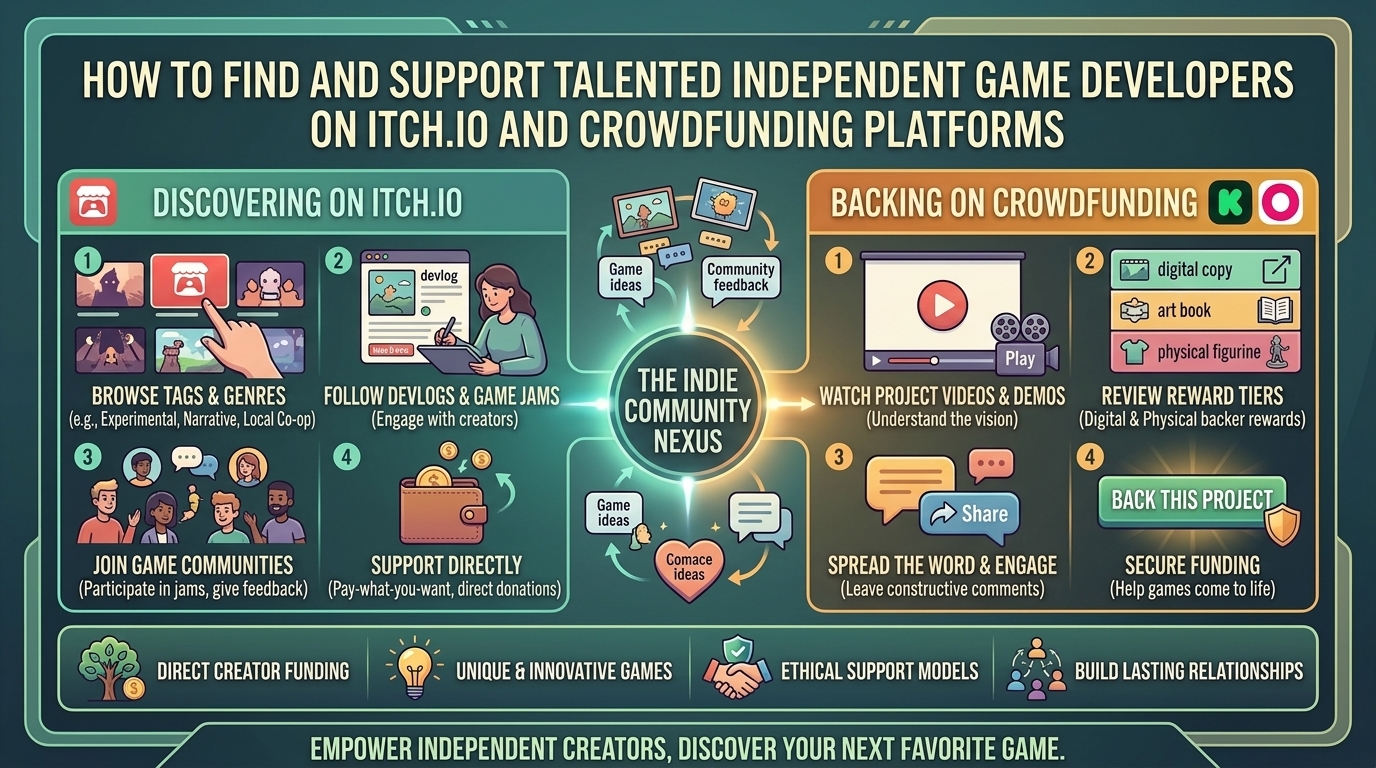
    Unlike traditional digital storefronts, itch.io acts as an open, creator-first marketplace. It serves as the primary testing ground for experimental prototypes, game jam entries, and niche genre titles.

    Key Search & Filtering Strategies on itch.io

    • Filter by Tag Combinations: Instead of browsing broad categories like “Action,” combine specific sub-genre tags (e.g., tactical-deckbuilder + pixel-art or psychological-horror + ps1-style) to unearth targeted titles.
    • Explore Game Jam Entries: Game jams—such as Ludum Dare, GMTK Game Jam, and Global Game Jam—force developers to build playable games within 48 to 72 hours. Browse jam submission pages to find raw, innovative mechanics that often evolve into full commercial releases.
    • Utilize the “Name Your Own Price” Model: Many itch.io games are listed as free or pay-what-you-want. Tip creators directly on the platform to help fund their ongoing development.
    • Follow Developers and Playtesters: When you find a project you enjoy, follow the creator’s itch.io profile to receive automatic updates when they release dev logs, patches, or new games.
    +--------------------------------------------------------------------------+
    |                  THE INDIE GAME DISCOVERY PIPELINE                       |
    +------------------------------------+-------------------------------------+
    | 1. EARLY PROTOTYPING (itch.io)     | Free/Pay-what-you-want builds  |
    |    Game Jams & WebDemos            | Raw mechanics, direct player feedback|
    +------------------------------------+-------------------------------------+
    | 2. CROWDFUNDING & VALIDATION       | Kickstarter / BackerKit campaigns   |
    |    Vertical Slices & Alpha Builds  | Financial backing, community hubs   |
    +------------------------------------+-------------------------------------+
    | 3. FULL COMMERCIAL RELEASE         | Steam / Console Ports / GOG         |
    |    Polished Game & DLC Launch      | Broader market distribution         |
    +------------------------------------+-------------------------------------+
    

    2. Master Crowdfunding Platforms (Kickstarter & BackerKit)

    Backing an indie game on Kickstarter or BackerKit turns you into a patron of the arts, funding game development during its critical pre-production phases. However, crowdfunding carries inherent risks.

    Backer Evaluation Checklist

    CriteriaGreen Flag (Safe to Back)Red Flag (Exercise Caution)
    Playable DemoDownloadable vertical slice or itch.io build availableConcept art only; no working code shown
    Developer Track RecordPrevious shipped titles, active itch.io history, or verified dev experienceBrand-new account with zero past portfolio or public history
    Budget & ScopeRealistic funding goal matched to scope and team sizeMassive open-world 3D RPG requesting only $10,000
    Community CommunicationRegular dev logs, active Discord, clear roadmapInfrequent updates, vague timelines, unanswered backer questions
    Reward Tier BalanceDigital game keys, artbooks, and reasonable physical tiersOverly complex physical merch tiers that inflate shipping risks

    3. How to Support Indie Developers Beyond Financial Pledges

    Financial backing is vital, but non-monetary community support is equally effective for helping indie games gain algorithmic traction on platforms like Steam, itch.io, and YouTube:

    1.Step 1: Wishlist and Follow Games on Steam:Signal demand to storefront algorithms.

    Adding an unreleased indie game to your Steam Wishlist is one of the single most impactful free actions you can take. Steam’s discovery queue prioritizes titles with high wishlist volume, increasing their visibility to broader audiences during launch week.

    2.Step 2: Provide Constructive Playtest Feedback:Help developers refine mechanics and fix bugs.

    Download alpha builds or itch.io demos and submit clear, detailed feedback via developer Discord servers or itch.io comment sections. Highlight bug repro steps, UI clarity issues, and balance suggestions.

    3.Step 3: Amplify Coverage via Content & Social Media:Expand the project’s organic reach across social networks.

    Share gameplay GIFs, fan art, and Let’s Play clips on X (formerly Twitter), Bluesky, TikTok, and Reddit. Tagging creators helps them reach publishers, gaming journalists, and content creators.

    10 Frequently Asked Questions (FAQ)

    1. Is itch.io safe to download indie games from?

    Yes. itch.io hosts thousands of safe indie projects. However, always exercise standard web safety: download from verified developer pages, read user reviews, and keep your anti-virus software active when launching executable files.

    2. What is the difference between a “vertical slice” and a full game demo?

    A vertical slice is a fully polished, short segment of a game designed to showcase final graphics, audio, and core gameplay mechanics to backers or publishers. A demo may cover early tutorial areas or testing rooms.

    3. What percentage of project revenue goes to developers on itch.io?

    itch.io features an open revenue-sharing model where developers can set their own split percentage—ranging from 0% up to 100% to the creator.

    4. What happens if a Kickstarter video game project fails to reach its funding goal?

    Kickstarter operates on an “All-or-Nothing” model. If a campaign fails to hit 100% of its target goal by the deadline, your credit card is never charged.

    5. Can I get a refund on a crowdfunded game if development is delayed?

    Crowdfunding pledges are not traditional purchases; they are financial contributions supporting creative projects. Refund policies depend on individual developer discretion once campaign funds are processed.

    6. What is BackerKit and how does it relate to Kickstarter?

    BackerKit is a pledge management and crowdfunding platform. Developers use it to run standalone campaigns or manage post-campaign surveys, physical shipping add-ons, and late-pledge options.

    7. Why do indie developers launch games on itch.io before releasing on Steam?

    itch.io allows developers to publish early builds instantly without paying Steam’s $100 app submission fee, making it ideal for rapid prototyping, gathering playtest data, and hosting game jam submissions.

    8. How can I join closed beta tests for upcoming indie games?

    Join developer Discord servers, subscribe to creator newsletters, and follow game jam pages on itch.io. Developers frequently post open calls for community beta testers on these channels.

    9. Are physical rewards (like custom vinyl or artbooks) worth backing on crowdfunding sites?

    Physical reward tiers offer great collector items, but they carry manufacturing and shipping delays. If you want to support development with minimal fulfillment risk, choose digital game tiers.

    10. How do Steam keys work when buying games on itch.io?

    Many indie developers bundle Steam keys with purchases made on itch.io. Check the game’s store page for the “Includes Steam Key” badge before purchasing.

    Conclusion

    Discovering and supporting indie game developers on platforms like itch.io, Kickstarter, and BackerKit connects you directly with the future of game design. Whether you are tipping creators for free web demos, backing ambitious campaigns, or wishlisting games on Steam, your support empowers independent studios to build creative, risk-taking titles.

    For more indie game recommendations, dev logs, and hardware optimization guides across Texas, California, San Francisco, Washington, and New York, stay tuned to The Gamer Buzz.

  • What are the best lightweight indie rogue-like games that run smoothly on older low spec laptop computers

    What are the best lightweight indie rogue-like games that run smoothly on older low spec laptop computers

    What Are the Best Lightweight Indie Rogue-Like Games That Run Smoothly on Older Low Spec Laptop Computers?

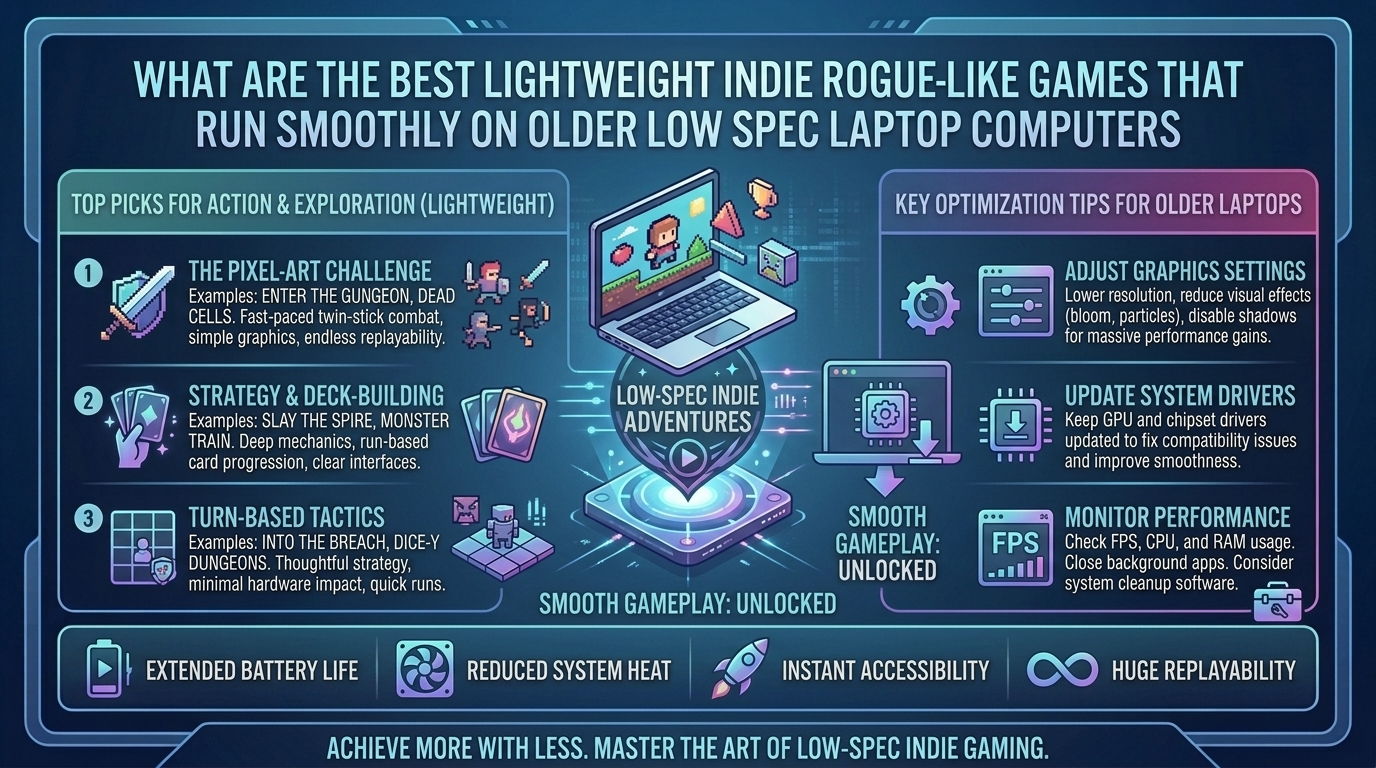
    Older laptops with integrated graphics cards (such as Intel HD/UHD Graphics or older AMD APUs), 4GB of RAM, and low-power dual-core processors often struggle with modern 3D AAA gaming. However, the indie development scene has perfected the rogue-like and rogue-lite genre, producing titles that offer high replayability, deep mechanical complexity, and rewarding progression loops without demanding dedicated GPU horsepower.

    Rogue-likes and rogue-lites are uniquely suited for low-spec hardware because their reliance on procedural generation, clean 2D vector art, pixel graphics, and turn-based mechanics reduces overall system overhead. These games install within small file sizes, launch quickly, and run at a smooth 60 FPS even on decade-old laptop hardware.

    At The Gamer Buzz, we test low-spec PC optimization, handheld power efficiency, frame-rate limits, and indie game performance. This guide breaks down the best lightweight indie rogue-likes, system performance tuning, and essential tips for getting smooth gameplay out of older laptop computers.

    Whether gaming on low-power hardware across Texas and California, working on older laptops in San Francisco and Washington, or commuting through New York, these lightweight rogue-likes deliver endless hours of strategic gaming without overheating your system.

    1. What Makes a Rogue-Like Ideal for Low-Spec Laptop Hardware?

    Understanding why certain indie games run smoothly on older laptops requires examining how engine overhead, rendering techniques, and CPU threads interact with integrated graphics.

    Low-Spec Architecture Breakdown

    • 2D Pixel & Sprite Rendering: 2D pixel-art engines (like GameMaker Studio or lightweight custom C engines) require minimal VRAM, making them run easily on shared integrated system memory.
    • Procedural Math Over 3D Geometry: Rogue-likes generate levels using mathematical seed algorithms rather than heavy 3D asset streaming. This shifts workload to basic CPU logic without stressing the GPU.
    • Pausable or Turn-Based Loops: Games featuring turn-based actions or pausable combat (like FTL or Slay the Spire) do not suffer when frame pacing dips slightly, maintaining full playability.
    • Minimal Storage Footprints: Most top-tier lightweight rogue-likes occupy less than 1 GB of disk space, making them ideal for laptops with small SSDs or older mechanical hard drives.
    Game TitleStorage RequiredRecommended RAMTarget iGPUKey Gameplay LoopHardware Optimization Note
    Slay the Spire~500 MB2 GB to 4 GBIntel HD 4000+Deckbuilding tactical card battlerRuns at 60 FPS on almost any dual-core system
    Balatro~150 MB2 GBIntel HD 3000+Poker-themed rogue-like deckbuilderMinimal VRAM footprint; instant boot times
    FTL: Faster Than Light~400 MB1 GB to 2 GBLegacy Integrated GraphicsStarship command & resource managementPausable combat; extremely lightweight on CPU
    Vampire Survivors~600 MB4 GBIntel HD 4000+Auto-attacking wave survival bullet heavenEngine optimized for thousands of simultaneous sprites
    Into the Breach~200 MB2 GBIntel HD 3000+Turn-based tactical grid mech combat8×8 grid tactics requiring zero 3D acceleration
    Dead Cells~1.5 GB4 GBIntel HD 520+Fast-paced 2D action platformer metroidvaniaFluid animations; cap at 60 FPS for thermal stability
    The Binding of Isaac: Rebirth~500 MB2 GBIntel HD 4000+Top-down dungeon crawler shooterVector/pixel art runs natively on low-end hardware

    2. Top Verified Lightweight Indie Rogue-Like Games

    1.Category 1: Deckbuilding & Tactical Turn-Based Rogue-Likes:Deckbuilders and turn-based games requiring zero twitch reflexes.

    • Slay the Spire: The definitive rogue-like deckbuilder. Combine cards, relic synergies, and pathing decisions to climb the Spire. Because combat is entirely turn-based, frame drops never impact gameplay performance.
    • Balatro: A poker-inspired deckbuilder where you play illegal hands, discover game-changing Jokers, and unlock massive point multipliers. Its lightweight presentation allows it to run smoothly on older laptops without heating up your system.
    • Into the Breach: From the creators of FTL, command futuristic mechs on an 8×8 grid to defeat giant alien invaders. Every enemy move is telegraphed, turning each encounter into a tactical puzzle that runs on basic integrated graphics.

    2.Category 2: Action, Hack-and-Slash & Bullet-Heaven Rogue-Lites:Fast-paced 2D action and bullet-survival games.

    • Vampire Survivors: A bullet-heaven game where your character attacks automatically while you dodge horde waves. Designed to run smoothly on modest hardware, offering endless progression loops.
    • Dead Cells: A fast 2D action platformer featuring responsive controls, diverse weapon builds, and satisfying combat. Turning down screen shake and particle effects in the options menu ensures locked 60 FPS performance on low-end systems.
    • The Binding of Isaac: Rebirth: A classic top-down dungeon crawler featuring thousands of item combinations, hidden rooms, and endless replay value that demands minimal system specs.

    3.Category 3: Strategy & Ship Management Rogue-Likes:Strategic management and space simulation rogue-likes.

    • FTL: Faster Than Light: Pilot a starship across procedurally generated sectors while fleeing a hostile fleet. Manage power allocation, crew roles, and target ship systems in real-time pausable combat that puts virtually zero stress on older laptop fans.
    • Crypt of the NecroDancer: A rhythm-based rogue-like where you move and attack to the beat of an electronic soundtrack. Grid movements and low-spec 2D art keep system resource usage minimal.

    3. Laptop Performance Tuning: Getting 60 FPS on Integrated Graphics

    Optimizing your laptop OS ensures lightweight games run quietly without battery drain or thermal throttling:

    1. Cap Your Frame Rate to 60 FPS (or 30 FPS): Uncapped frame rates cause your laptop’s integrated GPU to render 150+ frames per second unnecessarily in lightweight 2D games, creating excess heat. Enable V-Sync or cap the frame rate to 60 FPS in game settings or graphics control panels (Intel Graphics Command Center / AMD Software).
    2. Lower Desktop Resolution: If an older laptop struggles to render games at native 1080p, lower the in-game display resolution to 720p (1280×720) or 1366×768. On small 13-inch or 15-inch laptop screens, pixel-art games still look crisp at lower resolutions while cutting GPU load significantly.
    3. Adjust Windows Power Plan Settings: Switch your OS power mode to Balanced rather than High Performance when playing on battery power to prevent high thermal output.
    4. Close Background Web Browsers: Modern web browsers with active media tabs can consume 2GB to 4GB of RAM. Closing background browser tasks frees up critical system memory for your games.

    10 Frequently Asked Questions (FAQ)

    1. Will Slay the Spire run smoothly on an old laptop with 4GB of RAM?

    Yes! Slay the Spire requires less than 500 MB of storage space and runs on 2GB to 4GB of RAM using integrated Intel graphics.

    2. What is the difference between a rogue-like and a rogue-lite?

    Rogue-likes feature permadeath with no permanent stat progression between runs. Rogue-lites (such as Rogue Legacy 2 or Vampire Survivors) let you unlock permanent upgrades, weapons, and character stats to make future runs easier.

    3. Can I play these lightweight games using a USB mouse or laptop trackpad?

    Turn-based titles like Slay the Spire, Balatro, Into the Breach, and FTL play easily using a standard laptop trackpad or basic USB mouse. For action titles like Dead Cells, using a USB or Bluetooth controller is recommended.

    4. Why does my old laptop fan spin loudly when playing basic 2D games?

    Uncapped frame rates are usually the cause. Without a frame limiter, your system renders unnecessary extra frames, heating up the CPU/iGPU. Setting a 60 FPS cap keeps thermals low and fans quiet.

    5. Are there free lightweight rogue-like games available for PC?

    Yes! Titles like Caves of Qud offer lightweight demos, and classic ASCII rogue-likes like NetHack and Tales of Maj’Eyal (TOME) are completely free to download and run on low-spec hardware.

    6. Does Vampire Survivors get laggy on older laptops when the screen fills with enemies?

    During late-game 29-minute waves with thousands of active sprites, low-end CPUs may experience slight frame drops. Enabling “Performance Mode” or turning off damage numbers in the options menu maintains smooth gameplay.

    7. How much battery life can I expect when playing indie rogue-likes on a laptop?

    Because these games draw low wattage (5W to 12W total system power), most older laptops achieve 3 to 5 hours of continuous battery play—double the runtime of 3D games.

    8. Do I need a dedicated graphics card (NVIDIA/AMD) to play Dead Cells?

    No. Dead Cells runs on integrated Intel HD 520 graphics or newer when played at 720p or 1080p resolution.

    9. Can I run these games off a USB flash drive or external hard drive?

    Yes. Indie games with small file sizes (FTL, Balatro, Into the Breach) launch quickly from external USB 3.0 flash drives without performance penalties.

    10. What is the smallest indie rogue-like in terms of file storage size?

    Balatro (~150 MB), Into the Breach (~200 MB), and FTL (~400 MB) feature tiny installation footprints while delivering hundreds of hours of gameplay.

    Conclusion

    You do not need an expensive high-end gaming laptop to enjoy deep, highly replayable video games. Titles like Slay the Spire, Balatro, FTL: Faster Than Light, Vampire Survivors, Into the Breach, and Dead Cells prove that brilliant gameplay design, tactical depth, and procedural mechanics trump high-end 3D graphics. By applying simple frame-rate caps and resolution tweaks, your older laptop computer can serve as an ideal handheld indie gaming machine.

    For more low-spec optimization tests, indie game reviews, and hardware guides across Texas, California, San Francisco, Washington, and New York, stay tuned to The Gamer Buzz.

  • How to stream mobile games from your smartphone screen directly to your computer for recording content

    How to stream mobile games from your smartphone screen directly to your computer for recording content

    How to Stream Mobile Games From Your Smartphone Screen Directly to Your Computer for Recording Content

    Mobile gaming has transformed into a massive content creation ecosystem. From fast-paced competitive shooters to high-production RPGs, millions of viewers tune in daily to watch gameplay creators. However, streaming or recording mobile games directly from a smartphone touch screen presents major hurdles: mobile screen recorders drain phone batteries rapidly, cause severe thermal throttling, compress audio quality, and lack professional broadcasting overlays.

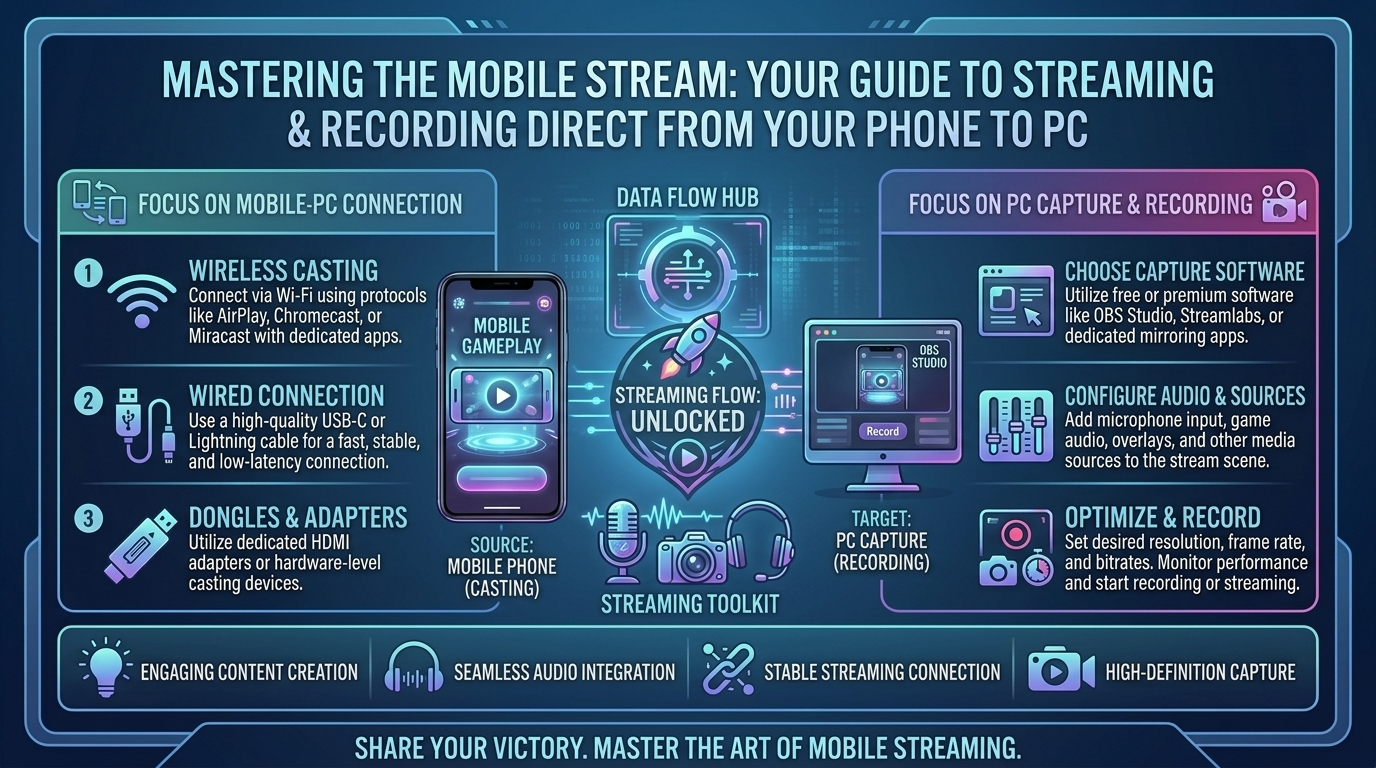
    Streaming your smartphone display directly to your PC or Mac unlocks professional production value. By capturing your mobile game on a computer, you can leverage broadcast suites like OBS Studio or Streamlabs, record uncompressed high-bitrate video, integrate webcam facecams, capture pristine internal audio, and maintain smooth 60 FPS performance without heating up your phone.

    At The Gamer Buzz, we test streaming peripherals, capture hardware, wireless mirroring protocols, and OBS configurations. This comprehensive guide breaks down every major method to mirror and record your iOS or Android smartphone on a PC—from hardware capture cards to ultra-low-latency open-source tools.

    Whether you are building your content studio across Texas and California, streaming from San Francisco and Washington, or editing gameplay highlights in New York, this guide provides everything you need to produce broadcast-quality mobile gaming content.

    1. Comparing Mobile-to-PC Capture Methods

    Choosing the right screen mirroring setup depends on your operating system, budget, and performance requirements.

    The Capture Matrix

    +-------------------------------------------------------------------------+
    |                    MOBILE SCREEN CAPTURE PIPELINES                      |
    +-----------------------------------+-------------------------------------+
    | 1. HARDWARE CAPTURE (HDMI/USB-C)  | Zero latency, highest audio quality |
    |    Phone -> Adapter -> Capture Card| Preferred for competitive gaming   |
    +-----------------------------------+-------------------------------------+
    | 2. WIRED USB MIRRORING (ADB/Cable)| Ultra-low latency (~35-70ms)        |
    |    Scrcpy / USB Mirroring Tools   | Zero extra cost, high frame rate    |
    +-----------------------------------+-------------------------------------+
    | 3. WIRELESS MIRRORING (Wi-Fi)     | Easy setup, no cables attached      |
    |    AirPlay / NDI / Cast Protocols | Susceptible to network jitter/lag   |
    +-----------------------------------+-------------------------------------+
    
    • Hardware Capture Cards: The gold standard for professional content creators. Delivers zero-latency video pass-through, full 1080p/4K recording at 60 FPS, and hardware-level audio separation.
    • Wired USB Software Mirroring: The most cost-effective solution for Android and iOS. Using USB debugging protocols yields near-instant response times without expensive capture hardware.
    • Wireless Screen Mirroring: Ideal for casual streaming, but susceptible to Wi-Fi interference, frame drops, and audio desync during long recording sessions.
    Capture MethodLatencyAudio Pass-ThroughSetup DifficultyBest ForRecommended Tools
    USB-C Capture Card~0 msPristine (Hardware)MediumCompetitive 60FPS StreamingElgato HD60 X, Razer Ripsaw
    Scrcpy (Wired USB)35–70 msNative (Android 11+)Medium (Command Line/GUI)Free Android CaptureOpen-Source Scrcpy 2.0+
    Apple AirPlay (macOS/PC)100–200 msNative (Wireless)Very LowCable-Free iOS MirroringmacOS Native Receiver, Reflector 4
    Third-Party USB Apps50–120 msSupportedLowAll-in-One PC ControlApowerMirror, AirDroid Cast

    2. Step-by-Step Setup Guides for Android & iOS

    Method A: Ultra-Low Latency Wired Android Mirroring via Scrcpy (Free & Open-Source)

    For Android users, Scrcpy is the most powerful free mirroring tool available. It requires no root access, records in high frame rates, and introduces virtually zero input delay.

    1.Step 1: Enable USB Debugging on Android:Enable developer privileges to allow USB communication.

    Open your Android phone’s Settings > About Phone. Tap Build Number 7 times until you see the message “Developer mode enabled.” Go back to Settings > System > Developer Options and toggle USB Debugging to ON.

    2.Step 2: Connect Phone to PC via USB Cable:Establish a secure adb bridge connection to your PC.

    Plug your smartphone into your computer using a high-quality USB 3.0 or USB-C cable. On your phone screen, accept the prompt asking to “Allow USB Debugging from this computer.”

    3.Step 3: Run Scrcpy on Windows/macOS:Launch the Scrcpy executable to initiate low-latency mirroring.

    Download the latest Scrcpy release on your computer. Extract the zip file and run scrcpy.exe (or use terminal command scrcpy on macOS). Your smartphone display will instantly mirror in an uncompressed window on your PC monitor.

    Method B: Hardware Capture Card Pipeline for iOS & Android (Professional Setup)

    Using a dedicated HDMI/USB-C capture card ensures maximum stability, zero latency, and perfect audio capture without consuming smartphone CPU cycles.

    1.Step 1: Connect Smartphone to HDMI Output Adapter:Output a clean HDMI video feed from your smartphone.

    • iPhone 15/16 & Modern Android: Connect a USB-C to HDMI Adapter (or USB-C Hub with HDMI pass-through) to your phone.
    • Lightning iPhones: Connect an official Apple Lightning to Digital AV Adapter.

    2.Step 2: Route HDMI into Your Capture Card:Route the video signal into your computer broadcast capture card.

    Plug an HDMI cable from your phone’s adapter into the HDMI IN port of your capture card (e.g., Elgato HD60 X). Connect the capture card’s USB 3.0 output cable directly to a high-speed USB port on your PC.

    3.Step 3: Add Capture Device Source in OBS Studio:Configure video feed inside OBS Studio for recording.

    Open OBS Studio, navigate to the Sources box, click +, and select Video Capture Device. Choose your capture card from the drop-down menu and set Resolution to 1920×1080 at 60 FPS.

    3. Configuring OBS Studio for Mobile Game Recording

    Once your phone screen appears on your computer monitor, set up OBS Studio to capture crisp 60 FPS video and clean desktop audio:

    1. Add Your Display or Window Source:
      • If using Scrcpy or a desktop software window, add a Window Capture source in OBS and select the mirroring window.
      • If using a physical capture card, use a Video Capture Device source.
    2. Separate In-Game Audio & Voice Chat:
      • Add an Audio Output Capture source in OBS to record internal game sounds directly from your PC system audio or capture card.
      • Add an Audio Input Capture source to assign your USB desktop microphone separately, allowing you to edit microphone commentary and game audio independently on separate audio tracks.
    3. Optimize Video Output Encoding:
      • Go to Settings > Output > Recording. Set Format to MP4 or MKV.
      • Select your hardware encoder: NVIDIA NVENC (H.264/AV1) or AMD HW H.264/AV1.
      • Set Rate Control to CBR (Constant Bitrate) with a bitrate of 12,000 Kbps to 20,000 Kbps for crystal-clear 1080p 60FPS recordings destined for YouTube or social media editing.

    4. Tips to Eliminate Lag, Thermal Throttling, and Audio Noise

    High-resolution mobile gaming can strain smartphone thermals. Keep your mobile capture pipeline running smoothly with these optimizations:

    1. Use a Powered USB Hub / Charging Passthrough: Playing and streaming simultaneously drains phone batteries fast. Use a USB-C multi-port hub supporting Power Delivery (PD) so your phone charges while outputting video data.
    2. Lower Smartphone Thermal Stress: Remove thick phone cases, lower device screen brightness (since you are viewing the game on your PC monitor anyway), and avoid playing under direct sunlight.
    3. Fix Audio Desynchronization: If wireless audio lags behind your video feed, navigate to OBS Audio Mixer > Advanced Audio Properties and add a minor positive or negative Sync Offset (e.g., +100ms) to align your audio tracks perfectly.

    10 Frequently Asked Questions (FAQ)

    1. Is it better to capture mobile games via USB cable or Wi-Fi?

    USB cable capture is vastly superior. USB connections provide lower latency, eliminate Wi-Fi packet loss, avoid local network congestion, and deliver stable 60 FPS frame rates required for fast-paced gaming.

    2. Can I mirror my iPhone screen to a Windows PC for free?

    Yes. You can use free third-party mirroring applications (like AirDroid Cast or LetsView) or use open-source iOS casting tools. However, for recording gameplay, a USB capture card or dedicated software delivers the best results.

    3. How do I record my mobile game audio without capturing background room noise?

    Using a USB cable or capture card routes internal digital audio directly into your PC software. This captures raw game sounds without picking up room noise or microphone chatter.

    4. Why is Scrcpy considered the best tool for Android screen capture?

    Scrcpy is open-source, completely free, contains zero watermarks or ads, requires no app installation on your phone, and operates with ultra-low latency (35–70ms).

    5. Can I record mobile games on PC without using a capture card?

    Yes! USB software solutions like Scrcpy (Android) or screen-mirroring software (iOS) stream your display directly into window capture sources inside free software like OBS Studio without requiring physical capture cards.

    6. Will streaming my phone screen to a PC cause my phone to lag?

    When using a physical capture card or low-overhead tools like Scrcpy, the processing load on your phone is negligible. Internal phone screen recorders lag because they force the phone GPU to render and encode video simultaneously.

    7. Does Scrcpy support audio streaming on modern Android phones?

    Yes. Starting with Scrcpy v2.0+, native audio forwarding is fully supported for Android 11 and newer devices.

    8. How do I capture my face while recording mobile gameplay?

    Connect a standard USB webcam or mirror a secondary phone camera into OBS Studio. Overlay your webcam scene in the corner of your mobile game canvas.

    9. Can I use a controller while mirroring my smartphone screen to my PC?

    Yes! You can connect a Bluetooth controller directly to your smartphone or use PC keyboard/mouse passthrough mapping supported by apps like Scrcpy or ApowerMirror.

    10. What OBS canvas resolution should I use for short-form mobile gaming content (TikTok/Reels/Shorts)?

    Change your OBS Canvas Resolution settings to 1080×1920 (9:16 vertical ratio). Position your mirrored mobile screen in the center and stack your webcam or overlay elements above and below the game window.

    Conclusion

    Streaming and recording mobile games from your smartphone to your computer transforms mobile gameplay into high-production video content. Whether using open-source USB software like Scrcpy or a professional hardware capture card, routing your mobile screen into OBS Studio ensures uncompressed 60 FPS recording, separate audio control, and seamless facecam integration.

  • What are the best hidden gem indie puzzle games with emotional storytelling and beautiful atmospheric soundtracks

    What are the best hidden gem indie puzzle games with emotional storytelling and beautiful atmospheric soundtracks

    What Are the Best Hidden Gem Indie Puzzle Games With Emotional Storytelling and Beautiful Atmospheric Soundtracks?

    While blockbuster AAA action titles command high marketing budgets, the indie gaming scene quietly crafts some of the most profound artistic experiences in modern media. At the intersection of thought-provoking puzzle mechanics, deeply emotional storytelling, and evocative atmospheric soundtracks, lie indie puzzle games—titles designed to engage both your intellect and your emotions.

    These hidden gems bypass high-intensity combat in favor of spatial challenges, narrative discovery, environmental storytelling, and ambient musical scoring. Whether exploring grief, memory, identity, or human connection, these games demonstrate how interactive puzzles can deliver powerful narrative arcs.

    At The Gamer Buzz, we review indie titles, handheld performance, audio setups, and narrative design. This comprehensive guide highlights the finest hidden gem indie puzzle games, dissects what makes their audio-visual storytelling effective, and offers tips to create an ideal immersive gaming environment.

    Whether gaming in Texas and California, taking a creative break in San Francisco and Washington, or unwinding after a long commute in New York, these masterfully scored puzzle games deliver unforgettable emotional journeys.

    1. The Anatomy of an Emotional Indie Puzzle Masterpiece

    Combining challenging puzzle design with a moving narrative requires balance. If puzzles are too cryptic, narrative momentum halts; if they are too trivial, the gameplay feels superficial.

    Key Pillars of Narrative Puzzle Design

    • Mechanical Metaphor: The best puzzle games use their core mechanics as narrative metaphors. Manipulating gravity, rewinding time, perspective shifting, or stitching together broken environments directly reflect the protagonist’s emotional state.
    • Diegetic & Atmospheric Soundtracks: Music is not merely background noise. Ambient piano compositions, low-fi synth pads, dynamic orchestral swells, and subtle environmental soundscapes mirror narrative beats and provide subtle clues during puzzle solving.
    • Environmental Storytelling: Rather than relying on heavy exposition or cutscenes, the game world conveys history, emotion, and context through subtle visual detail and spatial design.
    • Intuitive Pacing: Puzzles flow logically, allowing players to enter a “flow state” where solving a challenge yields narrative progression.
    Game TitlePrimary Puzzle MechanicEmotional Narrative ThemesSoundtrack StylePlatform Availability
    GRISLight platforming & color restorationProcessing grief and emotional healingSweeping orchestral & ambient vocal padsPC, Switch, PS4/PS5, Xbox, iOS
    InmostInterconnected character puzzle platformingTrauma, loss, and interconnected sufferingHaunting synth-orchestral & dark ambientPC, Nintendo Switch
    GorogoaMulti-panel visual grid manipulationMemory, war, spirituality, and agingMinimalist ambient & serene acousticPC, Switch, PS4, Xbox, iOS, Android
    Chants of SennaarLanguage translation & linguistic decodingMisunderstanding, unity, and cultural isolationWorld-instrumentation & atmospheric folkPC, Switch, PS4, Xbox
    A Monster’s ExpeditionGrid-based log rolling & island navigationCuriosity, human history, and simple joyRelaxing acoustic guitar & nature ambiencePC, Switch, PS4/PS5, iOS
    UnpackingZen item arrangement & spatial puzzleGrowing up, relationships, and personal identityCozy lo-fi pixel synthPC, Switch, PS4/PS5, Xbox, iOS, Android

    2. Uncovering the Top Hidden Gem Indie Puzzle Games

    1.Category 1: Audiovisual & Artistic Masterpieces:Games where visual aesthetics and musical scores drive the narrative.

    • GRIS: A stunning watercolor masterpiece following a young girl dealing with a painful life experience. As you solve spatial platforming puzzles, color gradually returns to a ruined world, accompanied by Berlinist’s moving musical score.
    • Gorogoa: An inventive puzzle game told entirely through hand-drawn illustrations. Players manipulate and layer four visual panels in creative ways to solve puzzles, uncovering a story spanning generations and worlds.
    • Monument Valley 1 & 2: Optical-illusion puzzles set in impossible Escher-like architecture. Moving towers and shifting paths tell a subtle story of sacred geometry, motherhood, and self-discovery.

    2.Category 2: Deep Mechanical & Conceptual Puzzles:Puzzles centered on language, perspective, and spatial mechanics.

    • Chants of Sennaar: Inspired by the myth of the Tower of Babel, you play as a traveler restoring communication between isolated tribes by deciphering forgotten glyphs and languages. Decryption puzzles unlock deep cultural narratives and gorgeous synth-folk arrangements.
    • A Monster’s Expedition: An adorable, surprisingly tricky open-world log-rolling puzzle game. As a monster exploring human history exhibits, the soothing acoustic soundtrack creates a relaxing space for solving spatial challenges.
    • The Gardens Between: Control time rather than characters. Manipulate forward and backward temporal flow to guide two childhood best friends through surreal island memories, reflecting on friendship and growing up.

    3.Category 3: Cozy & Environmental Storytelling Games:Intimate life stories told through spatial item placement and environmental detail.

    • Unpacking: A zen puzzle game about the familiar experience of pulling possessions out of boxes and fitting them into new rooms. Through eight house moves from 1997 to 2018, you experience a character’s life story without a single word of spoken dialogue.
    • Assemble with Care: From the creators of Monument Valley, play as a globe-trotting antique restorer fixing cherished objects for the residents of a sun-soaked town. Repairing physical items mirrors helping residents mend their personal relationships.
    • Inmost: A dark, atmospheric pixel-art puzzle platformer that weaves three characters together across a haunting story of loss and hope.

    3. How to Create the Ultimate Immersive Setup for Puzzle Games

    To fully appreciate atmospheric soundtracks and subtle narrative details, optimize your gaming space:

    1. Invest in Studio-Quality Headphones: Atmospheric soundtracks rely on subtle sound placement, deep bass pads, and delicate instrumental layers. Use open-back studio headphones or high-quality over-ear Bluetooth headphones with spatial audio support.
    2. Adjust In-Game Audio Balance: Lower environmental sound effects (SFX) by 10% to 15% and raise the Music Volume Slider to keep emotional melodies clear during puzzle sessions.
    3. Play on OLED Displays or Handhelds: High-contrast OLED displays (like the Nintendo Switch OLED, Steam Deck OLED, or modern mobile devices) bring vibrant colors and deep black levels to hand-drawn puzzle art styles.

    10 Frequently Asked Questions (FAQ)

    1. What is the most emotionally moving indie puzzle game for beginners?

    GRIS is widely considered the best entry point. Its platforming mechanics are accessible, failure states are non-punishing, and its visual/musical storytelling is universally resonant.

    2. Are these indie puzzle games playable on handheld devices like the Steam Deck and Switch?

    Yes! Almost every title on this list (GRIS, Unpacking, Gorogoa, Chants of Sennaar, The Gardens Between) is verified for Nintendo Switch and Steam Deck, making them perfect for handheld play.

    3. Do I need to be good at hard logic puzzles to enjoy these games?

    No. Many emotional puzzle games focus on narrative flow and environmental discovery rather than punishing logic gates. Games like Unpacking and Assemble with Care offer relaxed spatial puzzle loops accessible to all skill levels.

    4. Which game has the absolute best atmospheric soundtrack?

    GRIS (scored by Berlinist) and Chants of Sennaar (scored by Thomas Brunet) feature award-winning soundtracks that stand as exceptional ambient listening even outside the games.

    5. Are there free options available on mobile?

    Monument Valley and Assemble with Care are available on Apple Arcade, while titles like Gorogoa and Unpacking are available on iOS and Android via standalone purchase or Netflix Games subscriptions.

    6. How long does it take to complete most indie puzzle games?

    Most indie narrative puzzle games are concise, tight experiences lasting between 3 to 8 hours, making them easy to complete over a weekend.

    7. What makes “Environmental Storytelling” effective in puzzle games?

    Instead of lengthy cutscenes, environmental storytelling reveals narrative context through background art, abandoned items, spatial progression, and audio cues, letting players piece together the story naturally.

    8. Are these puzzle games suitable for children and families?

    Most are completely family-friendly. Titles like Unpacking, A Monster’s Expedition, and Gorogoa contain no violence or graphic content, though some themes (like processing loss in Inmost or GRIS) carry emotional weight.

    9. Can I play these games using touch controls on a tablet or touchscreen laptop?

    Yes. Games like Gorogoa, Unpacking, and Monument Valley were built with drag-and-drop mechanics that feel natural on touchscreens.

    10. Where can I listen to the soundtracks of these games outside of playing?

    Soundtracks for titles like GRIS, Chants of Sennaar, Unpacking, and The Gardens Between are available on major streaming services including Spotify, Apple Music, and Bandcamp.

    Conclusion

    Hidden gem indie puzzle games demonstrate that interactive entertainment can be a powerful medium for artistic expression. By combining creative mechanics, hand-crafted visual aesthetics, deep narrative themes, and atmospheric musical scores, titles like GRIS, Gorogoa, Chants of Sennaar, Unpacking, and The Gardens Between provide meaningful experiences that linger long after the credits roll.

  • How to connect bluetooth controllers to android and ios smartphones for better mobile gaming experiences

    How to connect bluetooth controllers to android and ios smartphones for better mobile gaming experiences

    Mobile gaming has evolved far beyond casual swipe-and-tap arcade titles. With the rise of high-fidelity mobile RPGs, cloud gaming platforms like Xbox Cloud Gaming and NVIDIA GeForce NOW, and AAA console ports arriving on mobile operating systems, touch controls often fall short. Virtual on-screen joysticks lack tactile feedback, block screen real estate, and cause thumb fatigue during extended sessions.

    Connecting a physical Bluetooth controller to your iPhone, iPad, or Android device transforms your smartphone into a full-fledged portable gaming console. Whether you are using an official Xbox Wireless Controller, PlayStation DualSense, Nintendo Switch Pro Controller, or dedicated mobile gamepads like the Razer Kishi V2 Pro or 8BitDo Ultimate, pairing your hardware takes only a few simple steps.

    At The Gamer Buzz, we test mobile gaming peripherals, input latency, cloud streaming setups, and handheld optimizations. This comprehensive guide breaks down step-by-step Bluetooth controller pairing instructions for iOS and Android, input lag reduction techniques, button mapping solutions, thermal considerations, and hardware recommendations.

    Whether you’re gaming across Texas and California, commuting through New York and San Francisco, or relaxing in Washington, this guide will help you build the ultimate mobile gaming setup.

    1. Why Switch from Touch Controls to a Physical Bluetooth Controller?

    While touch controls are fine for puzzle games, action-heavy mobile titles and competitive shooters require tactile precision.

    Key Advantages of Controller Play

    • Tactile Accuracy & Precise Input: Analog sticks and physical triggers provide 360-degree directional accuracy and variable input control that virtual glass joysticks cannot replicate.
    • Unobstructed Display Real Estate: On-screen controls cover up to 25% of your display. A physical controller gives you a clean view of the game world.
    • Reduced Thumb Fatigue & Ergonomics: Prolonged touch play causes hand cramping. Ergonomic controller grips keep your hands in a natural, comfortable posture.
    • Console-Quality Cloud & Native Gaming: Games like Genshin Impact, Call of Duty: Warzone Mobile, Death Stranding, and Xbox Cloud Gaming titles are designed primarily for physical controller button layouts.
    Controller ModelConnectivityNative iOS SupportNative Android SupportBattery LifeKey Feature
    Xbox Wireless ControllerBluetooth / WirelessYes (iOS 14.5+)Yes (Android 5.1+)30–40 Hours (AA)Universal compatibility across all mobile games
    PlayStation DualSenseBluetoothYes (iOS 14.5+)Yes (Android 12+)6–12 HoursIntegrated touchpad and ergonomic grip
    Nintendo Switch ProBluetoothYes (iOS 16.0+)Yes (Android 10+)~40 HoursExceptional battery life and light frame
    8BitDo Ultimate BluetoothBluetooth / 2.4GHzYes (iOS 16.3+)Yes (Android 9+)15–20 HoursHall Effect anti-drift analog sticks
    Razer Kishi V2 ProUSB-C (Direct)Yes (iPhone 15+)YesPass-through powerZero latency direct USB-C connection

    2. How to Pair Bluetooth Controllers to iOS (iPhone & iPad)

    Apple added native support for popular console controllers starting with iOS 14.5 and expanded support in iOS 16 and later.

    1.Step 1: Put Your Controller into Pairing Mode:Set your controller to broad-spectrum Bluetooth discovery mode.

    • Xbox Controller: Press the Xbox Button to turn it on, then press and hold the Pairing Button on the top edge for 3 seconds until the logo flashes rapidly.
    • PlayStation DualSense / DualShock 4: Press and hold the PS Button and the Create/Share Button simultaneously until the light bar flashes blue.
    • Nintendo Switch Pro Controller: Press and hold the small Pairing Button on the top edge next to the USB-C port until the bottom LED lights cycle back and forth.

    2.Step 2: Connect via iPhone/iPad Settings:Establish a wireless connection within iOS Settings.

    Open your iPhone or iPad, navigate to Settings > Bluetooth, and ensure Bluetooth is turned on. Look under Other Devices for your controller name (e.g., “Xbox Wireless Controller” or “DualSense Wireless Controller”) and tap it to pair.

    3.Step 3: Customize Button Mapping & Haptics (Optional):Rebind buttons natively within Apple device settings.

    iOS features built-in controller remapping. Go to Settings > General > Game Controller. Here you can rebind buttons, adjust haptic feedback strength, and create custom control profiles per game.

    3. How to Pair Bluetooth Controllers to Android Smartphones & Tablets

    Android supports a wide variety of Bluetooth gamepads out of the box.

    1.Step 1: Open Android Bluetooth Settings:Enable Bluetooth search on your Android device.

    Swipe down from the top of your screen to open the Quick Settings panel, long-press the Bluetooth icon, and ensure it is turned on. Tap Pair new device.

    2.Step 2: Put the Controller into Sync Mode:Trigger hardware discovery on your gamepad.

    Press and hold your controller’s pairing button combo (Xbox: Pairing button; PlayStation: PS + Create; 8BitDo: Pairing button) until the status indicator light flashes rapidly.

    3.Step 3: Select and Connect the Device:Complete pairing and verify input recognition.

    Select your controller from the list of Available Devices. Tap Pair when prompted. Once connected, you can navigate your Android home screen using the controller’s analog stick to confirm connection.

    4. Tips to Reduce Input Lag & Optimize Mobile Controller Play

    Input latency can disrupt competitive mobile gaming. Follow these steps to keep your wireless connection fast and responsive:

    1. Disconnect Other Active Bluetooth Devices: Simultaneous connections to Bluetooth earbuds (like AirPods or Galaxy Buds) can share 2.4GHz bandwidth and cause input latency spikes. Use wired headphones or your phone’s built-in speakers during competitive matches.
    2. Connect to 5GHz or Wi-Fi 6 Networks: Standard 2.4GHz Wi-Fi operates on the exact same frequency as Bluetooth. Switching your phone to a 5GHz or Wi-Fi 6 network prevents wireless interference.
    3. Use Touch-Mapping Apps for Non-Supported Games: Some mobile titles (PUBG Mobile, Genshin Impact on Android) do not natively support Bluetooth controllers. Use official companion apps (like Razer Nexus, 8BitDo Ultimate Software, or Mantis Gamepad Pro) to map physical buttons to touch-screen zones safely.
    4. Consider USB-C Direct-Attach Controllers: If wireless input lag persists, opt for a direct-attach mobile controller (like the Razer Kishi V2, Backbone One, or GameSir X2 Pro). These plug directly into your phone’s USB-C port, eliminating Bluetooth latency entirely.

    10 Frequently Asked Questions (FAQ)

    1. Does Call of Duty: Mobile support Bluetooth controllers?

    Yes! CoD: Mobile natively supports Xbox Wireless Controllers, PlayStation DualSense/DualShock 4 controllers, and official mobile gamepads on both iOS and Android.

    2. Why does Genshin Impact support controllers on iOS but not on Android?

    Genshin Impact includes native controller support on iOS, but developer Hoyoverse has not enabled native Bluetooth controller support for the Android version. Android players must use screen-mapping tools like Mantis Gamepad Pro.

    3. Can I use a Nintendo Switch Pro Controller on an iPhone?

    Yes. Starting with iOS 16, Apple added native Bluetooth support for Nintendo Switch Pro Controllers and Joy-Cons.

    4. Do I need to re-pair my controller every time I use it with my phone?

    No. Once paired, simply turning on your controller while your phone’s Bluetooth is enabled will automatically reconnect the device.

    5. Will using a Bluetooth controller drain my phone battery faster?

    Bluetooth Low Energy (BLE) draws very little power from your phone. However, running high-graphics mobile games will consume battery regardless of controller use.

    6. What is the difference between a Bluetooth controller and a USB-C controller?

    Bluetooth controllers connect wirelessly and can be used with phones, tablets, PCs, and consoles. USB-C controllers clip directly onto your phone, drawing power from the battery while delivering zero input latency.

    7. How do I fix button mapping issues on Android?

    Ensure your device is running Android 12 or newer, which improved controller driver mapping. Alternatively, use third-party keymapper apps or the controller manufacturer’s official configuration app.

    8. Can I play Xbox Cloud Gaming (xCloud) with a PlayStation controller on my phone?

    Yes! Xbox Cloud Gaming runs through a web browser on iOS or the Xbox app on Android and accepts inputs from PlayStation DualSense and DualShock 4 controllers seamlessly.

    9. Why is my controller connected via Bluetooth but not working in-game?

    Not all mobile games support physical controllers. Check the game’s settings menu or description in the App Store/Google Play Store to confirm native controller compatibility.

    10. Can I connect multiple controllers to one phone for local multiplayer?

    Yes, modern iOS and Android devices can pair multiple Bluetooth controllers simultaneously for local split-screen or multi-player mobile games like BombSquad or Riptide GP: Renegade.

    Conclusion

    Upgrading from touch controls to a physical Bluetooth controller is the single best enhancement you can make to your mobile gaming workflow. By pairing an Xbox, PlayStation, or dedicated mobile gamepad to your iOS or Android device, you gain console-level precision, eliminate screen clutter, and unlock smooth mobile gaming sessions.

    For more mobile gaming controller reviews, cloud gaming tests, and smartphone performance guides across Texas, California, San Francisco, Washington, and New York, stay tuned to The Gamer Buzz.

  • What are the best relaxing farming and town building simulation games available across all gaming platforms

    What are the best relaxing farming and town building simulation games available across all gaming platforms

    What Are the Best Relaxing Farming and Town Building Simulation Games Available Across All Gaming Platforms?

    In an era dominated by high-stakes competitive shooters, stressful battle royales, and rapid action titles, millions of players are seeking solace in low-stress gaming environments. Farming and town-building simulation games have evolved into a massive genre, offering cozy loops of planting crops, designing towns, managing resources, and building digital communities at your own pace.

    Whether you are looking for cozy farming games on Nintendo Switch, deep city-builders on PC, or relaxed town-management titles on PS5 and Xbox, finding games that minimize punishing mechanics like harsh death penalties or strict time limits is essential.

    At The Gamer Buzz, we test cozy games, city builders, and management sims across PC, console, and mobile platforms. This comprehensive guide reviews the top cozy farming and town-building games available across platforms, breaks down core gameplay mechanics, and provides essential tips to create your ideal relaxing setup.

    Whether you’re gaming in Texas and California, taking a relaxing break in San Francisco and Washington, or unwinding after work in New York, these cozy simulation titles deliver stress-free entertainment.

    1. Core Mechanics of a Great Relaxing Simulation Game

    Not every simulation game provides a relaxing experience. Hardcore survival builders like Frostpunk or complex economic simulators demand relentless crisis management. True cozy farming and town-building games focus on key design principles:

    • Player-Driven Pacing: Low-stress games allow you to ignore seasonal timers or daily goals without severe penalties or permanent game-over states.
    • Rewarding Progression Loops: Clearing land, harvesting crops, and upgrading town structures yields visual progression that builds satisfaction over time.
    • Rich Aesthetic & Sound Design: Soothing acoustic soundtracks, warm color palettes, dynamic weather cycles, and sound effects enhance the relaxing atmosphere.
    • Zero High-Stakes Combat: Combat is either absent, optional, or simplified into low-stress encounters that do not risk losing your gear or progress.
    • Customization & Creativity: Extensive options for decorating farms, zoning towns, placing roads, and styling avatars foster self-expression.
    Game TitlePrimary Genre / FocusPlatform AvailabilityKey Relaxing FeatureBest Played On
    Stardew ValleyFarming / Life SimPC, Switch, PS5, Xbox, iOS, AndroidEndless freedom, zero hard failure statesPC / Nintendo Switch
    Animal Crossing: New HorizonsIsland Town Building / Life SimNintendo SwitchReal-time day/night cycles, complete island customizationNintendo Switch
    Fields of MistriaAnime Farming / Town RestorationPCMagic integration, deep character interactionsPC (Steam Deck)
    Coral IslandTropical Farming / Ocean Clean-upPC, PS5, Xbox Series X/STropical setting, reef restoration mechanicsPC / PS5
    TownscaperPure Town Building SandboxPC, Switch, Xbox, iOS, AndroidNo goals, no management—pure procedural architectureMobile / Nintendo Switch
    Dragon Quest Builders 2Block-Building / Town ManagementPC, Switch, PS4, Xbox OneStory-driven town restoration with adorable NPC automationPS4 / PC
    TimberbornLumberpunk City BuilderPCRelaxing water physics, beaver-led town managementPC
    PaliaCozy Multiplayer Community SimPC, Nintendo Switch100% free-to-play, zero-combat multiplayer farmingPC / Switch

    2. Best Relaxing Games Across Key Categories

    1.Category 1: Classic & Modern Farming Simulation RPGs:Timeless farming RPGs with deep life-simulation mechanics.

    • Stardew Valley (PC, Switch, PS4/PS5, Xbox, Mobile): The benchmark for modern farming sims. Inherit your grandfather’s farm, clear the land, plant seasonal crops, raise animals, and build relationships with Pelican Town residents. Continuous free updates ensure hundreds of hours of stress-free content.
    • Fields of Mistria (PC): A charming nostalgic farming sim inspired by 90s anime aesthetics. It combines traditional farming, fishing, and mining with magic spells that speed up crop watering and farm management.
    • Coral Island (PC, PS5, Xbox Series X/S): A vibrant tropical farming sim set on a Southeast Asian-inspired island. In addition to growing crops and decorating your farm, you dive into the ocean to clean coral reefs and heal local ecosystems.

    2.Category 2: Town & City Building Simulators:Games focused on designing, building, and expanding quaint settlements.

    • Animal Crossing: New Horizons (Nintendo Switch): Escape to a deserted island and turn it into a thriving paradise. Featuring terraforming, house decorating, and real-time seasonal updates, it remains one of the most relaxing town-building experiences available.
    • Townscaper (PC, Switch, Xbox, Mobile): A minimalist instant town-builder. Pick colors and drop blocks on a grid; the game’s procedural algorithm automatically turns them into arches, bridges, towers, and cobblestone alleyways. There are no budget mechanics, timers, or fail states.
    • Timberborn (PC): A unique “lumberpunk” town-builder starring intelligent beavers. Build multi-story wooden structures, divert rivers, and manage water dams during dry seasons without high-stress combat dynamics.

    3.Category 3: Cozy Open-World & Crafting Sims:Hybrid games combining craft-building, farming, and social elements.

    • Palia (PC, Nintendo Switch): A free-to-play cozy MMO where you farm, fish, cook, hunt, and build custom housing alongside a friendly player community.
    • My Time at Sandrock (PC, Switch, PS5, Xbox): Set in a post-apocalyptic desert oasis town, you play as a builder constructing machinery, restoring the town’s infrastructure, and establishing farms.
    • Wylde Flowers (PC, Switch, iOS): A cozy story-rich life sim that blends farming by day with cottagecore witchcraft by night, featuring full voice acting and romance options.

    3. Top Tips to Maximize Coziness & Reduce Gameplay Stress

    Even relaxing simulation games can feel overwhelming if you try to min-max every day. Follow these tips to keep your play sessions stress-free:

    1. Abandon “Min-Maxing” Culture: You don’t need to fill every square inch of your farm with optimal cash crops or memorize exact gift charts. Play at your own pace; seasonal crops, events, and opportunities return every game year.
    2. Use Quality-of-Life Mods (on PC): If stamina meters, inventory space limits, or short day-night cycles cause stress, use community mods (like SMAPI for Stardew Valley) to extend day lengths or automate tedious watering tasks.
    3. Optimize Ergonomics for Long Play Sessions: Pair handheld systems (like the Steam Deck or Nintendo Switch) with comfortable grip cases, or use an ergonomic desk setup to prevent wrist and neck strain during evening play sessions.
    4. Listen to Cozy Audio & Podcasts: Many players find farming and building sims the perfect visual pairing for listening to audiobooks, podcasts, or ambient lo-fi music playlists.

    10 Frequently Asked Questions (FAQ)

    1. What is the single most relaxing farming game for beginners?

    Stardew Valley remains the best entry point due to its intuitive controls, forgiving mechanics, low price tag, and availability on almost every modern device.

    2. Are there town-building games with zero budget management or stress?

    Yes! Townscaper has no money mechanics, population demands, or timers. It is purely an artistic sandbox where you build seaside towns with simple button clicks.

    3. Can you play cozy farming games in online co-op with friends?

    Yes. Games like Stardew Valley, Palia, Animal Crossing: New Horizons, and Roots of Pacha offer robust co-op modes where you can share farms, trade resources, and build towns together.

    4. What is the difference between a city builder and a town building sim?

    City builders (like Cities: Skylines) focus on large-scale infrastructure, traffic routing, zoning, and economic management. Town-building sims (like Animal Crossing or Dragon Quest Builders 2) focus on localized aesthetics, community building, and individual character interactions.

    5. Are there good relaxing farming games available on mobile phones?

    Yes. Both Stardew Valley and Townscaper have full mobile ports on iOS and Android with optimized touch controls.

    6. Do I need a high-end gaming PC to play modern cozy simulation games?

    No. Most farming and town-building games rely on colorful pixel art, low-poly 3D aesthetics, or stylized graphics that run smoothly on budget PCs, laptops, Steam Decks, and handheld consoles.

    7. Which cozy game offers the deepest story and character interactions?

    Wylde Flowers and Fields of Mistria place heavy emphasis on rich, fully voiced storytelling, character development, and narrative progression alongside core farming mechanics.

    8. Is Palia truly free-to-play without pay-to-win microtransactions?

    Yes! Palia’s monetization is strictly limited to cosmetic character outfits and pet skins. All house building, farming tools, skills, and gameplay content are unlocked through normal gameplay.

    9. What are the best relaxing farming games featuring magic or fantasy elements?

    Sun Haven, Fields of Mistria, and Rune Factory 4 Special blend classic farming gameplay with spellcasting, fantasy races, and mythical creatures.

    10. How can I slow down the fast day-night cycle in farming games?

    Many titles feature in-game options to adjust time speed (e.g., My Time at Sandrock allows you to slow time down to 0.6x speed in the settings menu). On PC, mods can pause or customize day lengths entirely.

    Conclusion

    The world of relaxing farming and town-building simulation games offers a peaceful escape from real-world stress and high-intensity gaming. Titles like Stardew Valley, Animal Crossing: New Horizons, Fields of Mistria, Coral Island, and Townscaper prove that games do not need high-stakes competition to be engaging. By choosing titles that align with your favorite aesthetic and pacing, you can build your dream digital getaway on your platform of choice.

    For more cozy gaming reviews, handheld performance guides, and simulation breakdowns across Texas, California, San Francisco, Washington, and New York, stay tuned to The Gamer Buzz.