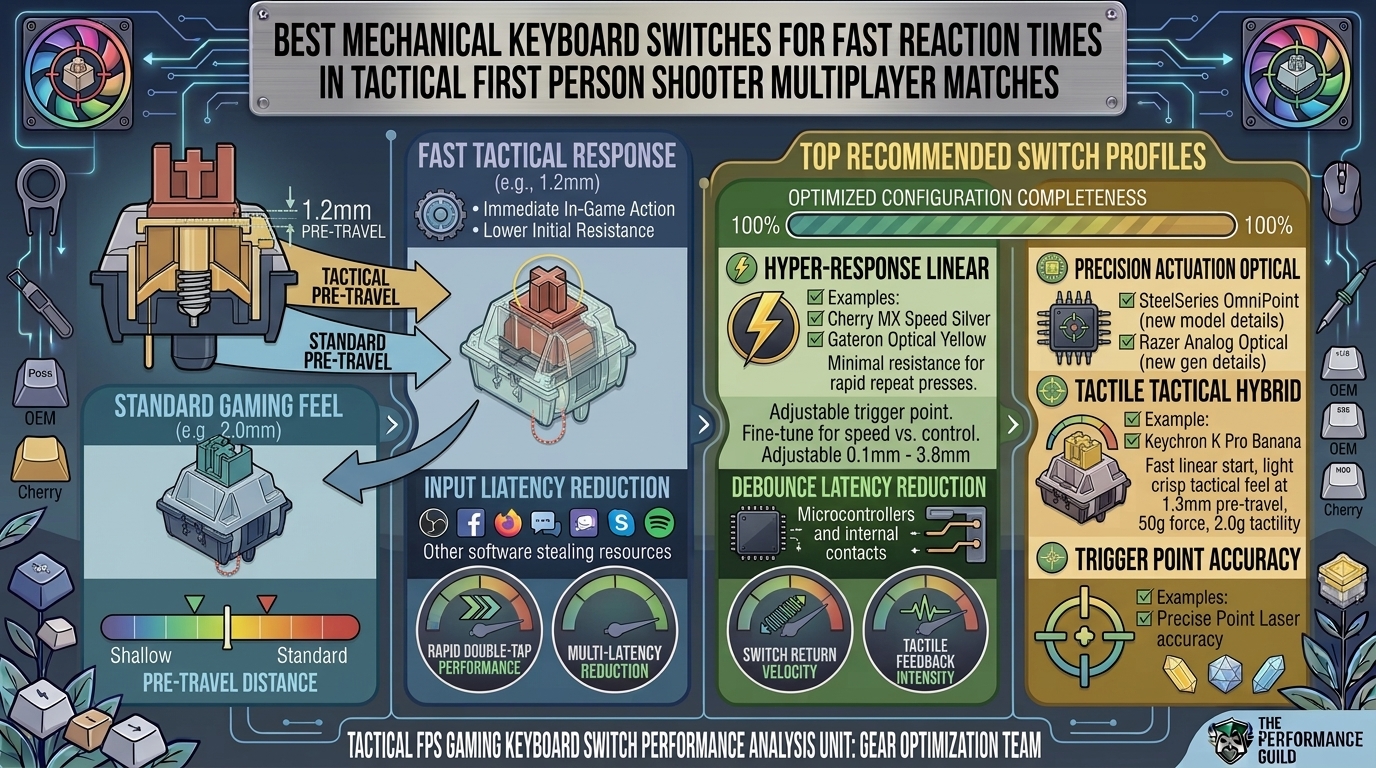
In tactical first-person shooters like Counter-Strike 2, Valorant, Rainbow Six Siege, and Apex Legends, win-loss outcomes are decided in milliseconds. While raw aiming skill and low-latency monitors are critical, your keyboard switch determines how quickly your movement inputs—like counter-strafing, jiggle-peeking, and crouch-dodging—register in the game engine.
Modern gaming keyboards have evolved far beyond traditional mechanical switches. Today, magnetic Hall Effect (HE) switches and light-actuated optical switches dominate the competitive landscape by eliminating the mechanical delays inherent to physical metal contact leaves.
Top Switch Types for Competitive FPS
- Magnetic Hall Effect (HE) Switches: The current gold standard for competitive FPS. Utilizing magnetic sensors, HE switches allow custom actuation points (from 0.1mm to 4.0mm) and Rapid Trigger technology.
- Optical Linear Switches: Infrared light beam sensors eliminate mechanical contact bouncing, removing debounce delay entirely for near-instantaneous signal transmission.
- Speed Mechanical Switches: Traditional metal-leaf mechanical switches modified with shortened actuation travel (1.0mm–1.2mm) and lighter spring weights (~40g–45g).
Technical Performance Comparison
| Switch Category | Actuation Mechanism | Actuation Point | Debounce Latency | Rapid Trigger Support |
| Magnetic (Hall Effect) | Permanent Magnet & Hall Sensor | Dynamic (0.1mm – 4.0mm) | 0 ms | Yes (Instant key reset) |
| Optical Linear | Infrared Light Beam | Fixed (1.0mm – 1.5mm) | 0 ms | Limited / Board-Specific |
| Speed Mechanical | Physical Metal Contact Leaf | Fixed (1.0mm – 1.2mm) | 3 ms – 5 ms | No (Fixed physical reset) |
| Standard Mechanical | Physical Metal Contact Leaf | Fixed (2.0mm) | 5 ms – 10 ms | No (Fixed physical reset) |
Best Switches for Tactical FPS Reaction Times
1.Magnetic Hall Effect Switches (e.g., Gateron KS-20, HMX Radiant HE):Best overall for dynamic counter-strafing and instant stops.
Hall Effect switches do not rely on physical contact. A magnet inside the stem changes the magnetic field detected by the PCB sensor.
- Rapid Trigger Technology: Traditional switches require the stem to travel back up past a fixed reset point before re-actuating. HE switches reset the millisecond the key moves upward even 0.1mm, allowing instant direction changes in Valorant or CS2.
- Ultra-Shallow Actuation: You can set critical movement keys (
W,A,S,D) to actuate at 0.1mm to 0.2mm for immediate registration, while keeping utility keys at 2.0mm to avoid accidental fat-finger presses.
2.Optical Speed Switches (e.g., Razer Analog Optical Gen-2, SteelSeries OptiPoint):Best for zero-latency execution without magnetic software setup.
Optical switches use an infrared light emitter and sensor inside the switch housing. Pressing the key breaks the light beam, instantly sending the signal to the controller.
- Zero Debounce Delay: Mechanical switches suffer from “leaf bounce,” requiring a 5ms firmware delay to avoid accidental double-clicks. Optical switches have no physical leaves, eliminating this delay completely.
- Durability: Rated for 100+ million keystrokes because there are no metal leaves to corrode or degrade over time.
3.Speed Mechanical Switches (e.g., Kailh Speed Silver, Akko V3 Silver Pro):Best budget option for standard MX-compatible hot-swap boards.
If you own a standard mechanical keyboard that does not support Hall Effect or Optical PCBs, Speed Mechanical switches are the fastest plug-and-play upgrade.
- Shortened Pre-Travel: Reduces the actuation point from standard 2.0mm down to 1.0mm–1.2mm, cutting initial key travel time in half.
- Light Spring Weights: Typically require only 40g–45g of force, reducing finger fatigue during extended gaming sessions.
Key Hardware Concepts That Impact FPS Input Latency
- Debounce Delay: Physical metal contacts vibrate when striking each other. Keyboard firmware adds a mandatory “debounce window” (3ms–10ms) to ensure one keypress doesn’t register as five. Optical and Hall Effect switches bypass this completely.
- Polling Rate (1000Hz vs. 8000Hz): Standard keyboards send data to the PC every 1 millisecond (1000Hz). Modern esports keyboards offer 8000Hz polling, updating the PC every 0.125ms. When paired with magnetic switches, total end-to-end latency drops below 0.5ms.
- Linear vs. Tactile/Clicky: Tactile bumps and clicky mechanisms add physical resistance that slows down actuation travel. Linear switches offer a smooth, unobstructed path straight down to the actuation point, making them ideal for rapid inputs.
Frequently Asked Questions (FAQ)
Q1: What are the best overall switches for tactical FPS games like CS2 and Valorant?
Magnetic Hall Effect (HE) switches are currently the top pick for tactical shooters. Features like dynamic actuation (down to 0.1mm) and Rapid Trigger enable faster counter-strafing than traditional mechanical switches.
Q2: What is “Rapid Trigger” and why does it matter in competitive games?
Rapid Trigger allows a key to reset the exact instant it starts traveling upward, rather than requiring it to pass a fixed reset height. In games like Valorant, this lets you stop moving instantly to regain first-bullet accuracy the moment you lift your finger.
Q3: Can I install Magnetic Hall Effect switches into any mechanical keyboard?
No. Hall Effect switches lack physical metal pins and rely on specialized magnetic sensors on the PCB. They require a dedicated HE-compatible keyboard PCB.
Q4: Are optical switches faster than mechanical switches?
Yes. Optical switches use a light beam to register keypresses, eliminating physical leaf contact and the 3ms–5ms debounce delay required by standard mechanical switches.
Q5: Why are linear switches preferred over tactile or clicky switches for gaming?
Linear switches provide smooth, consistent resistance from top to bottom. Tactile bumps and clicky springs add physical resistance that can impede rapid double-tapping and smooth movement inputs.
Q6: What actuation distance should I set for my movement keys?
Most competitive players set WASD actuation between 0.1mm and 0.5mm for fast movement registration. If you notice accidental keypresses, increase the actuation distance slightly to 0.8mm–1.0mm.
Q7: Will an 8000Hz polling rate improve my in-game reaction time?
An 8000Hz polling rate reduces input reporting delay from 1.0ms down to 0.125ms. While the difference is micro-scale, when paired with zero-debounce magnetic switches, it produces lower input latency.
Q8: What are Speed Silver switches?
Speed Silver switches are traditional mechanical switches modified with a shortened pre-travel distance (usually 1.0mm–1.2mm compared to standard 2.0mm) and light spring resistance for fast actuation.
Q9: Does switch lubrication affect reaction speed?
Proper factory or manual lubrication reduces spring ping and stem friction, making the key feel smoother. While it doesn’t change electrical actuation speed, a smoother switch reduces physical resistance under your fingers.
Q10: Are shallow actuation points bad for typing?
Extremely shallow actuation points (0.1mm–0.5mm) can lead to accidental typos during everyday typing. Many Hall Effect keyboards allow you to save separate profiles: a shallow 0.2mm profile for gaming and a deeper 2.0mm profile for typing.
Choosing the right switch for competitive FPS matches comes down to minimizing mechanical delay. Magnetic Hall Effect switches with Rapid Trigger offer a technical advantage in movement responsiveness, while Optical and Speed Mechanical options provide fast, low-latency performance across standard layouts. Match your switch selection to your keyboard PCB compatibility and fine-tune actuation points to sharpen your reaction times.
Leave a Reply