Blog

  • How to get started with mobile game live streaming and content creation on tiktok and youtube shorts

    How to get started with mobile game live streaming and content creation on tiktok and youtube shorts

    How to Get Started with Mobile Game Live Streaming and Content Creation on TikTok and YouTube Shorts

    The landscape of content creation has experienced a seismic shift. Mobile devices are no longer just passive screens for consuming media; they are powerful, self-contained production studios capable of running high-fidelity games, broadcasting live video, and editing high-definition content. Fast-paced mobile titles like PUBG Mobile, Free Fire, Call of Duty: Mobile, Mobile Legends: Bang Bang, and Genshin Impact dominate global esports and casual gaming communities alike.

    Simultaneously, the short-form vertical video algorithm has revolutionized discovery. TikTok and YouTube Shorts offer unprecedented reach, allowing new creators to gain thousands of impressions without an established audience base.

    [ Mobile Device (Gameplay) ]
               │
               ├─── Direct Screen Capture / OBS Studio ───► [ Live Stream (TikTok / YT Shorts) ]
               │                                                        │
               └─── Built-in Screen Recorder ────────────► [ Video Editor (CapCut / Premiere) ]
                                                                        │
                                                                        ▼
                                                           [ Short-Form Clips & VODs ]
    

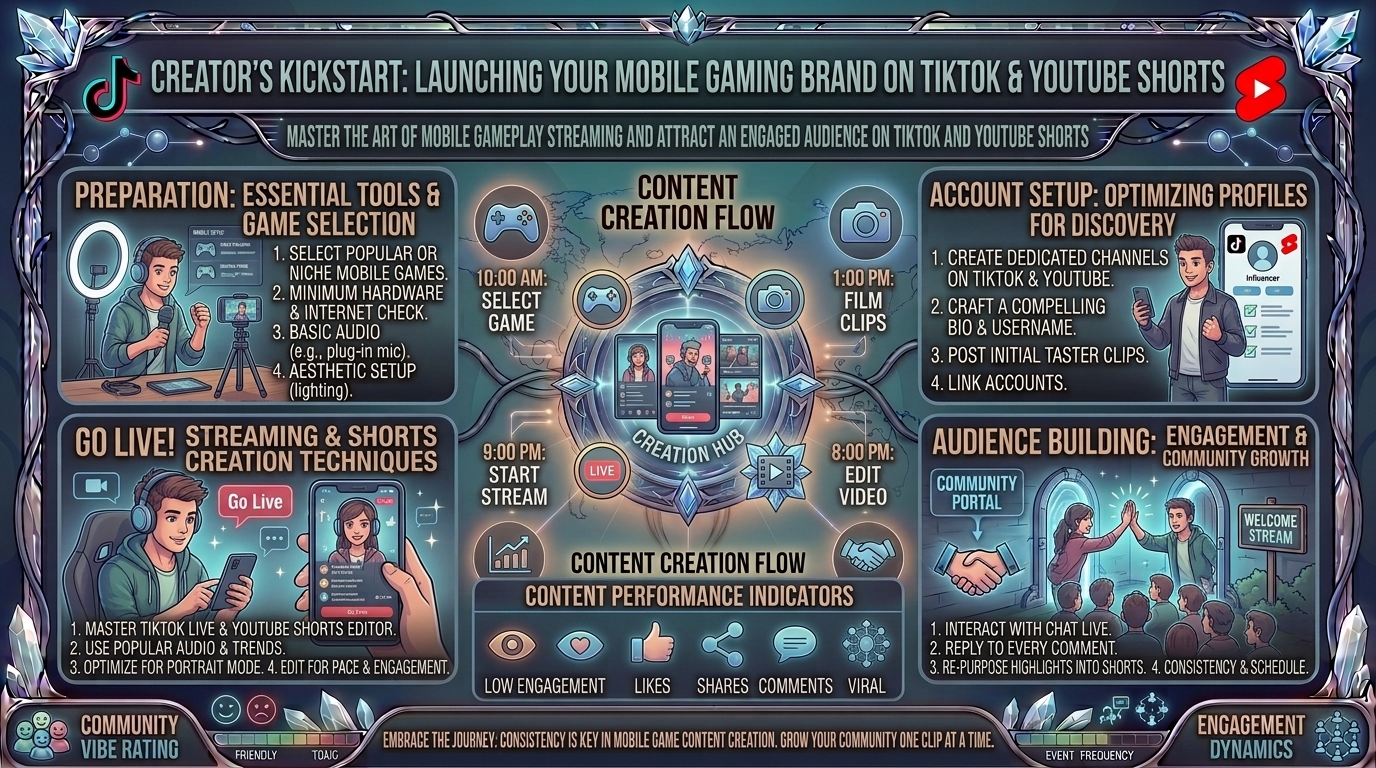
    This comprehensive operational guide covers technical configurations, hardware choices, streaming software workflows, content strategies, and growth mechanics needed to launch a career in mobile game live streaming and short-form video creation.

    1. Hardware & Software Requirements for Mobile Creators

    Before launching a broadcast, establishing a reliable hardware foundation is critical. Mobile streaming subjects your smartphone to simultaneous processing demands: running a GPU-heavy game, encoding vertical video, processing external microphone audio, and maintaining a high-bandwidth network connection.

    Essential Smartphone Specifications

    • Processor (CPU/GPU): Snapdragon 8 Gen 2 / Gen 3, Apple A15 Bionic or higher, or MediaTek Dimensity 9200+.
    • RAM: Minimum 8GB (Android) or 6GB (iOS) to prevent background system termination during intensive screen recording.
    • Display & Refresh Rate: 90Hz to 120Hz panel with a minimum touch sampling rate of 240Hz for precise competitive inputs.
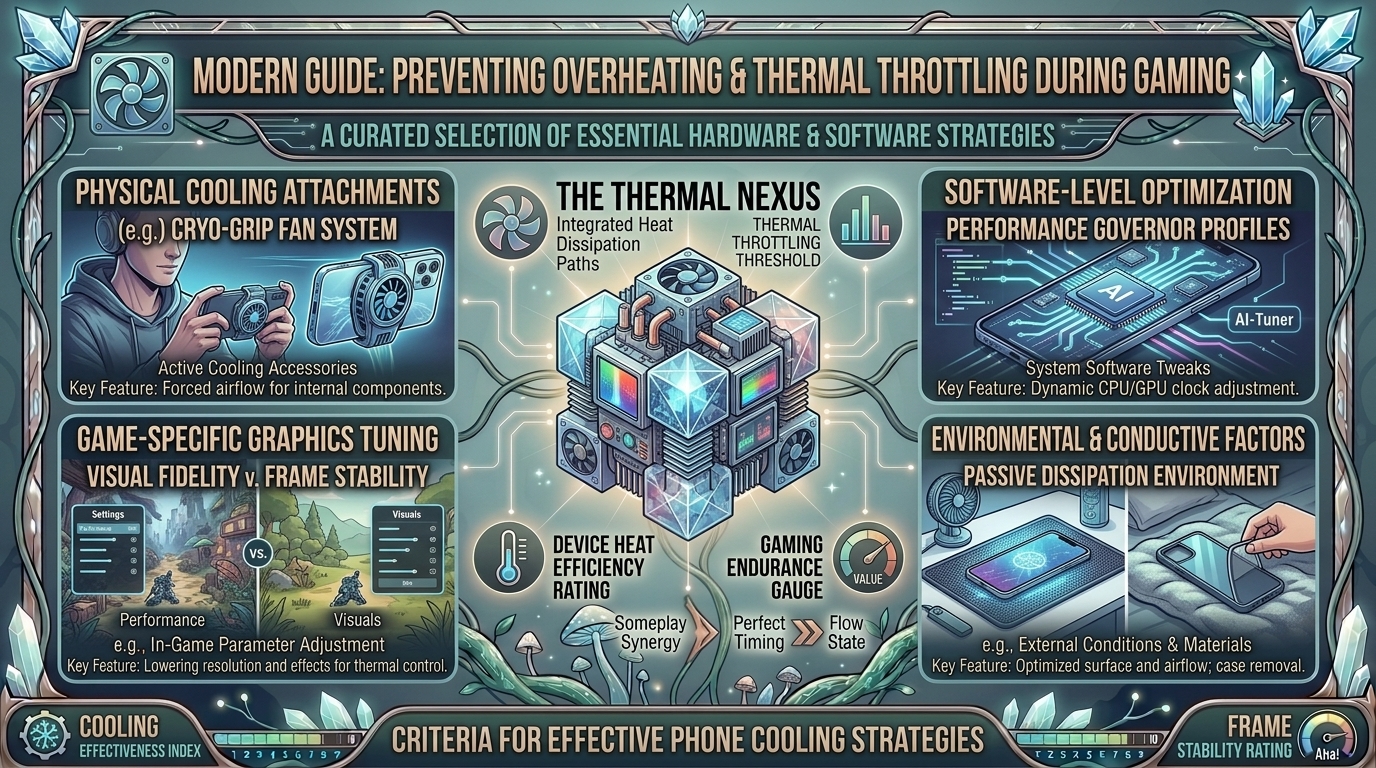
    • Thermal Management: Internal vapor chamber cooling or an external active semiconductor cooling fan (e.g., Black Shark Magnetic Cooler) to prevent thermal throttling and dropped frames.

    Audio & Visual Accessories

    • Microphone: Built-in phone microphones pick up hand-swiping noise and speaker vibrations. Use a dedicated dual-channel wireless lavalier microphone (e.g., Hollyland Lark M2 or DJI Mic 2) or a USB-C condenser microphone with OTG support.
    • Facecam Setup: A desk tripod with a dedicated smartphone holder paired with a compact bi-color LED ring light or key light (CRI > 95).
    • Network Connection: High-speed Wi-Fi 6 (5GHz/6GHz band) or a USB-C to Ethernet adapter for a direct wired connection. Your network should maintain an upload speed of at least 15–20 Mbps.

    2. Choosing Your Platform: TikTok vs. YouTube Shorts

    Both platforms prioritize vertical 9:16 video content, but their discovery algorithms, technical entry requirements, and live broadcast mechanics differ significantly.

    FeatureTikTok LIVE & ClipsYouTube Shorts & Shorts Live
    Mobile Live RequirementsUnlocked via account status/followers (typically 1,000 followers, varying by region).50 subscribers minimum + phone verified account with no active strikes.
    Aspect Ratio & Resolution9:16 Vertical (720×1280 or 1080×1920).9:16 Vertical (1080×1920 recommended).
    Livestream DiscoveryTikTok Algorithm feeds vertical streams directly into the main FYP swipe feed.Streams appear directly inside the YouTube Shorts vertical feed and Subscriptions tab.
    Primary Audience VibeHigh-energy, trend-driven, direct interactive chat, Virtual Gifts.Search-intent driven, guide/gameplay oriented, Super Chats, Memberships.
    PC/OBS Streaming OptionsTikTok LIVE Studio or Streamlabs Desktop with TikTok integration.OBS Studio / Streamlabs via standard RTMP stream key.

    3. Step-by-Step Setup: Direct Mobile Streaming

    Streaming directly from your mobile device is the most portable and accessible route. Both platforms provide native screen-sharing capabilities.

    1.Configure System Settings & Do Not Disturb:Crucial preliminary step to protect personal privacy.

    Enable ‘Do Not Disturb’ or ‘Gaming Mode’ on iOS or Android. Block all incoming calls, text previews, and app notifications from rendering on-screen during the broadcast.

    2.Connect External Audio & Thermal Cooling:Hardware check prior to opening streaming apps.

    Attach your wireless mic receiver or USB-C audio interface. Clip on your semiconductor phone cooler to maintain maximum clock speeds and prevent thermal frame drops.

    3.Launch the TikTok or YouTube App:Selecting the correct broadcast mode.

    For TikTok: Tap the (+) button, swipe to ‘LIVE’, select ‘Mobile Gaming’, and choose your specific game title. For YouTube: Tap (+), select ‘Go Live’, and toggle the camera orientation icon to ‘Portrait/Shorts’ mode.

    4.Set Up Your Broadcast Metadata:Maximizing algorithmic reach.

    Input a high-converting stream title containing the target game’s exact keyword (e.g., “Ranked Push to Grandmaster | COD Mobile”). Select appropriate category tags and upload an eye-catching thumbnail.

    5.Grant Screen Recording Permissions & Go Live:Initiating the system capture feed.

    Confirm screen capture permissions when prompted by your operating system (iOS Screen Broadcast or Android Media Projection) and tap ‘Start Broadcast’.

    4. Pro-Level Setup: Streaming Mobile Games via PC (OBS Studio)

    For professional overlays, custom alerts, camera control, and dual-output streaming (simultaneously broadcasting horizontally and vertically), routing your mobile game feed into a PC running OBS Studio is the industry standard.

    [ Mobile Device (USB/Wi-Fi Screen Capture) ]
                        │
                        ▼
    [ PC Running OBS Studio / Streamlabs ] ──► [ Overlays / Mic / Webcam ]
                        │
                        ├─── RTMP Stream Key ───► [ TikTok LIVE ]
                        │
                        └─── RTMP Stream Key ───► [ YouTube Shorts Live ]
    

    Method A: Wired USB Mirroring (Low Latency)

    • Android: Use SCRCPY (Screen Copy), an open-source, ultra-low latency tool that mirrors your screen via USB Debugging at up to 120 FPS with audio passthrough. Alternatively, use hardware capture cards like the Elgato HD60 X via a Type-C to HDMI adapter.
    • iOS: Connect your iPhone via Lightning/USB-C to a Mac or PC. Use Apple’s native screen capture in QuickTime, or software like ApowerMirror / Elgato Capture over USB.

    Method B: Setting Up Vertical OBS Layouts

    1. Canvas Resolution: Open OBS Studio settings → Video. Change the Base (Canvas) Resolution to 1080x1920 (9:16 vertical orientation).
    2. Game Capture Source: Add a ‘Window Capture’ or ‘Display Capture’ source targeted at your device mirroring software.
    3. Webcam & Overlays: Position your webcam in the top or bottom third of the frame. Ensure the center of the canvas remains completely clear for primary mobile gameplay.
    4. Encoding Settings: Set encoder to NVENC (NVIDIA) or AMF (AMD). Use a Constant Bitrate (CBR) between 4,000 kbps and 6,000 kbps at 60 FPS.

    5. Content Creation Engine: Turning Streams into Shorts & TikToks

    Going live is only half the battle. Long-term channel growth relies on a strategic content funnel: converting live stream VODs (Video on Demand) into bite-sized, viral vertical clips.

    [ 2-Hour Mobile Stream VOD ] ──► [ AI Clip Marker / Manual Review ]
                                                     │
                                                     ▼
    [ CapCut / Premiere Pro Vertical Timeline ] ──► [ Dynamic Captions & Sound Effects ]
                                                     │
                                                     ▼
    [ Published to TikTok, YT Shorts & Instagram Reels ]
    

    Strategic Editing Blueprint

    1. The 3-Second Hook: Eliminate intro animations, long greetings, or silence. Start directly with an intense gameplay moment, a shocking reaction, or a high-stakes question (e.g., “This is the rarest weapon loadout in Warzone Mobile…”).
    2. Dynamic Captions: Over 60% of short-form videos are consumed on mute. Use auto-caption tools in CapCut, Opus Clip, or Adobe Premiere Pro to generate bold, color-coded subtitles placed centrally on the screen.
    3. Framing & Zoom: Crop landscape gameplay recordings to fit a vertical frame using keyframes. Keep the crosshair or primary character model centered, and place your facecam directly above or below the gameplay UI.
    4. Audio Balancing: Ensure commentary audio sits at -6dB to -3dB, background game audio at -18dB, and trending background music tracks at -22dB.

    6. Algorithmic Optimization & Audience Engagement Strategies

    Understanding how platforms distribute vertical content determines whether your stream or short gets 100 views or 100,000 views.

    TikTok Algorithm Drivers

    • Watch Time & Completion Rate: The single most critical metric. Keep videos between 15–30 seconds for maximum completion rate percentage.
    • Comment Triggers: End videos or streams with controversial or open-ended questions regarding game builds, character tier lists, or patch updates to drive comment velocity.
    • Live Stream Interaction Rate: The TikTok algorithm prioritizes live streams that receive frequent screen taps (likes), comments, and virtual gift sends.

    YouTube Shorts Algorithm Drivers

    • Shown in Feed vs. Viewed Ratio: Aim for a “Viewed” percentage above 70%. Your video title and visual thumbnail frame must immediately capture attention when swiped into view.
    • Audience Retention Graph: Avoid dead space or slow transitions. Use quick jump cuts, sound effects (swooshes, pops), and visual zoom-ins to prevent drop-off.
    • Search Optimization (SEO): Optimize descriptions with searchable intent (e.g., “How to unlock golden camo COD Mobile guide”).

    7. Monetization Pathways for Mobile Gaming Creators

    [ Virtual Gifts & Super Chats ] ──► [ Brand Sponsorships & Affiliate Links ] ──► [ Ad Revenue Share ]
    
    1. Platform Fan Funding:
      • TikTok LIVE Gifts & Subscription: Viewers buy virtual coins to send gifts during streams, which convert into diamond rewards cashable by the creator.
      • YouTube Super Chats & Channel Memberships: Direct financial support during vertical live streams and access to custom channel badges.
    2. Publisher & Brand Sponsorships: Mobile game developers actively sponsor creators to showcase new game updates, champion skin launches, or perform sponsored app installations via affiliate download links.
    3. Ad Revenue Sharing: YouTube Partner Program provides a ad revenue share from the Shorts Feed based on total monthly views.
    4. Affiliate Marketing: MonetiZe hardware gear (mobile controllers like Backbone One, cooling fans, lavalier mics) via Amazon or TikTok Shop links placed in bio links or pinned comments.

    Frequently Asked Questions (FAQ)

    1. Can I stream mobile games without a high-end PC?

    Yes! You can stream directly from your smartphone using the native live streaming tools inside the TikTok app or YouTube app. Alternatively, mobile streaming apps like Streamlabs Mobile or Prism Live Studio allow you to add basic overlays and facecams entirely on your phone.

    2. How many subscribers or followers do I need to go live?

    For YouTube, you need a minimum of 50 subscribers and a phone-verified account to stream via the mobile app. For TikTok, the standard requirement is typically 1,000 followers, though access can vary based on regional account rollouts.

    3. How do I prevent my phone from overheating while playing and streaming simultaneously?

    Use an active semiconductor cooling fan attached to the back of your device. Additionally, reduce your screen brightness, close all background applications, avoid playing while charging on fast-chargers, and stream in a climate-controlled room.

    4. Which platform is better for new creators: TikTok or YouTube Shorts?

    TikTok generally offers faster initial discovery and immediate feedback for brand-new creators due to its interest-based algorithm. However, YouTube Shorts provides superior long-term content durability through search engines and offers higher long-term monetization stability via the YouTube Partner Program.

    5. Do I need a camera to become a successful mobile gaming creator?

    No, many top mobile gaming creators operate faceless channels focusing on elite gameplay, educational guides, commentary, or voiceovers. However, adding a facecam generally increases audience retention and community connection during live broadcasts.

    6. What is the ideal video bitrate for streaming mobile games?

    When streaming in 1080p vertical format (9:16) at 60 FPS, set your bit rate between 4,500 kbps and 6,000 kbps in OBS Studio or Streamlabs. If streaming via mobile cellular data, drop your settings to 720p at 2,500–3,500 kbps to maintain stability.

    7. How do I capture mobile game audio without capturing background room noise?

    Use internal system audio capture (available natively in iOS and modern Android versions). Ensure your streaming software or mobile app routes “Internal Audio” to the broadcast while taking “Microphone Audio” exclusively from an external lavalier or headset microphone.

    8. What editing software is best for vertical mobile gaming videos?

    CapCut (available on mobile and desktop) is widely considered the best beginner-to-intermediate tool due to its automatic captions, vertical templates, and trend integrations. For advanced desktop editing, Adobe Premiere Pro or DaVinci Resolve offer superior color grading and keyframing control.

    9. How do I handle incoming phone calls or messages while streaming?

    Always enable ‘Do Not Disturb’ or activate your smartphone’s dedicated ‘Focus Mode’ / ‘Game Booster’ before initiating a live broadcast. This blocks incoming caller pop-ups and hides sensitive push notifications from displaying on your public stream.

    10. Where can I read more mobile gaming guides, gear reviews, and streaming tips?

    You can find regularly updated hardware breakdowns, streaming technical guides, and mobile gaming news directly on TheGamerBuzz!

    Conclusion

    Starting your content creation journey in mobile game streaming requires a strategic balance of technical preparation, platform consistency, and smart editing mechanics. By optimizing your smartphone hardware, choosing the right broadcast workflow (direct mobile vs. OBS Studio), and repurposing your live streams into dynamic vertical short-form videos, you can build a thriving audience on both TikTok and YouTube Shorts.
  • How to find active gaming communities and discord servers dedicated to your favorite indie game titles

    How to find active gaming communities and discord servers dedicated to your favorite indie game titles

    How to Find Active Gaming Communities and Discord Servers Dedicated to Your Favorite Indie Game Titles

    Unlike major AAA blockbusters backed by multi-million-dollar marketing budgets and global esports leagues, indie games thrive on grassroots community engagement. For smaller titles—whether it is a cozy cozy-crafting simulator, a niche deck-building roguelite, or an experimental narrative RPG—finding an active player base can transform a solo gaming session into a rich social experience.

    Active indie gaming communities offer far more than just a place to chat. They serve as hubs for discovering hidden game mechanics, finding co-op partners, accessing custom mods, reporting bugs directly to developers, and participating in exclusive beta playtests.

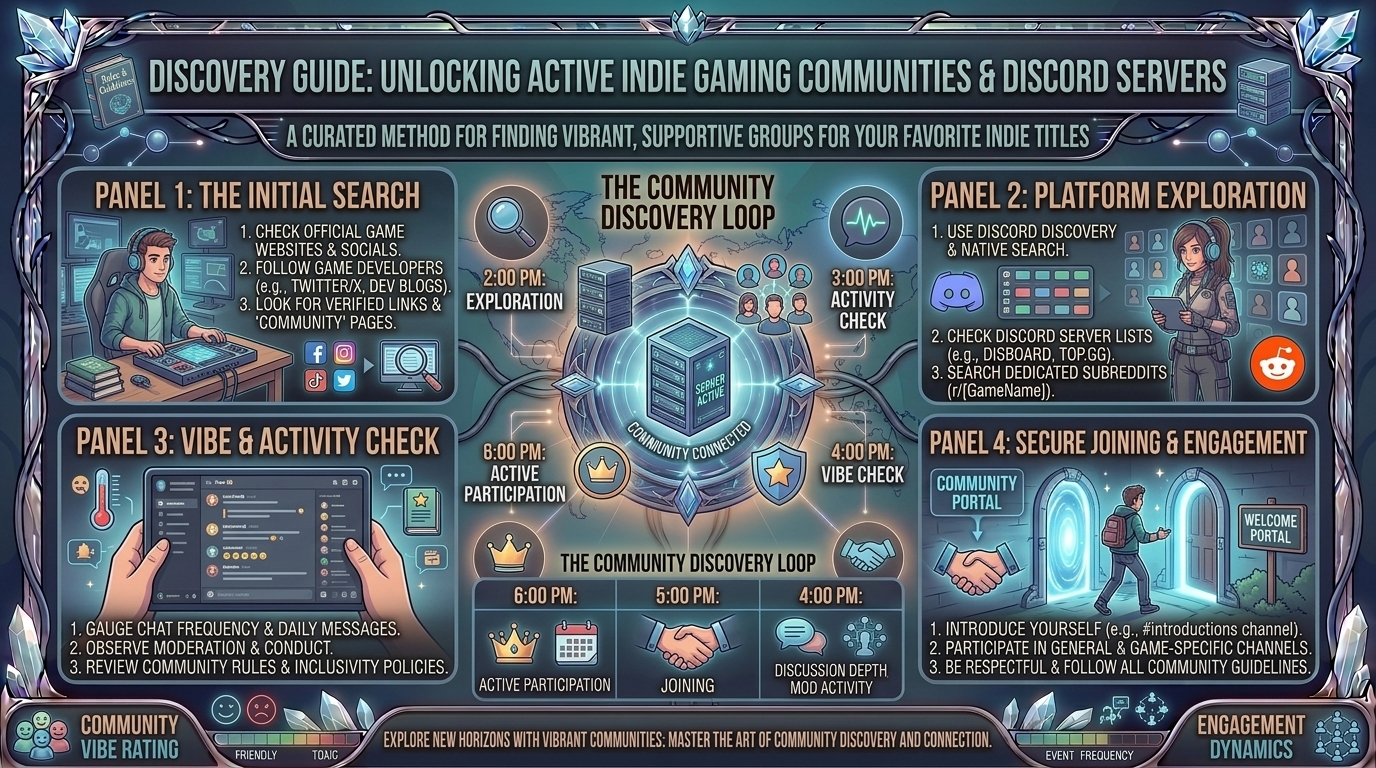
    This comprehensive guide breaks down step-by-step strategies to track down, evaluate, and engage with active gaming communities and dedicated Discord servers for your favorite indie titles.

    Why Indie Game Communities Live on Discord

    [ Centralized Hubs ] ──> [ Direct Developer Access ] ──> [ Real-Time LFG & Voice ]
                                                                       │
                                                                       ▼
    [ Custom Mods & Guides ] <── [ Active Playtesting & Feedback ] ────┘
    

    Discord has become the primary infrastructure for indie gaming communities. Unlike static forums or social media feeds, dedicated Discord servers offer:

    1. Direct Communication with Developers: Indie studios regularly hang out in their official Discord channels, answering questions, hosting live Q&A sessions, and taking feature requests.
    2. Real-Time Matchmaking (LFG): Looking-for-Group (LFG) voice and text channels allow you to instantly find co-op or multiplayer teammates.
    3. Modding and Custom Content: Active modding communities share custom skins, fan translations, quality-of-life scripts, and community maps.
    4. Early Access & Beta Testing: Developers often distribute exclusive steam keys, testing builds, and experimental patches exclusively through Discord roles.

    5 Proven Methods to Find Dedicated Indie Discord Servers

    1. Check the Official Steam Store Page & In-Game Menus

    Developer-verified Discord links are often placed directly on the game’s official Steam store page.

    • Look at the right-hand sidebar under Link to External Website or scan the main description for a official Discord badge.
    • Many modern indie titles feature a direct “Join Our Discord” button on their main menu screen or pause interface.

    2. Utilize Discord Server Directories

    Public server search engines index thousands of gaming communities categorized by specific tags.

    [ Search Directory (Disboard / top.gg) ] ──> [ Filter by Game Title Tag ] ──> [ Verify Activity & Join ]
    
    • Disboard.org: Search by the exact title of the game. Filter results by member count, bump frequency, and language.
    • Top.gg: Excellent for finding official developer hubs and community-managed fan servers.
    • Discord Discovery: Click the Explore Discoverable Servers compass icon at the bottom of your Discord app server list and search for the game title.

    3. Tap Into Dedicated Subreddits

    Reddit is one of the richest pipelines for indie gaming communities.

    • Visit the official subreddit for the game (e.g., r/CassetteBeasts, r/SlayTheSpire, r/HadesTheGame).
    • Check the Subreddit Sidebar, Pinned Posts, or Menu Links. Moderators almost always pin an invite link to the official or primary community Discord server.

    4. Follow Developers on X (Twitter), Bluesky, and itch.io

    Indie developers frequently promote their community links across social media.

    • Check the developer’s bio on X or Bluesky for a discord.gg shortened link or Linktree page.
    • If the game originated as a game jam project on itch.io, the developer’s project page will feature direct links to their community server.

    5. Search Developer Wikis and Community Databases

    Community-maintained wikis (hosted on Fandom or independent Wiki.gg sites) often contain direct links to official fan communities, speedrunning hubs, and competitive leagues in their navigation bars.

    How to Evaluate if a Community Is Truly “Active”

    Joining a server with 10,000 members doesn’t guarantee a great experience if the chat has been dead for months. Look for these key activity metrics before diving in:

    Activity IndicatorHealthy / Active ServerInactive / Dead Server
    Daily Message VolumeMultiple active text threads across general and game-discussion channels daily.No messages posted for days or weeks at a time.
    Developer / Mod PresenceCommunity managers or devs regularly post updates, devlogs, or patch notes.Last announcement was over 6 months ago.
    LFG Voice ChannelsUsers actively occupying Looking-For-Group voice channels during peak hours.Voice channels remain permanently empty.
    Rules & ModerationClear reaction-role onboarding, anti-spam bots, and clear rules.Unmoderated spam, dead links, or toxic chat environments.

    Step-by-Step Guide: Joining and Onboarding Safely

    1.Verify the Invite Link Authenticity:

    Always attempt to join via official developer sources (Steam, official website, or verified Reddit sidebars) to avoid scam or phishing servers.

    2.Complete Onboarding & Reaction Roles:

    Upon joining, navigate to the #rules or #roles channel. Select roles corresponding to your gaming platform (PC, Switch, Console) and notification preferences.

    3.Introduce Yourself in the Community Channel:

    Head to #general or #introductions. Share your current progress in the game, your favorite mechanics, or ask for beginner-friendly tips.

    4.Utilize Specific Channels for Spoilers and Help:

    Respect community etiquette by keeping story discussions inside designated #spoilers channels and technical issues inside #bug-reports or #help.

    Top 5 Tips for Engaging with Indie Game Communities

    1. Use the Search Bar Before Asking Basic Questions: Discord’s built-in search bar allows you to search past discussions for specific item locations, boss strategies, or bug fixes.
    2. Report Bugs Professionally: When reporting glitches, use the designated #bug-reports channel. Include your platform, OS version, steps to reproduce the bug, and screenshots or video clips.
    3. Respect Developer Boundaries: Avoid tagging lead developers directly for casual questions. Let community managers or experienced players assist you first.
    4. Check Out the Modding and Speedrunning Sub-Communities: Niche indie games often have dedicated sub-channels or sister servers specifically for speedrunning leaderboards and custom mod development.
    5. Participate in Community Events: Join fan-art contests, community playtests, and developer Q&A streams to build lasting connections within the player base.

    Frequently Asked Questions (FAQ)

    1. How do I find Discord servers for extremely small or obscure indie games?

    If a game doesn’t have a standalone server, look for broader publisher hubs (such as Devolver Digital, Team17, Raw Fury, or Annapurna Interactive). These publisher servers host dedicated channels for every indie title under their banner.

    2. Is it safe to click Discord invite links on social media?

    Yes, provided the link uses the official discord.gg/ or [discord.com/invite/](https://discord.com/invite/) domain. Never log in with your account credentials on third-party websites claiming to grant server access.

    3. What should I do if the official Discord invite link on Steam is expired?

    Check the game’s official subreddit or developer social accounts. You can also leave a polite post on the Steam Community Discussions board letting the developers know their store link needs updating.

    4. What is the difference between an official server and a fan-made server?

    Official servers are created and managed directly by the game’s developers or publisher, offering official announcements and direct dev interactions. Fan-made servers are community-run and often focus on specific topics like speedrunning, modding, or competitive play.

    5. How can I join beta tests for upcoming indie games?

    Join the developer’s official Discord server early. Studios frequently announce closed alpha/beta sign-up forms or distribute Steam playtest keys directly through dedicated announcements channels.

    6. What does “Disboard” do?

    Disboard is a public online directory where server owners list their Discord communities. You can search by keywords, tags, and languages to find active servers matching your favorite games.

    7. How do I mute notifications on large gaming servers?

    Right-click the server icon, select Notification Settings, and change it to Only @mentions or mute specific high-volume channels like #general.

    8. Are there communities for indie game modding?

    Yes! Many indie titles have specialized modding Discord hubs linked within their main server or hosted on platforms like Nexus Mods and Thunderstore.io.

    9. Can I find co-op partners in indie Discord servers?

    Absolutely. Almost every multiplayer or co-op indie server features dedicated #lfg (Looking For Group) channels where you can ping roles or join open voice channels.

    10. Where can I read more indie game guides and community news?

    Find curated indie lists, game reviews, developer spotlights, and hardware walkthroughs directly on TheGamerBuzz!

    Conclusion

    Indie gaming is at its best when shared with a passionate community. By leveraging Steam store links, community directories like Disboard, dedicated subreddits, and publisher hubs, you can easily connect with fellow players, discover hidden secrets, and chat directly with the creators behind your favorite titles. Join the conversation, support indie creators, and explore more gaming breakdowns on TheGamerBuzz!

  • What are the best short indie games that you can finish in a single relaxing weekend afternoon session

    What are the best short indie games that you can finish in a single relaxing weekend afternoon session

    What Are the Best Short Indie Games That You Can Finish in a Single Relaxing Weekend Afternoon Session?

    In an era dominated by 100-hour open-world epics, endless battle passes, and high-demand live-service games, finding the time—and energy—to commit to a massive gaming title can feel overwhelming. Sometimes, the most rewarding gaming experiences are concise, self-contained, and designed to be completed in one sitting.

    Short indie games offer curated narrative design, innovative mechanics, and zero fluff. Whether you are looking for emotional storytelling, cozy atmospheric exploration, clever environmental puzzles, or meditative mechanics, a “single-sitting” game allows you to start, experience, and finish a masterpiece in 2 to 5 hours.

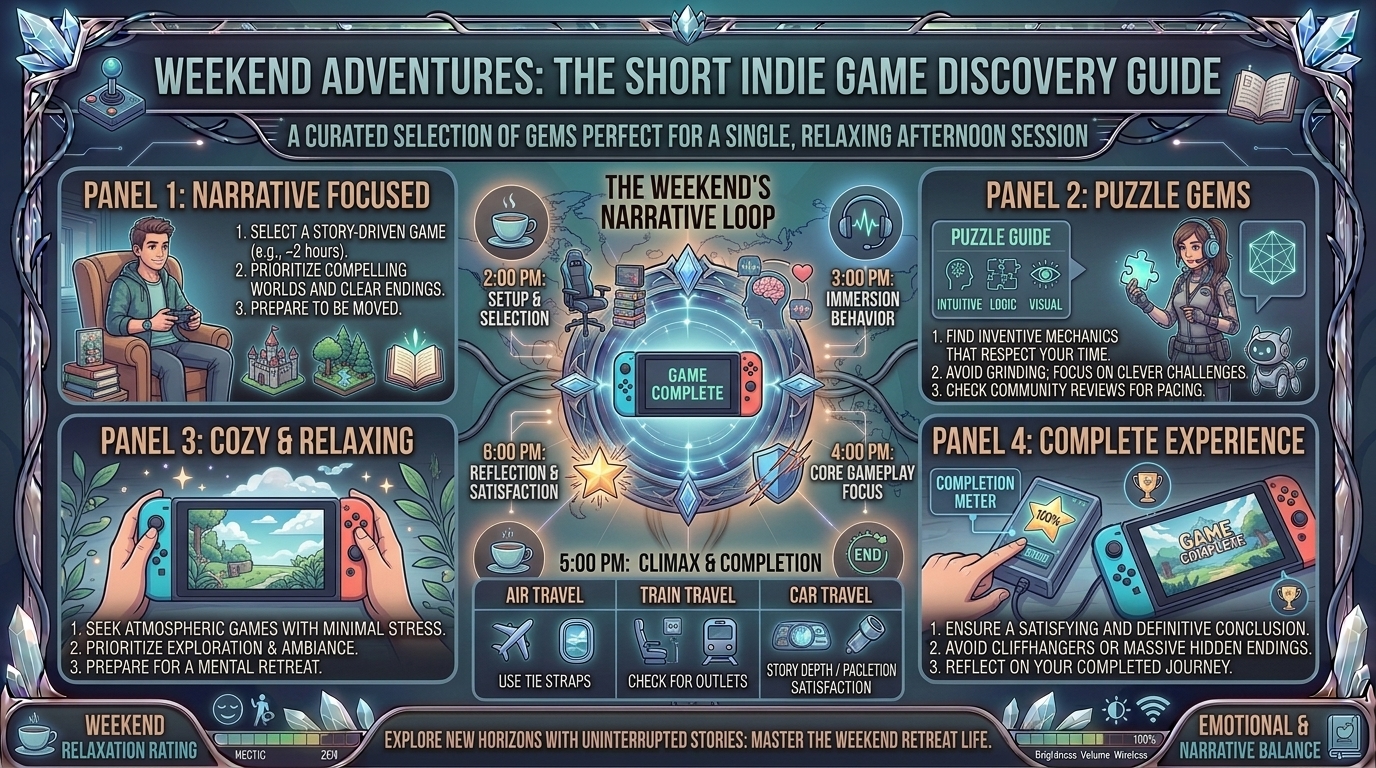
    This guide highlights the absolute best short indie games perfect for a relaxing weekend afternoon session, categorized by genre, playstyle, and narrative tone.

    The Rise of “One-Sitting” Masterpieces: Why Shorter Is Often Better

    [ Traditional AAA Games ] ──> [ 80+ Hours, Grind, Side Quests ] ──> [ Burnout & Abandonment ]
                                                                                 
    [ Curated Short Indie ]   ──> [ 2–4 Hours, Pure Story & Mechanics ] ──> [ Complete, Satisfying Arc ]
    
    1. Pacing and Narrative Focus: Without filler side quests or repetitive fetch missions, short games deliver tight storytelling where every mechanic and line of dialogue serves a purpose.
    2. Zero Mechanics Fatigue: You can pick up a short indie game on a Sunday afternoon, master its mechanics in ten minutes, and reach the credits before dinner.
    3. Low Commitment, High Reward: A shorter runtime makes it easier to experience unique experimental mechanics—from walking simulators to narrative point-and-click puzzles—without a multi-week time investment.

    Top Short Indie Games to Finish in an Afternoon

    1. A Short Hike (adamgryu)

    • Average Playtime: 1.5 to 2.5 Hours
    • Genre: Cozy Open-World Exploration
    • Platforms: PC, Mac, Switch, PS4, Xbox One

    A Short Hike is the ultimate definition of a comforting weekend game. You play as Claire, a young bird visiting Hawk Peak Provincial Park, who needs to hike to the top of a mountain to catch a cell phone signal.

    • Gameplay Mechanics: Soar, glide, climb, and fish while meeting quirky park visitors.
    • Why It Fits a Single Session: The island is compact, filled with secrets, and lets you set your own pace. You can rush to the peak in an hour or spend three hours discovering hidden treasures.

    2. Donut County (Ben Esposito)

    • Average Playtime: 1.5 to 2 Hours
    • Genre: Physics-Based Puzzle Adventure
    • Platforms: PC, Mac, Switch, PS4, Xbox One, iOS

    In Donut County, you play as an ever-growing hole in the ground controlled by an mischievous raccoon via a smartphone app. Every object (and resident) you drop into the hole causes it to grow larger.

    • Gameplay Mechanics: Solve clever physics puzzles by swallowing items, combining elements inside the hole (like fire and soup), and launching objects back out.
    • Why It Fits a Single Session: Hilarious writing, a vibrant color palette, and light puzzles make it a stress-free experience from start to finish.

    3. Unpacking (Witch Beam)

    • Average Playtime: 3 to 4 Hours
    • Genre: Zen Puzzle / Environmental Storytelling
    • Platforms: PC, Mac, Switch, PS4, PS5, Xbox One, Xbox Series X/S, iOS, Android

    Unpacking turns the act of moving into a meditative narrative journey. Across eight life stages—from a childhood bedroom to a first shared apartment—you pull items out of boxes and arrange them in rooms.

    • Gameplay Mechanics: Tactile, satisfying pixel-art placement with no timers, scores, or fail states.
    • Why It Fits a Single Session: The story is told entirely through the items you unpack, providing an intimate look into a character’s life over a decade without a single word of spoken dialogue.

    4. Gris (Nomada Studio)

    • Average Playtime: 3 to 3.5 Hours
    • Genre: Atmospheric Platformer / Art Game
    • Platforms: PC, Mac, Switch, PS4, PS5, Xbox, iOS

    Gris is a stunning visual artwork brought to life. Playing as a hopeful young girl lost in her own world, you navigate a journey through grief represented by watercolor landscapes and evocative music.

    • Gameplay Mechanics: Light platforming, environmental puzzles, and abilities unlocked as color slowly returns to the world.
    • Why It Fits a Single Session: Beautiful orchestral music and simple controls make Gris an ideal game to unwind with on a quiet afternoon.

    5. Florence (Mountains)

    • Average Playtime: 30 Minutes to 1 Hour
    • Genre: Interactive Story / Graphic Novel
    • Platforms: PC, Mac, Switch, iOS, Android

    From the lead designer of Monument Valley, Florence captures the highs and lows of a young woman’s first love and personal growth through a series of micro-minigames.

    • Gameplay Mechanics: Assemble speech bubbles, match Polaroid photos, and complete simple visual interactions that reflect emotional states.
    • Why It Fits a Single Session: At just under an hour, Florence delivers the emotional impact of a feature film in a short, accessible format.

    6. What Remains of Edith Finch (Giant Sparrow)

    • Average Playtime: 2 to 2.5 Hours
    • Genre: First-Person Narrative Mystery
    • Platforms: PC, Switch, PS4, PS5, Xbox One, Xbox Series X/S

    You play as Edith Finch as she explores her sprawling, eccentric family home to discover why she is the last surviving member of her family. Each room reveals a short, surreal interactive vignette recounting the final moments of a relative’s life.

    • Gameplay Mechanics: First-person exploration paired with unique, single-use gameplay mechanics for every family story.
    • Why It Fits a Single Session: Widely considered a storytelling masterpiece, its episodic structure flows smoothly over a two-hour session.

    Playtime and Vibe Comparison Matrix

    Game TitlePrimary GenreAverage PlaytimeDifficulty LevelPrimary Vibe / Mood
    A Short HikeOpen-World Exploration1.5–2.5 HoursVery EasyWholesome, Relaxing, Freeing
    Donut CountyPhysics Puzzle1.5–2 HoursEasyHumorous, Quirky, Satisfying
    UnpackingZen Placement Puzzle3–4 HoursEasy (No Fail State)Meditative, Nostalgic, Intimate
    GrisArtistic Platformer3–3.5 HoursEasy / ModerateEmotional, Beautiful, Serene
    FlorenceInteractive Story45–60 MinutesVery EasyBittersweet, Romantic, Human
    What Remains of Edith FinchNarrative Mystery2–2.5 HoursVery EasyMelancholic, Surreal, Captivating

    5 Tips for the Ultimate Relaxing Single-Session Gaming Afternoon

    1. Clear Your Gaming Environment: Turn off phone notifications, grab a warm drink, and set up a cozy seating arrangement to minimize distractions during a short 2-to-3-hour narrative arc.
    2. Use Headphones for Maximum Audio Immersion: Short indie games like Gris, Unpacking, and A Short Hike rely heavily on award-winning sound design and ambient scores to set their tone.
    3. Don’t Worry About 100% Completion on Your First Pass: Let the story flow naturally. You can always revisit chapters later for missing collectibles or achievements.
    4. Play on Handheld or Cozy Setup: Steam Deck, Nintendo Switch, or a laptop on the couch often feel much more relaxed for these titles than a rigid desktop setup.
    5. Take Short Breaks Between Chapters: Allow key story beats or emotional moments to land by taking a quick breather between levels.

    Frequently Asked Questions (FAQ)

    1. What defines a “short indie game”?

    A short indie game typically has a main campaign that can be completed in under 5 hours, focusing on a concise narrative arc, streamlined mechanics, and zero grinding.

    2. Are these short indie games good for casual or non-gamers?

    Yes! Games like Florence, Unpacking, and Donut County feature simple controls, forgiving mechanics, and no fail states, making them accessible to players of all skill levels.

    3. Can I play these games on handheld devices like Steam Deck or Nintendo Switch?

    Nearly all top short indie games are fully optimized for handheld consoles, making them ideal for cozy couch or bed sessions.

    4. What is the shortest game on this list?

    Florence is the shortest, taking approximately 45 to 60 minutes to complete from start to finish.

    5. Are short games worth the price tag?

    Yes. While they offer fewer total hours than massive AAA titles, short indie games deliver tightly packed, memorable narrative and artistic value without filler content.

    6. Which short indie game has the best soundtrack?

    Gris (composed by Berlinist) and A Short Hike (composed by Mark Sparling) feature exceptional soundtracks that elevate their atmospheric exploration.

    7. Do any of these games have high replay value?

    Games like Unpacking feature hidden achievements and secret room organization layouts, while A Short Hike has race challenges, fishing logs, and hidden climbing paths to discover on repeat runs.

    8. What is the difference between a “walking simulator” and a narrative indie game?

    While “walking simulators” prioritize first-person exploration and environmental storytelling, narrative indie games often incorporate active mechanics like platforming, physics puzzles, or tactile organization.

    9. Which game should I play if I want a funny, lighthearted experience?

    Donut County or Untitled Goose Game are top choices for lighthearted humor, playful chaos, and clever physics interactions.

    10. Where can I find more short indie game reviews and recommendations?

    Find curated indie lists, game reviews, and hardware guides directly on TheGamerBuzz!

    Conclusion

    Short indie games prove that a memorable gaming experience doesn’t require dozens of hours or complex mechanics. Whether you’re soaring up Hawk Peak in A Short Hike, organizing memories in Unpacking, or unravelling family mysteries in What Remains of Edith Finch, these single-session gems deliver satisfying, complete stories in a single afternoon. Grab your controller, pick a title, and discover your next cozy favorite on TheGamerBuzz!

  • How to use external portable power banks to charge your handheld gaming console while traveling on the go

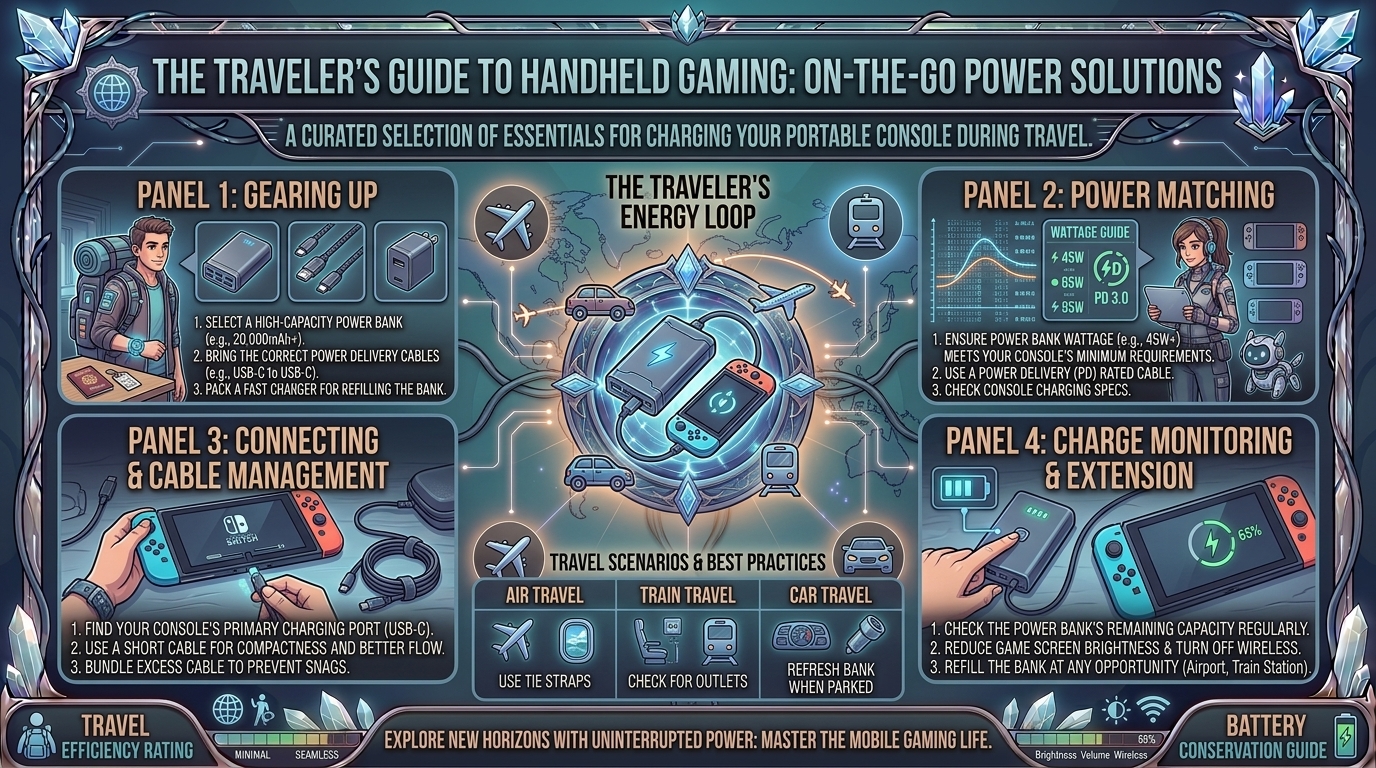
    How to use external portable power banks to charge your handheld gaming console while traveling on the go

    Modern handheld gaming consoles—from the Valve Steam Deck, Lenovo Legion Go, and ASUS ROG Ally series to the Nintendo Switch—have revolutionized on-the-go gaming. However, playing graphically demanding AAA titles on modern mobile chips consumes substantial battery power. High-performance handhelds can drain their internal batteries in as little as 90 to 120 minutes during intensive gameplay sessions.

    To extend your mobile gaming marathons on long flights, road trips, or commutes, an external portable power bank is essential. However, simply plugging your console into a standard smartphone power bank will not suffice. Matching the correct wattage, voltage profiles, power delivery standards, and cable ratings is critical to prevent battery drain while playing or risking hardware damage.

    This guide covers everything you need to know about selecting, configuring, and safely using high-output external power banks for handheld gaming consoles while traveling.

    1. Understanding Power Requirements Across Major Handhelds

    Not all handheld consoles draw the same amount of power. Using a power bank that outputs fewer watts than your console consumes under load results in discharge-while-plugged-in, where the battery continues to drain despite being connected to external power.

    [ Power Bank Output (e.g., 65W PD) ] ──> [ E-Marker USB-C Cable (100W Rated) ] ──> [ Handheld Console (Steam Deck / ROG Ally / Switch) ]
                                                                                                   │
                                                                                                   ▼
                                                                                        [ Full-Speed Play & Charge ]
    

    Power Specifications by Device

    Handheld Console ModelInternal Battery CapacityNative Charger WattageMinimum Recommended Power Bank Wattage
    Valve Steam Deck (LCD)40 Wh45W USB-C PD45W USB-C PD
    Valve Steam Deck (OLED)50 Wh45W USB-C PD45W USB-C PD
    ASUS ROG Ally / Ally X40 Wh / 80 Wh65W / 100W+ GaN65W USB-C PD 3.0 (for 30W Turbo Mode)
    Lenovo Legion Go49.2 Wh65W USB-C PD65W to 100W USB-C PD
    Nintendo Switch / Switch OLED16 Wh / 20 Wh39W USB-C PD18W to 45W USB-C PD

    2. Key Specs to Look For in a Gaming Power Bank

    A. USB Power Delivery (USB-PD 3.0 / 3.1)

    Avoid standard USB-A power banks capped at 12W–18W. Modern PC handhelds require USB-C Power Delivery (USB-PD) to negotiate higher voltage tiers (such as 15V/3A or 20V/3.25A). Without a supported PD protocol, the console will fall back to legacy slow charging.

    B. Watt-Hour (Wh) Capacity vs. Airline TSA Regulations

    When traveling by air, federal transportation security regulations (TSA and FAA) limit portable lithium-ion batteries in carry-on baggage:

    • Under 100 Wh (Approx. 27,000 mAh at 3.7V): Approved for carry-on bags without prior airline authorization.
    • 100 Wh to 160 Wh: Requires explicit airline approval prior to boarding.
    • Over 160 Wh: Strictly prohibited on commercial passenger aircraft.

    Pro Tip: Aim for a 20,000 mAh to 25,600 mAh (74 Wh to 94 Wh) power bank. This provides 1.5 to 2 full recharges for a Steam Deck or ROG Ally while remaining fully compliant with TSA carry-on limits.

    C. Cable Selection (E-Marker Chips Matter)

    A high-output power bank is only as fast as the cable connecting it. Standard thin USB-C cables are capped at 60W (3A). To pull 65W to 100W+, you must use a 100W/5A USB-C to USB-C cable containing an electronically marked (E-Marker) chip.

    3. Step-by-Step Instructions: Safe On-the-Go Setup

    1.Check Power Bank State of Charge and Cable Rating:

    Ensure your external battery pack is fully charged. Verify that your USB-C cable is explicitly rated for 100W / 5A Power Delivery to prevent auto-throttling.

    2.Connect Cable to High-Wattage Dedicated Port:

    Plug your cable into the power bank’s primary USB-C port marked C1 or PD Out (45W/65W/100W). Multi-port power banks often reduce per-port output when multiple devices are plugged in.

    3.Power On and Verify Charging Status:

    Connect the cable to your handheld’s USB-C charging port. Check the operating system overlay (SteamOS, Windows Armoury Crate, or Switch battery icon) to confirm the device displays an active charging icon.

    4.Manage Airflow and Thermal Position:

    Place the power bank on a flat surface or seatback pocket alongside the handheld. Never cover the console’s rear intake vents or top exhaust fan with the battery bank or mounting straps.

    4. Best Practices for Traveling and Extending Battery Life

    1. Plug In Early (The 80% Rule): Connect your power bank when your console is at 80% rather than waiting until it drops to 5%. Charging a nearly empty battery while rendering a AAA game generates excessive internal heat, triggering thermal throttling and battery wear.
    2. Cap Your Frame Rates: Dropping in-game targets from 60 FPS to 40 FPS or 30 FPS cuts overall System-on-Chip (SoC) power consumption by up to 30–40%, significantly extending your power bank’s runtime.
    3. Keep Accessories in Carry-On: Never pack lithium-ion power banks in checked baggage. Low temperatures and pressure changes in cargo holds create safety risks, and airline rules require all external power banks to stay in carry-on luggage.
    4. Use Pass-Through Charging Wisely: Some premium power banks support pass-through charging (charging the power bank while it powers your console). Use this in airport lounges to charge both units from a single wall outlet.

    Frequently Asked Questions (FAQ)

    1. Will using a 100W or 140W power bank damage a console that only needs 45W?

    No. Modern USB Power Delivery devices operate on a handshake protocol. The handheld console only draws the specific voltage and amperage it requests from the power bank.

    2. Can I charge my handheld using a standard USB-A to USB-C cable?

    USB-A ports are capped at legacy power standards (typically 12W–18W). While this may slowly charge a Nintendo Switch in sleep mode, it cannot provide enough power to run a Steam Deck, ROG Ally, or Legion Go while playing.

    3. Why does my ROG Ally drop out of 30W Turbo Mode when connected to a 65W power bank?

    Some 65W power banks do not support the exact 20V/3.25A power profile required by ASUS. Using a 100W PD 3.0 power bank guarantees sufficient headroom for 30W Turbo Mode.

    4. How many extra hours of playtime can I expect from a 20,000 mAh power bank?

    A 20,000 mAh (74 Wh) power bank yields roughly 55–60 Wh of usable energy after accounting for heat and conversion losses. This adds approximately 2 to 4 extra hours of AAA gaming on a Steam Deck or ROG Ally.

    5. Can I fly with a 30,000 mAh power bank in my carry-on bag?

    A 30,000 mAh battery rated at 3.7V equals 111 Wh, which exceeds the standard 100 Wh TSA limit. You must check with your airline prior to travel, as security officers may confiscate it at airport checkpoints.

    6. Is it safe to play games on a handheld console while it is charging from a battery pack?

    Yes, provided your handheld and power bank have adequate ventilation. Avoid placing both items inside enclosed cases, pockets, or under blankets while gaming to prevent heat buildup.

    7. What does “Bypass Charging” mean for power bank gaming?

    Bypass Charging routes power from the USB-C port directly to the motherboard without passing through the internal battery. This eliminates battery charging heat during intense sessions and preserves battery health.

    8. Why does my power bank get warm during use?

    Converting energy across different voltages through DC-to-DC circuitry generates heat as a natural byproduct. Warmth is normal, but if the unit becomes hot to the touch, disconnect it immediately.

    9. What cable specs do I need for 100W power banks?

    Look for a USB-C to USB-C cable explicitly labeled with 100W / 5A charging speeds and an integrated E-Marker chipset.

    10. Where can I find more tech walkthroughs and hardware guides?

    Find comprehensive device setups, hardware reviews, and mobile gaming tips on TheGamerBuzz.

    Conclusion

    Using an external portable power bank is the single best way to eliminate range anxiety when traveling with a handheld gaming console. By choosing a power bank with at least 45W–65W USB-PD output, keeping the total capacity under 100 Wh for flight compliance, and pairing it with a 100W E-Marker USB-C cable, you can enjoy uninterrupted gaming wherever your travels take you. Keep your gear cool, optimize your in-game settings, and explore more hardware walkthroughs on TheGamerBuzz!

  • What are the best creature collection and monster taming indie games inspired by classic monster series

    What are the best creature collection and monster taming indie games inspired by classic monster series

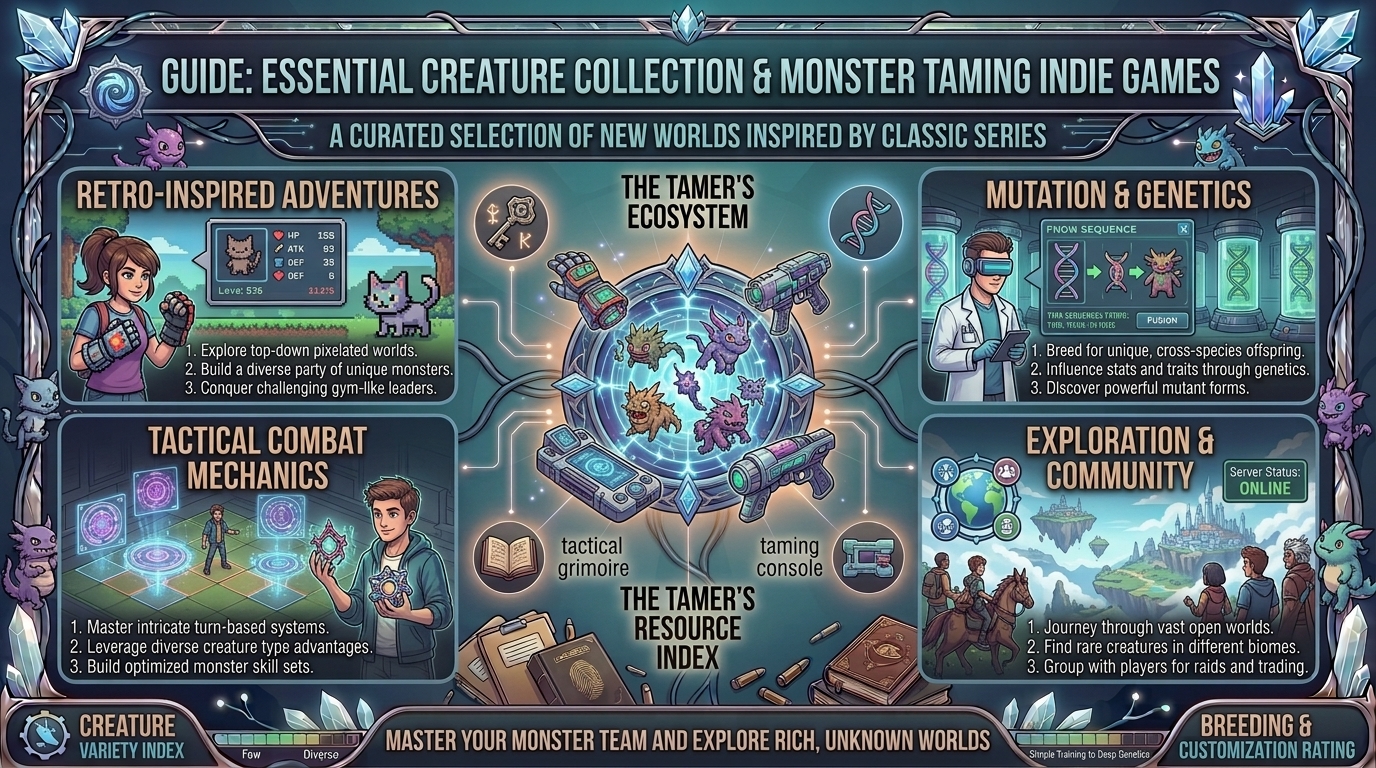
    What Are the Best Creature Collection and Monster Taming Indie Games Inspired by Classic Monster Series?

    For over two decades, classic monster-taming franchises defined the childhoods of millions of gamers. Whether it was exploring region maps in Pokémon, fusing digital entities in Digimon World, combining DNA strains in Dragon Warrior Monsters, or breeding combat beasts in Monster Rancher, the core fantasy remains irresistible: discover, catch, raise, and battle alongside a roster of unique creatures.

    In recent years, independent developers have stepped up to evolve the genre. Unfettered by corporate deadlines, indie studios are reinventing classic monster-taming mechanics—introducing open-world exploration, dynamic fusion systems, dark atmospheric narratives, roguelike loops, and tactical turn-based combat.

    This comprehensive guide breaks down the absolute best indie monster-collecting games available today, mapping their direct influences, gameplay innovations, and target player profiles.

    The Ancestry of Monster Taming: What Inspired the Indie Renaissance?

    Modern indie monster-tamer games derive their foundational mechanics from classic series:

    [ Classic Influences ]                             [ Modern Indie Innovations ]
     ├── Pokémon (GBA / DS Eras)  ───────────────────>  Pixel Art & Elemental Type Systems
     ├── Digimon World / Cyber Sleuth ───────────────>  Branching Evolutions & Virtual Pets
     ├── Dragon Warrior Monsters  ───────────────────>  Complex Fusion & Skill Inheritance
     └── Monster Rancher / Shin Megami Tensei ───────>  Dark Themes, Breeding, & Turn Mechanics
    
    1. The Pokémon Golden Era (GBA/DS): Emphasizes vibrant pixel art, 1-on-1 or 2-on-2 turn-based battles, regional gyms/dojos, and linear progression routes.
    2. The Digimon Lineage: Focuses on non-linear evolutionary trees, virtual pet raising (feeding, training, lifetime mechanics), and cyberpunk environments.
    3. The Dragon Warrior Monsters / Shin Megami Tensei Lineage: Leverages creature fusion, where two monsters are sacrificed or combined to create a fundamentally stronger offspring carrying inherited skill trees.

    Top Indie Creature-Collection Games Ranked

    1. Cassette Beasts (Bytten Studio)

    • Primary Influence: Pokémon Gen 5 meets Persona
    • Key Mechanics: Transformation combat, open-world exploration, dynamic monster fusion
    • Platforms: PC, Nintendo Switch, Xbox One, Xbox Series X/S, Mobile

    Set on the mysterious island of New Wirral, Cassette Beasts replaces traditional Poké Balls with cassette tapes. Players record wild monsters onto magnetic tape and transform into them during battle.

    [ Human Character ] ──(Insert Cassette)──> [ Transform into Monster ] ──(Combine with Partner)──> [ Dynamic Fusion Form ]
    
    • The Fusion System: Any two collected monsters can fuse in combat, combining their sprite art, stats, and movesets dynamically into over 14,000 unique fusion combinations.
    • Chemistry-Based Elemental System: Instead of basic “super-effective” multipliers, elemental interactions create status effects (e.g., hitting a Plastic-type beast with Fire melts it into a Poison-type puddle).

    2. Coromon (TRAGsoft)

    • Primary Influence: Pokémon Ruby, Sapphire & Emerald
    • Key Mechanics: Tactical turn-based combat, detailed pixel aesthetics, built-in Nuzlocke options
    • Platforms: PC, Mac, Nintendo Switch, iOS, Android

    Coromon is a love letter to the 2D Game Boy Advance era of RPGs. Playing as a Battle Researcher for the Lux Solis organization, you travel across Velua to collect over 100 elemental creatures known as Coromon.

    • Potential Value Mechanics: Beyond leveling up, Coromon possess “Potential Values” (standard, potent, and perfect), allowing players to manually allocate bonus stat points upon leveling.
    • Built-in Difficulty Customization: Features official built-in Nuzlocke settings, randomizers, and custom difficulty sliders directly inside the main menu.

    3. Monster Sanctuary (Moi Rai Games)

    • Primary Influence: Pokémon meets Castlevania (Metroidvania)
    • Key Mechanics: 2D side-scrolling platforming, 3v3 tactical party battles, skill trees
    • Platforms: PC, Nintendo Switch, PS4, Xbox One

    Monster Sanctuary fuses creature collecting with Metroidvania exploration. You navigate a interconnected 2D pixel-art world where wild monsters follow you and provide unique movement abilities (like flying, breaking walls, or activating environmental switches).

    • Complex Skill Trees: Every monster features an extensive RPG skill tree, allowing players to build specialized roles (such as shield generators, status effect spreaders, or critical strikers).
    • 3v3 Combo Combat: Battles require careful turn order orchestration—actions build up a “Combo Meter” that boosts the damage and effectiveness of subsequent attackers in the same turn.

    4. Nexomon: Extinction (VEWO Interactive)

    • Primary Influence: Classic Pokémon with modern, humorous storytelling
    • Key Mechanics: Open-world scaling, 380+ catchable monsters, snappy JRPG combat
    • Platforms: PC, Nintendo Switch, PS4, PS5, Xbox One, Xbox Series X/S, Mobile

    Nexomon: Extinction offers a narrative-driven adventure set in a world threatened by tyrannical Tyrant Nexomon. It captures classic JRPG charm while introducing modern quality-of-life additions.

    • Dynamic World Scaling: Wild Nexomon and rival trainers scale their levels based on your main quest progression, keeping exploration throughout the open map engaging.
    • Stamina Management: Replaces traditional PP (Power Points) with a global Stamina pool, forcing strategic resource rotation during long dungeon runs.

    5. Monster Crown (Studio Aurum)

    • Primary Influence: Pokémon Red/Blue & Dragon Warrior Monsters
    • Key Mechanics: True cross-breeding genetics, dark mature storyline, contract pacts
    • Platforms: PC, Nintendo Switch, PS4, Xbox One

    For players who prefer the original Game Boy Color aesthetic combined with darker themes, Monster Crown delivers a retro experience set on the ruthless continent of Crown Island.

    • Genetic Breeding System: Unlike games where breeding yields fixed offspring, Monster Crown lets you cross-breed any two monsters to produce true hybrids that inherit physical traits, colors, move pools, and stats from both parents.
    • Pact Mechanics: Monsters are not caught in balls; you negotiate contract pacts, promising resources or strength in exchange for their loyalty.

    6. Siralim Ultimate (Thylacine Studios)

    • Primary Influence: Dragon Warrior Monsters meets dungeon-crawler roguelites
    • Key Mechanics: 1,200+ creatures, 6v6 turn-based battles, endless procedurally generated dungeons
    • Platforms: PC, Mac, Linux, Nintendo Switch, iOS, Android

    Siralim Ultimate is the ultimate theorycrafter’s creature collector. Designed for players who love min-maxing stats and breaking game balance through synergies, it features deep customizability.

    • 6v6 Party Combat: Field six creatures simultaneously, triggering chain reactions of passive traits and spell casts.
    • Endless End-Game: Features over 1,200 unique creatures to catch, fuse, and customize across thousands of dungeon floors.

    Features Comparison Matrix

    Game TitlePrimary Architectural StyleEvolution / Fusion MechanicTarget DifficultyAverage Playtime
    Cassette Beasts2.5D Isometric Open WorldDynamic In-Battle Fusion (14,000+ forms)Moderate (Highly Strategic)25–40 Hours
    Coromon2D Pixel Art Top-DownLinear Evolution + Potential Stat DistributionCustomizable (Easy to Hardcore)20–30 Hours
    Monster Sanctuary2D Side-Scrolling MetroidvaniaSkill-Tree Node UpgradesHigh (Tactical Synergy Required)30–45 Hours
    Nexomon: ExtinctionAnime 2D Open WorldMulti-Stage Linear EvolutionModerate25–35 Hours
    Monster Crown8-Bit Retro Game Boy ColorTrue Cross-Breeding Genetic HybridsHigh / Dark Narrative20–35 Hours
    Siralim Ultimate16-Bit Roguelite Dungeon CrawlerDeep Fusion & Trait InheritanceExtremely Deep / Endless100+ Hours

    5 Practical Tips for Mastering Indie Monster Tamers

    1. Prioritize Party Synergies Over Type Advantage: Modern indie tamer games penalize “brute force” single-type lineups. Build teams around complementary passive abilities (e.g., pair a monster that inflicts Poison with one that heals whenever a poisoned unit takes a turn).
    2. Master Status Effects and Crowd Control: In titles like Monster Sanctuary and Cassette Beasts, debuffs like Burn, Freeze, Blind, and Confusion carry far higher impact than raw damage spells.
    3. Save Rare Evolution Items and Breeds: Do not rush early-game evolutions or fusions. Check growth curves—often, un-evolved creatures gain crucial utility moves much earlier than their evolved counterparts.
    4. Customize Difficulty Settings Early: Games like Coromon allow you to tweak experience scaling, fainting rules, and item limits. Set these parameters at the start to match your preferred playstyle.
    5. Keep Up with Community Breeding Formulas: For fusion-heavy games like Monster Crown and Siralim Ultimate, check community wikis and fusion calculators to trace ideal stat-inheritance pathways.

    Frequently Asked Questions (FAQ)

    1. What is the difference between a creature collector and a monster tamer?

    While terms are used interchangeably, “creature collectors” focus heavily on finding, cataloging, and catching every species in a world. “Monster tamers” emphasize the long-term bond, training, breeding, and battle mechanics of your active party.

    2. Which indie monster game is closest to classic 2D Pokémon?

    Coromon is widely recognized as the closest spiritual successor to Gen 3 Pokémon (Ruby/Sapphire/Emerald), offering beautiful pixel art, classic battle routes, and familiar puzzle mechanics with modern quality-of-life options.

    3. Are there indie monster-taming games with multiplayer and co-op?

    Yes! Cassette Beasts features local and online co-op exploration, while titles like Temtem offer full co-op campaign play and competitive matchmaking.

    4. What is the best indie monster collector for players who enjoy dark stories?

    Monster Crown and Disco Elysium-adjacent narrative RPGs offer darker themes, moral choices, and mature storylines that diverge from family-friendly tones.

    5. Do any indie monster games feature real-time action combat instead of turn-based battles?

    Yes! Games like Palworld feature third-person survival crafting with real-time creature combat, while Archvale blends bullet-hell action with RPG progression.

    6. Can I play these indie monster games on Steam Deck and handheld consoles?

    Almost all top indie monster collectors—including Cassette Beasts, Coromon, Monster Sanctuary, and Nexomon—are fully Steam Deck Verified and run smoothly on handheld devices like the Nintendo Switch.

    7. What is a “Nuzlocke” mode, and do these games support it officially?

    A Nuzlocke is a self-imposed set of rules where defeated monsters are permanently lost, and players can only catch the first creature encountered in each area. Games like Coromon include official, built-in Nuzlocke menu toggles.

    8. Which indie monster tamer has the most catchable creatures?

    Siralim Ultimate leads the genre with over 1,200 distinct creatures, followed by Nexomon: Extinction with 380+ monsters.

    9. What makes Cassette Beasts‘ fusion system unique?

    Instead of hardcoded hybrid models, Cassette Beasts utilizes a procedural rendering algorithm that splits and merges the sprite geometry, color palettes, and stats of any two monsters in the game.

    10. Where can I find more indie gaming reviews and strategy breakdowns?

    Explore deep-dive indie reviews, hardware performance guides, and tactical breakdowns directly on TheGamerBuzz!

    Conclusion

    The monster-taming genre is enjoying a vibrant indie renaissance. Whether you want the retro pixel perfection of Coromon, the deep Metroidvania platforming of Monster Sanctuary, the dynamic fusion choices of Cassette Beasts, or the dark genetic breeding of Monster Crown, independent studios have expanded what it means to be a tamer. Pick your starter, grab your notebook, and keep exploring new hardware and indie releases with TheGamerBuzz!

  • How to back up your mobile game save data to cloud storage to prevent loss when upgrading phones

    How to back up your mobile game save data to cloud storage to prevent loss when upgrading phones

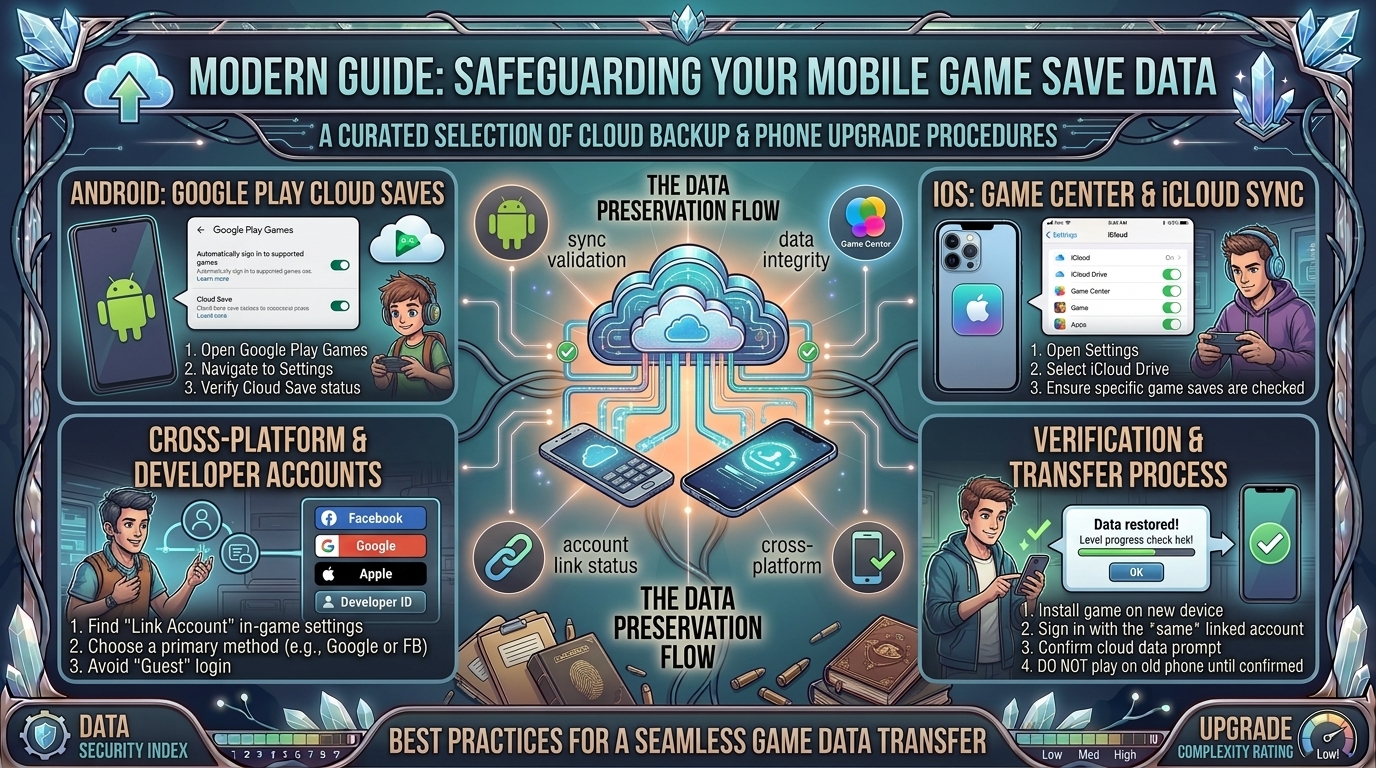
    How to Back Up Your Mobile Game Save Data to Cloud Storage to Prevent Loss When Upgrading Phones

    Upgrading to a new smartphone—whether switching to the latest iPhone, upgrading your flagship Android handheld, or transitioning between platforms—is an exciting experience. However, nothing ruins that excitement faster than launching your favorite mobile game on a brand-new device only to discover that hundreds of hours of game progress, rare unlocked cosmetics, and saved save states have vanished.

    Unlike photos, contacts, and text messages, which modern operating systems back up seamlessly in the background, mobile game save data operates on a fragmented landscape. Some titles sync automatically through cloud profile networks like Apple iCloud or Google Play Games, while others store save files locally inside sandboxed system folders or rely on proprietary third-party developer accounts.

    This comprehensive guide breaks down step-by-step methods to back up your mobile game save data to cloud storage across iOS, Android, cross-platform titles, and offline emulator saves—ensuring seamless phone upgrades without losing progress.

    Why Mobile Game Save Data Gets Lost During Upgrades

    Understanding why game data disappears helps prevent accidental data loss:

    [ Local Storage Sandboxing ] ──> [ Phone Upgrade / Device Reset ] ──> [ Unsynced App Data Wiped ]
                                                                                 │
                                                                                 ▼
    [ Progress Restored ] <── [ Pre-Migration Cloud Sync / Manual Backup ] ──────┘
    
    1. App Sandboxing Isolation: Both iOS and Android isolate app data inside private directory “sandboxes” for security. If a game developer does not explicitly configure cloud backup flags for these sandbox folders, system backups will skip your save files entirely.
    2. Guest Account Traps: Many mobile RPGs and multiplayer games allow players to skip logging in by using a “Guest Account.” Guest saves are bound exclusively to your physical hardware ID. Resetting or replacing the phone permanently deletes guest data unless bound to an external account.
    3. Cross-Platform Mismatches: Switching operating systems (e.g., iOS to Android or vice versa) invalidates OS-native cloud backups (iCloud sync cannot directly communicate with Google Play Games).
    4. Offline Local Saves: Offline indie games, retro emulators, and offline strategy titles often store progress in local folders that require manual export before wiping an old device.

    Step-by-Step Back Up Guide: iOS (iPhone & iPad)

    Apple provides two main system-level methods alongside game-specific cloud integrations:

    1. Enable iCloud Sync for Individual Games

    1. Open Settings on your iPhone or iPad.
    2. Tap your Apple ID Profile at the top.
    3. Select iCloud, then tap Saved to iCloud (or Show All).
    4. Scroll through the list and ensure the toggle next to your specific game titles and iCloud Drive are set to ON.
    [ Settings ] ──> [ Apple ID Profile ] ──> [ iCloud ] ──> [ Turn ON Game Toggles & iCloud Drive ]
    

    2. Perform a Complete Encrypted Device Backup

    When preparing to move to a new iPhone, executing an Encrypted Local Backup via Mac/PC or a full iCloud Device Backup transfers app sandboxes directly to your new device.

    1.Ensure iCloud Backup Is Active:

    Go to Settings > [Your Name] > iCloud > iCloud Backup. Tap Back Up Now while connected to Wi-Fi.

    2.Verify Backup Completion:

    Check the timestamp under Back Up Now to confirm your latest save states and app data are stored in the cloud.

    3.Use Direct Device Transfer During Setup:

    When unboxing your new iPhone, place it next to your old device and use Quick Start. This initiates a direct peer-to-peer Wi-Fi transfer, copying local sandboxed app saves directly without needing to re-download everything from the cloud.

    Step-by-Step Back Up Guide: Android Devices

    Android offers multiple backup avenues through Google Play Games, Google One, and manual folder access.

    1. Enable Google Play Games Cloud Save

    Most mainstream Android titles use Google Play Games Services to store progress automatically.

    1. Open the Play Games app on your Android phone.
    2. Tap the three dots in the top right corner and open Settings.
    3. Toggle Automatically log in to supported games to ON.
    4. Verify that the correct Google Account email address is listed under Changing the account for games.

    2. Trigger Full System Backup via Google One

    1. Open Settings on your Android device.
    2. Scroll down and select Google, then tap All Services and choose Backup.
    3. Tap Back up now to trigger an updated snapshot of your device settings, SMS, and supported app data to Google Drive.
    [ Android Settings ] ──> [ Google ] ──> [ Backup ] ──> [ Tap "Back Up Now" ]
    

    Handling Cross-Platform Upgrades (iOS to Android & Vice Versa)

    If you are switching from an iPhone to an Android phone (or vice versa), standard iCloud and Google Play backups will not cross over. You must link your progress to a unified third-party account system.

    [ Old Phone (iOS/Android) ] ──> [ Link Game Progress to Publisher Account / Facebook / Discord ]
                                                                   │
                                                                   ▼
    [ New Phone (Cross-OS) ] <── [ Log into Publisher Account to Restore Save ]
    

    1. Bind Progress to Publisher ID Services

    Major games use custom account systems that sync across platforms:

    • Epic Games Account: Fortnite, Rocket League Sideswipe
    • HoYoverse Account: Genshin Impact, Honkai: Star Rail, Zenless Zone Zero
    • Supercell ID: Clash of Clans, Brawl Stars, Clash Royale
    • Riot Account: TFT, VALORANT Mobile, Wild Rift

    2. Bind Progress to Universal Social Logins

    For games that do not feature custom publisher logins, check the in-game Settings > Account menu and bind your guest progress to a universal third-party provider like Facebook, Google Account, Sign in with Apple, or Discord.

    Manual Backup Method for Offline & Emulator Saves

    Offline indie titles and retro emulators (like RetroArch, PPSSPP, or Delta) store raw save files (.sav, .srm, .state) in local directories that can be backed up manually.

    Manual Export on Android

    1. Download a file manager app (such as ZArchiver or Solid Explorer).
    2. Navigate to Internal Storage/Android/data/[Game Package Name]/files/ or your emulator’s designated save folder.
    3. Compress the saves folder into a .zip archive.
    4. Upload the .zip archive to Google Drive, Dropbox, or an external USB-C flash drive.

    Manual Export on iOS (Files App)

    1. Open the native Files app on iOS.
    2. Tap On My iPhone.
    3. Locate the folder named after your game or emulator (e.g., Delta, PPSSPP).
    4. Copy the Database or Save States folder directly to iCloud Drive or external storage.

    Essential Backup Steps Comparison

    Game CategoryPrimary Backup MechanismCross-OS Transfer SupportManual Action Required?
    Mainstream Cloud TitlesApple Game Center / Google Play GamesNo (OS Dependent)No (Automatic if logged in)
    Live-Service / Gacha RPGsPublisher Account (Supercell, HoYoverse, Epic)Yes (Seamless)Yes (Must bind account manually)
    Offline Indie GamesSystem Cloud Backup (iCloud Drive / Google One)NoOptional (Recommended)
    Emulators / Local SavesManual Directory Export (Files App / ZArchiver)Yes (Copy .sav files)Yes (Full manual copy required)

    5 Critical Tips to Protect Your Game Progress

    1. Never Keep a “Guest Account” Active: As soon as you complete a game’s tutorial, open the settings menu and bind your profile to a permanent login method.
    2. Screenshot Your Support ID / Account Credentials: Take a screenshot of your in-game Account ID, Player Tag, or Support Code (usually found at the bottom of the title screen or settings menu) and store it in your cloud photos. Customer support can use this ID to manually recover lost accounts.
    3. Verify Cloud Sync Timestamp Before Wiping the Old Phone: Do not factory reset your old smartphone until you have successfully installed and booted your games on the new device to confirm all progress has restored.
    4. Use Cloud Sync Options Inside Emulators: If using emulators like Delta or RetroArch, configure built-in Google Drive Sync or iCloud Sync inside the app settings to keep save states updated automatically across all devices.
    5. Beware of In-App Currency OS Locks: When transferring live-service accounts between iOS and Android, paid premium currencies (like non-bound Gems or Coins) sometimes do not transfer across operating systems due to app store commission policies. Spend remaining paid currency balances before switching operating systems!

    Frequently Asked Questions (FAQ)

    1. Will transferring to a new phone delete my old phone’s data?

    No. Backing up or migrating data to a new device copies files over without erasing the original phone. Only performing a manual Factory Reset will clear your old phone’s storage.

    2. Can I transfer my game progress from iPhone to Android using iCloud?

    No. iCloud backups are incompatible with Android OS. You must link your in-game progress to a cross-platform service like a publisher account (e.g., Supercell ID, HoYoverse) or social login before switching.

    3. What happens if I forget to back up a Guest Account and sell my old phone?

    If you no longer have access to the physical device hosting the Guest Account, you must contact the game developer’s customer support team with your Account ID, device model details, and purchase receipt history to request manual account recovery.

    4. Do offline games back up automatically to Google Drive on Android?

    Only if the developer enabled Google Play Games Cloud Save support. If an offline game stores data strictly locally, you must manually export its save folder or perform a full system backup.

    5. Why didn’t my game progress transfer even though I used Apple’s Quick Start?

    Certain games store encrypted security tokens tied directly to specific hardware IDs, forcing you to re-authenticate through the game’s official account login menu after migration.

    6. Will my in-app purchases transfer to my new phone?

    Yes. Paid purchases tied to your Apple Account or Google Account restore automatically when logged into the same store account. Cross-platform purchases depend on publisher account rules.

    7. How do I know if my Android game uses Google Play Cloud Save?

    Check the game’s page on the Google Play Store under About this game > Compatibility & Features. Look for the Google Play Games Cloud Save badge icon.

    8. Are save files deleted if I uninstall a game and reinstall it later?

    On iOS, uninstalling an app deletes its local sandbox unless cloud sync was enabled. On Android, some apps retain save folders, but it is always safest to backup progress to the cloud before deleting apps.

    9. Can I use a USB flash drive to transfer mobile game saves?

    Yes! Modern smartphones with USB-C ports support direct file transfers. Use a file manager app to copy local save folders onto a USB flash drive and paste them into your new phone’s files directory.

    10. Where can I find more mobile gaming guides and device setup tutorials?

    Stay updated with detailed hardware walkthroughs, game optimizations, and mobile tutorials directly on TheGamerBuzz.

    Conclusion

    Losing hundreds of hours of game progress when upgrading your smartphone is completely preventable. By moving away from unlinked Guest Accounts, binding your games to cross-platform publisher IDs, enabling iCloud and Google Play Games cloud sync, and manually exporting offline save folders, you can guarantee that your game progress moves seamlessly to your new device. Explore more tech walkthroughs, hardware guides, and mobile gaming tips on TheGamerBuzz to keep your digital gaming library safe!

  • What are the best narrative mystery detective games where you examine clues and interrogate suspects

    What are the best narrative mystery detective games where you examine clues and interrogate suspects

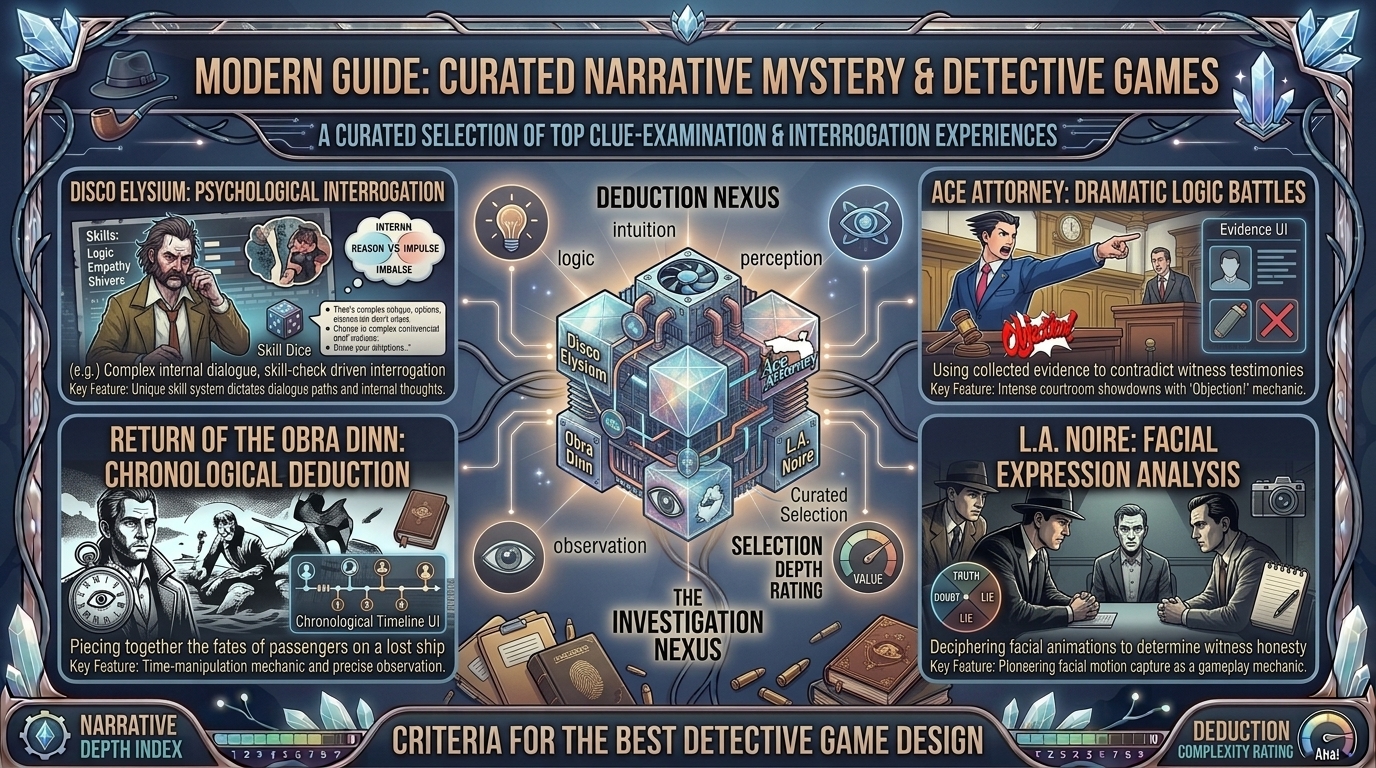
    What Are the Best Narrative Mystery Detective Games Where You Examine Clues and Interrogate Suspects?

    There is something immensely satisfying about putting on a trench coat, pulling out a notebook, and stepping into the shoes of an investigator. The narrative mystery genre in gaming has evolved far beyond basic “point-and-click” adventure games. Today’s top detective titles test your deductive reasoning, require careful analysis of physical evidence, and force you to read subtle human behavior during high-stakes interrogations.

    Whether you enjoy catching suspects in lies, connecting red string on a evidence board, or piecing together cold cases using actual logical deduction, this definitive guide highlights the absolute best narrative detective games available today.

    What Makes a Great Detective Game?

    Not every game with a crime scene qualifies as a true detective experience. The best narrative mystery games share three foundational mechanics:

    [ Crime Scene / Clue Discovery ] ──> [ Interrogation & Cross-Examination ] ──> [ Deductive Reasoning & Verdict ]
    
    1. Active Investigation over Hand-Holding: Great detective games do not auto-solve cases for you. They let you gather physical evidence, search documents, and draw your own conclusions—along with the risk of accusing the wrong person.
    2. Deep Interrogation Mechanics: Interrogating suspects should feel like a battle of wits. Caught contradictions, body language cues, and pressure points determine whether a witness opens up or clamors shut.
    3. Branching Consequences: A true mystery game allows for failure. Accusing an innocent person or missing a critical piece of evidence reshapes the plot, leading to unique narrative outcomes and multiple endings.

    The Top Narrative Detective Games Ranked

    1. L.A. Noire (Rockstar Games)

    • Platforms: PC, PS4, Xbox One, Nintendo Switch, VR
    • Best For: Realistic facial interrogations and 1940s noir atmospheric immersion

    L.A. Noire remains the gold standard for police interrogations. Playing as LAPD detective Cole Phelps, you move through Traffic, Homicide, Vice, and Arson desks in post-war Los Angeles. The game’s famed MotionScan technology captures fine facial expressions, requiring you to read micro-expressions to determine if a suspect is telling the truth, withholding information, or lying outright.

    [ Examine Body / Crime Scene ] ──> [ Log Notes in Notebook ] ──> [ Interrogate Suspect ] ──> [ Present Clue to Prove Lie ]
    
    • Clue Examination: Walk crime scenes, search pockets, read notes, and inspect murder weapons.
    • Interrogation System: Choose between Truth, Doubt, or Lie (backed up by concrete evidence from your notebook).

    2. Disco Elysium – The Final Cut (ZA/UM)

    • Platforms: PC, Mac, PS4, PS5, Xbox One, Xbox Series X/S, Nintendo Switch
    • Best For: Deep psychological narrative RPG storytelling and choice freedom

    Disco Elysium drops you into the shoes of an amnesiac detective tasked with solving a lynching in a decaying city. Rather than traditional puzzle mechanics, your interrogation tools are 24 internal psychological skill aspects (such as Logic, Empathy, Rhetoric, and Drama) that speak to you inside your mind.

    • Interrogation Mechanics: Dialogue-driven interactions where your psychological state dictates whether you can intimidate, trick, or empathize with suspects.
    • Deductive Gameplay: Uncover hidden motives by passing skill checks and balancing competing voices inside your head.

    3. The Case of the Golden Idol & The Rise of the Golden Idol (Color Gray Games)

    • Platforms: PC, Nintendo Switch, PS4, PS5, Xbox, Mobile
    • Best For: Pure logical deduction and fill-in-the-blank crime reconstruction

    If you prefer unguided deduction, The Case of the Golden Idol provides brilliant whodunit puzzles. Set across 18th-century vignettes, you examine frozen crime scenes, collect nouns, names, and motives, and reconstruct precisely what happened using an interactive deduction board.

    • Clue Examination: Inspect every letter, pocket content, symbol, and crime scene detail.
    • Interrogation & Reading People: Deduce who witnesses are based on attire, seating arrangements, and written communications.

    4. Return of the Obra Dinn (Lucas Pope)

    • Platforms: PC, Mac, PS4, Xbox One, Nintendo Switch
    • Best For: Analytical cold-case investigation and environmental observation

    An East India Company merchant ship washes into port with all 60 crew members dead or missing. Armed with an insurance ledger and a magical pocket watch that freezes the exact moment of a person’s death, you must identify every crew member, how they died, and who killed them.

    • Deduction Style: No hand-holding or hint systems. You must cross-reference accents, uniforms, cabin allocations, and subtle relationships to identify every victim.

    5. Her Story & Immortality (Sam Barlow)

    • Platforms: PC, Mac, iOS, Android
    • Best For: FMV live-action interrogation footage browsing

    Her Story drops you in front of a retro desktop computer containing a database of archived police interrogation video clips. By typing search terms into the system, you unlock short interview fragments featuring a woman questioned about her missing husband. You must observe her body language, catch spoken contradictions, and piece together the timeline yourself.

    6. Sherlock Holmes: Crimes & Punishments (Frogwares)

    • Platforms: PC, PS3, PS4, Xbox 360, Xbox One, Nintendo Switch
    • Best For: Classic Victorian detective work and Mind Palace deduction

    Featuring six distinct cases, Crimes & Punishments puts you directly in Holmes’s boots. You inspect suspects’ clothing and physical traits, analyze chemical samples, and connect clues inside an interactive Mind Palace screen to form conclusions. Crucially, the game allows you to link clues incorrectly and arrest the wrong person.

    Core Feature Comparison Matrix

    Game TitlePrimary Investigation StyleInterrogation MechanicDifficulty LevelAverage Playtime
    L.A. NoireOpen-World Crime Scenes & AutopsiesFacial Micro-Expression Analysis (Truth/Doubt/Lie)Moderate20–25 Hours
    Disco ElysiumDialogue & Internal Psychological Skill ChecksDeep Conversational ManipulationDeep / Story-Heavy30–35 Hours
    The Case of the Golden IdolStatic Scene InspectionEnvironmental Text & Name MatchingChallenging8–12 Hours
    Return of the Obra DinnTime-Freeze Vignette ObservationNon-Verbal Observation & Manifest LogicHard10–12 Hours
    Her StoryDatabase Keyphrase SearchingVideo Clip Analysis & Tone ReadingFlexible / Player-Led3–5 Hours
    Sherlock Holmes: C&PPhysical Inspection & Laboratory MinigamesCharacter Profiling & Mind Palace ConnectionsModerate12–15 Hours

    5 Practical Tips to Improve Your In-Game Detective Skills

    1. Take Real-World Notes: Relying solely on in-game journal logs can cause you to miss subtle details. Keep a physical notebook to jot down suspect alibis, timeline discrepancies, and unanswered questions.
    2. Interrogate Background Details Before People: Before questioning a key suspect, examine their surrounding environment, letters, and personal effects. Having prior context gives you maximum leverage during cross-examination.
    3. Watch for Omissions, Not Just Lies: Witnesses rarely tell outright falsehoods—they omit inconvenient details. Pay attention to what a suspect avoids mentioning during questioning.
    4. Build a Strict Timeline: Most murder mysteries fall apart on timing. Map out where every suspect was at the exact time of the crime; contradictory alibis pinpoint the culprit.
    5. Separate Motive from Capability: Having a clear reason to commit a crime (motive) does not mean a suspect had the physical means or opportunity. Ensure all three elements align before making your final accusation.

    Frequently Asked Questions (FAQ)

    1. What is the best detective game for beginners?

    L.A. Noire or Phoenix Wright: Ace Attorney Trilogy are ideal entry points. They feature clear gameplay structures, narrative feedback, and forgiving mechanics while teaching core deduction principles.

    2. Do any detective games let you arrest the wrong person?

    Yes! Games like Sherlock Holmes: Crimes & Punishments, The Case of the Golden Idol, and L.A. Noire allow you to misinterpret clues and name the wrong suspect, leading to varied narrative outcomes.

    3. What is the difference between a detective game and a puzzle game?

    While both involve logic, detective games focus heavily on narrative context, crime scene investigation, suspect motives, and human interrogation, whereas traditional puzzle games focus on mechanical or environmental logic.

    4. Are there any good multiplayer or co-op detective games?

    Yes! Tick Tock: A Tale for Two, Operation: Tango, and Unsolved Case offer cooperative investigation where two players must communicate separate clues to solve mysteries together.

    5. What game has the most realistic interrogation mechanics?

    L.A. Noire remains unmatched for facial animation interrogation, while Her Story offers real-world interrogation realism using actual live-action police interview footage.

    6. Can I play these games on mobile devices?

    Several top titles like Her Story, The Case of the Golden Idol, Phoenix Wright, and Ace Attorney are available on iOS and Android platforms.

    7. What is a “Mind Palace” system in gaming?

    A Mind Palace is a visual gameplay board (featured in Sherlock Holmes games and Alan Wake 2) where players manually link collected clues to form logical deductions and unlock new dialogue options.

    8. What is an FMV detective game?

    FMV (Full-Motion Video) games use pre-recorded real-life actors rather than 3D computer graphics. Examples include Her Story, The Gallery, and Contradiction: Spot the Liar!

    9. Which detective game has the best writing and story?

    Disco Elysium won multiple BAFTA and Game Awards for its writing. It is widely considered one of the most literate, complex narrative RPGs ever created.

    10. Where can I find more gaming guides and deep-dive recommendations?

    Stay up to date with in-depth game reviews, hardware guides, and narrative analyses directly on TheGamerBuzz.

    Conclusion

    The detective genre offers some of the most rewarding narrative experiences in modern gaming. Whether you want to analyze subtle micro-expressions in post-war Los Angeles in L.A. Noire, wrestle with complex internal psychology in Disco Elysium, or reconstruct mysterious cold cases in Return of the Obra Dinn, these titles put true deductive power in your hands. Grab your notebook, inspect every clue, and test your investigative skills on TheGamerBuzz!

  • How to protect your mobile phone screen from overheating and thermal throttling during long gaming marathons

    How to protect your mobile phone screen from overheating and thermal throttling during long gaming marathons

    How to Protect Your Mobile Phone Screen from Overheating and Thermal Throttling During Long Gaming Marathons

    Mobile gaming has evolved from casual distraction to a high-performance pastime. Pushing modern smartphones to their limits with demanding titles like Genshin Impact, Call of Duty: Warzone Mobile, Honkai: Star Rail, and PUBG Mobile taxes hardware heavily. As processors run at maximum clock speeds and displays push peak brightness at high refresh rates (90Hz, 120Hz, or 144Hz), your mobile phone generates significant thermal energy.

    When heat builds up inside a smartphone, two critical issues occur: thermal throttling—where the system automatically underclocks CPU/GPU speed to prevent hardware damage, causing frame drops and lag—and display stress. Prolonged exposure to high temperatures degrades battery health, risks OLED screen burn-in or glue separation, and causes aggressive display dimming.

    This comprehensive guide breaks down why mobile screens and internal components overheat, how thermal throttling works, and actionable strategies to keep your device cool during long gaming sessions.

    The Science of Mobile Overheating and Thermal Throttling

    Understanding how heat moves through a smartphone is essential to managing thermal performance during extended gaming.

    [ High-Load Gaming ] ──> [ CPU/GPU & Screen Heat Spike ] ──> [ Internal Temp Threshold Hit ]
                                                                           │
                                                                           ▼
    [ Reduced Performance / Frame Drops ] <── [ Screen Dims & Hardware Underclocks ] ┘
    

    1. The Dual Heat Sources: SoC and Display

    Smartphones do not have active cooling fans like PCs or consoles. Heat originates primarily from two sources:

    • System-on-Chip (SoC): The combined CPU and GPU draw power to render 3D scenes, calculate physics, and process network data. Under sustained load, modern SoCs (like Snapdragon 8 Gen series or Apple A-series chips) generate considerable heat in a tightly sealed space.
    • Display Panel (OLED/AMOLED): Pushing high frame rates at max brightness generates significant thermal energy directly behind the glass panel.

    2. What Is Thermal Throttling?

    To prevent physical damage to internal microprocessors, smartphone operating systems enforce hard thermal limits. When internal sensors detect temperatures exceeding safe thresholds (typically around $42^\circ\text{C}$–$45^\circ\text{C}$ or $107^\circ\text{F}$–$113^\circ\text{F}$), the operating system triggers thermal throttling:

    • CPU/GPU Downclocking: The processor reduces clock speeds, resulting in stuttering, micro-freezes, and sudden FPS drops.
    • Automatic Screen Dimming: iOS and Android forcibly lower display brightness—even if the brightness slider remains at 100%—to reduce panel temperature and battery draw.
    • Charging Speed Throttling: Charging slows down or stops completely to prevent battery overheating.

    How Overheating Affects Your Mobile Screen and Hardware

    Heat build-up during long gaming sessions harms more than just your frame rate:

    1. Accelerated OLED Panel Degradation: OLED screens utilize organic compounds to emit light. Prolonged high heat combined with max brightness accelerates sub-pixel degradation, increasing the risk of permanent screen burn-in and color shifting.
    2. Display Adhesive Weakening: Extreme internal temperatures can weaken optical adhesives holding screen layers together, causing display discoloration or touch-layer unresponsiveness over time.
    3. Permanent Lithium-Ion Battery Wear: Heat is the primary enemy of lithium-ion batteries. Frequently gaming above $40^\circ\text{C}$ permanently degrades total battery capacity over time.
    4. Touch Input Delay & Phantom Touches: Excessive screen heat can interfere with capacitive touch sensors, leading to missed swipes, unresponsive virtual buttons, or phantom touch inputs in fast-paced games.

    7 Strategies to Prevent Overheating During Gaming Marathons

    1. Remove Protective Phone Cases

    Heavy-duty silicone, TPU, or leather phone cases act as thermal insulators. Smartphone chassis (especially aluminum and glass) are designed to radiate heat outward into ambient air. Removing your case during extended gaming sessions allows heat to dissipate directly from the body of the device.

    2. Use Active Semiconductor Cooling Fan Attachments

    Passive heatsinks offer limited relief, but active Peltier semiconductor coolers (like the Razer Phone Cooler Chroma or Black Shark FunCooler) can lower phone surface temperatures by $10^\circ\text{C}$ to $15^\circ\text{C}$ within minutes. These accessories clip to the back of the phone and actively pull heat away from the rear glass or chassis.

    [ Phone Rear Glass / Backplate ] ──> [ Peltier Cold Plate ] ──> [ Heat Sink & Active Fan ] ──> [ Heat Dissipated ]
    

    3. Cap Frame Rates & Balance Graphic Settings

    Running games at maximum settings and 120 FPS pushes your SoC continuously at 100% load.

    • Target 60 FPS: Lowering target frame rates from 120 FPS to 60 FPS significantly reduces power draw and thermal buildup without sacrificing smooth gameplay.
    • Lower Shadow & Particle Detail: Heavy post-processing options generate high GPU load. Setting overall graphics to Medium while keeping resolution sharp maintains visual clarity with lower heat output.

    4. Enable Bypass Charging (Direct Power Supply)

    Charging a smartphone battery while gaming creates a dual heat source: the battery heating up from charging alongside the SoC rendering graphics.

    • Bypass Charging Feature: Gaming-focused phones (like ASUS ROG Phone, RedMagic, and Lenovo Legion) and some modern flagship software offer Bypass Charging (or Pause USB Power Delivery). This routes USB-C power directly to the motherboard, bypassing the battery entirely. This eliminates battery charging heat and preserves battery longevity.

    5. Disable Auto-Brightness & Limit Peak Manual Brightness

    Setting manual screen brightness between 50% and 70% drastically cuts heat generated by the display panel. Avoid gaming under direct sunlight, which forces screen backlight systems into high-nit boost modes that rapidly overheat the phone.

    6. Play on 5 GHz Wi-Fi Instead of Cellular Data

    Cellular modems (especially 5G) generate heat when maintaining continuous, high-bandwidth data streams for multiplayer gaming. Whenever possible, game over a stable 5 GHz or Wi-Fi 6 connection to keep modem temperatures low and minimize latency.

    7. Utilize Native Game Launchers and Performance Profiles

    Both Android and iOS feature dedicated software managers:

    • Android (Game Booster / Game Space): Configure performance settings to Balanced or Power Saving modes rather than unrestricted Ultra Performance.
    • iOS (Low Power Mode & Focus Settings): Enable game focus modes to suppress background sync tasks, app updates, and push notifications that pull CPU cycles while gaming.

    Hardware Comparison: Cooling Systems in Modern Smartphones

    Phone CategoryCooling ArchitectureOverheating RiskIdeal Gaming Duration
    Dedicated Gaming Phones (ASUS ROG, RedMagic)Built-In Active Fans, Vapor Chambers, Graphite SheetsVery Low4+ Hours Continuous
    Flagship Smartphones (iPhone Pro Max, Samsung Ultra)Vapor Chambers, Aluminum Frames, Passive Heat SpreadingModerate (Throttles to protect screen)1–2 Hours (Needs pauses or external cooler)
    Mid-Range / Budget PhonesBasic Graphite Foil / Internal Copper PlatesHigh (Fast thermal throttling)30–45 Minutes

    Step-by-Step Optimization Guide for Marathons

    1.Prepare the Hardware Environment:

    Remove protective phone cases. Ensure your gaming environment is cool and away from direct sunlight or heavy radiant heat sources.

    2.Configure Display and Frame Rate Settings:

    Open in-game graphics options. Set frame rate target to 60 FPS and overall visual quality to Medium/Balanced. Manually set screen brightness to ~60%.

    3.Attach Active Cooling Accessories (Optional):

    If using an external magnetic or clip-on semiconductor cooler, attach it directly over the phone’s SoC location (typically near the camera bump) before launching your session.

    4.Enable Bypass Charging or Game Manager Tools:

    Plug in your USB-C power source and activate Bypass Charging inside your game launcher settings if supported by your handheld software.

    Frequently Asked Questions (FAQ)

    1. Why does my phone screen dim automatically while I am playing games?

    Automatic screen dimming is a thermal protection feature triggered by iOS and Android. When internal display or SoC sensors detect high temperatures, the system forcibly reduces display panel power and brightness to cool down components.

    2. Is it safe to put an overheating phone in the fridge or freezer to cool it quickly?

    No. Rapidly placing a hot phone in a cold fridge creates severe risk of internal moisture condensation. Water droplets can form inside sealed camera lenses and circuits, causing permanent liquid damage.

    3. Does playing games while charging damage the phone battery?

    Yes, unless your device supports Bypass Charging. Standard fast charging generates significant battery heat. Combining charging heat with high CPU/GPU gaming loads accelerates battery degradation and triggers rapid thermal throttling.

    4. How do external semiconductor cooling fans work on mobile phones?

    External coolers use the Peltier effect to create an active heat-pump mechanism. Electricity flows through a thermoelectric module, pulling heat away from the contact plate touching your phone and transferring it out through an active fan-cooled heatsink.

    5. What internal temperature is considered dangerous for a smartphone?

    Battery and CPU performance begin throttling around $40^\circ\text{C}$ to $45^\circ\text{C}$ ($104^\circ\text{F}$–$113^\circ\text{F}$). Operating consistently above $50^\circ\text{C}$ ($122^\circ\text{F}$) risks permanent battery health loss and component degradation.

    6. Can overheating cause permanent screen burn-in on OLED displays?

    Yes. High temperatures make OLED organic sub-pixels far more susceptible to permanent retention and burn-in, especially when displaying static UI elements (like HUD buttons or mini-maps) at maximum brightness.

    7. Does 5G gaming produce more heat than Wi-Fi gaming?

    Yes. 5G modems draw substantially more power and generate higher heat output to maintain high-frequency network handshakes compared to local 5 GHz Wi-Fi connections.

    8. Will lowering screen resolution reduce phone heating?

    Yes. Lowering resolution (e.g., from 1440p to 1080p) decreases the total pixel count rendered per frame by the GPU, reducing chip power draw and overall heat creation.

    9. Why does my phone get warm near the camera module during games?

    The smartphone’s primary processor (SoC) is typically mounted on the logic board right next to the camera module assembly. Heat generated by heavy gaming workloads concentrates in this specific physical zone.

    10. Where can I find more technical mobile gaming guides and device breakdowns?

    Follow hardware guides, game optimizations, and technical performance analyses directly on TheGamerBuzz.

    Conclusion

    Overheating and thermal throttling do not have to ruin your mobile gaming marathons. By taking off insulating phone cases, balancing graphics settings to a steady 60 FPS, utilizing active semiconductor coolers, and leveraging features like Bypass Charging, you can maintain peak frame rates while protecting your mobile screen and battery health. Explore more technical tips, mobile reviews, and hardware performance breakdowns on TheGamerBuzz to keep your gaming setup running cool and fast!

  • What are the best music and rhythm based indie games with incredible electronic and jazz soundtracks

    What are the best music and rhythm based indie games with incredible electronic and jazz soundtracks

    What Are the Best Music and Rhythm-Based Indie Games With Incredible Electronic and Jazz Soundtracks?

    For indie gaming enthusiasts across major US tech and creative centers—from San Francisco and Seattle to Austin and New York—the intersection of interactive gameplay and stellar sound design represents the peak of modern game development.

    While AAA studios often rely on safe orchestral scoring, indie developers push boundaries by weaving electronic subgenres (synthwave, EDM, drum & bass, chiptune, house) and jazz styles (bebop, electro-jazz, acid jazz, fusion) directly into core gameplay loops. In these games, music is not just background noise—it dictates mechanics, level geometry, and combat pacing.

    Whether you are looking for high-octane electronic beat-matching, chill lo-fi jazz puzzles, or narrative-driven musical adventures, this definitive guide highlights the absolute best music and rhythm-based indie games with standout electronic and jazz soundtracks.

    Why Electronic & Jazz Work So Well in Rhythm Indie Games

    Rhythm and music games rely on crisp visual and audio feedback. Electronic and jazz genres offer unique structural advantages for interactive design:

    1. Quantized Electronic Beats: Electronic subgenres like EDM, techno, and synthwave feature rigid grid timing (typically 120–170 BPM), making them ideal for precise input synchronization, quick dodge mechanics, and high-speed gameplay.
    2. Jazz Syncopation & Off-Beat Dynamics: Jazz relies on swing, syncopation, and polyrhythms. Developers use jazz soundtracks to create dynamic, unpredictable rhythm patterns that challenge experienced players beyond simple on-beat taps.
    3. Adaptive Audio Layering: Both genres allow developers to dynamically layer instruments based on player performance. Missing a note might drop the bassline, while executing a flawless combo layers brass stabs or lead synth solos over the track.

    The Best Indie Rhythm Games With Electronic Soundtracks

    1. Sayonara Wild Hearts

    • Genre: Pop-Synth / Arcade Action Rhythm
    • Soundtrack Vibe: Electro-Pop, Synthwave, Ambient House
    • Platforms: PC, iOS, Nintendo Switch, PlayStation, Xbox

    Described by developer Simogo as a “pop album video game,” Sayonara Wild Hearts takes players on a breathtaking 200 mph ride through neon cityscapes, motorcycle chases, and sword fights synced flawlessly to dynamic electronic pop.

    Standout Musical & Tactical Features

    • Flawless Audio Sync: Attacks, lane switches, and collectable picking snap to vocal cues and electronic drops.
    • Dynamic BPM Ramps: Levels transition seamlessly from slow ambient synth pads into full-throttle 130 BPM electro-pop drops.

    2. Just Shapes & Beats

    • Genre: Musical Bullet-Hell / Rhythm Action
    • Soundtrack Vibe: Chiptune, Dubstep, Electro-House, EDM
    • Platforms: PC, Nintendo Switch, PlayStation, Xbox

    Just Shapes & Beats combines intense bullet-hell dodging with an explosive lineup of licensed electronic tracks from iconic artists like Danimal Cannon, Nitro Fun, Sabrepulse, and Noisestorm.

    [ Electronic Audio Track ] ──> [ Beat Drop / Frequency Spike ] ──> [ Hazard Wall Spawns ]
                                                                               │
                                                                               ▼
    [ Perfect Dodge / Dash ] <── [ Telegraph Alert (Visual Flash) ] ───────────┘
    

    Standout Musical & Tactical Features

    • Visualized Sound Waves: Every laser, obstacle, and boss attack is generated directly by frequency spikes in the audio track.
    • Co-Op Chaos: Supports up to four players working together to navigate chaotic electronic bullet-hell stages.

    3. Spin Rhythm XD

    • Genre: DJ-Deck Arcade Rhythm
    • Soundtrack Vibe: Future Funk, Drum & Bass, Nu-Disco, Glitch Hop
    • Platforms: PC (VR Support), Nintendo Switch

    Developed by Super Spin Digital, Spin Rhythm XD features one of the most satisfying mechanical control schemes in the genre. Players spin, match, and tap a dual-colored DJ wheel to match incoming notes.

    Standout Musical & Tactical Features

    • Analogue Wheel Controls: Native support for MIDI DJ turntables, mouse wheels, and analog sticks gives tactile control over pitch-bends and cross-fades.
    • Eclectic Electronic Roster: Features tracks from Nitro Fun, Hyper Potions, Camellia, and Subtact.

    4. Thumper

    • Genre: “Rhythm Violence” / Action
    • Soundtrack Vibe: Industrial Electronic, Dark Ambient, Noise
    • Platforms: PC, VR, iOS, Android, Consoles

    Thumper abandons traditional melody in favor of oppressive, industrial electronic soundscapes. Controlling a space beetle speeding along an endless track, players must execute frame-perfect leans, slides, and thumps to survive.

    The Best Indie Rhythm & Music Games With Jazz Soundtracks

    1. Floor Kids

    • Genre: Breakdance Rhythm Battles
    • Soundtrack Vibe: Classic Hip-Hop, Acid Jazz, Funk (Composed by Kid Koala)
    • Platforms: PC, Nintendo Switch, PlayStation, Xbox

    Floor Kids pairs hand-drawn animation with an original scratch-heavy jazz and funk soundtrack produced by legendary DJ and composer Kid Koala.

    Standout Musical & Tactical Features

    • Freestyle Combo System: Instead of following rigid note highways, players construct their own breakdancing routines to the beat, earning points for musicality, variation, and rhythm.
    • Dynamic Funk Beats: Heavy drum breaks, jazz basslines, and brass licks drive the scoring engine.

    2. A Musical Story

    • Genre: Narrative Rhythm Memory
    • Soundtrack Vibe: 1970s Psychedelic Rock, Fusion Jazz
    • Platforms: PC, iOS, Android, Nintendo Switch, PlayStation, Xbox

    Set against the backdrop of the 1970s, A Musical Story tells the wordless story of a musician trying to reclaim his memories through musical harmony.

    [ Listen to Musical Phrase ] ──> [ Internalize Jazz Time Signature ] ──> [ Replay Rhythm Notes ]
                                                                                    │
                                                                                    ▼
    [ Memory Unlocked / Story Advances ] <── [ Flawless Loop Execution ] ──────────┘
    

    Standout Musical & Tactical Features

    • Zero UI Overlays: The game provides no traditional prompts or visual meters; players must rely purely on their ears to listen to jazz phrases and repeat the rhythms correctly.
    • Rich Instrumentation: Features vintage Fender Rhodes pianos, muted trumpets, and syncopated basslines.

    3. Kine

    • Genre: 3D Spatial Puzzle
    • Soundtrack Vibe: Bebop, Big Band Jazz, Brass Ensemble
    • Platforms: PC, Nintendo Switch, PlayStation, Xbox

    Kine is a spatial 3D puzzle game following three theatrical instruments—a drum, a trombone, and an accordion—as they attempt to form a band and break into the music industry.

    Standout Musical & Tactical Features

    • Interactive Jazz Scoring: As you shift and roll your instrument characters across the puzzle grid, individual jazz backing tracks layer together dynamically.
    • Intricate Spatial Mechanics: Puzzles require leveraging the unique physical shapes of jazz instruments to clear obstacles.

    4. Melatonin

    • Genre: Lo-Fi Dreamlike Rhythm
    • Soundtrack Vibe: Chillhop, Lo-Fi Jazz Beats, Ambient Future Bass
    • Platforms: PC, iOS, Nintendo Switch, PlayStation

    Drawing heavy inspiration from Rhythm Heaven, Melatonin explores the relationship between dreams and reality through colorful hand-drawn minigames set to relaxing lo-fi beats.

    Direct Comparison of Top Music & Rhythm Indies

    Game TitlePrimary GenreMain Music StyleControl SchemeDifficulty Rating
    Sayonara Wild HeartsArcade ActionElectro-Pop / SynthwaveDirectional / One-ButtonBeginner-Friendly
    Just Shapes & BeatsBullet-Hell RhythmChiptune / Dubstep / EDM8-Way Movement + DashHigh
    Spin Rhythm XDDJ Wheel MatchingFuture Funk / DnBWheel Rotate / Tap / FaderModerate to Extreme
    Floor KidsBreakdance BattleAcid Jazz / Funk / Hip-HopDirectional FreestyleModerate
    A Musical StoryNarrative Memory70s Jazz Fusion / RockDual-Button ListeningHigh (Audio-Only)
    MelatoninTiming MinigamesLo-Fi Jazz / ChillhopPrecise Button PromptsModerate
    Thumper“Rhythm Violence”Dark Industrial ElectronicPrecision Lane / SlideVery High

    5 Tips for Improving Accuracy in Rhythm Games

    1.Calibrate Audio & Display Latency First:

    Before jumping into rhythm levels, always run the in-game calibration utility. Modern monitors and TVs introduce input display lag, while wireless audio can add up to 100ms of delay. Fine-tuning audio-visual offset is critical for frame-perfect hits.

    2.Use Wired Audio Over Bluetooth:

    Whenever possible, plug in wired headphones rather than standard Bluetooth earbuds. Bluetooth compression codecs introduce variable audio delay that degrades accuracy in timing-sensitive titles like Spin Rhythm XD or Melatonin.

    3.Focus on Listening Over Visual Reaction:

    In games like A Musical Story or Floor Kids, watching incoming visual cues can cause you to play slightly behind the beat. Train yourself to feel the underlying time signature and execute inputs to the audio rather than relying solely on eyes.

    4.Break Down Complex Polyrhythms Slowly:

    When faced with off-beat jazz patterns or high BPM electronic drops, practice tapping out the drum beat with your hands away from the controller. Understanding the syncopated pattern rhythmically makes execution automatic.

    5.Adjust In-Game Note Speed:

    Counterintuitively, increasing note scroll speed in lane-based rhythm games can make high-density songs easier to read. Faster scroll speeds spread out packed clusters of visual notes, making timing windows clearer.

    Frequently Asked Questions (FAQ)

    1. Do I need musical experience or instrument skills to play these rhythm games?

    No. Rhythm games are designed to teach timing and pattern recognition organically. Titles like Sayonara Wild Hearts and Melatonin are extremely accessible for non-musicians.

    2. Are these indie rhythm games available on handheld devices like the Steam Deck and Nintendo Switch?

    Yes! Portable platforms excel for rhythm games. Titles like Just Shapes & Beats, Melatonin, Spin Rhythm XD, and Floor Kids run at smooth framerates on Steam Deck and Switch.

    3. Which game on this list has the best soundtrack for standalone listening?

    Sayonara Wild Hearts (for electro-pop fans) and Floor Kids (for jazz, hip-hop, and funk fans) feature standalone albums that have garnered millions of streams on Spotify and Apple Music.

    4. Can I play rhythm games like Spin Rhythm XD without a DJ turntable?

    Absolutely. Spin Rhythm XD was built from the ground up to support standard gamepads, mouse/keyboard setups, and touchscreens alongside specialized MIDI hardware.

    5. What makes Thumper different from traditional rhythm games?

    Unlike games that reward melodic harmonization, Thumper uses physical aggression, dark industrial soundscapes, and intense speed, earning it the self-titled genre label “rhythm violence.”

    6. Are there VR-supported options among these titles?

    Yes. Spin Rhythm XD and Thumper feature dedicated VR modes on PCVR and PlayStation VR, immersing players directly inside the music environments.

    7. How do jazz rhythm games handle swing timing?

    Games featuring jazz scoring shift timing windows slightly off the strict 4/4 quantized grid, rewarding players for hitting syncopated “swung” eighth notes rather than flat mechanical beats.

    8. What is the difference between custom tracks and fixed licensed soundtracks in rhythm games?

    Fixed soundtracks (Sayonara Wild Hearts) feature handcrafted levels where every visual transition is mapped to specific song beats. Games with custom track support use algorithms to generate charts automatically from imported MP3 files.

    9. Are there streaming-friendly indie rhythm games without copyright strikes?

    Many modern rhythm indies offer a dedicated “Streamer Mode” in their settings menu, which replaces copyrighted commercial tracks with royalty-free electronic and jazz arrangements.

    10. Where can I find more coverage on indie music games and game audio design?

    Stay tuned to TheGamerBuzz for in-depth developer interviews, soundtrack breakdowns, hardware reviews, and curated indie gaming lists.

    Conclusion

    The indie rhythm scene continues to produce some of the most memorable gaming experiences by merging innovative mechanics with brilliant music production. Whether you want to drift through neon cities to electro-pop in Sayonara Wild Hearts, dodge bullet-hell laser patterns in Just Shapes & Beats, or freestyle breakdance to Kid Koala’s funk and jazz beats in Floor Kids, there is a title suited to your musical taste. Explore these top recommendations on TheGamerBuzz and level up your audio-visual gaming journey today!

  • How to manage in app purchase notifications and billing security on child mobile gaming accounts

    How to manage in app purchase notifications and billing security on child mobile gaming accounts

    How to Manage In-App Purchase Notifications and Billing Security on Child Mobile Gaming Accounts

    Mobile gaming is one of the primary forms of entertainment for kids and teenagers across the United States. Whether your child is building worlds in Minecraft, playing matches in Roblox, or trying out the latest mobile strategy releases on iOS and Android, modern games are designed to seamlessly integrate microtransactions. From virtual currencies like Robux and V-Bucks to loot boxes, character skins, and energy refreshes, in-app purchases (IAPs) can quickly lead to unexpected charges if a child’s account is left unmonitored.

    Unintentional charges can happen in seconds when a credit card is saved directly to a device. Beyond financial surprises, unmonitored accounts are vulnerable to malicious phishing scams, third-party code redemption tricks, and unauthorized credit card updates.

    This guide provides step-by-step instructions to configure real-time purchase notifications, lock down billing security, set up parental controls across major operating systems, and protect your child’s mobile gaming accounts.

    The Hidden Financial Risks of Unmonitored Mobile Gaming

    Understanding how mobile games structure their microtransactions helps in applying the right security controls:

    [ In-Game Store ] ──> [ One-Tap "Buy" Trigger ] ──> [ Saved Store Card (No Authentication) ]
                                                                       │
                                                                       ▼
    [ Shocking Monthly Bill ] <── [ Unnoticed Microtransactions ] ─────┘
    
    1. Dark Patterns & Impulse Loops: Many free-to-play titles feature progress blockers, limited-time countdown timers, or pop-up prompts that encourage immediate spending. Young children may click these prompts without realizing real money is involved.
    2. One-Tap Payment Tokens: Once a credit card is added to an Apple Account or Google Play profile without stricter password requirements, standard operating systems store payment tokens that allow one-tap purchases.
    3. Third-Party Currency Scams: Fraudulent websites and pop-up ads often promise free in-game currency in exchange for entering account credentials or credit card numbers, exposing your account to identity theft and security breaches.
    4. Subscription Traps: Some games offer free 3-day trials that automatically convert into recurring weekly or monthly subscriptions ($9.99/week), quietly draining linked bank accounts until explicitly canceled.

    Step-by-Step Security Setup for iOS Devices (iPhone & iPad)

    Apple provides parental controls via Family Sharing and Screen Time on iOS. When set up correctly, kids cannot complete a purchase without an explicit real-time approval request sent directly to your phone.

    [ Child's iPhone ] ──> [ Tap "Purchase" ] ──> [ "Ask to Buy" Alert ]
                                                          │
                                                          ▼
    [ Parent's iPhone ] <── [ Push Notification ] ─── [ Accept / Deny ]
    

    1.Create a Child Account via Apple Family Sharing:

    Go to Settings > [Your Name] > Family Sharing on your iPhone. Tap Add Member, choose Create a Child Account, and enter their age. This creates an isolated, age-restricted Apple Account linked to your primary account.

    2.Enable ‘Ask to Buy’ for All Purchases:

    Under Family Sharing, tap your child’s name and select Ask to Buy. Toggle Ask to Buy to ON. Whenever your child attempts to download a free app or purchase an in-app item, a push notification will pop up on your device displaying the exact cost and title for your review and approval.

    3.Configure Screen Time & Restrict Purchases:

    On your child’s device (or remotely via Family Sharing), navigate to Settings > Screen Time > Content & Privacy Restrictions. Tap iTunes & App Store Purchases. Set In-app Purchases to Don’t Allow if you want to block IAPs entirely, or set Require Password to Always Require to prevent auto-purchasing.

    4.Set a Unique Screen Time Passcode:

    Ensure you create a four-digit Screen Time Passcode that is distinct from your child’s phone unlock passcode. Without this code, they cannot bypass content limits or change purchasing settings.

    Step-by-Step Security Setup for Android Devices

    Android offers billing protection via Google Family Link and Google Play Store Purchase Approvals.

    [ Google Family Link ] ──> [ Settings ] ──> [ Purchase Approvals ] ──> [ All Content ]
    

    1.Set Up Google Family Link:

    Download the Google Family Link app on your phone. Follow the on-screen prompts to create a supervised Google Account for your child or link their existing account.

    2.Enforce Google Play Purchase Approvals:

    Open Family Link on your parent device, select your child’s profile, and navigate to Controls > Google Play > Purchase Approvals. Select All content or Only in-app purchases. This ensures that every transaction routes through your approval before processing.

    3.Require Authentication for Purchases on Device:

    Open the Google Play Store app on your child’s device. Tap their profile icon in the top right, go to Settings > Verification, and toggle Require biometric / password authentication for all purchases to ON.

    4.Disable Unapproved Payment Methods:

    In the Google Play Store under Payments & Subscriptions > Payment Methods, ensure that no personal credit or debit cards are directly saved to your child’s account profile.

    Platform-Specific Billing Controls in Top Mobile Games

    System-level settings stop most unauthorized store transactions, but major live-service games also feature account-level billing settings:

    1. Roblox

    • Parental Controls PIN: Set a 4-digit Account PIN in Settings > Parental Controls to prevent your child from changing billing settings or turning off spending restrictions.
    • Monthly Spend Limits: Enable Monthly Spend Restrictions inside the Roblox account dashboard to cap the total dollar amount that can be spent on Robux per calendar month.
    • Notification Preferences: Enable real-time email alerts for every Robux transaction under your linked parent email account.

    2. Fortnite / Epic Games Store

    • Epic Games Parental Controls: Log into the Epic Games Account Portal, navigate to Parental Controls, and create a 6-digit PIN.
    • Require PIN for Purchases: Turn on Require PIN for Purchases using Epic Games Payment Services to require your PIN for any real-money transaction.
    • Purchase Receipts: Confirm that payment receipts are sent directly to your verified email address rather than an unmonitored child inbox.

    Comprehensive Security Checklist for Parents

    FeatureApple iOS (Screen Time / Family Sharing)Android (Google Family Link)In-Game Accounts (Roblox / Epic)
    Real-Time NotificationsYes (iMessage / Push Alerts)Yes (Family Link Notification)Email Transaction Receipts
    Hard IAP Block AvailableYes (“Don’t Allow” In-App Purchases)Yes (Block Google Play Billing)Monthly Spend Limit Sliders
    Authentication MethodScreen Time Passcode / Face IDGoogle Account Password / BiometricsAccount PIN Lock (4–6 Digits)
    Remote ManagementManaged via Parent’s iPhoneManaged via Parent’s Phone AppParent Dashboard Web Portal

    5 Proactive Tips to Secure Your Family’s Mobile Billing

    1. Use Digital Gift Cards Instead of Credit Cards: Avoid saving primary debit or credit cards to a child’s mobile device. Redeem official Apple Gift Cards or Google Play Gift Cards to maintain a fixed balance. When the balance runs out, purchases stop automatically.
    2. Separate Parent and Child ID Accounts: Never sign a child into an adult’s primary Apple Account or Google Account. Doing so syncs saved payment cards and bypasses parental restrictions. Always create a dedicated, age-appropriate child account managed through Family Groups.
    3. Monitor Monthly Credit Card Statements: Set up instant transaction alerts through your bank or credit card provider for any charge originating from [Apple.com/bill](https://Apple.com/bill), Google *Play, or major game developers.
    4. Discuss Virtual Currencies Openly: Teach children that virtual currencies like Robux, Gems, and Coins represent real-world money. Helping them understand budget management reduces impulse requests.
    5. Turn Off “Password Caching” Windows: Ensure your device requires a password for every single transaction. On older iOS versions or settings, entering a password once might leave a 15-minute window where additional purchases can be made without re-entering credentials.

    Frequently Asked Questions (FAQ)

    1. Can I get a refund if my child makes an unauthorized in-app purchase?

    Both Apple and Google allow you to request refunds for accidental or unauthorized child purchases. Visit reportproblem.apple.com for iOS or play.google.com/store/account/orderhistory for Android. Submit your request promptly, selecting “Unintended purchase made by a minor.”

    2. What happens if I dispute a mobile game charge directly through my bank?

    Filing a chargeback with your credit card company instead of requesting a refund through Apple, Google, or the developer can result in the game company permanently banning or terminating your child’s account due to breach of terms.

    3. Does “Ask to Buy” work if my child has their own credit card tied to their account?

    If a minor’s account has a separate payment method added, “Ask to Buy” settings still force purchase requests to route to the Family Manager’s device for approval before processing.

    4. How do I stop my child from downloading free games that contain heavy microtransactions?

    Enable Ask to Buy (iOS) or App Approval (Android) for all downloads, including free apps. This lets you review the app’s content rating and age appropriateness before it installs.

    5. Why do in-app purchase requests sometimes fail to appear on my parent device?

    This can occur if devices are running outdated operating system versions or if push notifications are disabled for Messages or the Family Link app. Keep all family devices updated to the latest OS versions.

    6. Are third-party “free currency generator” sites dangerous?

    Yes. These sites are phishing scams designed to steal login credentials, harvest personal data, or trick users into signing up for paid subscription services. Remind children never to enter their username or password on external websites.

    7. How can I manage purchases if my child plays on both iOS and Android devices?

    Set up parental controls on both platforms using Apple Family Sharing and Google Family Link separately. For cross-platform games like Roblox or Fortnite, set an account PIN within the game’s parent portal.

    8. What is the difference between Screen Time limits and billing restrictions?

    Screen Time limits govern the total time an app can be open during the day. Billing restrictions lock down payment portals and require password authentication for financial transactions.

    9. Can my child bypass Screen Time restrictions by changing the device time zone?

    Modern iOS and Android updates automatically synchronize system time with network time servers when parental controls are active, preventing children from manually changing time zones to bypass limits.

    10. Where can parents find reliable reviews on game monetization practices?

    Check parental resources, device security guides, and game breakdowns on TheGamerBuzz to stay informed about mobile gaming monetization and account security.

    Conclusion

    Securing your child’s mobile gaming experience does not mean taking away their favorite games. By setting up Apple Family Sharing or Google Family Link, requiring real-time purchase approvals, and locking down payment credentials with unique PINs, you can create a safe environment for your child to enjoy gaming while protecting your financial security. Stay proactive, keep account credentials private, and review setup guides on TheGamerBuzz to stay ahead of mobile billing security!