Blog

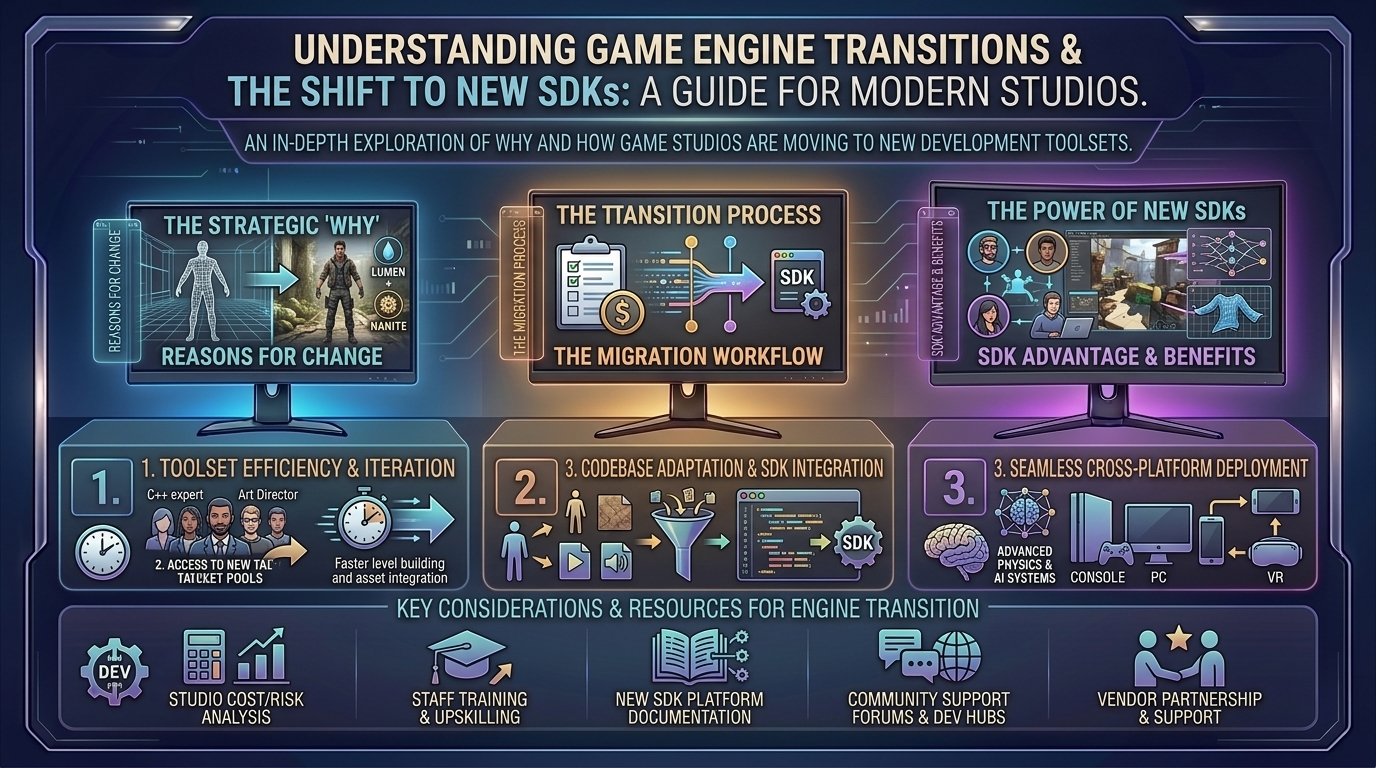
  • How to understand game engine transitions and why studios are moving to new software development kits

    How to understand game engine transitions and why studios are moving to new software development kits

    Welcome to thegamerbuzz, your definitive authority on the engineering, inner mechanics, and macro-trends shaping the interactive entertainment industry. Whether you are analyzing high-end tech pipelines late into the night in New York, examining engine performance metrics in San Francisco, writing code or modding setups in Texas and Washington, or theorycrafting the future of graphics from sunny California, we know how vital it is to understand what powers your favorite titles.

    If you have followed the gaming landscape over recent years, you’ve likely noticed a massive systemic shift. Major AAA heavyweights—studios that historically spent decades building and fiercely guarding custom, in-house game engines—are shuttering their proprietary software and migrating en masse to third-party ecosystems like Unreal Engine 5 or modern software development kits (SDKs).

    Why are legendary developers abandoning custom tech? What does an “engine transition” actually mean behind closed doors, and how does it change the games sitting on your hard drive? This master-level guide breaks down the economics, engineering challenges, and structural realities behind modern game engine migrations.

    1. What Is a Game Engine and Why Do Studios Change Them?

    At its core, a game engine is the foundational software framework that handles the heavy lifting of video game creation. It provides the physics simulation, rendering pipeline, audio management, memory allocation, input processing, and scripting environments so developers don’t have to code gravity or lighting math from scratch for every single title.

    For decades, owning a proprietary engine was a badge of honor and a competitive advantage. Studios like CD Projekt Red (REDengine), Crystal Dynamics (Foundation), BioWare (Frostbite/Eclipse), and 343 Industries (Slipspace) built custom tools tailored specifically to the unique needs of their franchises.

    However, game development has evolved into a hyper-complex, multi-hundred-million-dollar endeavor. When a studio undergoes an engine transition, they are rewriting or re-platforming the fundamental core of their production pipeline—swapping out the foundational engine infrastructure, lighting models, asset pipelines, and physics architecture for a new commercial SDK.

    2. The Driving Forces: Why Studios Are Abandoning Proprietary Tech

    The mass migration away from in-house engines is not happening because developers suddenly lack talent; it is driven by cold, hard economic and technical realities.

    1. The Astronomical Cost of Engine Maintenance

    Maintaining a custom engine for modern hardware (PS5, Xbox Series X/S, and high-end PC rigs) requires an entire dedicated engineering sub-studio just to keep the tools running.

    • Writing modern real-time global illumination, virtualized geometry pipelines, and multi-threaded asset streaming systems from scratch costs tens of millions of dollars.
    • When a studio uses a commercial powerhouse like Unreal Engine 5, companies like Epic Games shoulder the massive R&D burden, updating the engine to support cutting-edge hardware features automatically.

    2. The Onboarding and Hiring Crisis

    The video game industry suffers from high turnover and widespread restructuring.

    • If a studio uses a proprietary engine built by three engineers who left the company five years ago, every new hire faces a grueling 3-to-6-month onboarding bottleneck just to learn how the undocumented custom tools work.
    • Conversely, thousands of graduates enter the job market every year already trained in commercial pipelines like Unreal or Unity. A studio shifting to standard SDKs can plug new developers into active production pipelines in days rather than months.

    3. Accumulated “Technical Debt”

    Older proprietary engines accumulate legacy code over decades. Developers often describe working on older custom engines as trying to fix the foundation of a skyscraper while living on the top floor. Trying to patch modern ray tracing or open-world asset streaming onto a 15-year-old engine architecture often leads to endless bugs, unstable builds, and catastrophic project delays.

    3. Inside an Engine Migration: What Actually Happens?

    When a major studio announces they are transitioning to a new engine (such as CD Projekt Red moving to Unreal Engine for future Witcher sagas, or Crystal Dynamics shifting to UE5 for Tomb Raider), players often assume it’s a simple drag-and-drop process. In reality, it is a massive, multi-year engineering trial.

    • Asset and Data Re-Importation: Every 3D model, animation skeleton, texture map, and material shader built for the old engine must be converted, re-imported, and optimized to fit the new engine’s structural requirements.
    • Rewriting Game Logic: While engines handle rendering and physics, a studio’s custom gameplay systems (inventory loops, quest flags, dialogue trees, AI state machines) often have to be entirely re-coded or mapped to the new engine’s scripting architecture (such as translating custom logic into C++ or Blueprints).
    • Pipeline Retraining: Artists, animators, level designers, and sound engineers have to completely relearn how to build environments, set up lighting, and trigger cutscenes using unfamiliar user interfaces and workflow tools.

    4. The Pros and Cons of Commercial Engine Dominance

    While the shift toward standardized commercial software solves many production hurdles, it introduces new challenges for the industry at large.

    The Major Advantages:

    • Faster Time-to-Market: Developers spend less time building tech from scratch and more time focusing on art, narrative, and core gameplay loops.
    • Next-Gen Tech Out-of-the-Box: Studios instantly gain access to advanced features—like Nanite geometry virtualization, Lumen real-time global illumination, and advanced upscaling frameworks—without building them manually.
    • Cross-Studio Collaboration: Shared engine architecture makes it easier for partner support studios to jump in and assist with heavy workloads.

    The Potential Pitfalls:

    • Homogenization of Visuals: When every studio uses the exact same base engine features with default settings, games risk losing the unique visual identity and quirks that made older proprietary titles stand out.
    • Optimization Hurdles: Out-of-the-box commercial engines come with heavy default settings. If developers fail to optimize resource management or configure asset streaming properly, it can lead to notorious performance stutter on PC and consoles.

    5. Frequently Asked Questions (FAQ)

    1. Does moving a game to Unreal Engine 5 automatically make it look better?

    No. An engine upgrade provides the tools for high-end fidelity (like dynamic lighting and dense geometry), but how a game looks and runs still depends entirely on the studio’s asset optimization, art direction, and engineering execution.

    2. Why don’t all game studios just use the same engine?

    Different games have drastically different structural needs. A hyper-fast competitive arcade racer, a massive open-world simulation, a grid-based tactical game, and a 2.4D fighting game require entirely different physics solvers and rendering priorities that no single engine handles equally well out of the box.

    3. What is the difference between a game engine and an SDK?

    A game engine is the overarching runtime environment (rendering, physics, audio), while a Software Development Kit (SDK) usually refers to a specific package of software tools provided by hardware manufacturers (like the PlayStation 5 SDK or Meta Quest SDK) or middleware creators to integrate specific features into an engine.

    4. Why did companies build custom engines in the first place?

    During the 1990s, 2000s, and early 2010s, commercial third-party engines lacked the specific performance optimizations or flexibility required for ambitious console games, forcing major developers to build custom technology tailored to specific hardware architectures.

    5. Are proprietary engines completely dead?

    Not entirely. Studios owned by massive vertical giants—such as Electronic Arts (Frostbite), Sony Interactive Entertainment (Insomniac’s proprietary tools, Decima), and Ubisoft (Snowdrop, Anvil)—continue to invest heavily in in-house tech because it gives them complete structural independence from external licensing fees and platform policy shifts.

    6. What causes “stuttering” in games built on newly transitioned engines?

    Many modern engine transitions rely on real-time shader compilation and streaming assets. If the engine fails to pre-compile shaders or manage streaming buffers efficiently during gameplay, it results in micro-stutters when new visual effects or assets load onto the screen.

    7. Do engine transitions change how a game’s story or writing is handled?

    No. Writing, narrative design, voice acting, and overall game direction are content decisions that remain entirely independent of the underlying software engine.

    8. How long does it take a studio to completely transition to a new engine?

    A full enterprise-level engine migration typically takes anywhere from 1 to 3 years, as engineers rewrite core architecture and production teams adapt their workflows to the new software ecosystem.

    9. Why do players sometimes complain about games feeling “samey” due to engine choices?

    Because commercial engines share common rendering pipelines and post-processing defaults, lazy or rushed implementations can leave games sharing a distinct visual sheen unless artists manually customize the shaders and lighting profiles.

    10. Where is the industry heading for game engine technology over the next decade?

    The industry is moving toward highly modular, cloud-connected, and AI-assisted development pipelines where engine software integrates machine learning tools to automate tedious optimization tasks and accelerate asset creation.

    6. Conclusion

    Game engine transitions represent one of the most stressful yet necessary evolutions a development studio can experience. While saying goodbye to legendary in-house technology marks the end of an era for many veteran creators, the shift toward standardized, robust commercial SDKs and engines like Unreal Engine 5 is transforming how modern masterpieces are brought to life. By streamlining production pipelines and granting access to groundbreaking rendering tech, these migrations help studios survive the brutal economic realities of modern AAA game development.

    Stay informed, look beneath the surface of game development tech, and level up your industry knowledge right here with thegamerbuzz!

    What proprietary engine from gaming history do you miss the most, and which modern engine transition surprised you the most?
  • What are the best ergonomic gaming mouse buying guides for different hand sizes and grip styles

    What are the best ergonomic gaming mouse buying guides for different hand sizes and grip styles

    Welcome to thegamerbuzz, your premier destination for elite hardware breakdowns, peripheral optimization guides, and deep-dive technical evaluations. Whether you are tuning your hardware setup late into the night in a high-rise New York apartment, optimizing your frame rates and latency in San Francisco, building rigs in Texas and Washington, or curating your desktop aesthetic from sunny California, we know one foundational truth: your gaming mouse can make or break your performance.

    Nothing induces hand cramps, sluggish tracking, and missed headshots faster than using a mouse built for someone else’s hand. With hundreds of shapes, weights, and sensor layouts flooding the market, picking an ergonomic gaming mouse is a science.

    If you want to eliminate wrist strain, improve your tracking accuracy, and find a rodent that feels like an extension of your body, this comprehensive buying guide breaks down how to choose the right mouse based on your exact hand size and grip style.

    1. The Anatomy of Ergonomics: Hand Size and Grip Mechanics

    Before looking at specific models, you must evaluate two variables: your physical hand measurements and how you naturally hold your mouse.

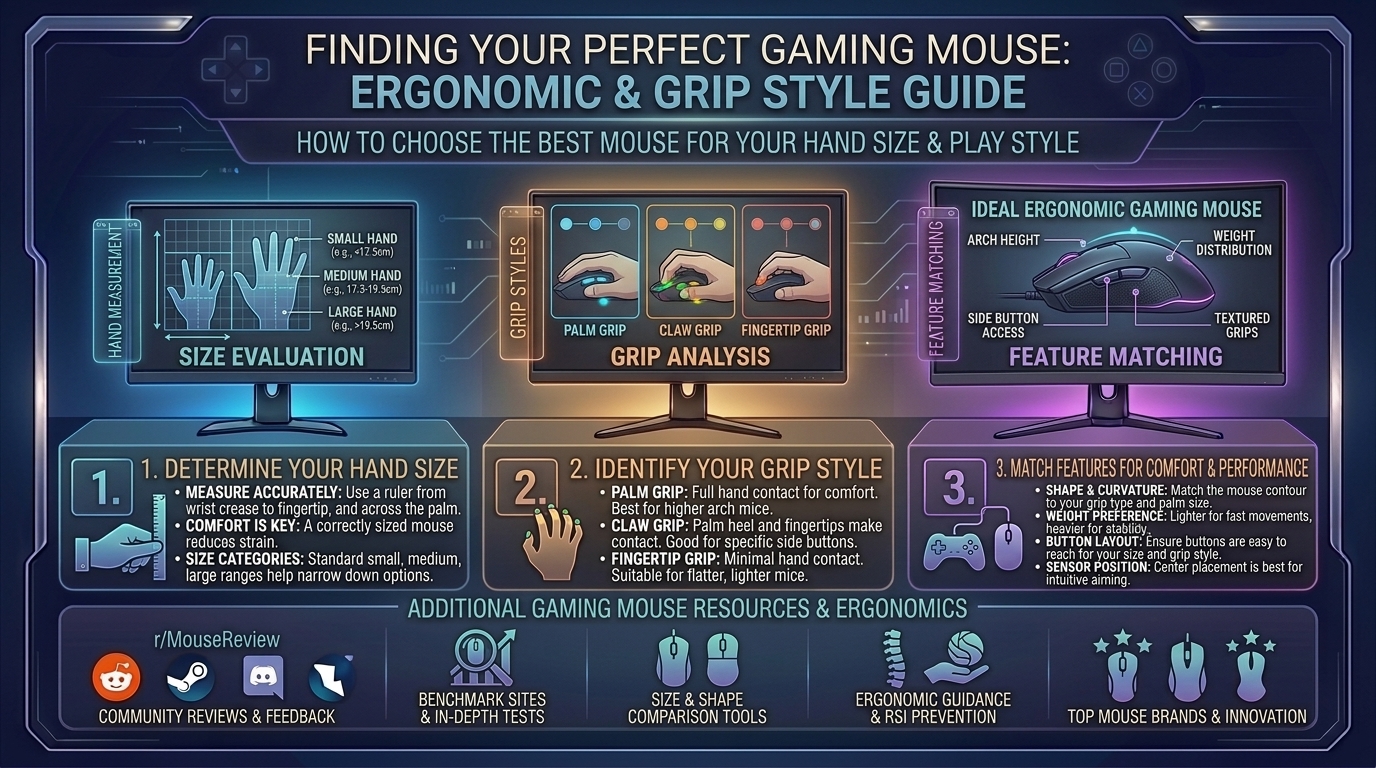
    How to Measure Your Hands

    Grab a metric ruler or measuring tape and measure from the base of your palm (where your wrist meets your hand) to the tip of your middle finger, then measure the width across your knuckles:

    • Small Hands: Under 17 cm length / Under 9 cm width
    • Medium Hands: 17 cm to 19.5 cm length / 9 cm to 10 cm width
    • Large Hands: Over 19.5 cm length / Over 10 cm width

    The Three Core Grip Styles

    1. Palm Grip: Your entire palm rests flat against the back shell, and your fingers drape fully over the primary mouse buttons. This grip prioritizes maximum comfort and stability, benefiting from larger, contoured ergonomic shapes.
    2. Claw Grip: Your palm rests lightly on the rear hump, your fingers arch up like claws over the triggers, and your knuckles provide micro-adjustment stability. This style thrives on medium-sized ambidextrous or semi-ergo shapes.
    3. Fingertip Grip: Only your fingertips contact the mouse surface; your palm floats completely free in the air. This grip requires ultra-light, short mice that allow lightning-fast vertical and horizontal wrist/finger flicks.

    2. Choosing by Hand Size: Best Recommendations

    For Small Hands (Under 17 cm)

    Small hands struggle massively with oversized mice, leading to finger strain and poor reach over side buttons.

    • Top Picks: Razer Cobra Pro, Pulsar X2V2 Mini, or Lamzu Atlantis Mini 4K.
    • Why They Work: These mice feature narrow widths (around 60–63 mm) and short lengths, letting smaller fingers cleanly actuate switches without overextending.

    For Medium Hands (17 cm to 19.5 cm)

    Medium hands represent the “sweet spot” where almost 80% of standard gaming mice are targeted.

    • Top Picks: Logitech G Pro X Superlight 2, Razer Viper V2 Pro, or Lamzu Maya.
    • Why They Work: Balanced mid-sized footprints (120–125 mm long) provide safe, versatile profiles that support comfortable switching between claw and fingertip styles.

    For Large Hands (Over 19.5 cm)

    Using a small mouse with large hands forces a cramped, claw-like posture that causes severe carpal fatigue over long sessions.

    • Top Picks: Razer DeathAdder V3 Pro / V4 Pro or Teevolution Terra Pro.
    • Why They Work: These models feature extended chassis lengths (124+ mm) and high ergonomic right-handed humps that fill out the palm entirely, offering natural wrist alignment.

    3. Matching Mice to Specific Grip Styles

    • For Palm Grips (Full Hand Contact): Look for dedicated asymmetric ergonomic shapes (like the DeathAdder line) with flared thumb rests and sloping right-side contours that prevent your pinky from dragging on the mousepad.
    • For Claw Grips (Arching Fingers): Look for mice with pronounced rear humps (such as the Lamzu Atlantis or Pulsar X2 series) that lock securely into the base of your knuckle joints while leaving room for finger travel.
    • For Fingertip Grips (Pure Agility): Look for ultra-lightweight symmetrical shells under 50 grams with low profiles that allow total clearance for vertical adjustments.

    4. Frequently Asked Questions (FAQ)

    1. Are ergonomic vertical mice good for gaming?

    Traditional vertical ergonomic mice (like office productivity models) rotate your wrist into a handshake position. While great for preventing carpal tunnel during typing or video editing, they lack the rapid sensor precision and stability required for competitive gaming. Dedicated gaming ergo mice strike a balance by sloping comfortably without forcing a full vertical twist.

    2. Does mouse weight actually affect my gaming performance?

    Yes. Modern competitive FPS players generally favor mice weighing between 50 and 70 grams. They reduce inertia, allowing for faster target acquisition and less wrist strain during long sessions, though some casual or palm-grip players prefer a slightly heavier, planted feel (75g+).

    3. What is the difference between symmetric and asymmetric ergonomic mice?

    Symmetric (ambidextrous) mice have equal left and right sides, making them ideal for fingertip and claw grips. Asymmetric ergonomic mice are curved specifically for right-handed users, featuring a high left side and a sloping right side designed to completely fill a palm grip.

    4. How do I know if my current mouse is too small for me?

    If your hand cramps, your fingers ache from curling too tightly over the front buttons, or your pinky finger drags uncomfortably on the mousepad, your mouse is likely too small or narrow for your hand dimensions.

    5. Can I use a palm grip mouse with a fingertip grip style?

    Technically yes, but it feels clunky. A palm mouse is usually too long and heavy to maneuver solely with your fingertips, leading to sluggish micro-adjustments.

    6. Are wireless gaming mice as responsive as wired mice today?

    Not only are they just as responsive, but top-tier 2.4GHz wireless technologies often exhibit lower click latency than older wired mice. Battery life on modern gaming mice easily spans 70 to 100+ hours on a single charge.

    7. What polling rate should I look for in an ergonomic gaming mouse?

    Standard 1000Hz polling is smooth and reliable, but modern mice supporting 4000Hz or 8000Hz polling offer even lower input lag—though they consume more battery power.

    8. How often should I clean my mouse and its sensor window?

    Clean your mouse skates and wipe down the shell every few weeks using a microfiber cloth and isopropyl alcohol. Ensure no dust or hair blocks the optical sensor lens underneath, as obstruction causes erratic cursor tracking.

    9. Do grip tapes help with ergonomic comfort?

    Yes! If your hands tend to sweat during intense gaming matches, applying pre-cut polyurethane grip tape enhances friction, allowing you to hold the mouse securely with a lighter, more relaxed grip force.

    10. Where is the best place to test mouse shapes before buying?

    If possible, visit local electronics or computer hardware specialty stores to try display units. If buying online, always purchase from retailers with hassle-free 30-day return policies so you can test the shape in your actual gaming environment.

    5. Conclusion

    Finding the ideal ergonomic gaming mouse is a personalized journey that hinges entirely on matching physical dimensions to your hand size and preferred grip style. Ditch the one-size-fits-all mentality, respect your wrists, and invest in a shape that enhances both your comfort and your competitive edge.

  • How to spot fake discount deals and scams during major digital storefront seasonal gaming sales events

    How to spot fake discount deals and scams during major digital storefront seasonal gaming sales events

    How to Spot Fake Discount Deals and Scams During Major Digital Storefront Seasonal Gaming Sales Events

    Welcome to thegamerbuzz, your premier digital authority for gaming safety, hardware insights, consumer protection, and smart digital shopping. Whether you are hunting for holiday bargains late at night in a New York apartment, optimizing your gaming library from San Francisco, checking out flash sales in Texas and Washington, or managing your wishlist from sunny California, we know the rush of a massive seasonal digital storefront sale.

    When major seasonal gaming sales roll around—such as the Steam Summer and Autumn Sales, the Epic Games Store Black Friday and Cyber Monday events, PlayStation Network promotions, or Nintendo eShop blowout events—millions of gamers flood online storefronts. Unfortunately, these high-traffic events also draw an influx of bad actors, deceptive marketing tactics, unauthorized grey-market key resellers, and outright phishing scams.

    A “90% off” tag can easily blindside even veteran players, leading to wasted money, compromised accounts, or revoked game licenses. This master-level guide breaks down how to identify fake discounts, spot malicious storefront scams, and protect your digital wallet during major seasonal sales.

    1. The Psychology of Digital FOMO and Fake Sales

    Before looking at technical red flags, it helps to understand why digital sales are so psychologically powerful. Unlike physical retail where items run out of stock, digital goods (PC games, DLCs, microtransaction currency, and console keys) are infinitely reproducible.

    Yet, digital storefronts weaponize Fear Of Missing Out (FOMO) using ticking countdown timers, “Flash Deal” banners, and crossed-out MSRP (Manufacturer’s Suggested Retail Price) tags. Shady third-party sites and deceptive marketplaces rely on this urgency to bypass your critical thinking, pushing you to buy before checking if the “discount” is real or entirely fabricated.

    2. Common Deceptive Discount Tactics on Digital Storefronts

    Not all fake deals are outright malware or stolen credit card scams; many rely on clever psychological manipulation that is technically legal but deeply anti-consumer.

    1. The Inflated Base Price (Fake Anchor Pricing)

    • The Trick: A shady third-party key seller or unauthorized marketplace will list an indie game with a fake “MSRP” of $59.99, then slap an 80% discount on it, selling it for $12.00. In reality, the game’s actual base price on official stores has always been $9.99.
    • How to Spot It: Always cross-reference prices using historical price-tracking databases rather than trusting the discount percentage shown on a banner.

    2. Selling Base Games Disguised as “Complete Editions”

    • The Trick: During major sales, a publisher might discount a bundle. However, deceptive sites will list a bare-bones base game using promo art from the “Game of the Year” or “Ultimate Edition,” tricking you into thinking you are getting all expansions when you are only buying the vanilla version.

    3. The “Bundle Padding” Illusion

    • The Trick: Bundles that group a game you actually want alongside five critically panned, worthless shovelware titles. The seller claims you are saving 95% off the total value, but you are paying money for games you will never touch.

    3. How to Identify Unsafe Third-Party Key Resellers and Phishing Scams

    Official storefronts like Steam, Epic Games, GOG, Nintendo eShop, and PlayStation/Xbox stores are generally secure against direct financial theft, though they still feature the occasional inflated discount. The real danger zone lies in external key-reselling sites, social media ads, and phishing emails.

    Red Flags of a Phishing or Scam Storefront:

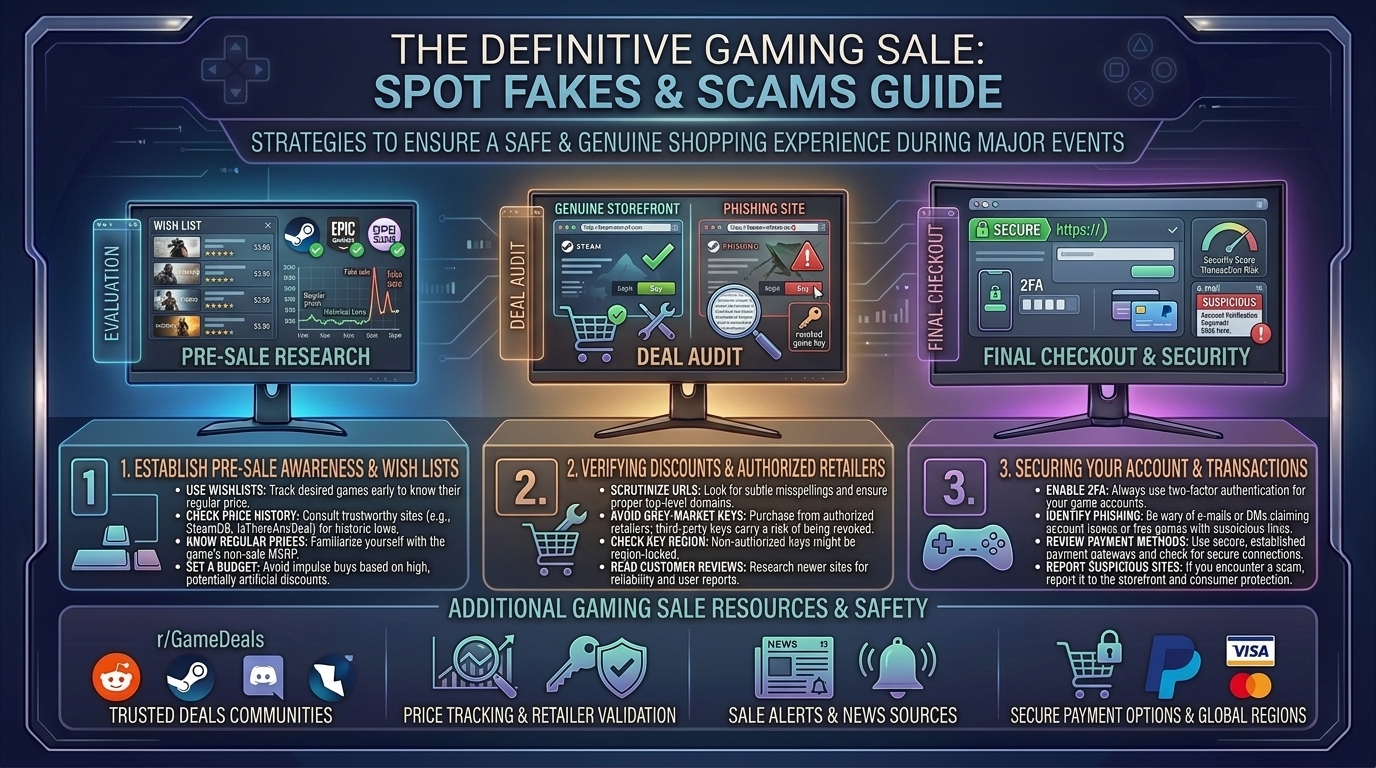
    • Imposter URLs: Watch out for slight typos in URLs (e.g., Stfampowered.com or Epic-Games-Deals-Portal.net). Always check for official domain extensions and active SSL security certificates.
    • Too-Good-To-Be-True Pre-Orders: If a brand-new, unreleased AAA game retailing officially for $70 is being sold on a third-party site for $15 during a “special pre-order seasonal event,” it is a scam. Either the key is stolen via fraudulent credit cards (which will later be revoked by the publisher, removing the game from your library), or the site will take your money and vanish.
    • Suspicious Payment Methods: If a storefront demands payment exclusively via untraceable cryptocurrency, wire transfers, obscure gift card codes, or direct peer-to-peer money apps instead of standard encrypted credit card processing or PayPal, run away immediately.

    4. Essential Tools to Verify Real Discounts

    Never buy blindly. Keep these community-trusted tools bookmarked during every major seasonal sale:

    • IsThereAnyDeal (ITAD): The gold standard for PC gamers. Paste any game title into ITAD to see its current price across all official, authorized storefronts, alongside its absolute historical low price. If a third-party store isn’t listed on ITAD, exercise extreme caution.
    • SteamDB (Database): For Steam users, SteamDB tracks precise price histories, lowest recorded prices, bundle inclusions, and current player counts, ensuring you never fall for a fake discount tag.
    • Official Publisher Sales Pages: When in doubt, check the official social media channels or website of the game’s publisher to confirm whether an authorized publisher-wide sale is actually happening.

    5. Step-by-Step Defense Checklist During Major Sales

    1. Stick to Trusted Ecosystems: Whenever possible, buy directly through official first-party launchers and verified digital storefronts.
    2. Verify Authorized Retailers: If buying PC keys from a third-party store (like Humble Bundle, Fanatical, or Green Man Gaming), verify that they are listed on official publisher-approved retail partner lists.
    3. Check Refund Policies: Official stores like Steam and Epic Games offer no-questions-asked refund windows (typically under 2 hours of playtime and within 14 days). Grey-market key sellers almost never offer refunds once a digital key has been revealed.
    4. Enable Two-Factor Authentication (2FA): Protect your primary gaming accounts (Steam Guard, Epic Account, PlayStation Network, Nintendo Account) with 2FA so that even if a phishing link tricks you, hackers cannot steal your library or payment methods.
    5. Ignore Countdown Timer Panic: If a flash sale is ending in 3 minutes and you haven’t had time to verify if the discount is genuine, skip it. There will always be another seasonal sale around the corner.

    6. Frequently Asked Questions (FAQ)

    1. Are grey-market key reseller sites illegal?

    Most key resellers operate in a legal gray area. While buying keys from them isn’t inherently illegal, many keys are acquired using stolen credit cards or exploited regional pricing loops. Publishers frequently revoke these keys, meaning you lose both the game and your money.

    2. Why does Steam show a game as “on sale” for the exact same price it was last week?

    This is a common marketing tactic known as “sale fatigue” or rolling baseline discounting. Storefronts keep games in a perpetual rotation of “sales” to maintain urgency, even though that price is essentially the game’s new normal value.

    3. What should I do if I bought a key from a scam site and my game was revoked?

    Contact your bank or credit card provider immediately to file a chargeback for fraudulent goods. Unfortunately, official platform support (like Steam or Epic) cannot restore revoked keys obtained from unauthorized third-party sellers.

    4. How can I tell if a browser extension offering “automatic coupon codes” is safe?

    Many aggressive coupon extensions scrape sketchy grey-market sites or inject affiliate tracking cookies. Stick to reputable, community-vetted extensions and avoid installing random extensions promising “99% off video games.”

    5. Do console digital stores (PlayStation, Xbox, Nintendo) have fake discount problems?

    Official console storefronts rarely feature fake discounts, but third-party physical gift card code sellers on sites like eBay or social media marketplaces are rife with scams. Never buy digital currency or game download codes from unverified individual sellers.

    6. What is “Regional Pricing Exploitation” and why do keys get revoked?

    Some bad actors buy game keys cheaply in low-income economic regions and resell them globally at a markup. Publishers actively track and ban keys activated outside their intended geographic region, leading to sudden game revocations.

    7. Is it safe to click links to sales sent via Discord DMs or emails?

    Never click direct links to sales from unsolicited Discord messages, random social media DMs, or unexpected emails—even if they look like they come from friends whose accounts may have been compromised by phishing bots. Always navigate to the store manually.

    8. How often do major seasonal sales happen on digital platforms?

    Major PC and console stores hold predictable massive sales at least four times a year (Spring, Summer, Autumn/Black Friday, and Winter/Holiday sales), alongside weekly and mid-week specials. You never need to rush out of fear that a sale is your “last chance.”

    9. Can a game be free on one official store and a scam on another?

    Yes! Scammers frequently create fake landing pages advertising popular free-to-play games (or games currently being given away for free by Epic Games) as paid “exclusive collector’s editions” to harvest credit card data from uninformed parents or casual shoppers.

    10. Where is the safest place to report a suspected gaming scam website?

    You can report fraudulent phishing sites to Google Safe Browsing, the Federal Trade Commission (FTC) in the US, or share warnings within community hubs like Reddit’s r/GameDeals, which actively maintains blacklists of unsafe vendors.

    7. Conclusion

    Navigating major digital storefront seasonal sales should be an exciting experience, not a minefield of financial anxiety. By looking past aggressive countdown timers, steering clear of unauthorized grey-market key sellers, utilizing historical price trackers like IsThereAnyDeal, and sticking to trusted platforms, you can build your dream digital library safely and affordably.

    Shop smart, protect your credentials, and hunt down those genuine bargains like an elite gaming pro right here with thegamerbuzz!

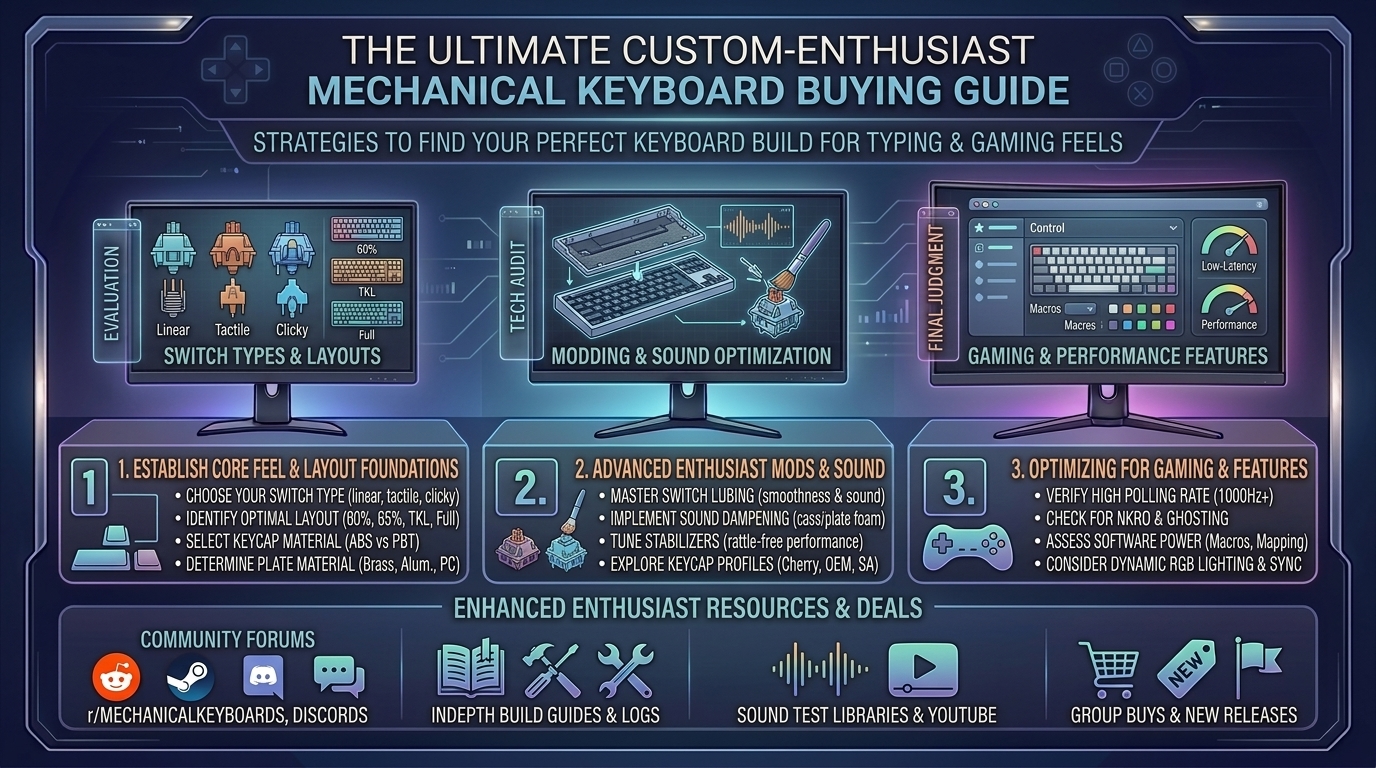
  • What are the best mechanical gaming keyboard buying guides for custom enthusiast typing and gaming feels

    What are the best mechanical gaming keyboard buying guides for custom enthusiast typing and gaming feels

    Welcome to thegamerbuzz, your premier authority on high-end hardware, custom peripherals, and optimization guides. Whether you are tuning your setup late at night in New York, optimizing your workspace in San Francisco, building custom rigs in Texas and Washington, or curating aesthetic layouts from sunny California, we understand one absolute truth: your keyboard is the most intimate connection between you and your digital world.

    Gone are the days when gamers and typists accepted mushy membrane boards or generic, pingy pre-builts straight out of the box. Today, the mechanical keyboard landscape is a booming enthusiast culture. Achieving that elusive “marbly, creamy” sound profile, butter-smooth keystroke feel, and lightning-fast gaming response requires navigating a massive sea of switches, mounting styles, and layouts.

    If you are looking for the ultimate mechanical keyboard buying guide tailored for custom enthusiast feel and high-performance gaming, this comprehensive resource breaks down everything you need to know.

    1. The Anatomy of Custom Typing and Gaming Feels

    To build or buy the ultimate keyboard, you first need to understand the structural pillars that dictate how a board sounds, feels, and performs. Custom enthusiast boards are engineered like fine acoustic instruments.

    Core Architectural Layers:

    1. The Case Material: CNC-machined aluminum cases provide heavy, rigid stability, a premium tactile weight, and deep acoustic resonance. Polycarbonate or high-grade plastic cases offer a softer, more flexible typing bounce.
    2. Mounting Styles (Gasket vs. Top vs. Tray): Modern enthusiast boards favor gasket mounting, where the plate holding the switches floats inside the case suspended by rubber or silicone gaskets. This eliminates harsh vibrations and delivers a cushioned, uniform feel across every key.
    3. Acoustic Damping Layers: Multi-layer foam (Poron, IXPE, and silicone pad layers) absorbs unwanted pinging and hollow echoes, turning a clacky plastic sound into a deep, satisfying “thock.”
    4. Keycap Profiles and Materials: Double-shot PBT keycaps resist grease shine and offer a textured, durable surface. Profiles like Cherry, OEM, or spherical profiles (like MT3 or XDA) change the wrist angle and acoustic pitch of your typing.

    2. Choosing Your Weapon: Switches (Linear, Tactile, and Magnetic HE)

    Switches are the heart of any mechanical keyboard. Your choice dictates whether your board is optimized for twitch-reflex competitive gaming or long-form, rhythmic typing comfort.

    1. Linear Switches (The Gamer’s Choice)

    • Feel: Smooth, uninterrupted travel from top to bottom with no physical bump or click.
    • Best For: Fast-paced competitive shooters and action games where rapid double-tapping is essential.
    • Fan Favorites: Gateron Milky Yellow Pro, Keygeek Y2, or factory-lubed high-tier smooth linears.

    2. Tactile Switches (The Typist’s Delight)

    • Feel: Features a distinct physical “bump” midway through the keypress, letting your finger feel precisely when the actuation registers without needing a loud click.
    • Best For: Programmers, writers, and hybrid gamers who want crisp feedback.
    • Fan Favorites: Gateron Baby Kangaroo V2, Sillyworks x Gateron Type R, or Boba U4T.

    3. Hall Effect (HE) & Magnetic Switches (The Modern Esports Meta)

    • Feel: Contactless magnetic sensors that allow adjustable actuation points and Rapid Trigger technology (resetting the key instantly the moment you lift your finger).
    • Best For: Hardcore competitive gamers chasing zero latency and maximum mechanical advantage.

    3. Selecting the Right Layout for Your Desk Space

    Size matters when designing your desk ecosystem. Keyboard layouts are categorized by physical footprint:

    • Full-Size (100%): Includes a dedicated number pad and navigation cluster. Great for data entry, but forces your mouse further away, straining your shoulder.
    • 96% / Compact 1800: Keeps the number pad tightly integrated into a space-saving footprint.
    • Tenkeyless (TKL / 80%): Drops the number pad entirely, giving your mouse arm more clearance while keeping arrow keys and the function row intact.
    • 75% Layout: The absolute sweet spot for most enthusiasts. It retains function keys and arrows in a compressed, ultra-clean block without wasting desk space.
    • 65% / 60% Minimalist: Strips away function rows or arrow keys for maximum desk freedom, relying on programmable firmware layers for secondary key functions.

    4. Top Mechanical Keyboard Recommendations for Enthusiasts & Gamers

    Whether you want a plug-and-play custom beast or an entry-level platform to mod yourself, these standout categories represent the gold standard:

    • The Best Pre-Built Custom Enthusiast Board: Keychron Q Max Series (such as the Q1 Max 75% or Q5 Max 96%). Featuring CNC aluminum chassis, double-gasket mounts, hot-swappable sockets, tri-mode wireless (2.4GHz, Bluetooth, USB-C), and full QMK/VIA programmability.
    • The Best Entry Custom Barebones Kit: QwertyKeys Neo65 Core Plus. A masterpiece of accessible custom design offering incredible acoustics, flexible mounting options, and high-end feel at a friendly price point.
    • The Ultimate Esports Gaming Board: Wooting 80HE or Razer Huntsman V3 Pro. Equipped with advanced magnetic Hall-effect switches and Rapid Trigger capabilities for elite competitive gaming performance.

    5. Frequently Asked Questions (FAQ)

    1. What does “hot-swappable” mean on a mechanical keyboard?

    Hot-swappable PCBs feature specialized sockets that let you push mechanical switches in and pull them out by hand using a switch puller—zero soldering required. This lets you test dozens of different switches until you find your favorite feel.

    2. Are PBT keycaps really that much better than ABS keycaps?

    Yes. Cheap ABS keycaps develop an ugly, slippery shine from finger oils within weeks of use. PBT plastic is denser, matte-textured, heat-resistant, and maintains its premium dry feel for years.

    3. What keyboard layout is best for everyday productivity and gaming?

    The 75% layout is widely considered the best all-rounder. It preserves your arrow keys and function row for daily work shortcuts while keeping your mouse close for comfortable gaming posture.

    4. Do I need to lubricate my mechanical switches manually?

    While early enthusiast culture required hand-luting every single switch, modern high-end pre-builts and enthusiast switches feature excellent factory lubrication, meaning they feel smooth and sound great right out of the box.

    5. What is “Rapid Trigger” and do I need it for gaming?

    Rapid Trigger dynamically resets a key the exact microsecond your finger begins lifting up, rather than waiting for the key to cross a static physical release point. It is a massive competitive advantage for movement-heavy games like Valorant or Counter-Strike.

    6. Are wireless mechanical keyboards laggy for competitive gaming?

    Not anymore. Modern 2.4GHz wireless dongles utilize proprietary polling protocols that match or exceed the ultra-low latency of wired connections, while Bluetooth is best reserved for office typing and multi-device pairing.

    7. Why do some keyboards sound “thocky” while others sound “clacky”?

    Sound profiles are dictated by case materials, switch housing plastics, mounting flexibility, and internal foam. Aluminum cases and thick keycaps produce deep, low-pitched “thocks,” while thin plastic cases and clicky switches produce high-pitched “clacks.”

    8. What is QMK/VIA software?

    QMK/VIA is open-source firmware and web-based configuration software that lets you remap keys, build custom multi-layer macros, and control RGB backlighting directly on your keyboard’s onboard memory without running bloated background apps.

    9. Can I use Mac and Windows on the same custom mechanical keyboard?

    Yes! Most enthusiast boards include a physical hardware toggle switch (or software profile swap) that instantly maps modifier keys between macOS and Windows layouts.

    10. Where is the best place to buy custom enthusiast keyboard parts?

    Reputable community vendors (such as NovelKeys, KBDFans, Mechanical Keyboards, and direct manufacturer storefronts like Keychron or QwertyKeys) are the safest places to source authentic kits, switches, and keycap sets.

    6. Conclusion

    Investing in a high-end mechanical keyboard transforms computing from a mundane chore into an absolute tactile joy. By carefully choosing your layout, matching your switches to your gaming or typing style, and prioritizing quality acoustic engineering and build materials, you will craft a setup that serves you reliably for years to come.

    Upgrade your desk ecosystem, dial in your acoustics, and type like a master right here with thegamerbuzz!

    What is your current dream keyboard switch and keycap combination?

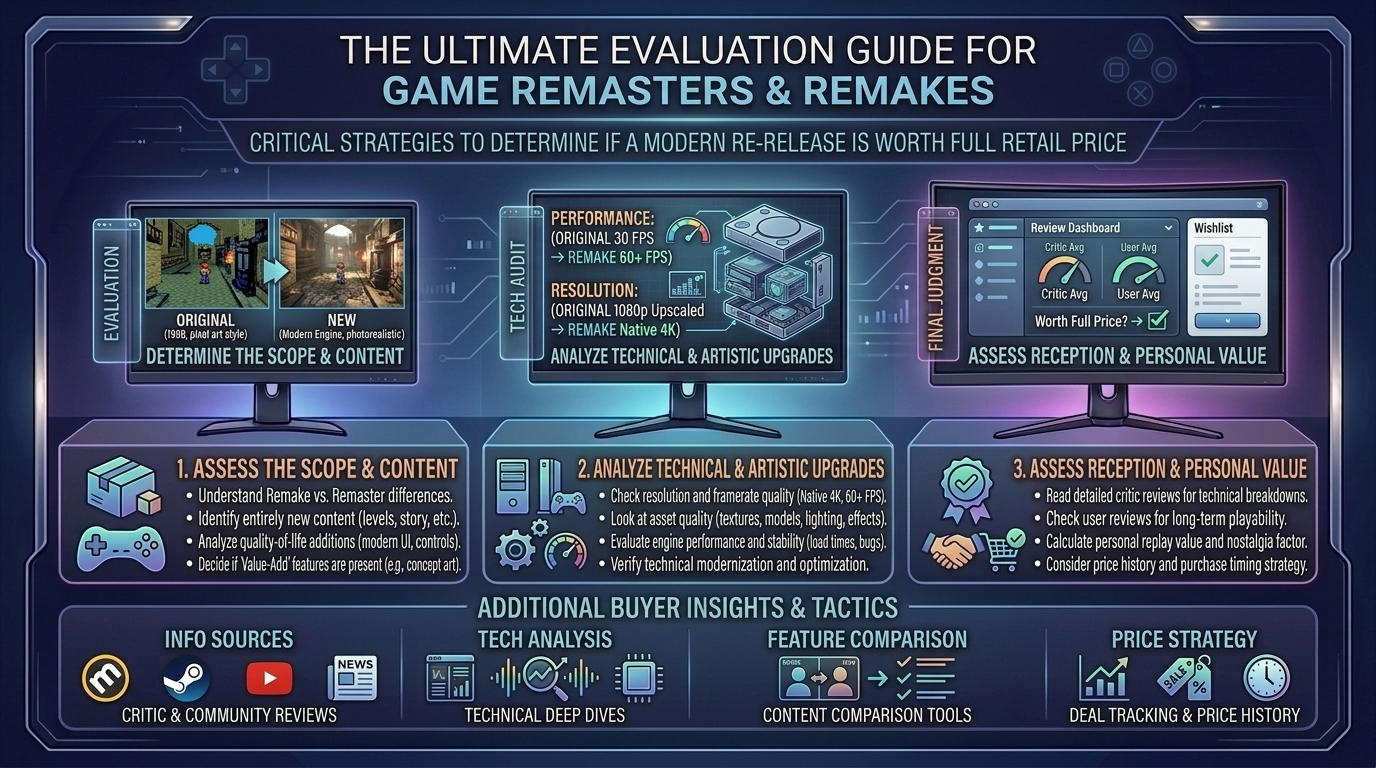
  • How to evaluate whether a video game remaster or remake is worth buying at full retail price

    How to evaluate whether a video game remaster or remake is worth buying at full retail price

    Re-releasing legacy video games has evolved into a core financial strategy for the gaming industry. Publishers routinely dust off classic intellectual properties, charging anywhere from $40 up to the modern $70 AAA standard. However, the distinction between a lazy resolution bump and a groundbreaking, ground-up reimagining is often blurred by clever marketing campaigns.

    Navigating the spectrum of re-releases requires evaluating whether a updated release justifies full retail price or if you should wait for a deep digital discount.

    Remaster vs. Remake vs. Reboot: Defining the Terms

    Before spending money on a re-release, it is essential to understand the technical scope of what the developers actually built.

    [ Legacy Source Code / Assets ] ──► Remaster ──► Increased Resolution, Higher Framerates, Native Porting
                                           │
    [ Complete Ground-Up Rebuild ] ──► Remake   ──► New Engine, Modern Mechanics, Reimagined Assets
                                           │
    [ Narrative & System Overhaul] ──► Reboot   ──► Fresh Story Continuity, Brand-New Mechanics
    
    • Remaster: The developer uses the original engine and codebase. They upgrade texture resolutions, implement modern lighting passes (such as ray tracing), boost framerates (e.g., targeting 60 FPS or 120 FPS), and aggregate existing DLC into one package.
    • Remake: The developer abandons the legacy codebase and rebuilds the game from scratch in a modern engine (e.g., Unreal Engine 5). Textures, animations, voice acting, controls, and level layouts are completely reconstructed.
    • Reboot: A complete story and gameplay departure that uses the original IP’s character names and world setting to tell an entirely new story with modernized systems.

    The Value Matrix: Is It Worth $70 at Launch?

    Use this evaluation matrix to weigh what a re-release offers against its asking price:

    Evaluation FactorFull Retail Worthy ($60–$70)Wait for Discount ($30–$40)Skip / Budget Bin (<$20)
    Engine & TechRebuilt from scratch in a current-gen engine.Original engine with higher resolution and lighting passes.Minimal Resolution/Framerate port.
    Quality of Life (QoL)Modernized controls, accessible UI, reduced load times.Basic button remapping and minor UI scaling updates.Clunky legacy controls left completely untouched.
    New ContentExpanded story chapters, cut content restored, new modes.Bundled original DLCs and minor bonus cosmetic items.Zero added content or legacy features removed.
    Preservation GapOriginal title is unplayable on modern hardware without emulation.Original title is available via backward compatibility but looks dated.Original version is easily accessible and looks nearly identical.

    5 Critical Questions to Ask Before Purchasing

    1. Does the Game Fix “Age-Related” Design Flaws?

    A great remake doesn’t just upgrade graphics; it fixes mechanical friction that made the original frustrating. Look for quality-of-life adjustments like inventory expansion, auto-save implementation, streamlined backtracking, and modernized camera systems.

    2. Is the Visual Upgrade a Meaningful Leap or a Minor Patch?

    If the original game was released within the last console generation, a $70 “remake” or “remaster” may only offer marginal graphical improvements. Compare side-by-side technical performance breakdowns (e.g., Digital Foundry) to determine if the visual leap justifies a full-price tag.

    3. How Accessible Is the Original Version?

    If the original game is trapped on older physical hardware (like the PS2, PS3, or GameCube) and costs hundreds of dollars on the second-hand market, paying $60 for a accessible modern version adds genuine preservation value. Conversely, if you already own the original on PC or a backward-compatible console, an upgrade patch might not be worth full price.

    4. Was Content Added or Removed?

    Check reviews to ensure that multiplayer modes, soundtrack licenses, or classic campaign levels were not cut during production. A true full-price remake should add or enhance content, not trim features from the original release.

    5. What Is the Developer’s Track Record with Re-Releases?

    Studios like Bluepoint Games and Capcom have set gold standards for remakes (Demon’s Souls, Resident Evil 4 Remake). Other publishers have faced criticism for releasing bug-ridden, outsourced remasters. Research the studio handling the port before pre-ordering.

    Step-by-Step: Evaluating a Re-Release Before Buying

    1.Determine the Technical Classification (Remaster vs. Remake):

    Check the publisher documentation to verify whether the game uses a legacy engine with updated textures or is a complete ground-up engine build.

    2.Watch Unedited Side-by-Side Comparison Videos:

    Search video platforms for side-by-side technical frame rate and visual comparisons to evaluate actual graphical leaps beyond promotional screenshots.

    3.Audit Changes to Gameplay & Controls:

    Read player reviews to confirm whether archaic control schemes, unskippable cutscenes, or tedious fetch quests were updated.

    4.Check Performance Impressions on Your Target Platform:

    Verify that the launch build holds stable target framerates (60 FPS / 120 FPS) and lacks game-breaking bugs or severe performance drops on your specific console or PC setup.

    Frequently Asked Questions (FAQ)

    1. Why do publishers charge full $70 price for remakes?

    Ground-up remakes require development timelines, engine work, motion capture, and team sizes comparable to entirely new AAA games, making their production budgets significantly higher than basic remasters.

    2. Should I buy a remaster if I already own the original game?

    Only if the remaster provides significant performance boosts (e.g., 60+ FPS, native 4K), bundled expansions you don’t own, or critical quality-of-life improvements that make replaying it a superior experience.

    3. Are remakes better than remasters?

    Not inherently. Remasters preserve the exact feel and historical design of the original game, while remakes change core gameplay, camera angles, and art directions. It depends on whether you value classic fidelity or modern presentation.

    4. Do remakes usually include the original game?

    Occasionally, developers include the classic game as an unlockable bonus or menu option, but this varies by publisher. Check product details before assuming the legacy version is bundled.

    5. How long after launch do remasters and remakes typically go on sale?

    Because re-releases heavily rely on initial nostalgia waves, digital price drops often happen faster than for entirely new IPs—frequently seeing 20%–40% discounts within 3 to 6 months.

    6. Do remasters fix bugs present in the original game?

    Most remasters fix major technical glitches and stability issues. However, because they run on the original codebase, subtle physics bugs or engine quirks are sometimes inherited.

    7. Why do some remasters change original voice acting or music?

    Licensing agreements for music tracks or voice actor contracts often expire over time, requiring publishers to re-record dialogue or substitute soundtrack tracks for the new release.

    8. Is a remake considered a good entry point for newcomers?

    Yes. Modern remakes are designed specifically to bridge the gap between returning fans and new players who might find original retro controls or low resolutions off-putting.

    9. What makes a remaster feel “lazy”?

    A remaster feels lazy when a publisher simply increases the internal render resolution without fixing performance stutters, updating low-poly assets, or improving outdated user interfaces.

    10. Where can I find detailed game reviews and performance guides?

    You can find comprehensive game reviews, performance tests, and buyer guides directly on TheGamerBuzz!

    Conclusion

    Determining whether a video game remaster or remake is worth full retail price comes down to evaluating effort over nostalgia. Ground-up remakes that modernize archaic mechanics, expand content, and deliver current-gen visual leaps frequently justify a launch-day purchase. Conversely, simple resolution bumps for games that are already accessible on modern platforms are best picked up during digital sales. Assess the technical scope, review side-by-side performance tests, and stay tuned to TheGamerBuzz for launch-day breakdowns and gaming hardware analyses!

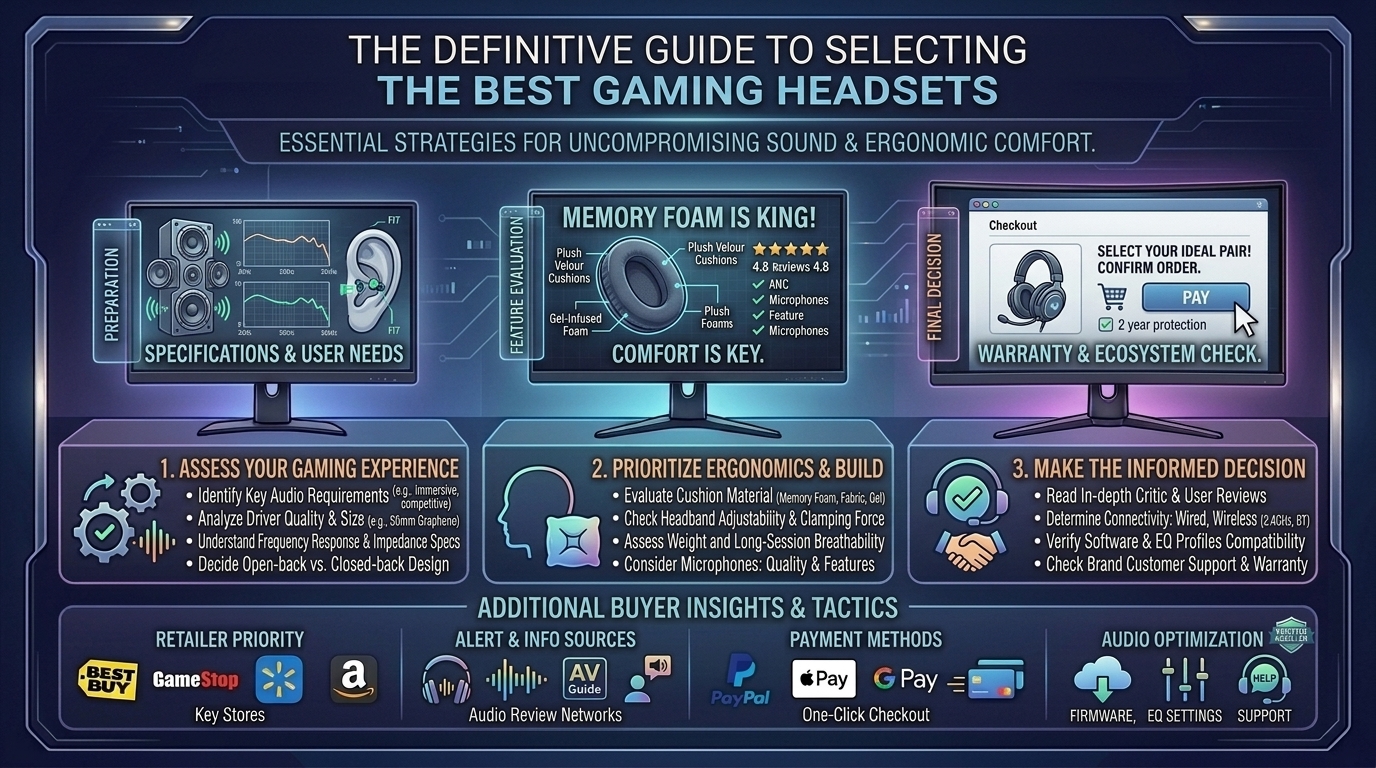
  • What are the best gaming headset buying guides featuring high fidelity sound and comfortable ear cushions

    What are the best gaming headset buying guides featuring high fidelity sound and comfortable ear cushions

    This complete buyer’s guide covers driver mechanics, earcup materials, spatial audio technologies, and top headset recommendations across all budget tiers.

    What Defines High-Fidelity Audio & Extreme Comfort?

    To make an informed purchase, it helps to understand what separates basic gaming headsets from audiophile-grade gear.

    [ High-Fidelity Drivers (Planar / Graphene) ] ──► Wide Soundstage & Low Distortion
                                                                      │
    [ Ergonomic Cushioning (Velour / Cooling Gel) ] ──► Zero Pressure & Thermal Relief
                                                                      │
                                                                      ▼
    [ Immersive Spatial Audio ] ──► Precise 3D Footstep Positioning
    

    Key Audio Features

    • Driver Architecture: Standard headsets use 40mm or 50mm dynamic drivers. High-fidelity models feature Planar Magnetic drivers (e.g., Audeze Maxwell) or Graphene diaphragms that drastically reduce harmonic distortion.
    • Frequency Response: While human hearing spans 20 Hz to 20,000 Hz, Hi-Res certified headsets reach frequencies up to 40,000 Hz or higher, ensuring cleaner high frequencies and tighter bass extension.
    • Acoustic Design (Closed-Back vs. Open-Back):
      • Closed-Back: Isolates outside room noise and prevents audio bleed; ideal for noisy environments.
      • Open-Back: Provides a natural, wide soundstage with passive airflow, though it leaks sound into the room.

    Key Comfort Factors

    • Ear Cushion Materials:
      • Memory Foam + Leatherette: Superior passive noise isolation and deep bass response, but can trap heat over time.
      • Breathable Sports Fabric / Mesh: Maximum ventilation to prevent sweat buildup, highly recommended for warm climates.
      • Cooling Gel Hybrid: Combines the seal of leatherette with heat-dissipating gel layers against your skin.
    • Clamping Force & Weight: A heavy headset (>400g) requires an elastic suspension headband to distribute weight evenly across your skull and prevent top-head pressure points.

    Top Headset Recommendations by Category

    ModelPrimary FocusDriver TypeCushion MaterialConnectivity
    Audeze MaxwellAudiophile Fidelity90mm Planar MagneticReinforced Memory Foam2.4GHz Wireless / BT / AUX
    SteelSeries Arctis Nova Pro WirelessPremium Feature-Set40mm Custom NeodymiumLeatherette / Suspension StrapMulti-System USB / BT / Dual Battery
    Razer BlackShark V3 ProEsports Competition50mm TriForce TitaniumUltra-soft Breathable Memory FoamHyperSpeed 2.4GHz / Bluetooth
    HyperX Cloud IIIAll-Day Comfort & Value53mm Angled DriversSignature HyperX Memory FoamWired (3.5mm / USB)
    Turtle Beach Atlas AirLightweight Open-Back40mm DynamicMesh Fabric / Floating Headband2.4GHz Wireless / Bluetooth

    Step-by-Step: Fine-Tuning Your Headset for Peak Performance

    1.Select and Install the Right Eartips or Cushions:

    If your headset includes swappable ear pads, install breathable fabric pads for long summer sessions or leatherette cushions if you need passive noise isolation in a noisy room.

    2.Download Companion Desktop Software:

    Install the manufacturer’s software suite (e.g., SteelSeries Sonar, Razer Synapse, or Corsair iCUE). Update firmware to ensure low-latency performance and stable wireless handshakes.

    3.Configure Parametric EQ Profiles:

    Flat EQ presets can sound thin. Boost the sub-bass slightly for cinematic immersion, or lift the mid-range (1 kHz to 4 kHz) to accentuate footstep audio in tactical shooters.

    4.Enable System-Level Spatial Audio:

    Turn on Dolby Atmos for Headphones, DTS Headphone:X, or Windows Sonic in your operating system’s sound settings to unlock 360-degree positional audio tracking.

    Frequently Asked Questions (FAQ)

    1. Are planar magnetic gaming headsets worth the higher price?

    Yes, for audiophiles and players seeking maximum clarity. Planar magnetic drivers use ultra-thin diaphragms driven by magnetic arrays, delivering near-zero distortion and accurate instrument and sound effect separation.

    2. Should I buy a wired or wireless gaming headset?

    Modern 2.4GHz USB dongle wireless connections offer sub-1ms latency, making them visually identical in speed to wired setups. Choose wired if you want an affordable headset without battery management, or wireless for a cleaner, cable-free desk.

    3. How do I stop my ears from getting hot during long gaming sessions?

    Choose headsets featuring breathable velour or hybrid mesh fabric cushions. Alternatively, purchase aftermarket cooling-gel replacement ear pads compatible with your headset model.

    4. What is the difference between active noise cancellation (ANC) and passive noise isolation?

    Passive isolation uses thick physical padding to block ambient sound naturally. ANC uses exterior microphones to generate counter-noise waves, actively muting background sounds like air conditioners or PC fan noise.

    5. Can I use a PC gaming headset on PS5 or Xbox Series X?

    3.5mm wired headsets work across almost all platforms. For wireless models, check compatibility badges—Xbox requires specific internal security chips, whereas PS5 and PC share standard USB audio formats.

    6. Does virtual 7.1 surround sound actually help in competitive games?

    Virtual 7.1 surround processes stereo signals to create spatial depth. While cinematic for single-player RPGs, competitive players often prefer clean 2-channel stereo with precise HRTF spatial tuning (like Dolby Atmos) to avoid audio reverb artifacting.

    7. How long do gaming headset batteries typically last?

    Entry-level wireless models last 20 to 30 hours, while modern high-end headsets deliver between 50 and 80+ hours on a single charge. Some premium models include hot-swappable dual battery systems.

    8. Are open-back headsets good for gaming?

    Open-back headsets offer a wide, natural soundstage and keep your ears cool. However, they allow external ambient noise in and leak game audio out, making them best suited for quiet, private rooms.

    9. Why is clamping force important?

    Excessive clamping force causes headaches and jaw soreness, especially for gamers who wear glasses. Insufficient clamping force causes the headset to slip off when you tilt your head.

    10. Where can I read more gaming audio reviews and hardware breakdowns?

    Find updated headset reviews, DAC comparisons, and PC gear guides directly on TheGamerBuzz!

    Conclusion

    Finding the best gaming headset comes down to balancing acoustic clarity with long-term ergonomics. Investing in high-fidelity drivers, soft memory foam or cooling fabric cushions, and robust spatial audio software ensures you stay comfortable and fully immersed through every match. Evaluate your desk setup, choose the right acoustic design for your room, and stay locked onto TheGamerBuzz for launch reviews and gear breakdowns!

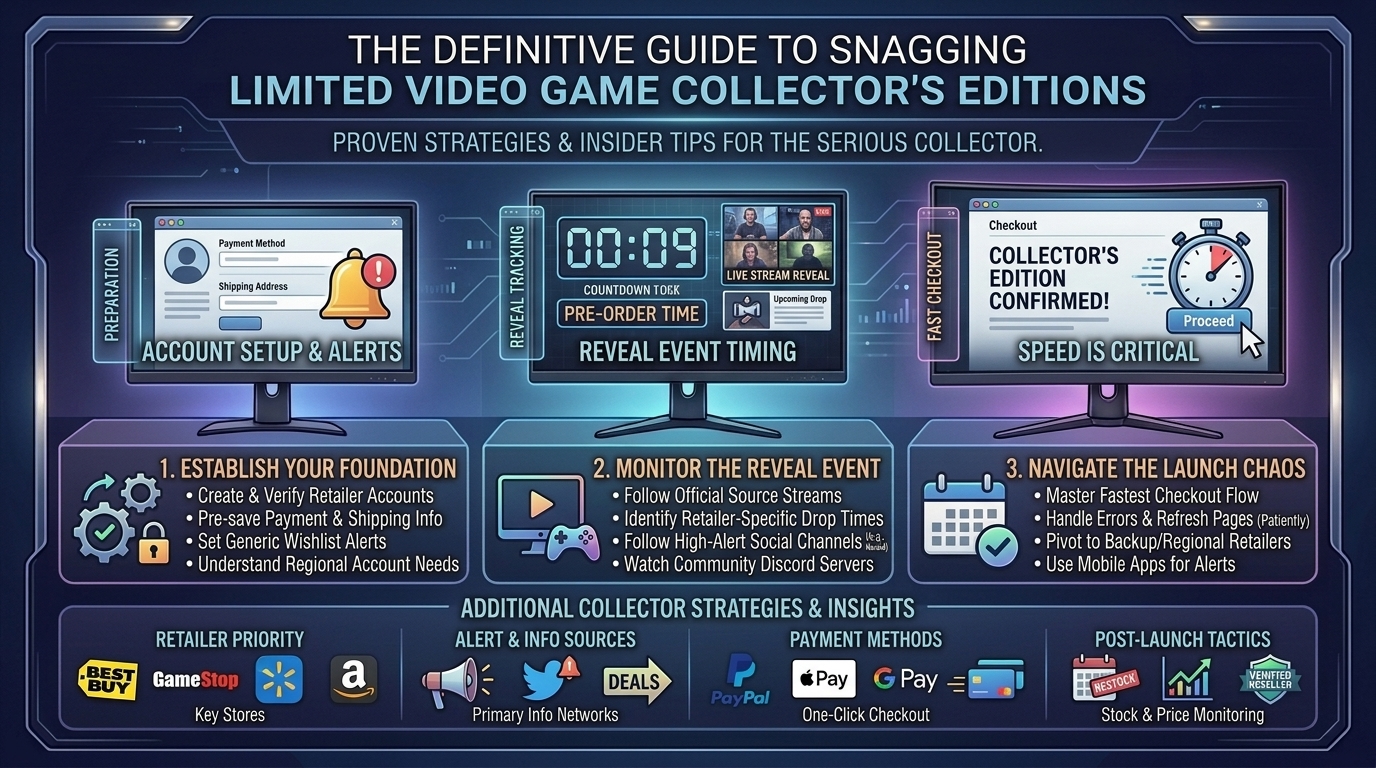
  • How to pre order collector editions of upcoming video games without missing out on limited stock items

    How to pre order collector editions of upcoming video games without missing out on limited stock items

    Understanding retailer drop schedules, leveraging real-time inventory trackers, and organizing pre-authorization payment methods are essential strategies for securing physical releases before stock depletes.

    The Collector’s Edition Supply Chain

    [ Studio Reveal / Event Announcement ]
                       │
                       ▼
    [ Retail Allocation (Direct Store vs. Third-Party Retailers) ]
                       │
                       ├──► [ Scalper Bots & Mass Automated Scraping ]
                       │
                       ▼
    [ Seconds-Long Stock Depletion Window ] ──► [ Secondary Market Inflation ]
    

    Publishers typically distribute physical Collector’s Editions through two channels:

    1. Direct-to-Consumer (Publisher Direct): Studios like Square Enix, Capcom, Bandai Namco, and Sony Interactive Entertainment host CEs exclusively on their proprietary webstores. These offer the highest risk of site crashes due to localized server traffic.
    2. Third-Party Retail Partnerships: Allocation is split across major retailers (Amazon, Best Buy, GameStop, Target, Walmart). These drops often stagger over several hours or days following an official announcement.

    5 Core Strategies to Secure Limited Stock Pre-Orders

                           [ Instant Notification Setup ]
                                         │
          ┌──────────────────────────────┼──────────────────────────────┐
          ▼                              ▼                              ▼
    [ Webhook / Discord Alerts ]   [ Auto-Fill Checkout ]     [ Retailer App Priority ]
    

    1. Leverage Real-Time Discord Stock Trackers & Webhooks

    Relying on store promotional emails or manual webpage refreshes is rarely fast enough. Join dedicated inventory tracking communities (such as Stock Checker, Wario64 feed alerts, or specialized TCG/CE Discord servers). These hubs use webhooks that ping mobile devices within milliseconds of an online store button changing from “Sold Out” to “Pre-Order”.

    2. Pre-Configure One-Click Payment & Address Auto-Fill

    When a major Collector’s Edition drops, cart holds are rarely guaranteed. Stock is only reserved once the checkout process completely processes.

    • Pre-save updated credit card credentials, shipping addresses, and billing profiles across major retailer accounts.
    • Enable Apple Pay, Google Pay, or PayPal Express Checkout for mobile web store checkouts to bypass manual multi-page entry fields.

    3. Priority Access via Mobile Retailer Apps

    During high-traffic product drops, standard desktop browser sites frequently suffer from 504 Gateway Timeouts or captcha loops. Retailer mobile apps (e.g., Best Buy, Target, GameStop) often route requests through separate API endpoints, resulting in faster page loads and smoother checkout transitions.

    4. Monitor Anti-Scalper Pre-Order Queues & Verification

    Publishers are increasingly implementing digital queue systems (such as Queue-IT) and phone-verified account requirements to mitigate bot purchases.

    • Log into your retailer account 15 to 30 minutes prior to a scheduled showcase broadcast.
    • Do not refresh the browser page once placed inside a dynamic waiting queue, as doing so resets your server priority index.

    5. Capitalize on the “Cancellation Wave” Window

    If an initial pre-order sellout occurs within minutes, do not panic. Retailers periodically release inventory during two distinct recovery windows:

    • 24 to 48 Hours Post-Launch: Systems purge orders flagged for suspicious duplicate addresses, failed card pre-authorizations, or bot signatures.
    • 7 Days Prior to Launch: Retailers process final payment captures. Expired or declined credit cards automatically trigger short restock waves right before official ship dates.

    Retailer Pre-Order Policies & Payment Mechanics

    Understanding how different stores handle pre-order authorizations helps prevent unexpected order cancellations closer to release day:

    Retailer / StorePayment Charge TimingPre-Authorization HoldCancellation Flexibility
    AmazonCharges upon item dispatchTemporary $0-$1 test charge at orderCancel anytime prior to shipping
    Best BuyCharges upon item dispatchImmediate temporary full-amount holdCancel anytime prior to packaging
    GameStopCharges 5–7 days before releaseTemporary full-amount holdCancel up to processing phase
    Square Enix StoreOption to pay now or at dispatchTemporary authorization chargeCancel up to 14 days before release
    PlayStation DirectCharges 2–7 days before releaseTemporary full-amount holdCancel up to packaging phase

    Step-by-Step Setup: Preparing for a Major Showcase Drop

    1.Create & Verify Accounts Across All Major Retailers:

    Set up accounts on Amazon, Best Buy, GameStop, Target, Walmart, and primary publisher stores. Ensure default shipping addresses and active credit cards are saved.

    2.Enable Push Notifications for Dedicated Stock Trackers:

    Download Discord or X (Twitter) on your mobile device. Enable push alerts for verified stock-tracking accounts and specialized restock webhooks.

    3.Log In Before Scheduled Showcase Livestreams:

    Sign into saved accounts across both desktop browsers and mobile apps 30 minutes prior to major broadcasts (e.g., PlayStation State of Play, Xbox Showcase).

    4.Execute Purchase via Accelerated Express Checkout:

    Upon notification of live stock, open the direct product link via mobile app or browser, select Express Checkout (Apple Pay / Google Pay / Saved Card), and complete order processing immediately.

    Frequently Asked Questions (FAQ)

    1. Are cart holds guaranteed once a Collector’s Edition is added to my cart?

    No. On almost all major retail websites (including Amazon, Best Buy, and publisher webstores), adding an item to your cart does not reserve the physical stock. Inventory is allocated only upon successful checkout completion.

    2. What should I do if my credit card card expires before the game launches?

    If your card expires between the initial pre-order date and the game’s release date, update payment details immediately within your account order history. Avoid deleting saved cards while an order is pending, as some retailer systems may auto-cancel the order rather than prompt for an update.

    3. How do scalper bots buy Collector’s Editions so quickly?

    Scalper networks utilize automated scripts that bypass graphical browser interfaces, communicating directly with store checkout APIs to execute purchase commands within milliseconds of stock going live.

    4. Do publishers ever produce second runs of limited Collector’s Editions?

    Typically, true “Collector’s Editions” featuring numbered statues or limited physical goods are produced in a single fixed production run. However, boutique physical publishers (such as Limited Run Games or iam8bit) occasionally utilize open pre-order windows where total production matches all orders placed during a 30-day period.

    5. Why did my pre-order get canceled unexpectedly by the retailer?

    Pre-orders are usually canceled due to failed credit card authorization holds, address verification flags (e.g., shipping to a known freight forwarding address), or regional over-allocation errors by the retailer.

    6. Is it safe to buy pre-orders on secondary markets like eBay before release?

    Buying presales on secondary marketplaces carries risks. eBay policies require presale items to ship within 40 business days of purchase. If a game release is months away, seller protection windows may expire before the physical item is delivered.

    7. Do Collector’s Editions include physical game discs?

    Not always. In recent years, several major publishers have opted to include digital download codes inside physical Collector’s Editions to accommodate both disc and digital-only console owners. Always check the official package contents manifest before buying.

    8. What is a “shadow drop” pre-order?

    A shadow drop occurs when a publisher announces a game and opens pre-orders for its Collector’s Edition instantly during a live event without prior warning or schedule disclosure.

    9. Can I pre-order Collector’s Editions in-store at physical retail locations?

    Yes. GameStop and select local game shops often receive separate, dedicated physical allocation quotas for in-store pre-orders. Visiting a physical store on the day of an announcement can sometimes secure an allocation even if online stock is depleted.

    10. Where can I track upcoming Collector’s Edition announcements and stock alerts?

    You can track real-time game drops, physical media breakdowns, and hardware news directly on TheGamerBuzz!

    Conclusion

    Securing a limited-run Collector’s Edition requires proactive setup rather than last-minute scrambling. By pre-configuring retailer payment accounts, joining real-time push notification tracking feeds, utilizing fast mobile checkout paths, and monitoring post-drop cancellation restocks, you drastically increase your chances of securing rare physical releases. Prepare your accounts, keep your push notifications active, and stay tuned to TheGamerBuzz for coverage on upcoming physical drops, gaming news, and hardware breakdowns!

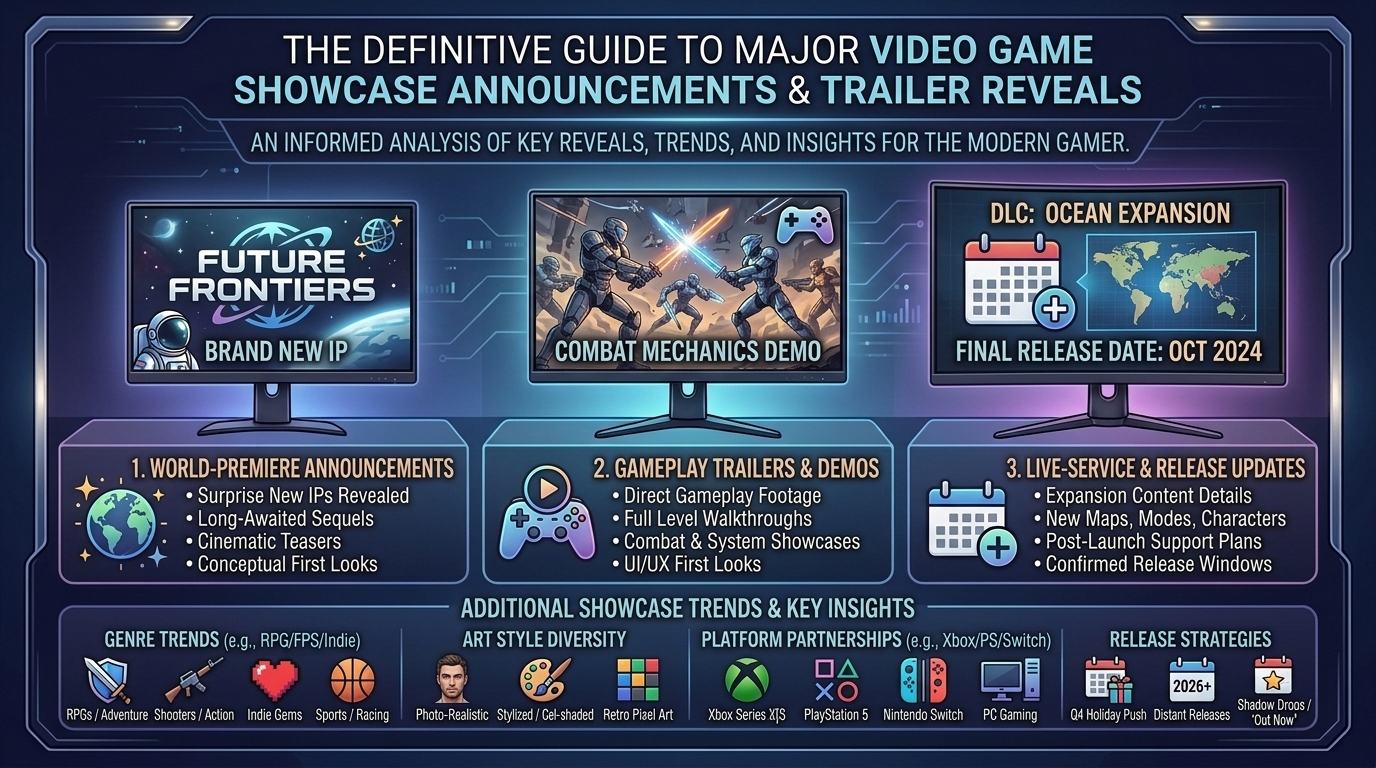
  • What are the biggest announcements and trailer reveals from the latest major video game showcase events

    What are the biggest announcements and trailer reveals from the latest major video game showcase events

    The global video game industry runs on the momentum of major digital showcases and international expos. Events like Summer Game Fest, Xbox Games Showcase, Gamescom Opening Night Live (ONL), PlayStation State of Play, and the Future Games Show serve as the launchpads for industry-defining reveals, hardware updates, and gameplay trailers.

    Whether you are tracking first-party exclusives, long-awaited sequels, or breakout indie titles, major showcases set the gaming agenda for months and years to come.

    This comprehensive breakdown covers the absolute biggest announcements, world premieres, and gameplay trailer reveals from the latest major video game showcases—complete with release windows, platform targets, and actionable tips for creators and players alike.

    1. Top Highlights from Recent Major Gaming Showcases

                                    [ Major Showcase Events ]
                                                │
         ┌───────────────────────────┬──────────┴───────────────────────────┬───────────────────────────┐
         ▼                           ▼                                      ▼                           ▼
    [ Xbox Showcase ]       [ Gamescom ONL ]                    [ PlayStation State of Play ]  [ Future Games Show ]
    (Gears, Fable, Halo)    (Witcher 3 Remaster, Control)        (Wolverine, God of War)        (Boltgun 2, Onimusha)
    

    Xbox Games Showcase: First-Party Exclusives & Franchise Revivals

    The Xbox Games Showcase delivered a heavy mix of long-running franchise revivals and unexpected first-party reveals:

    • Gears of War: E-Day: A cinematic and gameplay-focused return to the origins of Emergence Day, centering on young Marcus Fenix and Dom Santiago with gritty survival-horror tone and Unreal Engine 5 visuals.
    • Fable: A major gameplay trailer featuring dynamic open-world interactions, classic dark humor, and high-profile cast announcements including Hayley Atwell as the lead antagonist Isabel.
    • Spyro: A Realm Beyond: A surprising full-scale platformer revival bringing Spyro back for an expansive new mainline entry.
    • Clockwork Revolution: A deeper look at inXile’s reactive, time-bending steampunk RPG set in the city of Avalon, combining BioShock-esque world-building with choice-driven narrative mechanics.

    Gamescom Opening Night Live & Future Games Show

    Gamescom ONL and the Future Games Show brought major international updates and multiplatform announcements:

    • The Witcher 3: Wild Hunt Remastered & “Songs of the Past” DLC: CD Projekt Red unveiled a upgraded edition and cinematic footage for new expansion content.
    • Warhammer 40,000: Boltgun 2: A boomer-shooter sequel announcement confirmed a musical collaboration with composer Mick Gordon.
    • Control Resonant: Remedy Entertainment showed off gameplay trailers teasing expanding lore, release timelines, and returning fan-favorite characters.
    • Onimusha: Way of the Sword: Capcom dropped a high-octane cinematic trailer showcasing samurai swordplay and Genma demon encounters in feudal Kyoto.

    2. Summary Breakdown of Revealed Titles and Platforms

    Showcase EventGame TitleDeveloper / PublisherPlatform TargetsKey Highlight / Feature
    Xbox ShowcaseGears of War: E-DayThe Coalition / XboxPC, Xbox Series X|SUE5 Prequel, Emergence Day Lore
    Xbox ShowcaseFablePlayground Games / XboxPC, Xbox, PS5Living NPC World, Morality Systems
    Gamescom ONLThe Witcher 3 RemasteredCD Projekt RedPC, PS5, Xbox Series X|SFree Upgrade, “Songs of the Past” DLC
    Gamescom ONLControl ResonantRemedy EntertainmentPC, PS5, Xbox Series X|SSupernatural Action, Expanded Lore
    Future Games ShowWarhammer 40k: Boltgun 2Auroch Digital / FocusPC, ConsolesOST by Mick Gordon, Retro FPS
    State of PlayMarvel’s WolverineInsomniac / PlayStationPlayStation 5Mature Action, Jean Grey Team-Up

    3. How Content Creators Can Capitalize on Showcase Reveals

    When major gaming showcases air, audience search traffic spikes instantly. Creators on platforms like YouTube Shorts, TikTok, and blogs can drive high engagement by optimizing their workflow around live events.

    1.Monitor Official Livestreams with Restream Feeds:

    Watch the primary publisher YouTube or Twitch broadcasts on high-bitrate displays so you can capture clean 4K screenshots and direct audio clips for editing.

    2.Produce Rapid-Response Trailer Breakdowns:

    Edit short 30-to-60-second vertical videos detailing hidden Easter eggs, frame-by-frame mechanical breakdowns, or lore hints within 2 hours of a trailer’s debut.

    3.Publish Platform & Release Window Guides:

    Write targeted search content covering exclusivity details, pre-order bonuses, and PC system requirements while search volume for the title is at its peak.

    4.Engage in Community Discussions:

    Share reaction threads and host poll discussions on Reddit, Discord, and X (Twitter) immediately following showcase stream wraps.

    Frequently Asked Questions (FAQ)

    1. Where can I rewatch full VODs of major video game showcases?

    Official VODs (Video on Demand) with full 4K resolution are available on the primary YouTube and Twitch channels for Summer Game Fest, Xbox, PlayStation, and The Game Awards.

    2. Are major showcase announcements available on Xbox Game Pass on Day One?

    Yes, first-party Xbox Games Showcase titles—such as Gears of War: E-Day and Fable—are typically confirmed for Day One inclusion on the Xbox Game Pass catalog.

    3. What is the difference between Summer Game Fest and E3?

    E3 was a traditional physical trade show held in Los Angeles. Summer Game Fest is a streamlined, digitally-native global event umbrella created by Geoff Keighley that combines live stage showcases, direct publisher streams, and hands-on digital demos.

    4. How long after a showcase reveal do games usually launch?

    While some “shadow-drops” release on the day of the broadcast, most major AAA announcements target release windows ranging from 6 months to 2 years out from their initial cinematic teaser.

    5. Why do publishers use CG trailers instead of pure gameplay?

    Cinematic CG trailers build initial narrative tone and world concepts early in production when core gameplay systems, frame rates, and visual UI are still undergoing active optimization.

    6. Will PlayStation games shown at State of Play come to PC?

    PlayStation Studios routinely brings major single-player titles to PC, often following a timed console window, while live-service titles frequently target simultaneous PC and PS5 releases.

    7. How do I apply to playtest indie games revealed during the Future Games Show?

    Join the official Discord server of the indie developer or publisher (e.g., Team17, Raw Fury, Devolver Digital) to register for closed alpha/beta keys and Steam Playtest sign-up forms.

    8. What major gaming showcase happens late in the calendar year?

    The Game Awards (held annually in December) serves as the industry’s final major event, combining end-of-year award honors with massive world premiere announcements and holiday trailer drops.

    9. How do I get notified about sudden State of Play or Nintendo Direct announcements?

    Follow verified publisher channels on X (Twitter), YouTube, or setup push notifications on gaming news portals like TheGamerBuzz.

    10. Where can I find complete trailer breakdowns and game launch guides?

    Find updated event coverage, hardware benchmarks, and game walkthroughs directly on TheGamerBuzz!

    Conclusion

    From long-awaited revival prequels like Gears of War: E-Day to blockbuster expansions and multiplatform reveals, major video game showcases remain the pulse of interactive entertainment. As studios continue to push current-gen console and PC graphics technology, keeping track of these showcase trailers helps players plan their setups, manage hardware budgets, and prepare for upcoming launch windows. For real-time trailer breakdowns, gaming reviews, and tech guides, stay connected with TheGamerBuzz!

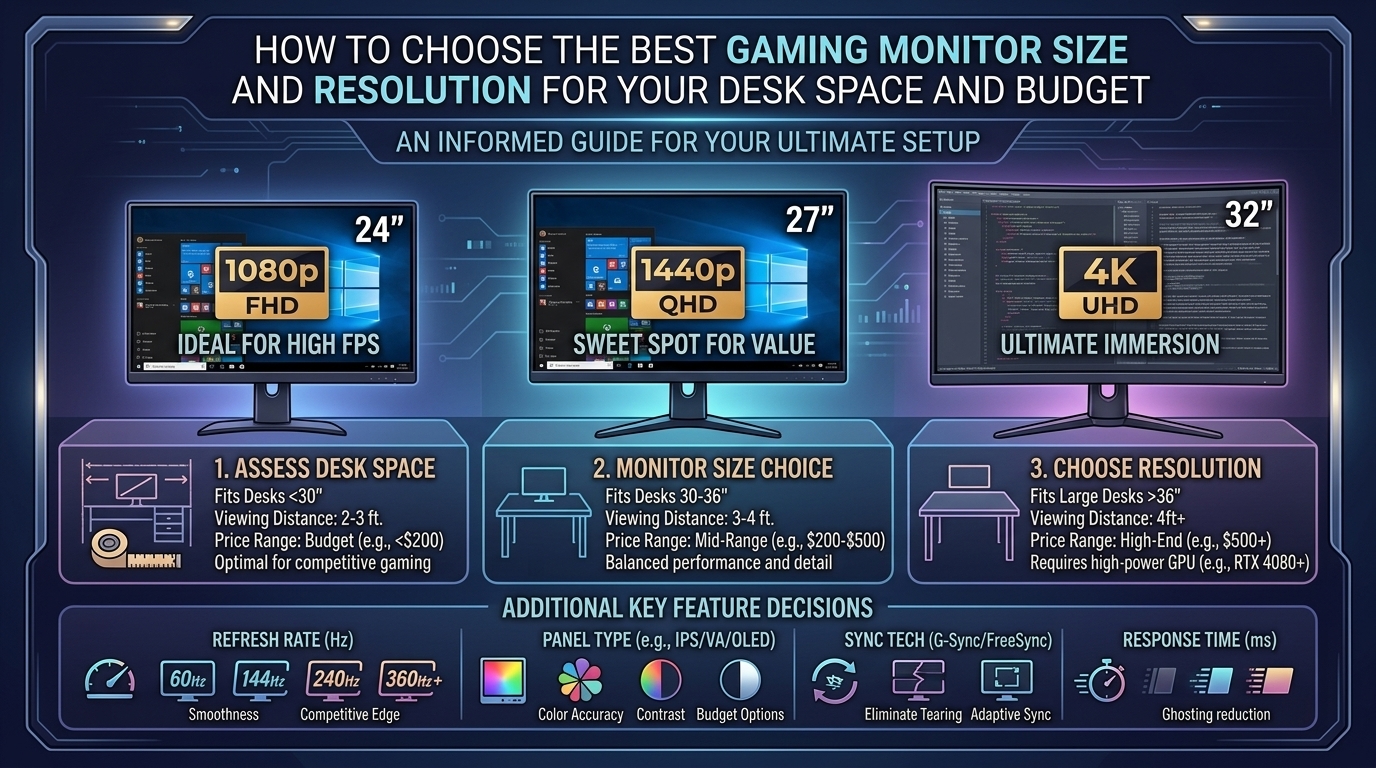
  • How to choose the best gaming monitor size and resolution for your desk space and budget

    How to choose the best gaming monitor size and resolution for your desk space and budget

    Choosing the right gaming monitor requires balancing three critical variables: desk physical space, graphics processing power, and financial budget. Upgrading to a display that is either too large for your physical desk depth or too high-resolution for your graphics card (GPU) leads to neck strain, lower frame rates, and diminished gaming performance.

    This comprehensive guide breaks down how to select the ideal monitor size and resolution, matching your physical setup, hardware capabilities, and budget.

    1. Pixel Density: Why Size and Resolution Must Be Balanced

    Resolution determines the total pixel count, while screen size dictates how those pixels are distributed across physical space. The relationship between the two determines Pixel Density, measured in Pixels Per Inch (PPI).

    [ Lower Resolution / Large Screen ] ──> Low PPI (~80)  ──> Soft Text & Visible Pixels
    [ Balanced Resolution & Size ]     ──> Sweet Spot (~100–110 PPI) ──> Crisp Visuals & Smooth Performance
    [ High Resolution / Small Screen ] ──> High PPI (140+) ──> Extreme Detail (Requires Windows UI Scaling)
    
    • Low PPI (<85 PPI): Visuals appear pixelated, and text looks blurry around the edges.
    • Sweet Spot (100–110 PPI): Text is sharp, imagery is crisp, and standard 100% UI scaling works natively without hardware strain.
    • High PPI (130+ PPI): Incredibly sharp detail, ideal for creative work and single-player cinematic immersion, though high-density screens demand significantly more GPU power.

    2. Desk Space & Viewing Distance Guide

    Physical desk depth is the most overlooked factor when buying a gaming monitor. Placing a screen too close to your eyes causes optical fatigue and forces constant, uncomfortable neck movement during gameplay.

    Desk DepthIdeal Monitor SizeRecommended Viewing DistanceBest Resolution Fit
    Shallow (20″–24″ / 50–60 cm)24 inches20″–26″ (50–65 cm)1080p (FHD)
    Standard (24″–30″ / 60–75 cm)27 inches26″–32″ (65–80 cm)1440p (QHD)
    Deep (30″–36″ / 75–90 cm)32 inches or 34″ Ultrawide32″–40″ (80–100 cm)4K (UHD) or 1440p Ultrawide
    Extra Deep (36″+ / 90 cm+)42″–48″ OLED / Super-Ultrawide40″+ (100 cm+)4K (UHD)

    3. The Three Key Monitor Size & Resolution Sweet Spots

                   [ 24-Inch / 1080p ] ──► Best for Budget & Competitive Esports
                            │
     [ Choose Your Sweet Spot ] ──► [ 27-Inch / 1440p ] ──► The All-Around Sweet Spot
                            │
                   [ 32-Inch / 4K ]    ──► Best for Cinematic Gaming & Large Desks
    

    1. 24-Inch at 1080p (Full HD – 1920×1080)

    • Pixel Density: ~92 PPI
    • Primary Use Case: High-speed competitive esports (Valorant, Counter-Strike 2, Apex Legends).
    • Pros: Extremely easy for budget and mid-range GPUs to drive high refresh rates (180Hz–360Hz+); fits comfortably on shallow or compact student desks.
    • Cons: Limited screen real estate for multitasking and productivity.

    2. 27-Inch at 1440p (QHD – 2560×1440)

    • Pixel Density: ~109 PPI (The Industry Sweet Spot)
    • Primary Use Case: Balanced everyday gaming, single-player RPGs, and hybrid work-from-home setups.
    • Pros: Delivers 78% more screen real estate than 1080p without destroying gaming performance; excellent text clarity on standard 24″ to 30″ depth desks.
    • Cons: Requires a modern mid-tier graphics card to achieve 120+ FPS in demanding titles.

    3. 32-Inch at 4K (UHD – 3840×2160)

    • Pixel Density: ~138 PPI
    • Primary Use Case: Immersive open-world games (Cyberpunk 2077, GTA VI), simulation titles, and high-end console gaming (PS5 / Xbox Series X).
    • Pros: Unmatched visual fidelity, crystal-clear text, and massive screen space.
    • Cons: Requires a deep desk setup; demands flagship GPU hardware to run demanding games smoothly.

    4. Hardware Requirements: Matching Resolution to Your GPU

    Before selecting a display, ensure your graphics processing unit can output stable frame rates at your desired resolution.

    [ Mid-Range GPU (RTX 5060 / RX 9060) ]  ──► Drives 1080p High-FPS / 1440p Standard
    [ High-Tier GPU (RTX 5070 / RX 9070) ]  ──► Drives 1440p High-FPS / Entry 4K
    [ Flagship GPU (RTX 5080 / RTX 5090) ]  ──► Drives 4K Ultra-Settings / High-FPS Ultrawide
    
    • Target 1080p Gaming: Suitable for entry-level or older GPUs (e.g., RTX 3060, RX 6600, or modern integrated graphics).
    • Target 1440p Gaming: Optimized for current mid-range cards (e.g., RTX 4070 / 5060 Ti / RX 7700 XT).
    • Target 4K Gaming: Requires high-end enthusiast graphics cards (e.g., RTX 4080 / 5080 / 5090 or RX 7900 XTX) to maintain stable framerates above 60 FPS on high settings.

    5. Step-by-Step Setup: Measuring and Installing Your Display

    1.Measure Clear Desk Depth and Overhead Clearance:

    Use a tape measure to establish your desk depth from the back wall/edge to where your keyboard sits. Ensure at least 24 inches of clearance for 27-inch screens and 30 inches for 32-inch or ultrawide screens.

    2.Determine VESA Mount Compatibility:

    Check whether your desk supports clamp-style monitor arms (desk thickness should ideally be between 0.5″ and 2″ without obstructive backboards). Verify the monitor features a standard 75x75mm or 100x100mm VESA pattern.

    3.Position Screen at Ergonomic Eye Height:

    Mount or place the monitor so the top third of the glass sits directly at eye level. Tilt the screen back slightly (10 to 15 degrees) to reduce neck extension.

    4.Connect High-Bandwidth Display Cables:

    Always connect your monitor directly to the dedicated GPU port using DisplayPort 1.4 / 2.1 or HDMI 2.1 cables to unlock full refresh rates, HDR, and Variable Refresh Rate (G-Sync / FreeSync) features.

    Frequently Asked Questions (FAQ)

    1. Is a 27-inch 1080p monitor good for gaming?

    A 27-inch monitor at 1080p resolution results in a relatively low pixel density (~81 PPI). Text and game UI elements can appear soft or pixelated up close. For a 27-inch display, upgrading to 1440p is strongly recommended.

    2. Can I use a 34-inch Ultrawide monitor on a standard 24-inch depth desk?

    It is possible, but a 34-inch Ultrawide (21:9 aspect ratio) on a shallow desk requires significant side-to-side head movements to see HUD elements. Using a curved monitor arm to push the screen further back helps mitigate this.

    3. Should I choose IPS, VA, or OLED panel technology?

    • IPS: Offers accurate colors, wide viewing angles, and fast response times; great all-around choice.
    • VA: Features high contrast ratios and deep blacks, ideal for dark rooms, though prone to dark-level motion smearing.
    • OLED: Provides near-instant response times, perfect black levels, and vibrant colors at a premium price point.

    4. What is the difference between 144Hz, 180Hz, and 240Hz refresh rates?

    Higher refresh rates deliver smoother motion clarity. Jumping from 60Hz to 144Hz/180Hz represents a massive, instantly noticeable leap. The jump from 180Hz to 240Hz or higher offers diminishing returns, primarily benefitting competitive esports players.

    5. Does Windows UI scaling ruin game resolution?

    No. Windows UI scaling (such as 125% or 150% on 4K displays) scales text and desktop applications for readability. Modern games render independently at their native 3D internal render resolution regardless of desktop text scaling.

    6. Are curved monitors necessary for gaming?

    Curved monitors are beneficial on displays 30 inches and larger (such as 34-inch Ultrawides or 32-inch 16:9 screens) because they bring the far edges of the panel closer to your natural peripheral field of view, reducing eye strain.

    7. How much desk depth do I need for a monitor arm?

    Standard clamp-on monitor arms typically require at least 1.5 to 2 inches of overhang clearance behind the desk to securely attach the clamp assembly.

    8. Is 4K gaming worth it on a 27-inch monitor?

    While 4K at 27 inches creates a sharp image (163 PPI), the visual difference compared to 1440p at that size is subtle. Given the high GPU performance cost of 4K, 1440p remains the practical sweet spot for most 27-inch gaming setups.

    9. Can my PS5 or Xbox Series X run on a 1440p monitor?

    Yes. Both PlayStation 5 and Xbox Series X offer native 1440p video output support, including 120Hz refresh rate options and Variable Refresh Rate (VRR) capabilities.

    10. Where can I read more monitor breakdowns, GPU benchmarks, and hardware guides?

    Find updated hardware reviews, display comparisons, and PC building walkthroughs directly on TheGamerBuzz!

    Conclusion

    Choosing the right gaming monitor comes down to maintaining balance. Match your screen size to your physical desk depth to protect your posture and eye comfort. Ensure your target resolution aligns with your graphics card capability so your system achieves smooth, high-framerate gameplay. Measure your desk space, evaluate your GPU performance, and select the monitor setup that elevates your overall gaming experience. For more hardware testing and setup guides, keep checking back with TheGamerBuzz!

  • What are the most anticipated upcoming video game releases scheduled to launch later this year

    What are the most anticipated upcoming video game releases scheduled to launch later this year

    What Are the Most Anticipated Upcoming Video Game Releases Scheduled to Launch Later This Year?

    The modern video game industry operates on a rhythm of monumental release windows. Every quarter brings a wave of blockbuster titles that capture global attention, redefine graphics tech, and dominate live-streaming platforms. As major publishers—from Rockstar Games and Xbox Game Studios to PlayStation, Capcom, and Nintendo—prepare their biggest drops, gamers worldwide are evaluating where to invest their time and money.

    Whether you are looking for open-world crime simulators, narrative-driven action RPGs, high-stakes tactical shooters, or immersive next-gen horror, late-year release slates are stacked with high-profile blockbusters.

    This comprehensive guide breaks down the absolute most anticipated video game releases scheduled to launch later this year, complete with release dates, target platforms, gameplay expectations, and concrete tips to prepare your gaming setup.

    The Blockbusters: Major Tentpole Releases Scheduled Later This Year

                                    [ Late-Year Release Slates ]
                                                 │
          ┌──────────────────────────────┬───────┴──────────────────────┬──────────────────────────────┐
          ▼                              ▼                              ▼                              ▼
    [ Grand Theft Auto VI ]    [ Marvel's Wolverine ]        [ Gears of War: E-Day ]       [ Phantom Blade Zero ]
    (Open-World Sandbox)      (Cinematic Action RPG)         (Tactical Sci-Fi Shooter)       (Kung-Fu Action RPG)
    

    1. Grand Theft Auto VI (Rockstar Games)

    • Target Platforms: PlayStation 5, Xbox Series X|S
    • Target Release Window: Late Quarter 4
    • Genre: Open-World Action-Adventure / Crime Simulator

    Without question, Grand Theft Auto VI represents the single most anticipated entertainment release in modern history. Set in the state of Leonida (a fictionalized, expansive recreation of Florida, featuring Vice City), GTA VI introduces dual protagonists, Lucia and Jason, embedded within a high-stakes crime narrative.

    • Gameplay Mechanics: Highly reactive AI systems, dynamic crowd mechanics, realistic water physics, and an evolving online ecosystem designed to leverage next-gen console SSD technology.
    • Why It’s Anticipated: It has been over a decade since GTA V hit store shelves. Rockstar’s long development cycle promises unprecedented technical density and sandbox freedom.

    2. Marvel’s Wolverine (Insomniac Games / PlayStation)

    • Target Platforms: PlayStation 5
    • Target Release Window: Fall Quarter
    • Genre: Third-Person Action-Adventure / Hack-and-Slash

    Developed by Insomniac Games—the studio behind the critically acclaimed Marvel’s Spider-Man series—Marvel’s Wolverine offers a mature, standalone narrative centered on Logan.

    • Gameplay Mechanics: Fast-paced, bloody melee combat featuring claw combos, instinct-tracking mechanics, real-time damage rendering, and semi-open hub world exploration.
    • Why It’s Anticipated: Unlike previous Spider-Man entries, Wolverine targets a darker, M-rated tone with visceral combat that pushes the hardware capabilities of the PS5.

    3. Gears of War: E-Day (The Coalition / Xbox Game Studios)

    • Target Platforms: PC, Xbox Series X|S
    • Target Release Window: Fall / Early Winter
    • Genre: Third-Person Cover Shooter / Sci-Fi

    Gears of War: E-Day takes the franchise back to its roots. Built from the ground up in Unreal Engine 5, this prequel recounts the harrowing origins of Emergence Day through the eyes of young Marcus Fenix and Dom Santiago 14 years before the original game.

    • Gameplay Mechanics: Refined cover-shooter mechanics, atmospheric survival-horror tones, visceral chainsaw executions, and seamless 4K co-op campaign integration.
    • Why It’s Anticipated: Fans have longed for a return to the gritty, oppressive atmosphere that defined the original Xbox 360 trilogy.

    4. Phantom Blade Zero (S-Game)

    • Target Platforms: PlayStation 5, PC
    • Target Release Window: Late Fall / Quarter 4
    • Genre: Kung-Fu Action RPG / Martial Arts

    Phantom Blade Zero blends fast-paced, wuxia-inspired martial arts combat with dark, steam-punk fantasy aesthetics. Players control Soul, an elite assassin framed for murder who has only 66 days left to live.

    • Gameplay Mechanics: High-speed swordplay combos, parry-heavy duel systems, complex movement mechanics, and custom weapon switching.
    • Why It’s Anticipated: Gameplay showcases highlight cinematic, choreography-driven combat that rivals classic Hong Kong action cinema.

    Complete Release Schedule Breakdown for Later This Year

    Below is a breakdown of key major titles scheduled across late Q3 and Q4:

    Release WindowGame TitleDeveloper / PublisherTarget PlatformsPrimary Genre
    Late Q3Marvel’s WolverineInsomniac / PlayStationPS5Action RPG / Hack-and-Slash
    Late Q3Silent Hill: TownfallNo Code / AnnapurnaPC, PS5Psychological Horror
    Late Q3Control ResonantRemedy EntertainmentPC, PS5, Xbox Series XS
    Early Q4Gears of War: E-DayThe Coalition / XboxPC, Xbox Series XS
    Early Q4Phantom Blade 0S-GamePC, PS5Martial Arts ARPG
    Late Q4Grand Theft Auto VIRockstar GamesPS5, Xbox Series XS

    5 Practical Tips to Prepare Your Rig and Consoles for Late-Year Releases

    To ensure you experience these demanding titles without technical hitches, follow these essential preparation steps:

    1.Upgrade Internal Console Storage (NVMe SSD):

    Current-gen titles like GTA VI and Gears of War: E-Day require high-speed internal NVMe SSDs. Expand your PS5 or Xbox Series X|S with an officially rated PCIe Gen4 x4 M.2 SSD offering read speeds of at least 5,500 MB/s.

    2.Optimize PC Display Driver Settings:

    Ensure your graphics card drivers (NVIDIA GeForce Game Ready or AMD Software: Adrenalin) are kept updated. Enable DLSS 3.5, FSR 3, or XeSS frame generation features inside driver settings prior to release day.

    3.Review Display Bandwidth & HDMI 2.1 Compatibility:

    Check that your monitor or TV supports HDMI 2.1 bandwidth to enable 4K resolution at 120Hz, Variable Refresh Rate (VRR), and Auto Low Latency Mode (ALLM) on console platforms.

    4.Pre-Order Digitally for Early Pre-Loading:

    Avoid launch-day download bottlenecks. Pre-ordering digital copies allows you to pre-load massive 100GB+ game files several days before official server activation.

    5.Audit System Thermal Management:

    Unclog dust filters on your gaming PC desktop or vacuum console ventilation ports to prevent thermal throttling during extended, high-GPU-load gaming sessions.

    Frequently Asked Questions (FAQ)

    1. Will Grand Theft Auto VI launch on PC at the same time as consoles?

    Rockstar Games traditionally launches its flagship titles on consoles first. Grand Theft Auto VI is initially confirmed for PlayStation 5 and Xbox Series X|S, with a PC version expected at a later date.

    2. How can I guarantee a copy of physical collector’s editions?

    Pre-orders for limited collector’s editions usually open immediately following official publisher showcases (such as PlayStation State of Play, Xbox Games Showcase, or Summer Game Fest). Follow official studio social feeds or retailer updates.

    3. Which upcoming games will be available on Xbox Game Pass on Day One?

    Xbox Game Studios first-party titles—including Gears of War: E-Day—are scheduled to launch directly into the Xbox Game Pass Ultimate catalog on day one.

    4. Are any major Nintendo Switch 2 titles launching later this year?

    Yes, publishers are scheduling expanded cross-generation ports and native titles optimized for Nintendo’s hardware lineup throughout the fall and holiday seasons.

    5. What are the minimum PC hardware requirements for Unreal Engine 5 games launching this year?

    Most UE5 titles recommend an 8-core CPU (Intel Core i7 12th Gen or AMD Ryzen 7 5700X), 16GB to 32GB of RAM, an NVIDIA RTX 3070 or AMD Radeon RX 6800 GPU, and an NVMe SSD for fast asset streaming.

    6. Will Marvel’s Wolverine be an open-world game?

    Insomniac Games has indicated that Marvel’s Wolverine will follow a semi-open structure similar to God of War Ragnarök, featuring dense hub environments and linear story instances rather than a massive seamless map.

    7. How big are file sizes expected to be for late-year video game releases?

    Modern AAA blockbusters regularly range between 100GB and 180GB at launch due to uncompressed 4K textures, high-fidelity audio logs, and detailed cinematic assets.

    8. Will there be cross-platform multiplayer in upcoming tactical shooters?

    Yes, cross-platform play between PC, PlayStation 5, and Xbox Series X|S has become an industry standard for co-op and competitive shooters, often accompanied by input-based matchmaking settings.

    9. Where can I track sudden video game delays or date changes?

    Keep an eye on official studio press rooms, verified developer social accounts, and dedicated gaming news hubs like TheGamerBuzz.

    10. Where can I find more gaming news, gear reviews, and walkthroughs?

    Stay connected with TheGamerBuzz for coverage on upcoming video game launches, hardware tests, and comprehensive gameplay guides!

    Conclusion

    The remaining launch calendar for this year promises one of the most remarkable lineups in recent gaming memory. From open-world milestones like GTA VI to visceral action experiences like Marvel’s Wolverine, Gears of War: E-Day, and Phantom Blade Zero, players across PC, PlayStation, and Xbox have an incredible slate of games to look forward to. Prepare your SSDs, fine-tune your hardware setups, and keep locked onto TheGamerBuzz for launch-day reviews and strategies!