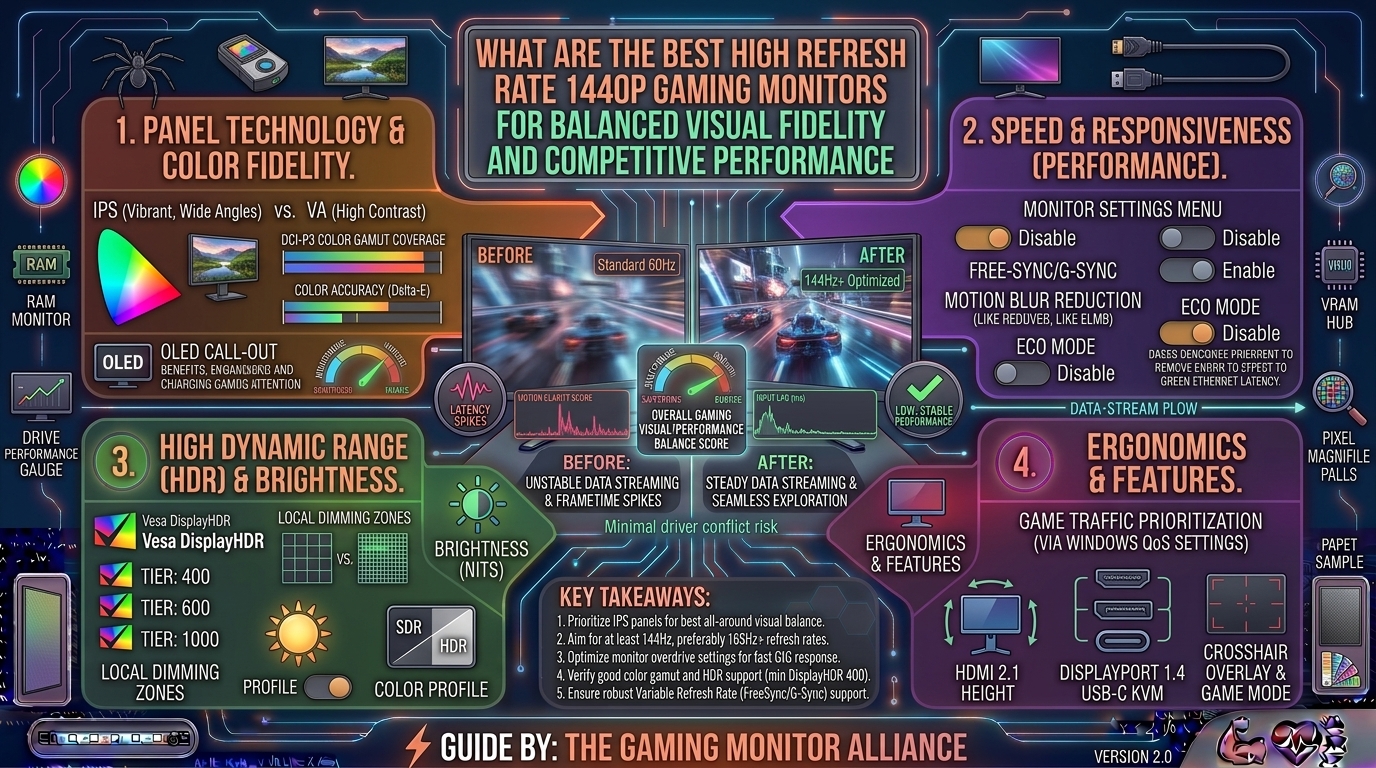
For years, PC gamers faced a difficult compromise: do you lock your sights on a lightning-fast 1080p esports display to secure maximum frame rates, or do you sacrifice speed for the cinematic fidelity of a sluggish 4K panel?
Today, that dilemma is effectively solved. The 1440p (Quad HD, or 2560 x 1440) resolution category at 27 inches has firmly established itself as the absolute sweet spot for modern PC gaming. It delivers 77% more pixels than standard 1080p, offering sharp text, crisp asset textures, and clean geometry, without imposing the brutal hardware performance tax of native 4K.
When paired with a high refresh rate ($\ge 180\text{Hz}$ up to a blistering $500\text{Hz}$), a top-tier 1440p monitor bridges the gap between competitive precision and breathtaking visual immersion.
This comprehensive guide explores the structural metrics of high-performance displays, analyzes panel technologies, and outlines the leading 1440p gaming monitors engineered to balance visual fidelity and competitive performance.
1. The Anatomy of a Balanced 1440p Gaming Monitor
Selecting a display that satisfies both competitive play and graphical immersion requires balancing three core hardware pillars:
+-------------------------------------------------------------------------+
|                    THE TRIAD OF DISPLAY PERFORMANCE                     |
+-------------------------------------------------------------------------+
| Refresh Rate (Hz)      ──► Governs motion fluidity and input lag frame windows|
| Pixel Response Time    ──► Controls ghosting and motion blur clarity (0.03ms - 1ms)|
| Panel Tech (IPS/OLED)  ──► Determines contrast ratio, color pop, and black levels|
+-------------------------------------------------------------------------+
Refresh Rate vs. Resolution Overhead
While 4K gaming demands top-tier flagship GPUs just to maintain stable frame rates, a 1440p display allows mid-to-high-range graphics cards (such as the RTX 4070/5070 series or RX 7800/8800 series) to easily drive upwards of 200 frames per second. High refresh rates drastically reduce input latency and smooth out camera pans, making tracking fast-moving targets infinitely easier in competitive shooters.
The Death of Ghosting: Response Time
Pixels take time to change colors. Measured in Gray-to-Gray (GtG), slower response times create trailing or “ghosting” behind moving objects. While older VA panels struggled with dark-level ghosting, modern Fast IPS and OLED panels achieve near-instantaneous response times (ranging from 1ms down to an unbelievable 0.03ms), ensuring absolute clarity during chaotic flick shots.
2. Top High Refresh Rate 1440p Gaming Monitors
The market features phenomenal hardware options tailored to different budgets and performance targets:
1. The Ultimate Overall Choice: Asus ROG Swift PG27AQDP (OLED)
- Resolution: 2560 x 1440
- Panel Type: OLED
- Refresh Rate: 480Hz
- Response Time: 0.03ms
- The Verdict: If budget is no object and you demand zero compromise between elite esports speed and jaw-dropping visual fidelity, this display sits at the absolute pinnacle. Featuring an ultra-fast 480Hz OLED panel, it delivers infinite contrast ratios, pitch-black dark scenes, and motion clarity that makes LCD panels look blurry by comparison.
2. The Competitive Esports Favorite: Alienware AW2725DF (QD-OLED)
- Resolution: 2560 x 1440
- Panel Type: Quantum-Dot OLED (QD-OLED)
- Refresh Rate: 360Hz
- Response Time: 0.03ms
- The Verdict: Blending Quantum Dot color saturation with a blazing 360Hz refresh rate, Alienware’s flagship QD-OLED is tailor-made for tournament competitors who refuse to give up rich, vibrant color profiles. Its pixel response time ensures virtually non-existent motion blur.
3. The Value and Performance King: ASUS ROG Strix XG27ACS (Fast IPS)
- Resolution: 2560 x 1440
- Panel Type: Fast IPS
- Refresh Rate: 180Hz
- Response Time: 1ms (GtG)
- The Verdict: For gamers who want robust performance without investing in expensive OLED technology, this Fast IPS monitor is a masterclass in value. It features exceptional out-of-the-box color accuracy (133% sRGB), ELMB (Extreme Low Motion Blur) sync, and rock-solid build quality backed by a 3-year warranty.
4. The Budget Performance Champion: Gigabyte M27Q / GS27QA Series
- Resolution: 2560 x 1440
- Panel Type: Fast IPS
- Refresh Rate: 180Hz – 240Hz
- The Verdict: Gigabyte dominates the budget-conscious tier. Delivering clean 1440p visuals, adaptive-sync technology (FreeSync and G-Sync Compatible), and functional productivity tools like built-in KVM switches on select models, it proves you do not need to spend a fortune to escape 1080p.
3. Comparison Matrix: Choosing Your Display Technology
| Feature / Metric | Standard IPS Panels | Fast IPS Panels | OLED / QD-OLED Panels |
| Contrast Ratio | Average (~1000:1) | Average (~1000:1) | Infinite / Perfect Blacks |
| Response Time | 4ms – 5ms | 1ms | 0.03ms (Instantaneous) |
| Peak Refresh Rates | Up to 144Hz – 240Hz | Up to 300Hz+ | Up to 480Hz+ |
| Price Tier | Budget / Entry | Mid-Range Value | Premium / Enthusiast |
| Best Suited For | Casual gaming & office | Competitive esports on a budget | Maximum fidelity + ultra-low latency |
4. Key Factors to Check Before Buying
- Adaptive-Sync Support: Ensure the monitor explicitly supports NVIDIA G-Sync Compatible or AMD FreeSync Premium. This prevents screen tearing and stuttering when your frame rates fluctuate dynamically during intense battles.
- Connectivity (HDMI 2.1 vs DisplayPort 1.4): If you plan to plug in a current-gen console (PS5 or Xbox Series X) alongside your PC, verify that the monitor includes HDMI 2.1 ports to support native 1440p output at 120Hz with HDR enabled.
- Ergonomic Adjustments: Long gaming sessions require proper posture. Look for stands offering height adjustment, tilt, swivel, and pivot (portrait mode) capabilities.
5. Frequently Asked Questions (FAQ)
1. Is 1440p really that much better than 1080p for gaming?
Yes. Moving from 1080p to 1440p on a standard 27-inch screen significantly increases pixel density, smoothing out jagged edges (aliasing) and making distant enemies in tactical shooters much easier to spot.
2. Can my mid-range graphics card handle a high refresh rate 1440p monitor?
Most modern mid-range GPUs (like an RTX 4060 Ti / 5060 or RX 7700 XT) easily push high frame rates in esports titles (Valorant, CS2, Overwatch 2). For heavy AAA visual blockbusters, you can leverage upscaling technologies like DLSS or FSR to maintain high frame rates.
3. Are OLED monitors safe from burn-in for regular desktop use?
Modern OLED and QD-OLED gaming monitors incorporate advanced hardware mitigation features—such as pixel shifting, automatic static logo dimming, and custom heatsinks—making burn-in extremely rare under normal mixed gaming and desktop usage conditions.
4. Do I need DisplayPort or HDMI to get the maximum refresh rate?
You should always use DisplayPort (version 1.4 or higher) or HDMI 2.1 to achieve maximum resolution and peak refresh rate simultaneously. Older HDMI 2.0 cables lack the bandwidth to drive 1440p at rates above 144Hz.
5. What is the ideal screen size for a 1440p resolution?
27 inches is widely considered the golden size for 1440p, yielding a crisp pixel density of roughly 109 pixels per inch (PPI). Anything smaller feels cramped, while going above 32 inches begins to lose sharpness unless you step up to 4K.
6. Does HDR look good on 1440p gaming monitors?
It depends entirely on the panel. Budget IPS monitors with basic “HDR400” certifications lack the local dimming zones to display true High Dynamic Range. For authentic HDR, you need an OLED or Mini-LED panel with high peak brightness.
7. What is the difference between G-Sync Compatible and native G-Sync?
Native G-Sync monitors feature a dedicated hardware module built into the display, whereas G-Sync Compatible monitors rely on software validation over Adaptive-Sync/FreeSync protocols. G-Sync Compatible panels offer nearly identical tearing-reduction performance at a much lower cost.
8. Will a high refresh rate monitor improve my gaming skill?
While hardware won’t instantly turn you into a pro player, a high refresh rate ($\ge 240\text{Hz}$) and sub-millisecond response times significantly reduce input lag, giving you smoother visual feedback and clearer motion tracking in split-second engagements.
9. Can I use a 1440p monitor vertically for coding or streaming chat?
Absolutely. Pairing a 27-inch 1440p monitor on a VESA arm in portrait orientation provides exceptional vertical screen estate for reading long documents, writing code, or monitoring live Twitch chat streams.
10. Are curved 1440p monitors better than flat screens?
Curved screens (typically rated at 1000R or 1500R curvature) wrap slightly around your natural field of view, enhancing immersion in single-player RPGs and racing simulators. However, flat screens remain the preferred choice for competitive esports where straight lines matter.
Selecting the best high refresh rate 1440p monitor ultimately comes down to balancing your budget and your genre preferences. If you live in fast-paced competitive lobbies, an ultra-responsive Fast IPS or blazing-fast OLED display will give you the competitive edge you need, while offering the visual fidelity required to make modern games shine.
Leave a Reply