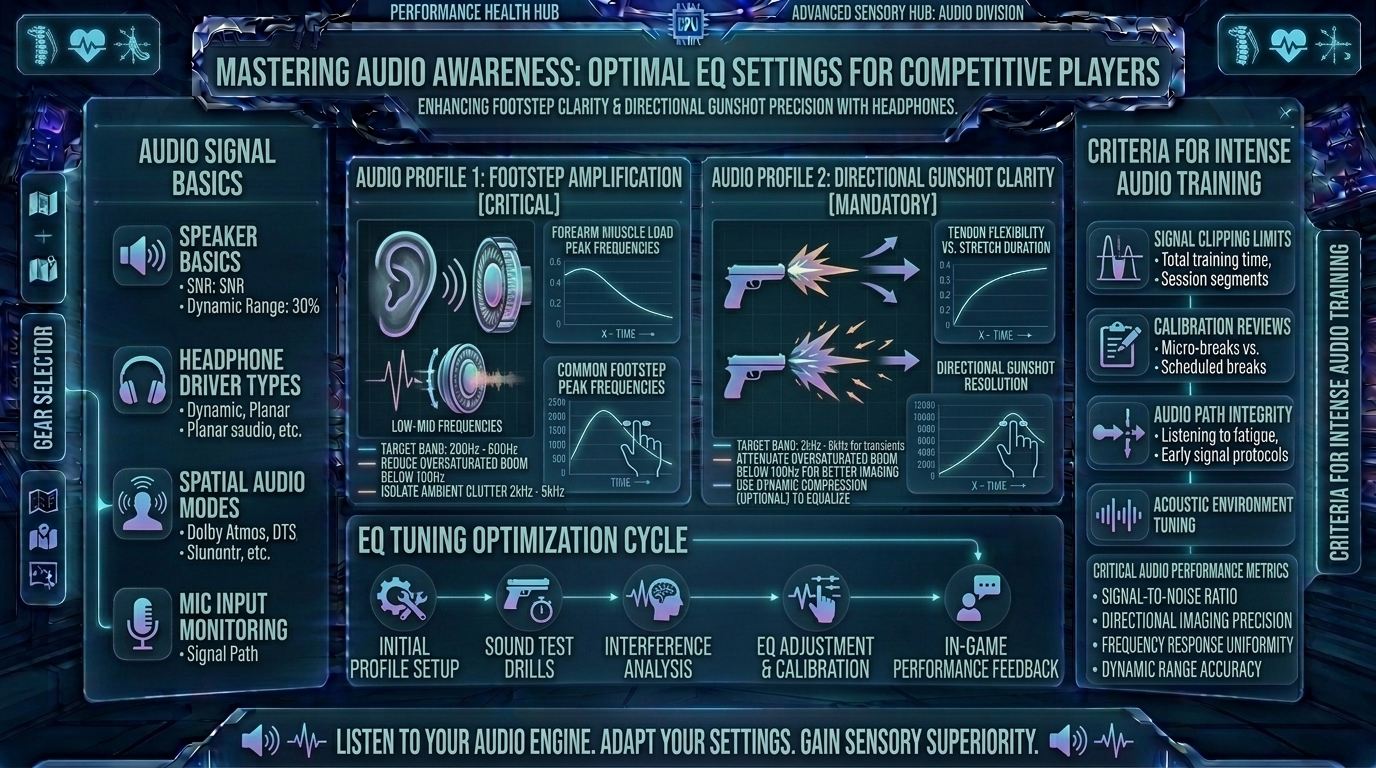
What Are the Best Audio Equalizer Settings to Hear Enemy Footsteps and Directional Gunshots More Clearly in Headphones
Welcome to The Gamer Buzz, your ultimate competitive performance and audio-tuning hub. Whether you are competing from high-end setups in San Francisco, New York, and Seattle, or dialing in your hardware gear across Texas, California, and Washington, one truth remains absolute: spatial audio is your invisible radar.
In tactical multiplayer shooters (such as Counter-Strike 2, Valorant, Apex Legends, Call of Duty, and Rainbow Six Siege), visual information only tells half the story. Long before an enemy rounds a corner or peeks a choke point, your ears can track their exact movement. However, out-of-the-box audio profiles on gaming headsets are often artificially bloated with heavy bass and cinematic explosions. This drowns out the subtle, high-frequency clatter of footsteps and distant directional gunshots under a muddy wall of sound.
By mastering audio equalization (EQ), you can surgically strip away unnecessary acoustic clutter and amplify the frequencies that matter most. In this exhaustive, master-level guide, we break down acoustic frequencies, psychoacoustics, headset hardware considerations, and the exact EQ curves required to hear every footstep with absolute clarity.
1. The Acoustic Anatomy of Competitive Audio: Frequencies Explained
To configure an equalizer properly, you must understand what sound looks like on a spectrum. Sound frequency is measured in Hertz (Hz), ranging from deep sub-bass rumbles to ultra-high treble crunches.
[Sub-Bass: 20Hz - 60Hz] ➔ [Mid-Bass / Mud: 100Hz - 250Hz] ➔ [Midrange / Voices: 500Hz - 2kHz] ➔ [Footstep Treble: 3kHz - 8kHz]
1. The Danger Zone: Muddy Bass (100Hz to 250Hz)
- What lives here: Engine roars, explosion shockwaves, heavy ambient background music, and deep room reverb.
- The Problem: Game developers often pump this frequency range to make cinematic single-player campaigns feel immersive. In competitive games, it creates an acoustic fog that masks critical sounds. You must cut this range down.
2. The Critical Zone: Footsteps and Reloads (3kHz to 8kHz)
- What lives here: Boot leather scuffs on concrete, tile, or metal; pin pulls on grenades; weapon reload clicks; and the sharp transient crack of distant gunshots.
- The Solution: This is your target zone. By gently boosting this frequency spectrum, enemy footstep signatures cut through ambient noise instantly.
2. Step-by-Step Guide to Setting Up Your Equalizer
Whether you use software like SteelSeries Sonar, Dolby Atmos, Equalizer APO with Peace GUI, or Razer THX Spatial, follow this structured protocol to build your competitive profile:
Step 1: Flat Baseline Reset
Start by flattening all equalizer sliders to 0dB. Reset any cinematic “V-shaped” presets that emphasize high bass and high treble while scooping out the middle.
Step 2: Slashing the Low-End Mud
- Drop the 60Hz to 250Hz sliders down by -3dB to -6dB.
- Result: Explosions and environmental rumbles become muted and controlled, ensuring they never deafen you or drown out subsequent audio cues.
Step 3: Boosting the Intelligibility Window
- Raise the 3kHz to 6kHz sliders up by +3dB to +5dB.
- Result: This sharpens the high-mid transients of footsteps and tactical actions, giving them a distinct “crispness” that trains your brain to react faster.
Step 4: Smoothing Out Harsh Treble
- Keep the ultra-high range (8kHz to 16kHz) flat or slightly reduced (-1dB). Pushing this range too high introduces ear fatigue and harsh static hissing during long sessions.
3. Comprehensive Matrix: The Ultimate Competitive Audio EQ Profile
| Frequency Band (Hz) | Adjustment Value (dB) | Acoustic Purpose / Competitive Benefit |
| 32 Hz – 63 Hz | -4 dB | Removes deep sub-bass rumble from map ambiance and explosions. |
| 125 Hz – 250 Hz | -5 dB | Cuts out low-end “mud” that masks footsteps and reloads. |
| 500 Hz – 1 kHz | 0 dB (Flat) | Preserves natural teammate voice chat clarity in Discord/In-game comms. |
| 2 kHz – 4 kHz | +2 dB | Enhances weapon switch sounds and character gear jingles. |
| 4 kHz – 8 kHz | +4 dB | The Sweet Spot: Maximizes footstep scuffs, surface impacts, and pin pulls. |
| 8 kHz – 16 kHz | -1 dB | Prevents high-frequency ear strain and electronic hiss artifacts. |
4. Hardware vs. Software: Choosing the Right Audio Setup
Your equalizer settings are only as good as the hardware reproducing them. Understanding your acoustic chain prevents common hardware bottlenecks:
- Open-Back vs. Closed-Back Headphones: Open-back headphones (like the Sennheiser/EPOS PC38X) feature breathable earcups that allow sound waves to escape naturally, creating an exceptionally wide soundstage for pin-point directional accuracy. Closed-back headphones isolate external room noise better but trap sound inside, which can color low-end frequencies.
- Virtual Surround Sound — Friend or Foe?: Most software-based “7.1 Surround Sound” toggles add artificial reverb and echo to game engines that are already natively binaural (designed for stereo). Turn off virtual 7.1 surround sound. Stick to high-quality stereo output paired with a precise custom EQ profile for maximum directional clarity.
10 Frequently Asked Questions (FAQ)
1. Should I use gaming headset software or a third-party equalizer like Equalizer APO?
Both work well, but third-party tools like Equalizer APO with Peace GUI or suite software like SteelSeries Sonar give you parametric control down to individual frequencies rather than basic 3-band sliders.
2. Why do gunshots sound so loud compared to footsteps in my game?
Because dynamic range in modern games is massive. Using a compressor or “Night Mode / Volume Normalization” setting in your game audio options compresses the gap between loud explosions and quiet footsteps.
3. Will changing my EQ get me banned for cheating?
No. Audio equalizers, third-party sound profiles, and headphone tuning apps operate entirely on your local operating system audio drivers. They are 100% legal and used universally by esports professionals.
4. Do I need an expensive DAC/Amp to hear footsteps better?
Not necessarily. While a dedicated USB DAC/Amp provides cleaner power delivery and eliminates motherboard electrical static interference, modern motherboards and high-end gaming headsets drive clear audio just fine on their own.
5. Why can’t I tell if a footstep sound is coming from above or below me?
Vertical audio cues rely on subtle frequency changes caused by your outer ear (pinna) shape. If a game engine’s binaural audio engine is poorly optimized, vertical sound can be notoriously difficult to pinpoint regardless of your EQ settings.
6. What is “soundstage” and why does it matter for competitive gaming?
Soundstage refers to the physical sense of space and distance a pair of headphones creates. A wide soundstage lets you accurately judge whether an enemy is 5 meters away behind a wall or 25 meters away across an open courtyard.
7. Should I enable “HRTF” (Head-Related Transfer Function) in-game settings?
Yes, absolutely. Turn HRTF on in games like Counter-Strike 2 or Valorant. It applies psychoacoustic modeling based on human ear anatomy to dramatically improve 360-degree directional audio accuracy.
8. How do I prevent ear fatigue during multi-hour gaming sessions?
Avoid excessive treble boosts (+8dB or higher in high frequencies). High-frequency fatigue causes headaches and ear ringing; keep your EQ adjustments balanced and moderate.
9. Can in-game audio settings conflict with my custom equalizer?
Yes. If your game engine has a built-in “Midnight Mode,” “Dynamic Range Compression,” or a preset headphone profile enabled, it may counteract or distort your custom Windows EQ settings. Choose one primary audio pipeline.
10. Where can I find more hardware and audio optimization guides?
Bookmark The Gamer Buzz and check back regularly for our comprehensive database of professional esports setups, acoustic reviews, and competitive improvement guides!
Conclusion
Hearing enemy footsteps and directional gunshots clearly is no longer a matter of guessing—it is a science of acoustic tuning. By stripping away muddy low-end frequencies, boosting the critical 4kHz to 8kHz footstep zone, disabling artificial virtual surround sound, and enabling game HRTF settings, you unlock a massive competitive advantage. Tune your audio profile, trust your ears, and never get caught off-guard by a flanking enemy again!
Leave a Reply